Tiled Map Compatibility
Resprite can import and export Tiled map and tileset formats. You can import an existing Tiled map and continue painting in Resprite, or export a Resprite tilemap for Tiled or a game development toolchain.
Tiled map and tileset interoperability is supported in DA 1.32.0, iOS R59, and later.
Resprite is not a direct editor for original Tiled project files. After importing a Tiled project, Resprite creates an editable .resprite document. When you export again, it writes new Tiled files.
Supported File Types
| Type | Use | Notes |
|---|---|---|
.tmx | Tiled map | Can be opened directly on desktop. Import creates and edits a .resprite document. |
Tiled map .zip | Tiled project package | Better suited to mobile import because it can include .tmx, .tsx, and image resources together. |
.tsx | Tiled tileset | Used to import or export a single Tiled tileset. |
.restile | Resprite tileset package | Used to reuse tilesets in Resprite and share them with other Resprite users. |
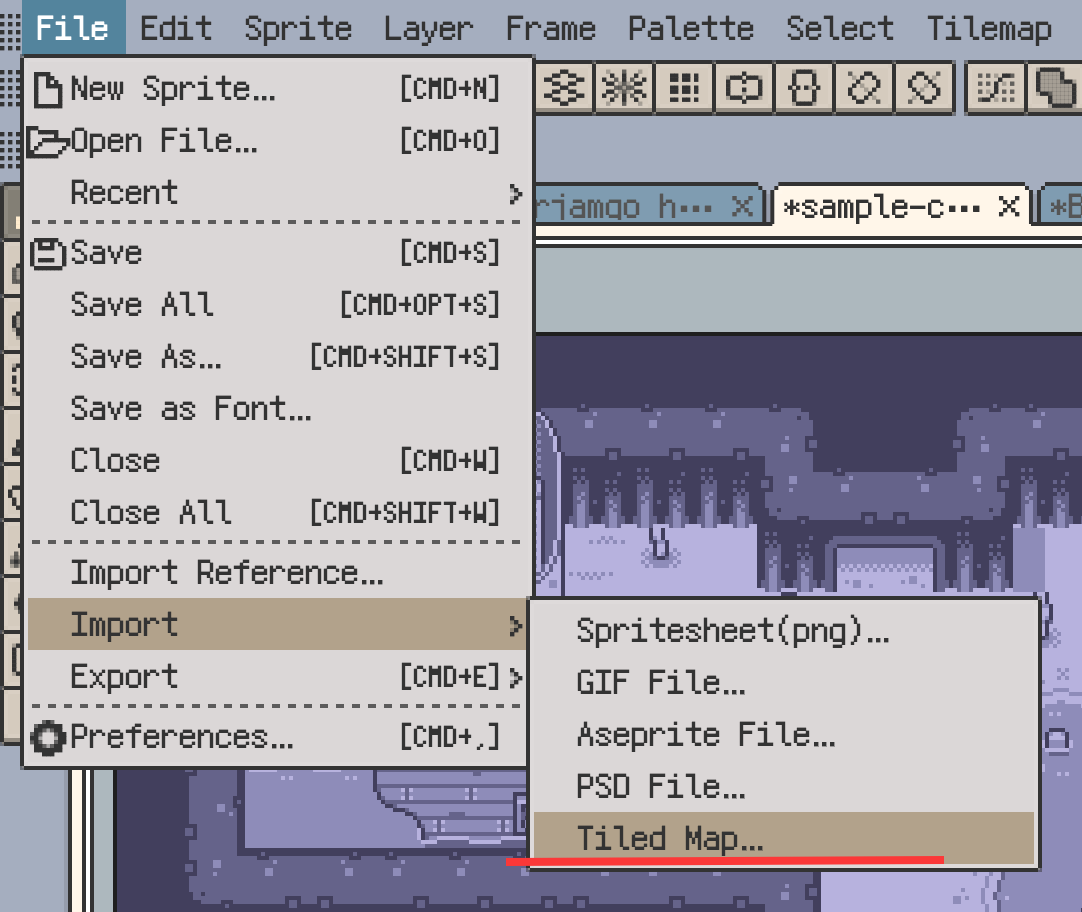
When opening a .tmx directly on desktop, Resprite reads .tsx and image resources from the same folder or relative paths. On mobile, .tmx, .tsx, and image resources may not be read together from their original folder relationship, so importing a Tiled map .zip package is usually better.
Import Tiled Maps
After importing a .tmx or Tiled map .zip package, Resprite preserves editable map content where possible, including:
- tilemap layers;
- tilesets and their images;
- rectangular, isometric, and hexagonal maps;
- common tile transforms such as flip and rotation;
- compatible terrain information;
- tile probability;
- tile animation.
After import, Resprite creates a document that can be edited further. Later edits happen in the Resprite document; the original .tmx, .tsx, and PNG files are not modified in place.
Import .tsx Tilesets
.tsx is the Tiled tileset file format. When you import a .tsx, Resprite adds it to the current document as a tileset that can be used for tilemap layers.
This is useful when:
- you want to reuse one Tiled tileset without importing a full map;
- you already have a Resprite document and tilemap layer;
- you want to keep painting with tiles from the Tiled ecosystem.
If image files referenced by the .tsx are missing or their paths are wrong, import may fail or produce a notice. Keep the relative path between the .tsx and its image resources intact when possible.
Image Collection Tilesets
Tiled supports image collection tilesets, where each tile comes from a separate image. When importing this type of tileset, Resprite tries to organize those images into a tileset that can be used in Resprite.
Notes:
- images that can be arranged into a tileset are imported directly;
- if the image count or dimensions exceed limits, Resprite may split the result;
- if some content cannot be converted, the import notice lists the reason.
Export Tiled Maps
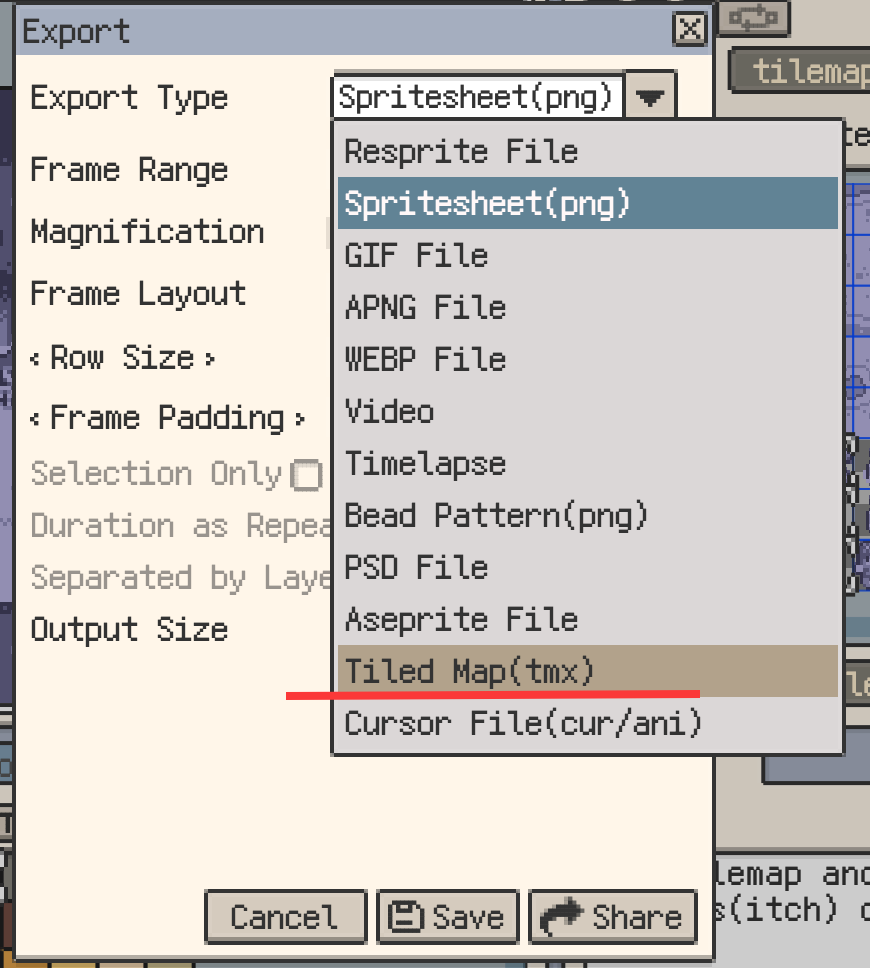
In a document with tilemap layers, choose Export ▸ Tiled Map to export a Tiled-compatible map. The result is a .zip package that usually contains:
- one or more
.tmxmap files; - matching
.tsxtileset files; - PNG image resources for tilesets.
If the current document has no tilemap layers, Tiled map export fails and reports that there is no tilemap layer to export.
Map Bounds
You can choose map bounds during export. Most maps can be exported by the current canvas bounds. If tile content extends beyond the canvas, or if you need to keep a large sparse map, choose a larger export range.
Isometric Map Export
When the document contains isometric tilemap layers, the export dialog provides an isometric export mode that matches how Tiled represents isometric maps. After export, open the result in Tiled to check the artwork and layer order for your production workflow.
Multiple Tilemap Configurations
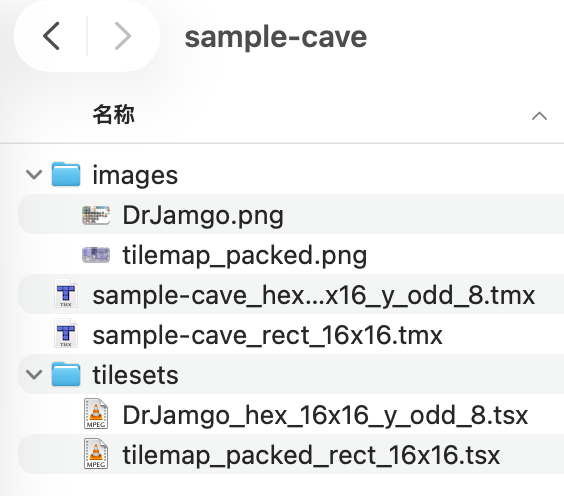
If one .resprite document contains tilemap layers with different grid types, layout parameters, or tile sizes, export splits them into multiple .tmx files. Even rectangular tilemap layers are exported separately if their tile sizes differ.
This comes from Tiled's own file model: a single Tiled map can only use one map orientation, one set of layout parameters, and one tile size. It cannot mix layers with different configurations in the same .tmx.
.restile Tileset Packages
.restile is Resprite's tileset package format. It is used to save and share reusable tilesets. If you send a .restile to another Resprite user, they can import it into their own document and keep using it.
.restile and .tsx serve different purposes:
- use
.restilewhen you only need to reuse or share a tileset inside Resprite; - use
.tsxor Tiled map export when the tileset needs to go to Tiled or a game development toolchain; - if you are unsure, keep the
.respritesource file and export to the target tool later.
Import and Export Notices
Tiled and Resprite do not support exactly the same features. During import or export, Resprite shows a notice when needed so you can check:
- what was processed successfully;
- what needs attention;
- what was adjusted automatically;
- what could not be preserved.
The Copy Technical Details action in the notice is useful when reporting an issue. Most users only need to read the main message.
Content That Is Not Fully Preserved
Do not assume the following content will be preserved as editable structures:
- Tiled object layers, such as collision boxes, trigger areas, or annotation objects;
- custom properties;
- fields used only by third-party tools.
If this content appears in the source file, the import notice may list it as skipped or downgraded.
Recommendations
If your goal is to keep editing in Resprite, import the .tmx and continue working in the generated Resprite document. When you need to hand the result to Tiled or a game development toolchain, export a Tiled map.
If your goal is only to reuse a tileset:
- Prefer
.restileor the tileset library inside Resprite. - Import
.tsxwhen bringing in a tileset from Tiled. - Export
.tsxor a Tiled map when handing content to Tiled.
If import or export results are not what you expected, contact support and include the technical details from the notice.