Onion Skin
What is Onion Skin?
Onion Skin overlays nearby frames on the canvas so you can compare poses, spacing, and movement while drawing the current frame. The overlays are editing aids and do not become part of the artwork.
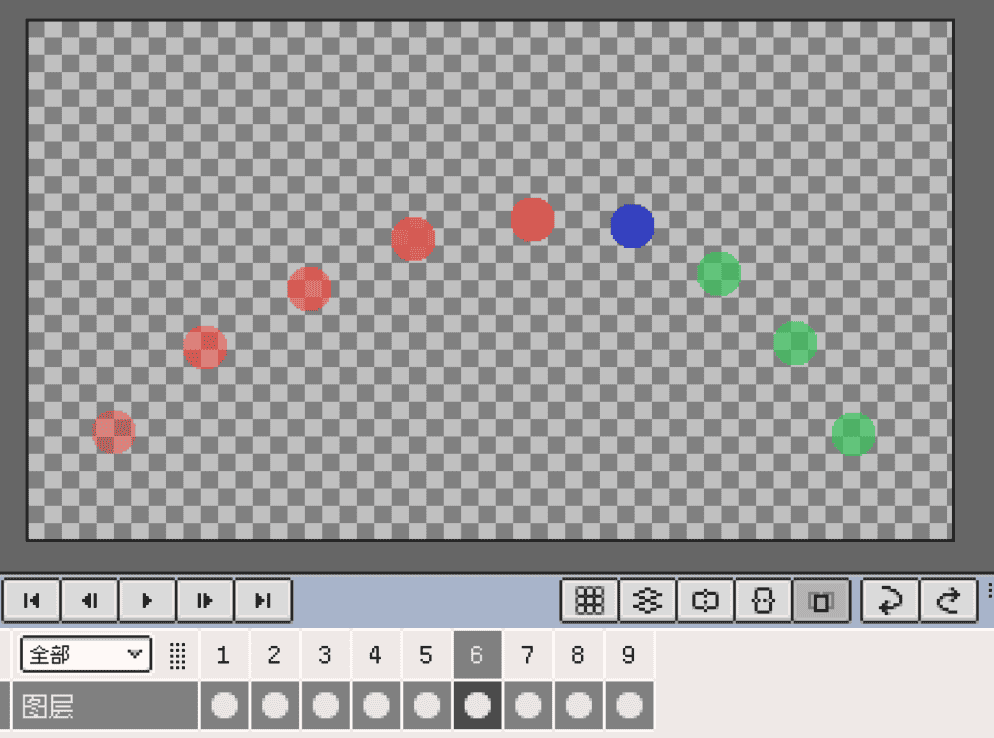
Configure Onion Skin
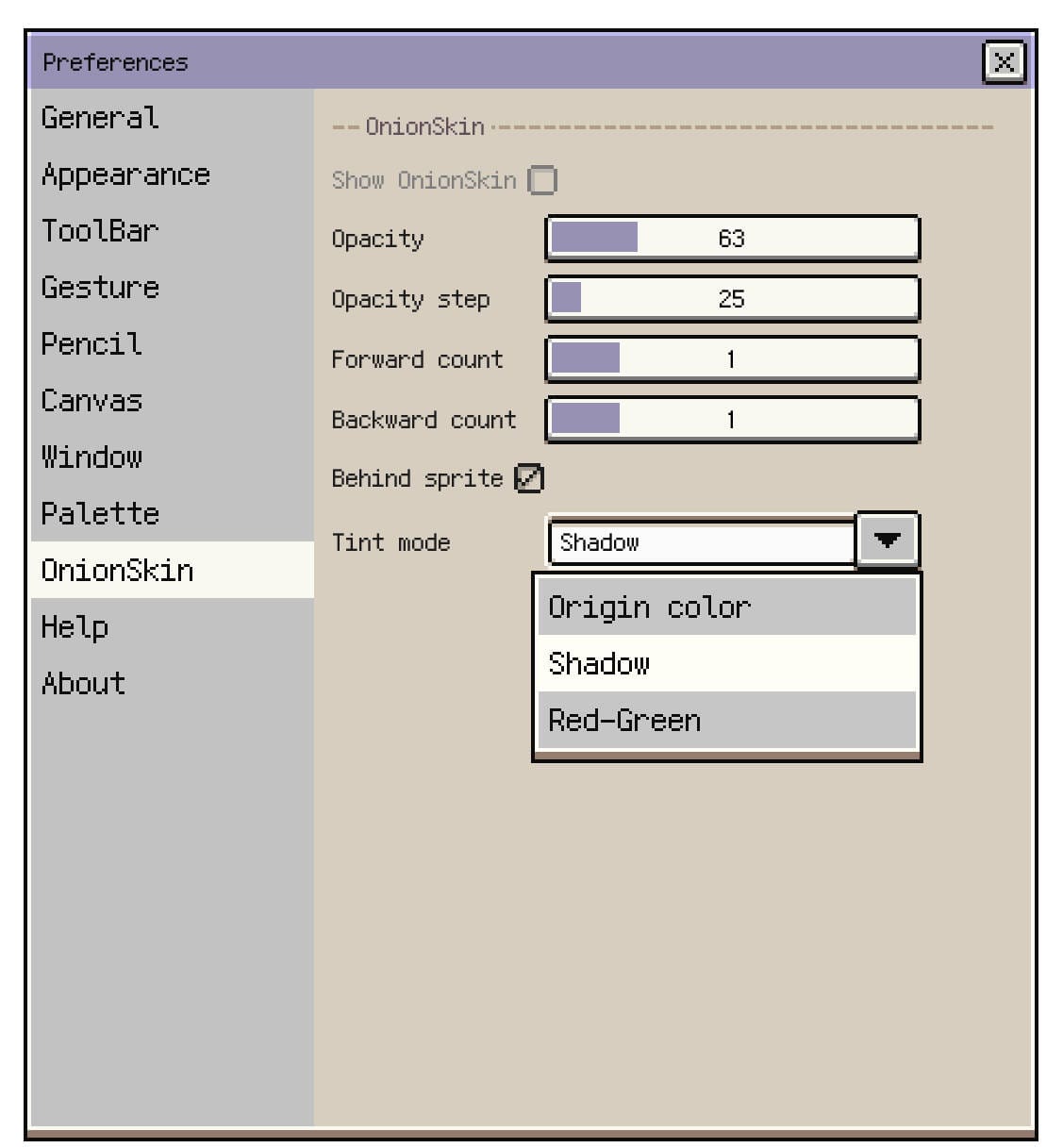
Open Preferences ▸ Onion Skin and adjust:
| Setting | Effect |
|---|---|
| Opacity | Opacity of the nearest frame on each side. |
| Opacity Step | Amount subtracted for each more distant frame; frames at zero opacity are not shown. |
| Forward Count / Backward Count | Number of following / preceding frames to preview. Set either count to zero to hide that side. |
| Behind Sprite | Place the overlays behind the current artwork; turn it off to show them in front. |
| Tint Mode | Use original colours, a shadow tint, or red/green tinting. Red marks preceding frames and green marks following frames. |
The visible frames stay within the current playback range. Near a range or clip boundary, there may be fewer overlays than the configured count.
Toggle Onion Skin
Use the switch in Preferences ▸ Onion Skin, the Onion Skin command in the View menu, or the timeline action-bar button. If that button is hidden, enable it in the timeline action-bar settings.
In frame-navigation gesture mode, a vertical swipe also toggles Onion Skin. The one-finger mode is available on iPad and Android when Pencil Draw Only is enabled; see frame-navigation gestures.
FAQ
Why can’t I see Onion Skin?
Check that it is enabled, the relevant frame count is above zero, and opacity remains above zero after the opacity step is applied. At the beginning or end of a playback range, there may be no frame on one side to display.
With Behind Sprite enabled, an opaque background can cover the overlays. Temporarily hide that background or show the skins in front to check the animation.
Continue reading: