Resprite DA v1.32 changelog
v1.32.6
Release date: 2026-10-12
New
- New: Added support for pressure-controlled brush size.
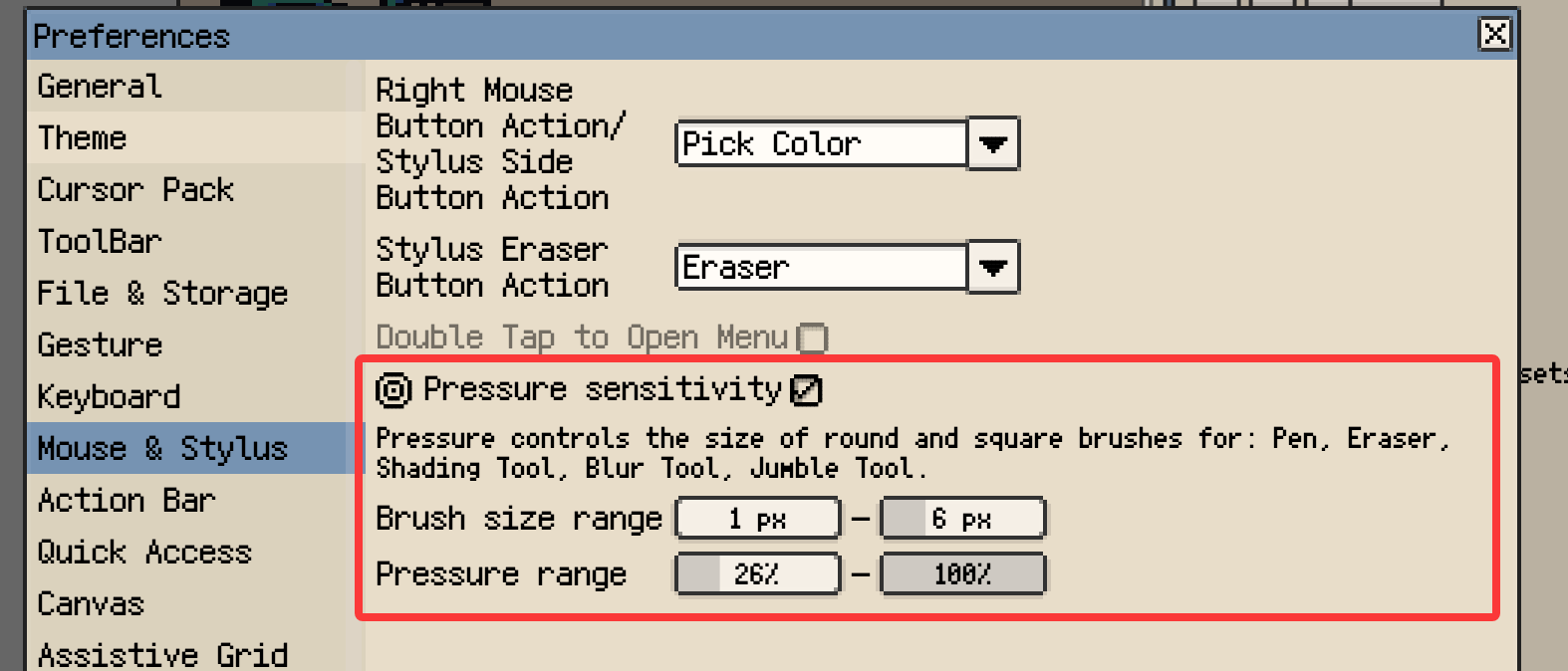
Pressure-controlled brush size
- New: Eraser opacity is now adjustable. Double-click to reset it to 100%.
- New: Added edge auto-scroll while drawing on desktop. Enable it in Canvas settings.
- New: Added two-finger canvas rotation on mobile.
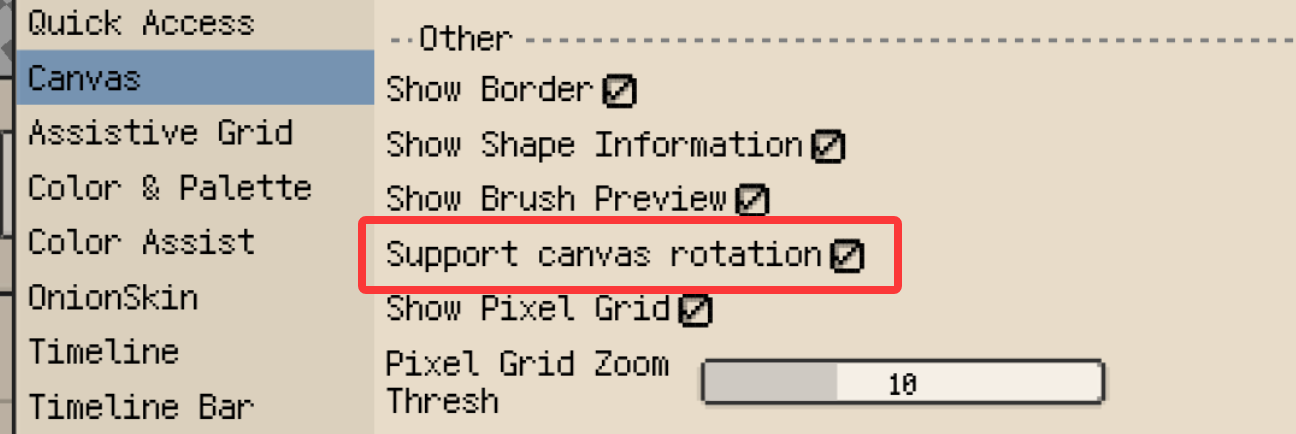
Canvas rotation settings on Android
- New: Added Save as Font (.resfont) support on Android.
- New: Replace Color can now pick the source color directly from the canvas.
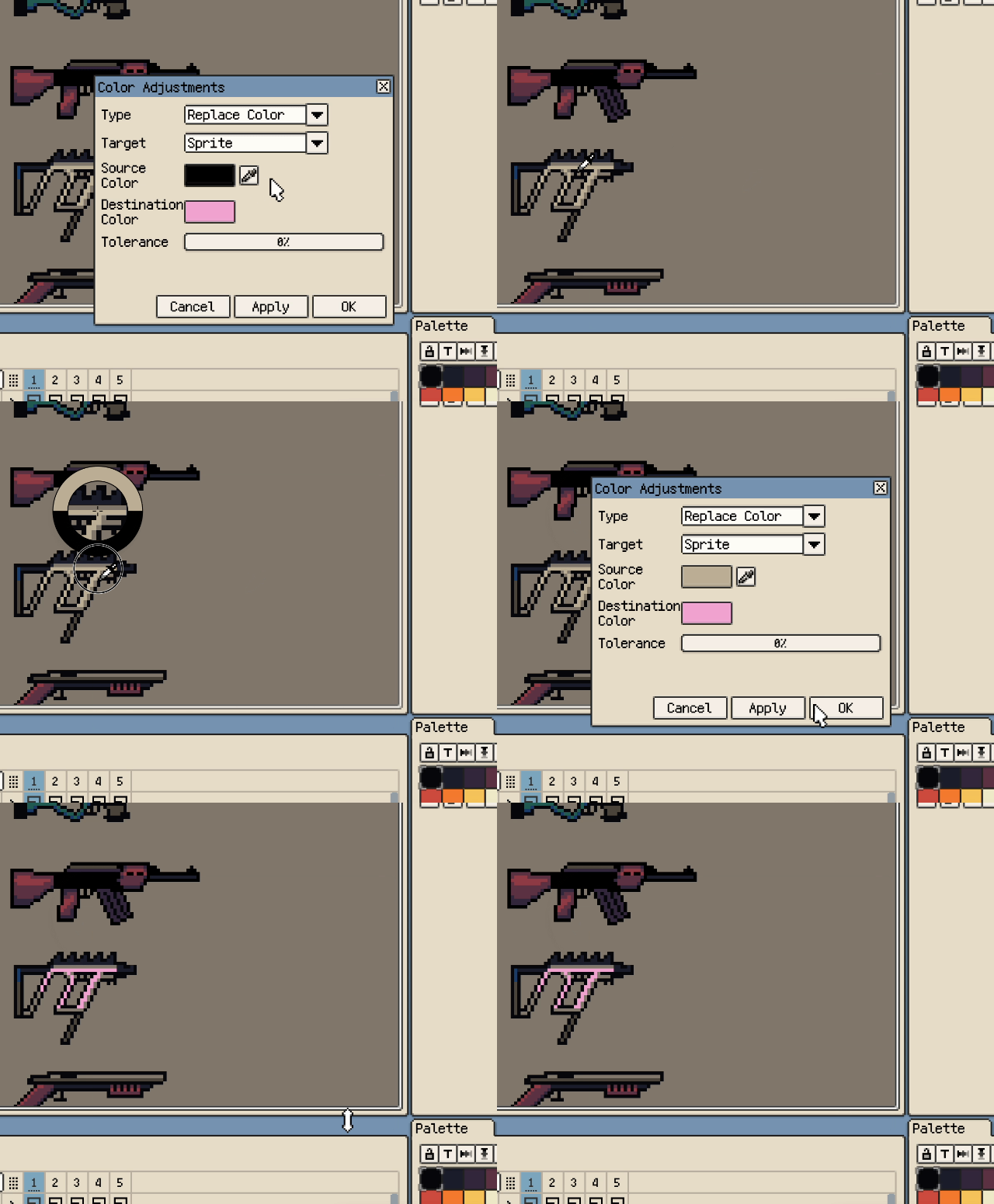
Pick the source color from the canvas in Replace Color
- New: Gallery on desktop now supports copying file and folder paths.
Improvements
- Improvement: New Sprite size presets are now added manually and can be named.
- Improvement: Frame duration now supports fractional multipliers and millisecond input.
- Improvement: Pen now previews the actual appearance of Shift-click straight lines.
- Improvement: Mouse-wheel zoom now works while holding Space or dragging with the Pan Canvas Tool.
- Improvement: The timeline can now be scrolled by dragging with the Pan Canvas Tool, while holding Space, or with the middle mouse button.
- Improvement: Screen color picking on macOS and Windows now uses the same circular loupe as in-app color picking.
- Improvement: Screen color picking now supports dragging to preview and releasing to confirm.
- Improvement: The Color Wheel now accepts input in the gap inside the ring, making colors at the square's edges easier to pick.
- Improvement: Split Sprite Sheet exports can now omit the base name.
- Improvement: Tiled Map exports now save directly to a folder on desktop.
- Improvement: GPL exports now accommodate Aseprite's additional color-name requirement.
Fixes
- Fix: Fixed selection content disappearing during two-finger gestures.
- Fix: Fixed the loupe not appearing or lagging when picking screen colors with a Wacom pen on Windows.
- Fix: Fixed floating toolbars becoming immovable after switching workspace layouts and grouped toolbars shifting on startup.
- Fix: Fixed the Linux version failing to launch through Steam in some environments.
Changes
- Changed: New documents default to 10 FPS (100 ms per frame).
- Changed: Fresh installs now default to holding Alt/Option to temporarily pick colors. Existing key settings are preserved.
v1.32.5
Release date: 2026-09-15
Fixes
- Fix: Fixed an issue that prevented some timelapse and video exports on Windows.
v1.32.4
Release date: 2026-09-10
New
- New: Added a native Linux version.
v1.32.3
Release date: 2026-09-10
New
- New: Tool Bar, Action Bar, and panel action bar button sizes can now be adjusted independently in settings. Panel action bars support overflow menus.
Improvements
- Improvement: Restored horizontal scrolling for the top-docked Action Bar and Tool Options Bar on narrow phone screens.
Fixes
- Fix: Fixed mismatched pixels between mirrored selections after transforms.
v1.32.2
Release date: 2026-09-10
Fixes
- Fix: Improved reliability when opening timelapse projects with external storage on Android.
- Fix: Fixed Wacom pen side-button right-click issues with Windows Ink. The enhancement setting is no longer needed.
- Fix: Fixed small gaps between brush previews and canvas pixels on Windows.
v1.32.1
Release date: Sep 5 2026
New
- New: Added an adjustable Sharpen filter.
Adjustable Blur and Sharpen filters
- New: Pencil Draw Only now supports a separate finger long-press action for color picking, fill, eraser, or layer selection.
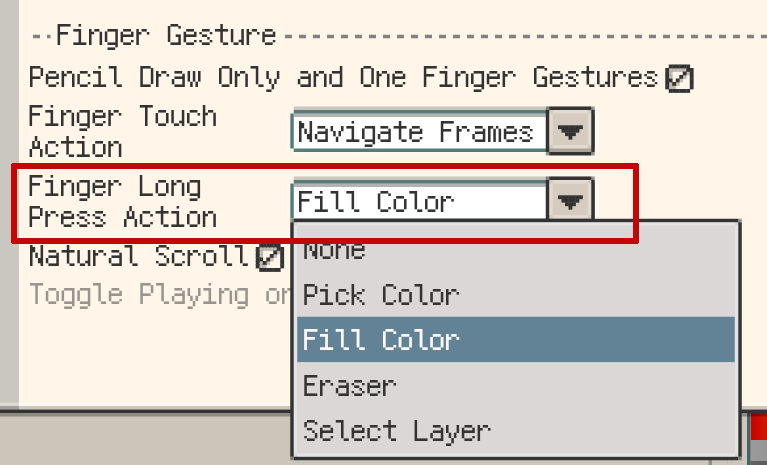
Choose a separate finger long-press action
- New: Bead Pattern export now supports custom watermarks with adjustable text, opacity, density, and color.
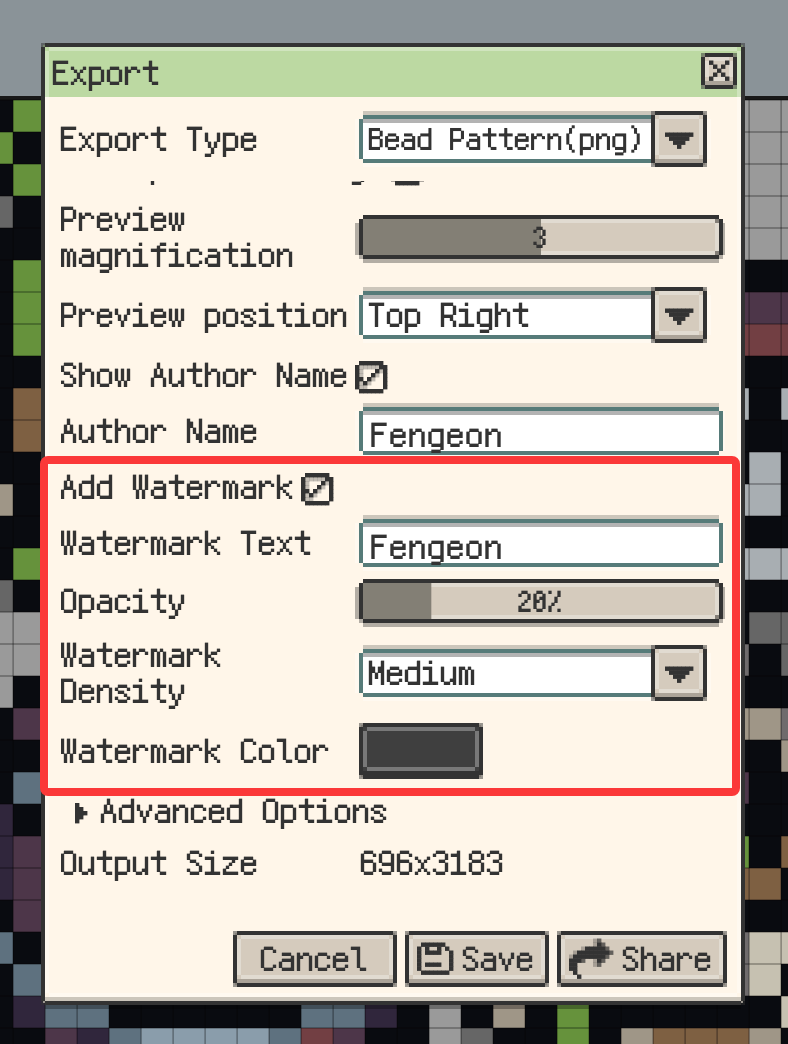
Custom watermark settings for Bead Pattern export
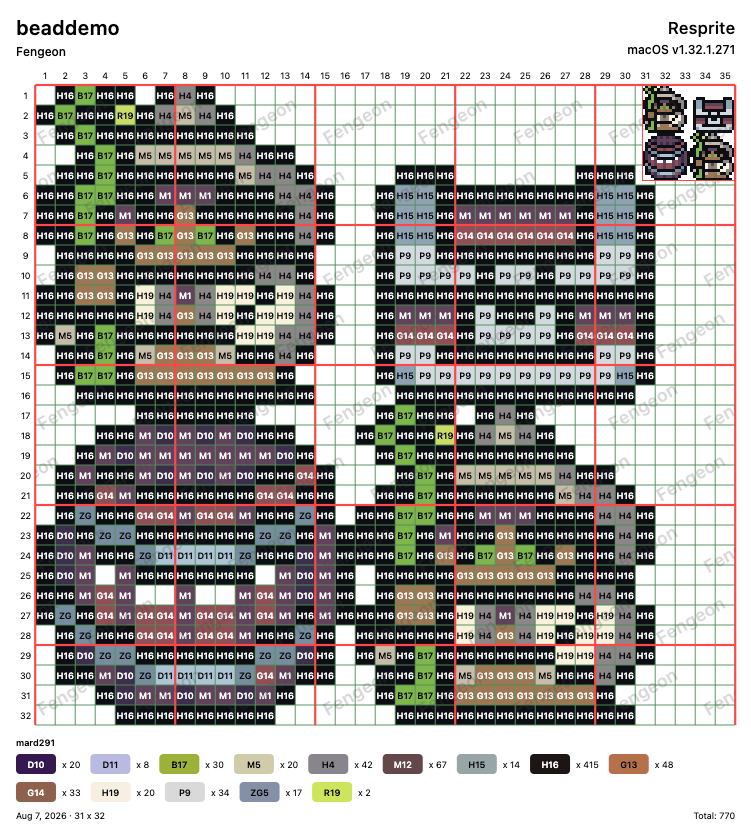
A Bead Pattern exported with a custom watermark
- New: Bead Pattern export can check large color differences and compare original and matched colors.
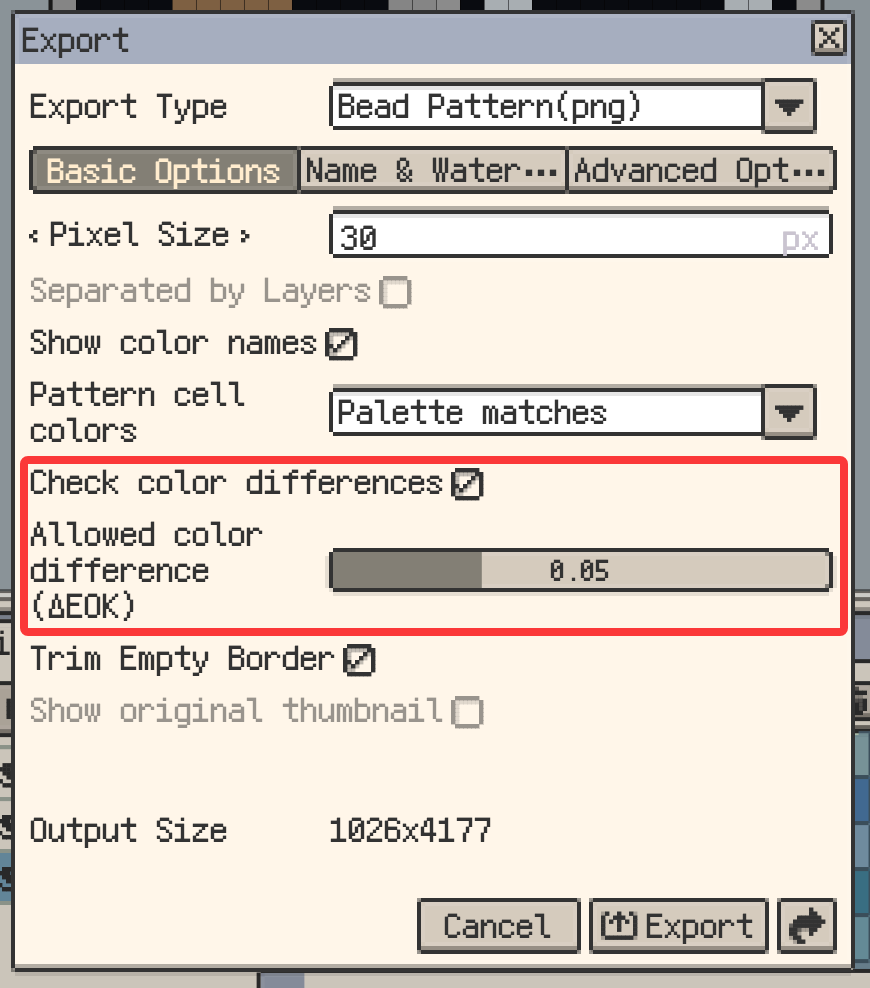
Color-difference check settings for Bead Pattern export
- New: Sprite Sheet export can split by frame, animation clip, or layer, with direct folder output for multiple files on desktop.
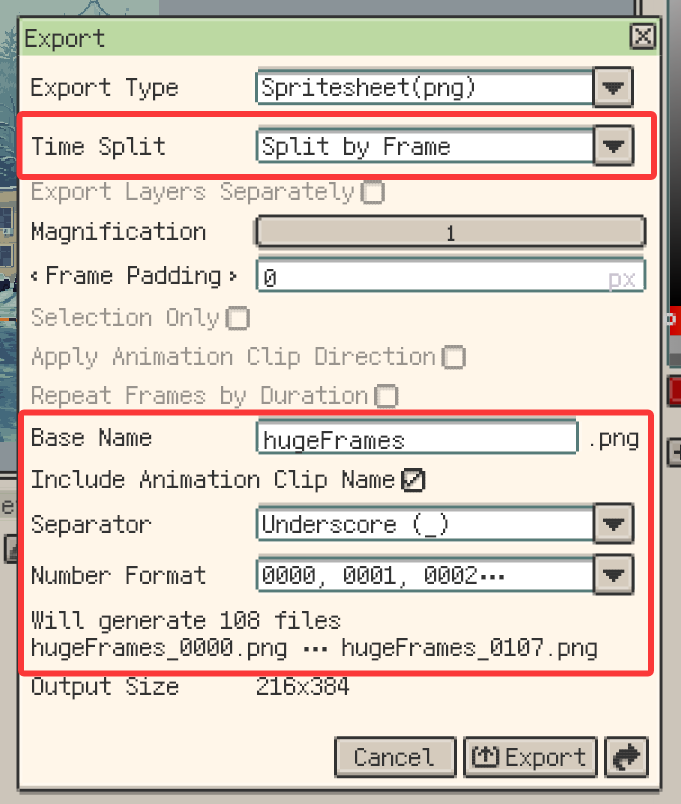
Split and naming options for Sprite Sheet export
- New: Selection content can now be transformed across multiple selected timeline cells.
Transform selection content across multiple timeline cells
- New: Content can now be pasted into multiple selected timeline cells at once.
Paste content into multiple selected timeline cells
- New: Images and image sequences can now be imported as new layers.
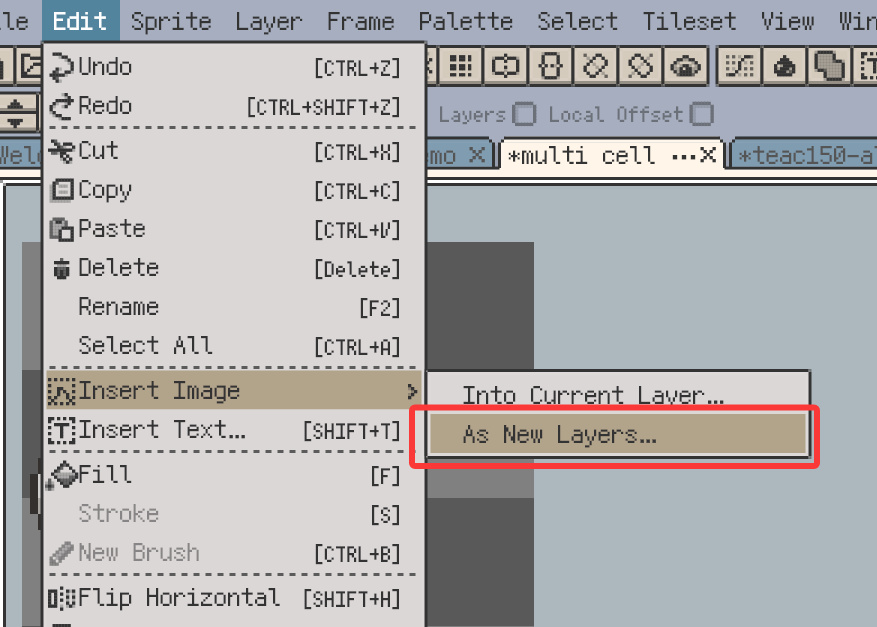
Import images as new layers from the menu
Drop images onto the timeline as new layers
- New: Palette interpolation now supports HSV and RGB modes.
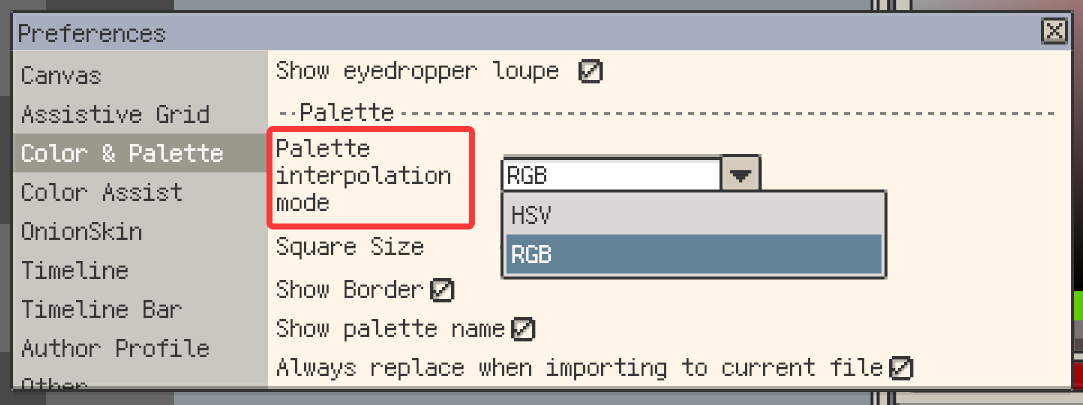
RGB mode for palette interpolation
- New: Inherited cells on raster layers now support position offsets.
Apply a local position offset to an inherited cell
- New: Inherited cells now support Position and Opacity Keys and Tween.
Animate inherited cells with position keys and tweening
- New: Selections automatically follow symmetry tools and remain linked during transforms.
Transform a selection while preserving symmetry
- New: Offscreen symmetry handles show edge indicators and can be dragged back into view.
- New: Top bars can now float, letting you freely position the Action Bar, Tool Bar, and Tool Options Bar.
Arrange floating top bars anywhere in the window
- New: On Android, Gallery grid items can now be long-pressed and dragged into folders.
Improvements
- Improvement: Center Symmetry Axes now uses the visible area center when the canvas center is offscreen.
- Improvement: Gallery grid dragging now auto-scrolls near the top and bottom edges.
- Improvement: Turning off cell inheritance now preserves the displayed content and position.
- Improvement: Batch edits now include hidden content; locked content remains protected.
- Improvement: Hidden timeline cells can now be edited directly, while Cell Properties remains available read-only on locked layers.
- Improvement: Reference images can now be copied and pasted across files.
- Improvement: macOS and Windows now offer screen picking that directly sets the pen color, plus an optional shortcut.
- Improvement: Refined frame navigation and timeline positioning during animation playback.
- Improvement: Improved color matching for Bead Pattern and palette quantization.
- Improvement: Refined various interface and interaction details.
- Improvement: Updated the Google Play Billing Library.
Fixes
- Fix: On Android, brush previews now disappear when a stylus leaves hover range.
- Fix: Improved
.respriteproject save reliability. - Fix: Moving a selection no longer clears its path on clipping-mask layers with blend modes.
- Fix: Bead Pattern color names now display completely on one line.
- Fix: Custom brushes now draw completely across tiled boundaries and copy areas.
- Fix: Blur and Jumble now sample neighboring tiles correctly at tiled boundaries.
- Fix: Timeline frame moves and deletions now preserve the correct frame-to-cell mapping across repeated Undo and Redo.
Changes
- Change: Blur has moved from Color Adjustments to Edit > Filters.
v1.32.0
Release date: Aug 10 2026
New
- New: Added support for Rectangular, Isometric Diamond, and Hexagon Tilemap Layers.
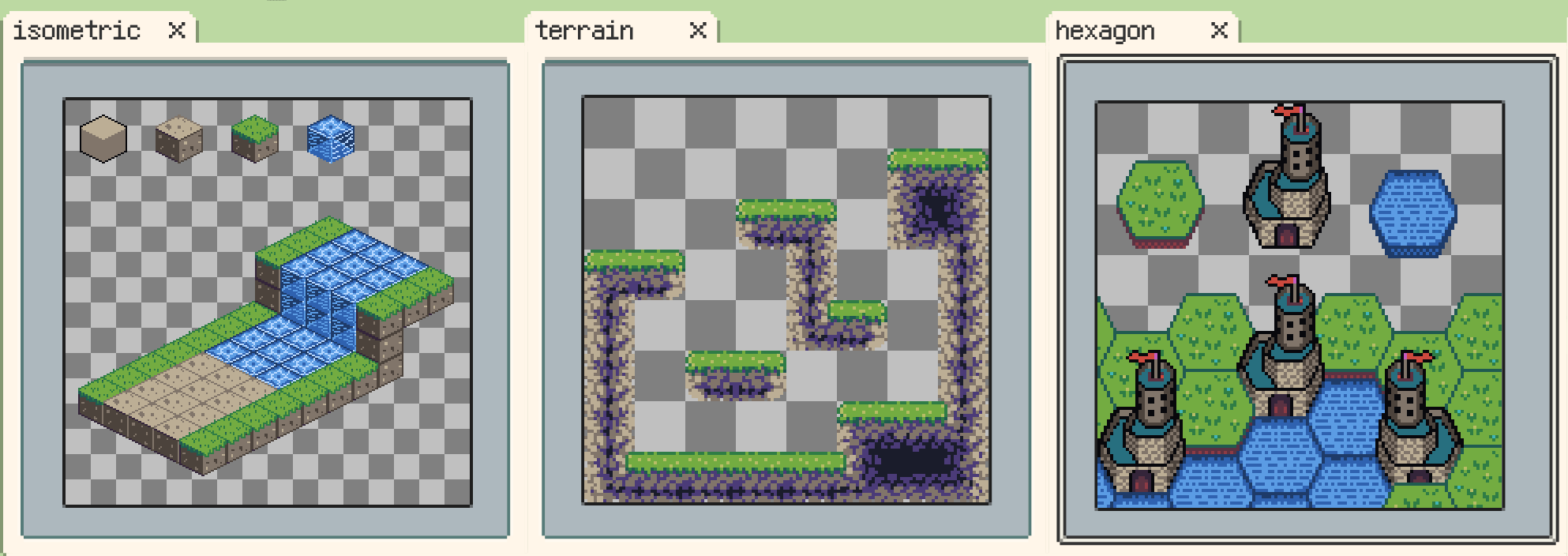
Rectangular, isometric diamond, and hexagonal Tilemap Layers
- Note:
.respritefiles with Tilemap Layers require DA 1.32.0 / iOS r59+. - New: Added a tileset management system.
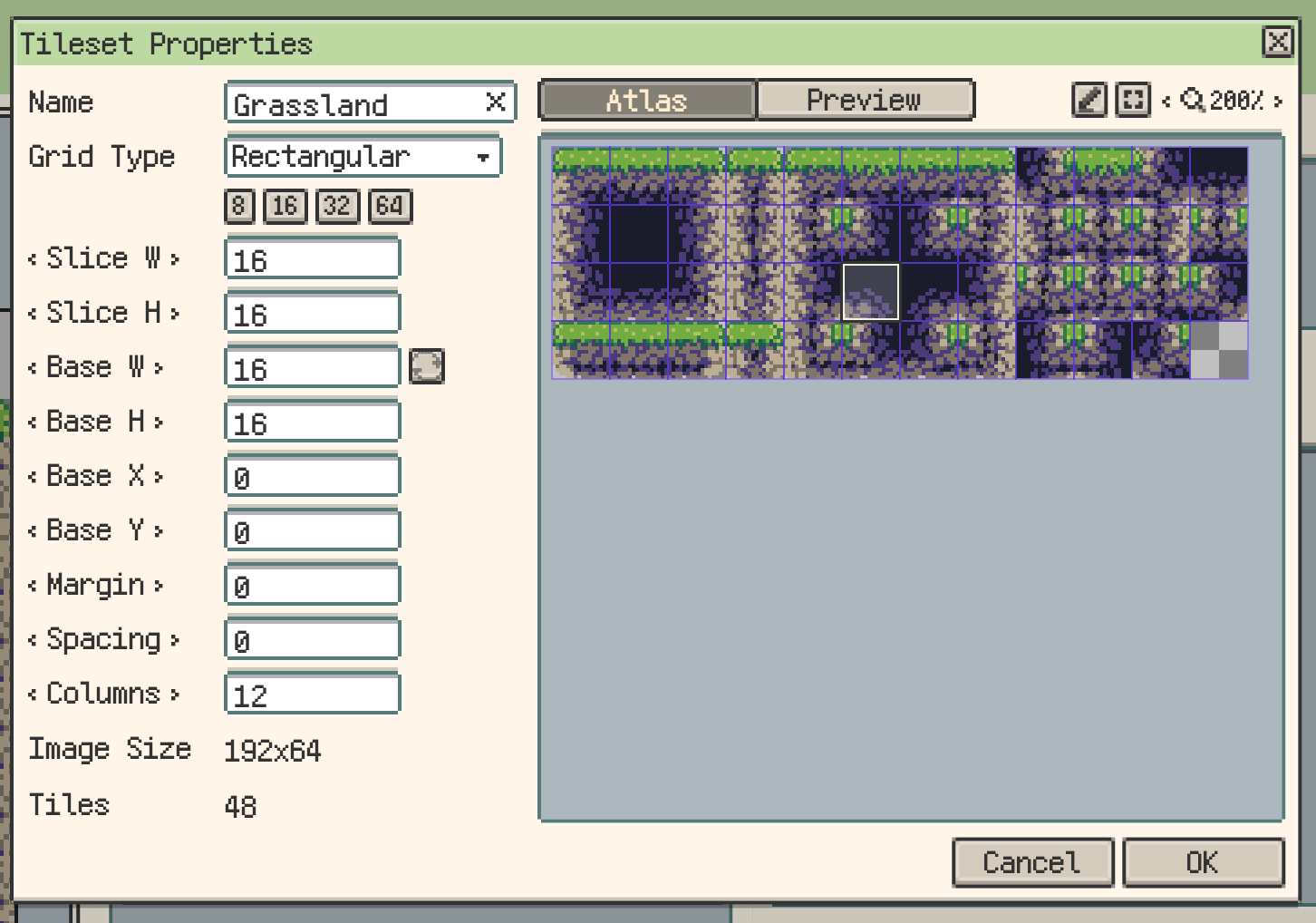
Tileset properties and management
- New: Added Tiled map (
.tmx/.tsx) import and export.
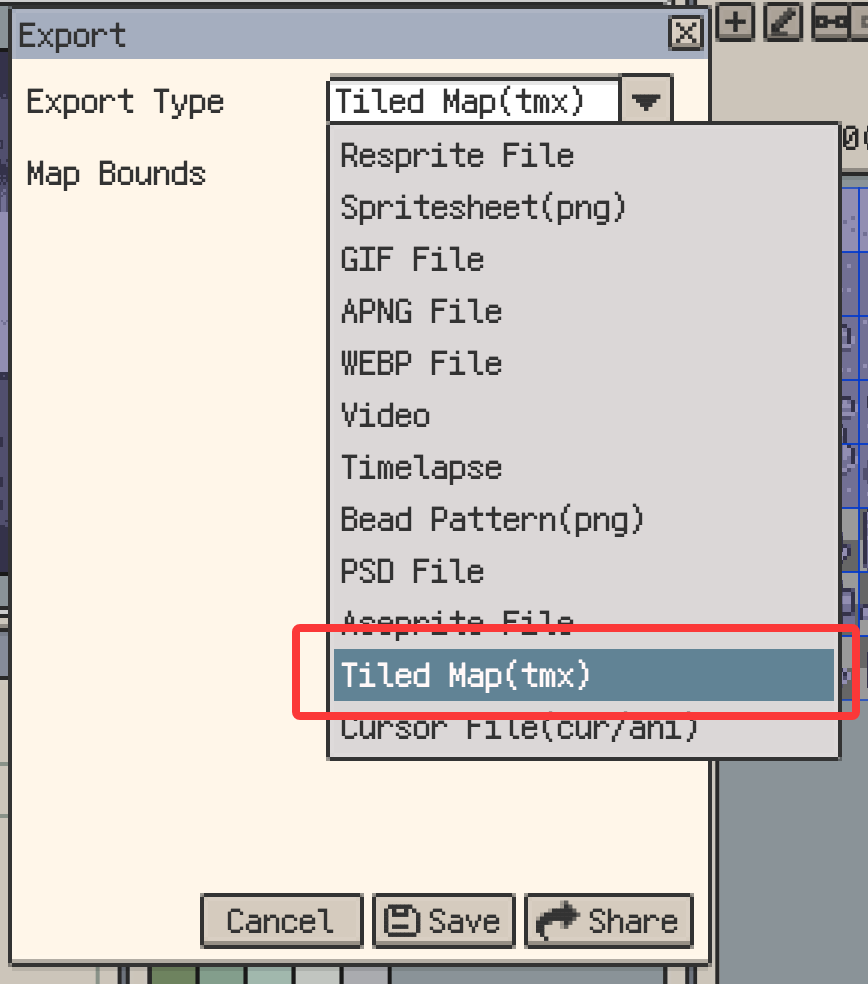
Tiled map import and export
- New: Added terrain rule editing and terrain painting.
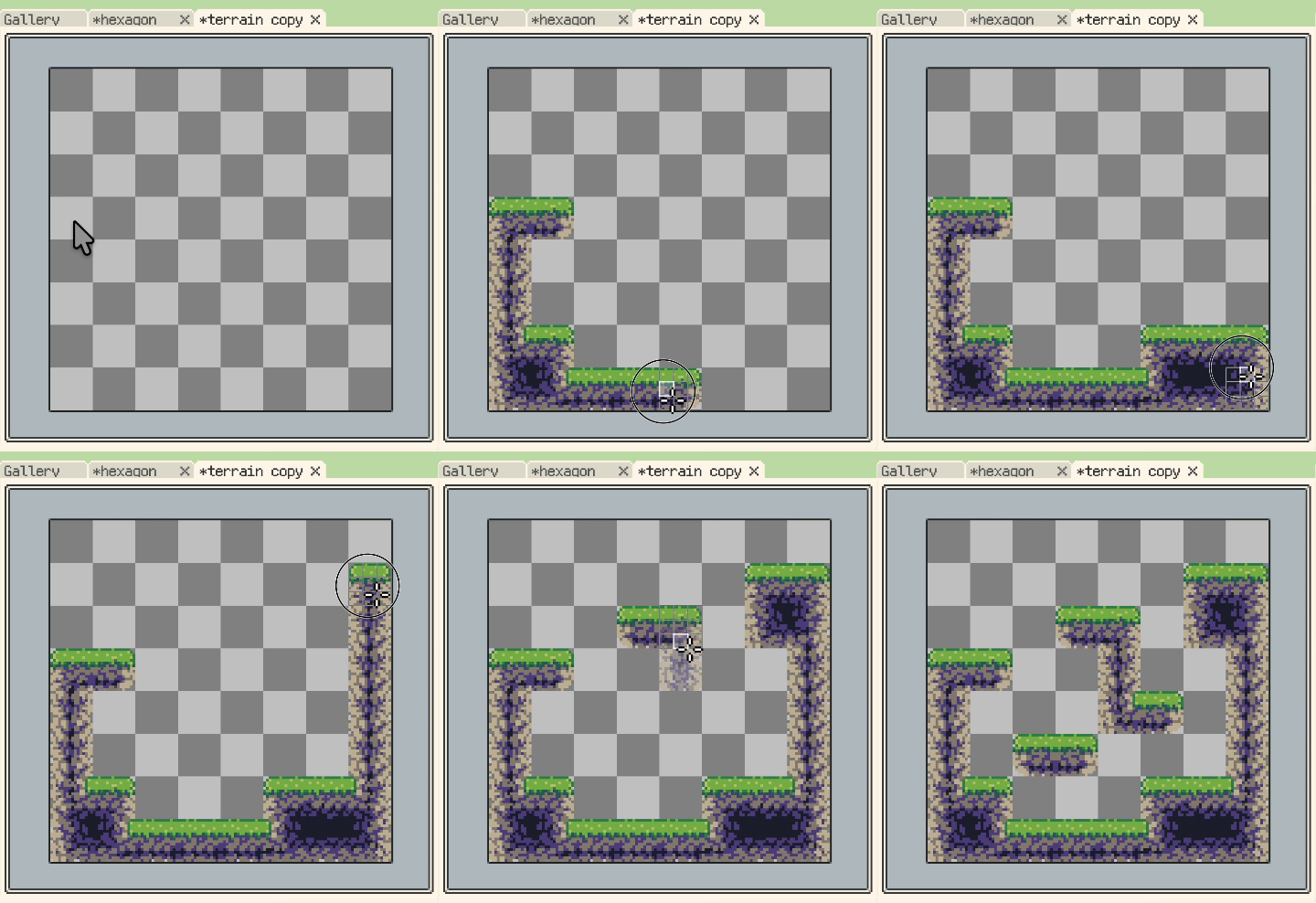
Terrain painting on a tilemap layer
Asset credits
The Grassland tileset shown above is adapted from Shackhal's Multi Platformer Tileset, released under Creative Commons CC0 1.0 Universal. For this example, the upper section of the tileset was modified into road tiles.
- New: Added instant tileset image editing through linked layers.
- New: Added tile animation.
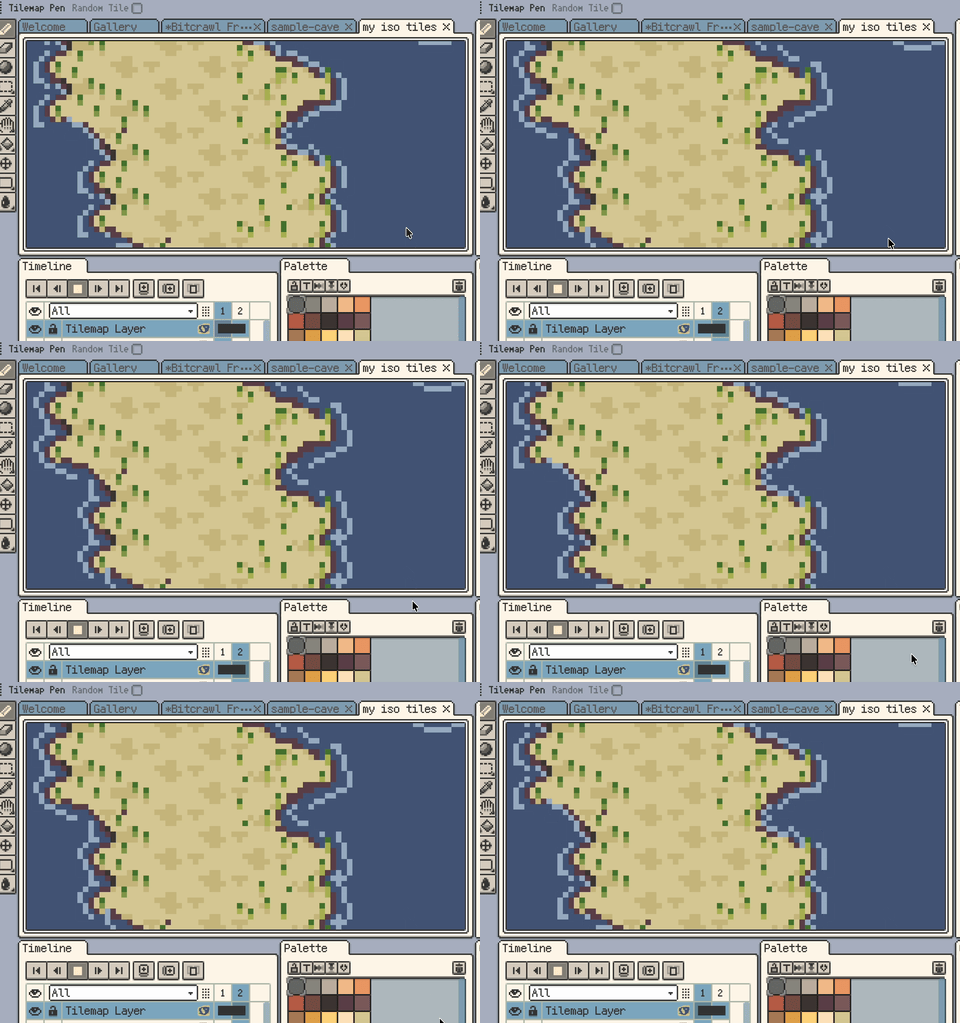
Tile animation settings and playback
- New: Added a built-in MARD 291 bead palette.
- New: On Android, Keep screen on is now available in Settings > Other.
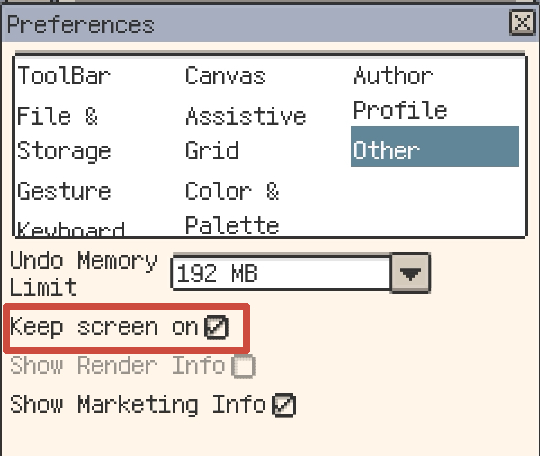
Keep screen on setting on Android
Improvements
- Improvement: View > Extras can now temporarily hide canvas extras.
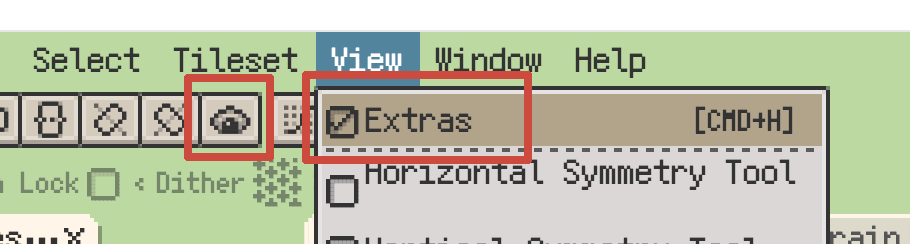
Temporarily hide canvas extras
- Improvement: Custom brushes can now be temporarily flipped and rotated 90°.
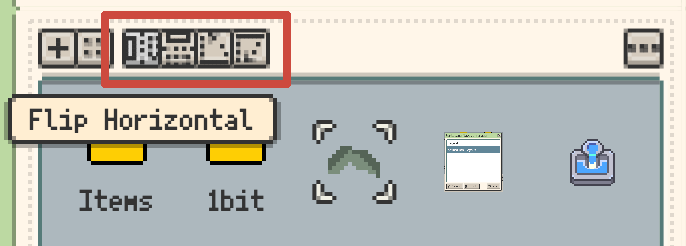
Temporary flip and rotation for custom brushes
- Improvement: New Sprite can now use clipboard image sizes as canvas size choices.
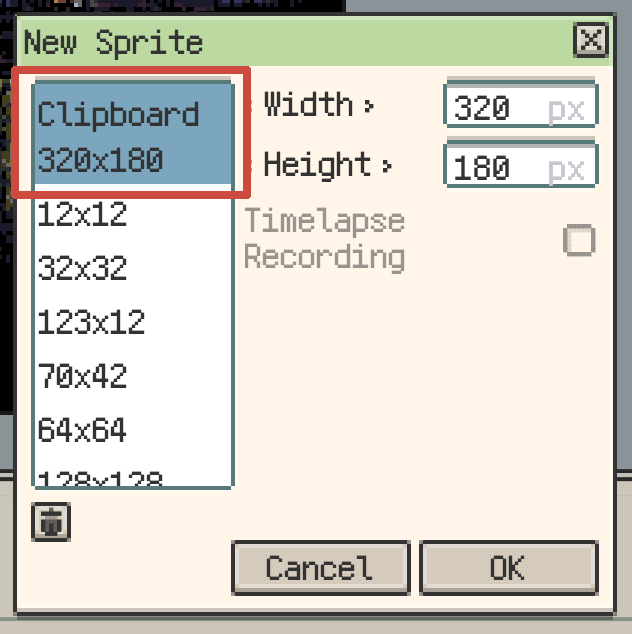
Use clipboard image dimensions in New Sprite
- Improvement: Desktop shortcut settings now include more Sprite menu actions.
- Improvement: Added more canvas zoom steps.
- Improvement: On mobile, Palette colors can now be multi-selected by long-pressing and dragging, then moved by dragging the selection.
- Improvement: Eraser now supports canvas long-press gestures.
- Improvement: On desktop, right-clicking a layer eye can now isolate or restore that layer.
- Improvement: Isometric Diamond and Hexagon Tiled Mode can now switch wide/tall axis orientation.

Switch the isometric axis orientation in Tiled Mode
- Improvement: Selection tools can now temporarily subtract from the selection with Alt/Option+Shift.
Fixes
- Fix: Tiled Mode now limits tile sizes to prevent oversized tiles from slowing previews.
- Fix: Pixel Perfect now removes extra corner pixels correctly when drawing on tiled copies.
- Fix: Preview standalone playback now follows per-frame durations and the current clip range.
- Fix: Palette copy, cut, and paste now support multi-selection and external HEX text correctly.
- Fix: Palette files with no colors or invalid content can no longer be imported or exported.
- Fix: Corrected color deviations in some Mard221 palette colors.
- Fix: Gallery context menus now target the right-clicked item or selection correctly.
- Fix: Renaming or moving an already-open Gallery item now keeps the open document on the new path.
- Fix: Gallery no longer hides user folders whose names start with an underscore.
- Fix: Save shortcut now works while editing Memo text and no longer triggers the system alert sound.
- Fix: Editing shortcuts on macOS no longer triggers the system alert sound.
- Fix: Split export zip files from Export Again no longer use temporary UUID folder names.
- Fix: Export Again for
.respritenow writes the current document instead of reusing the opened source file.
Changes
- Change: Arrow-key movement with isometric grid snapping now matches tilemap selection directions.
- Change: Updated the default palette to Resprite28 and added Console32 and Handheld24 presets.
- Change: Renamed "Debug Info" to "Diagnostic Info" in Help and error reporting.