Resprite DA v1.29 changelog
v1.29.2
Release date: Feb 20 2026
New
- New: Added Tiled Mode (tiling now prioritizes the selected area when enabled).
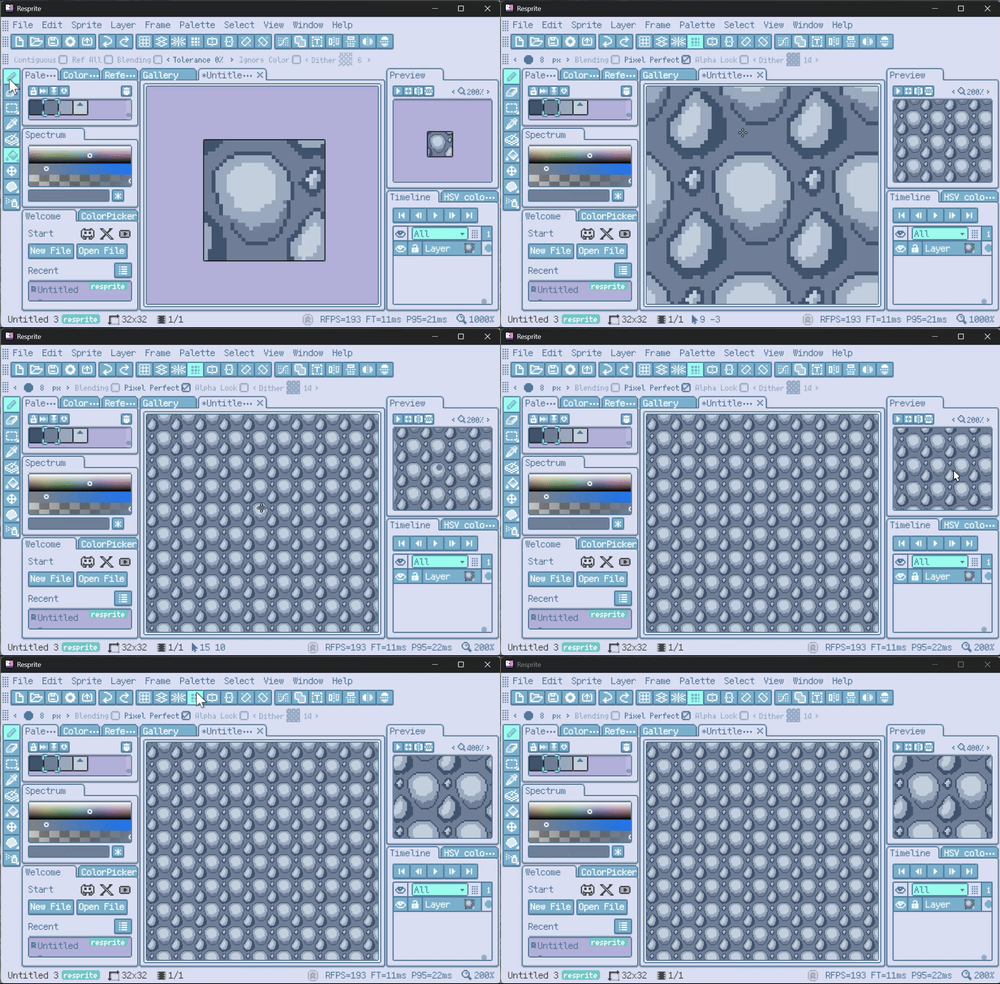
Tiled Mode
- New: Added Material Color Sphere for lighting-based color picking.
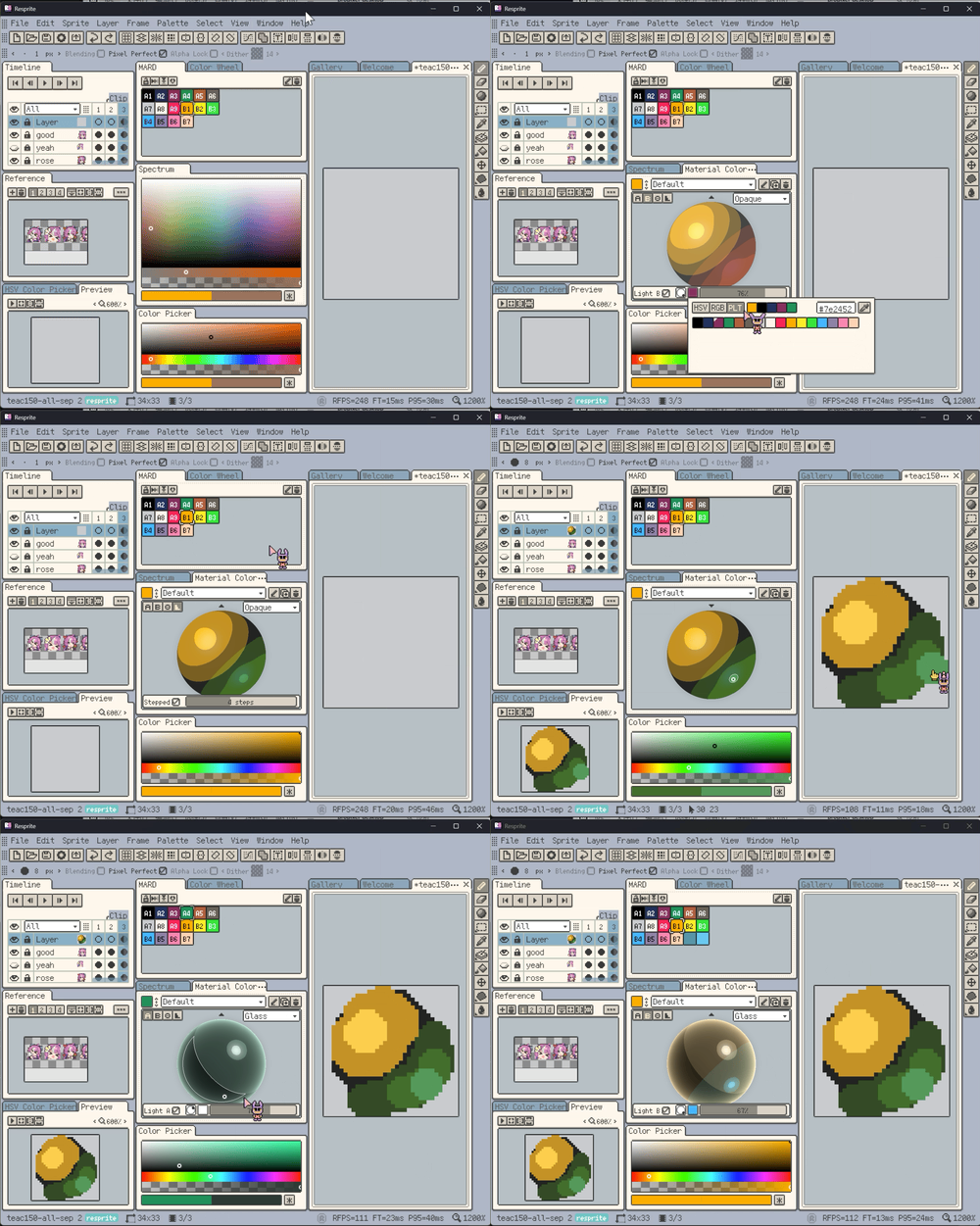
Material Color Sphere
- New: Added support for
resprite-font(short extension:.resfont).
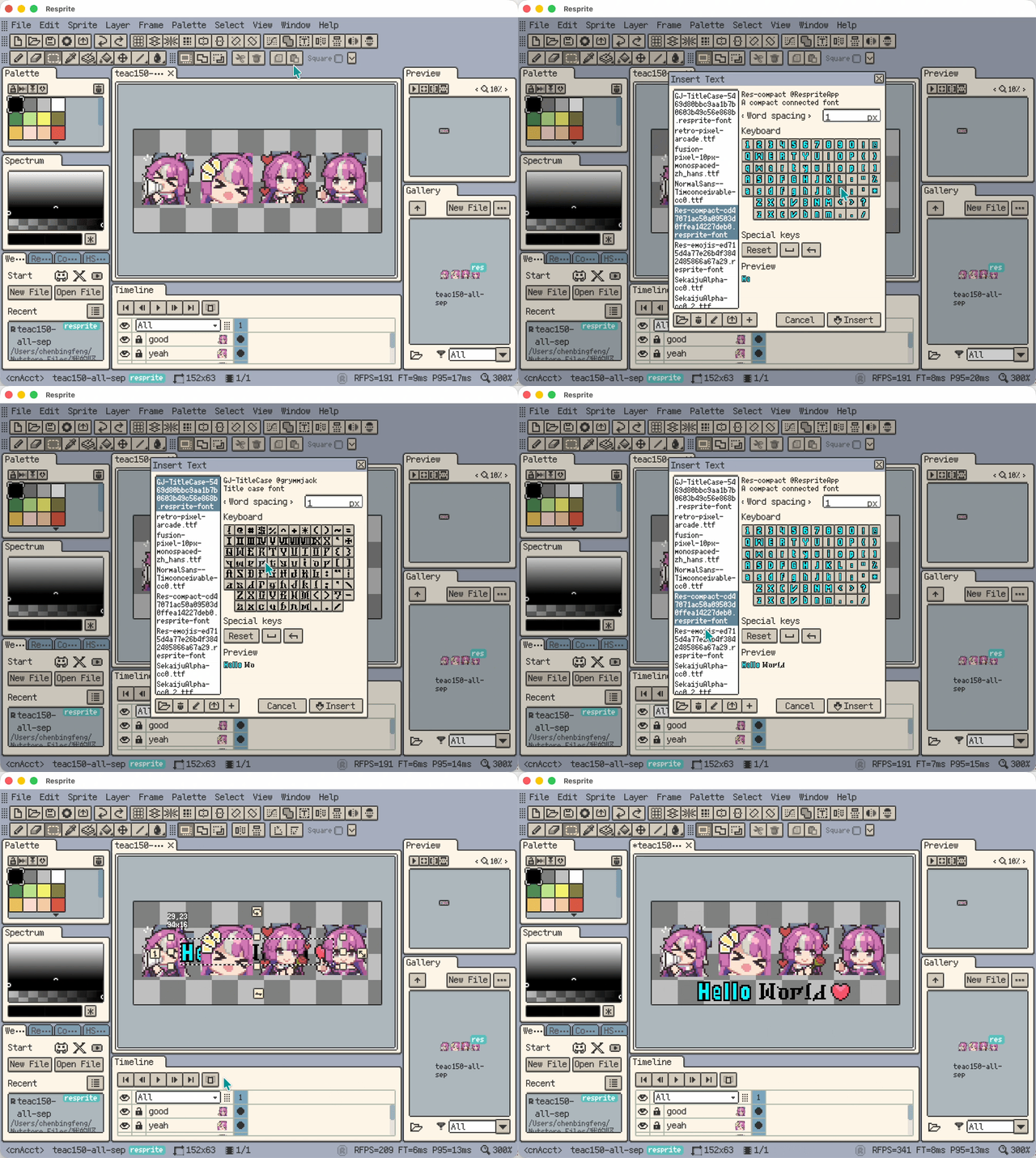
resprite-font support
- New: Added an Opacity adjustment in the color adjustment dialog.
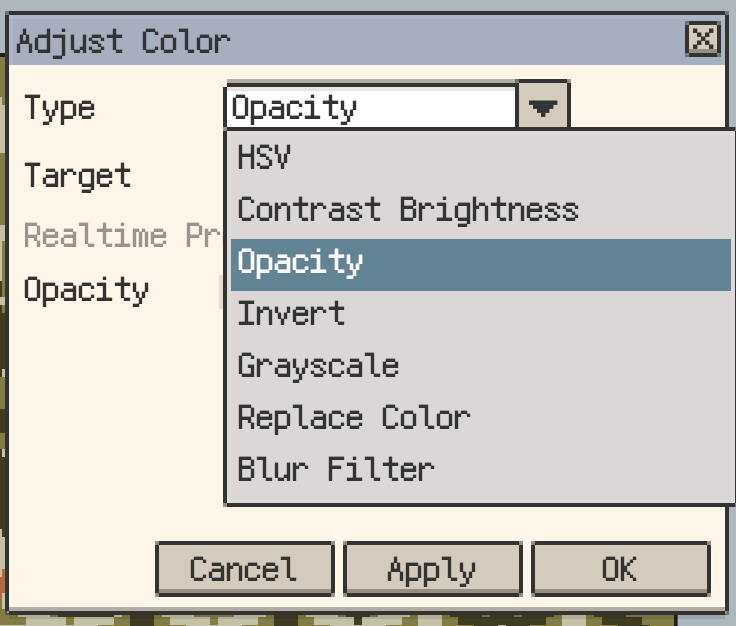
Opacity adjustment in color adjustment dialog
- New: Added Quantize to Palette in the color adjustment dialog.
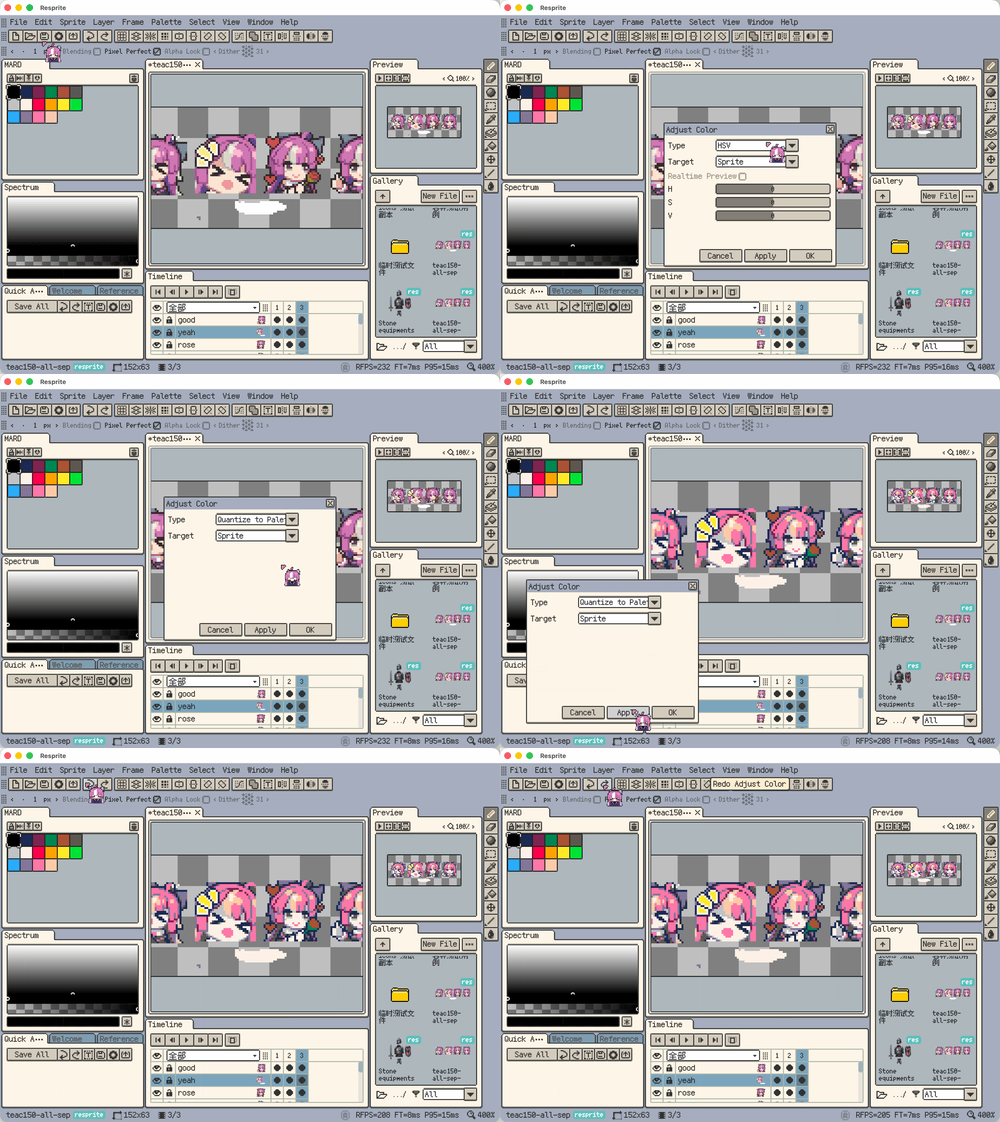
Quantize to Palette
- New: Added layer copy/paste support.
- New: Supports cross-file paste and automatic frame fill when needed.
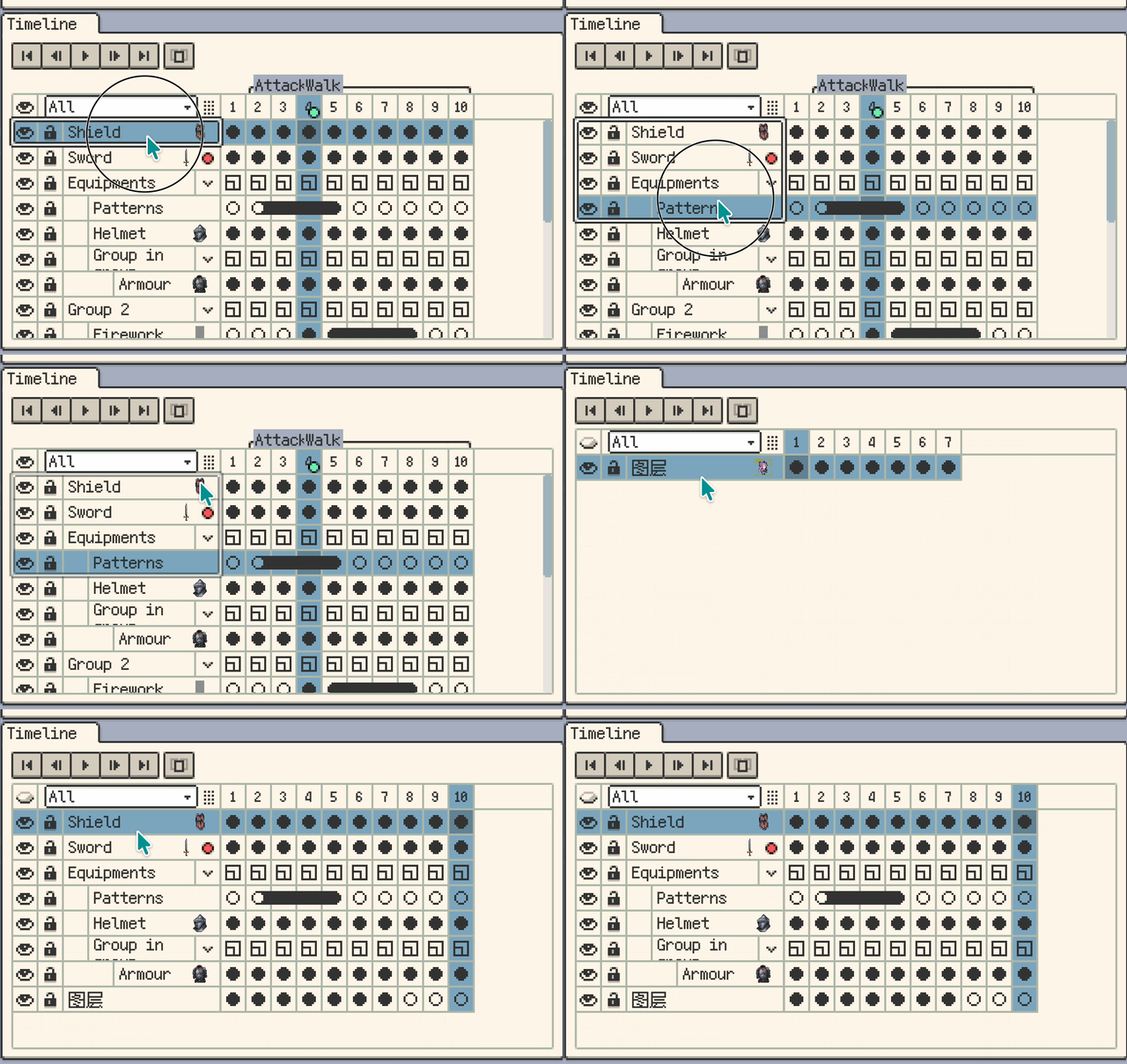
Layer copy/paste between files
- New: Added cell moving.
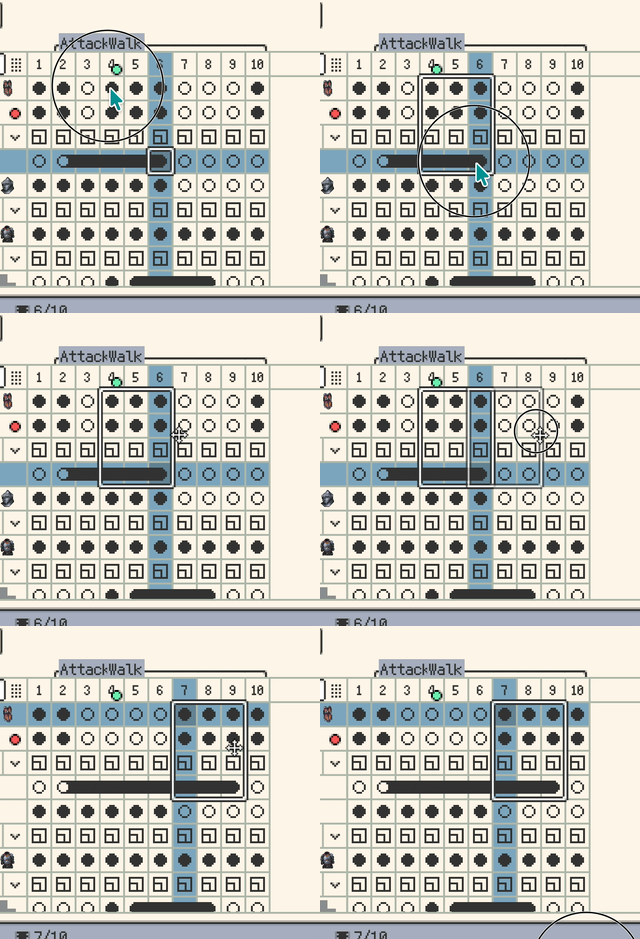
Move cells in timeline
- New: Added palette multi-select and batch operations (Desktop only).
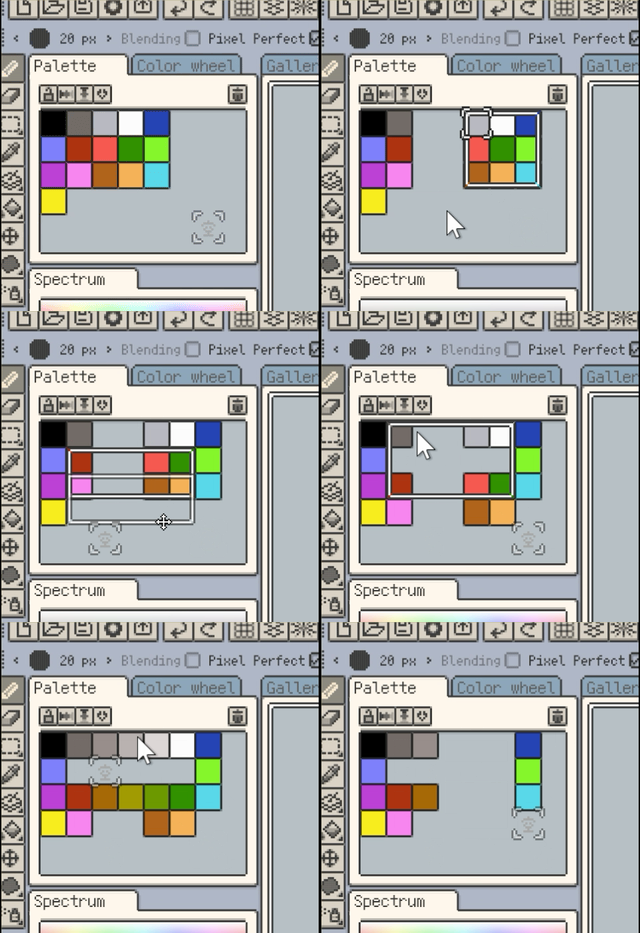
Palette multi-select and operations
- New: Palette swatches now support names.
- New: Palette names can be saved in documents, shown in the palette window title, and renamed.
- New: Palette preset manager now supports palette renaming.
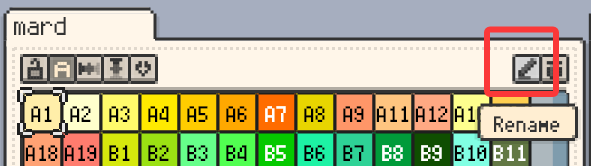
Rename palette and swatch names
- New: Bead patterns now show color names and usage counts.
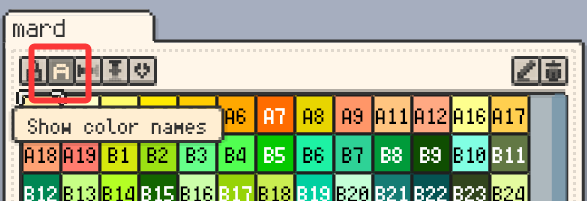
Bead patterns show color names and counts
- New: Added a configurable quick access panel.
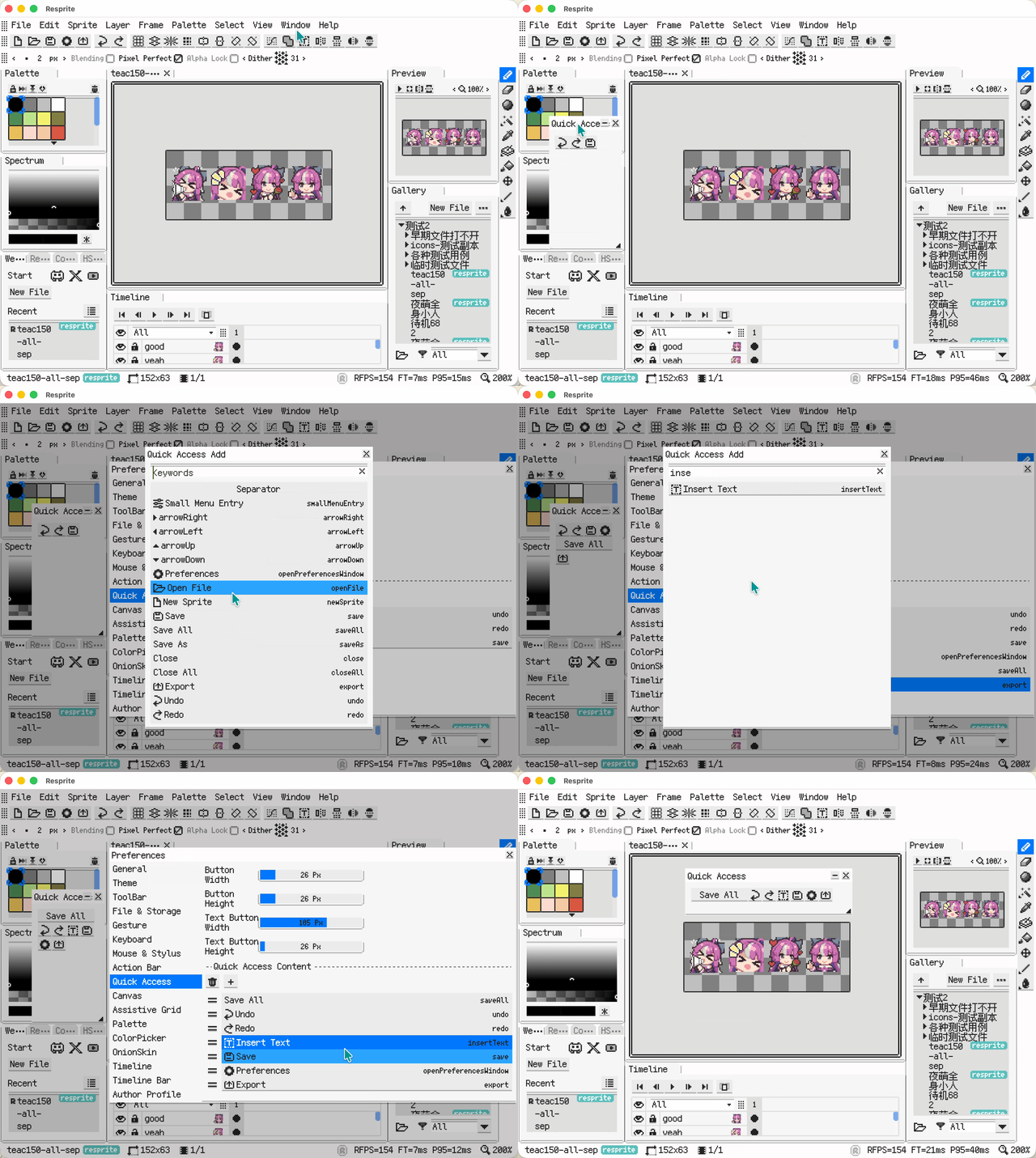
Quick access panel
- New: Added Tiny Grid view in Gallery and Recent.
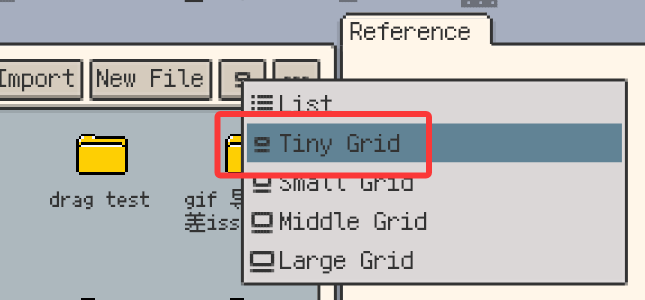
Tiny Grid view
- New: Added cursor pack manager (import/export, third-party
.cur/.ani, animated cursors, hotspot editing). - New: Cursor packs can now be customized in-app.
- New: Added export as cursor packs (
.ani/.cur). - New: Added PSD import support.
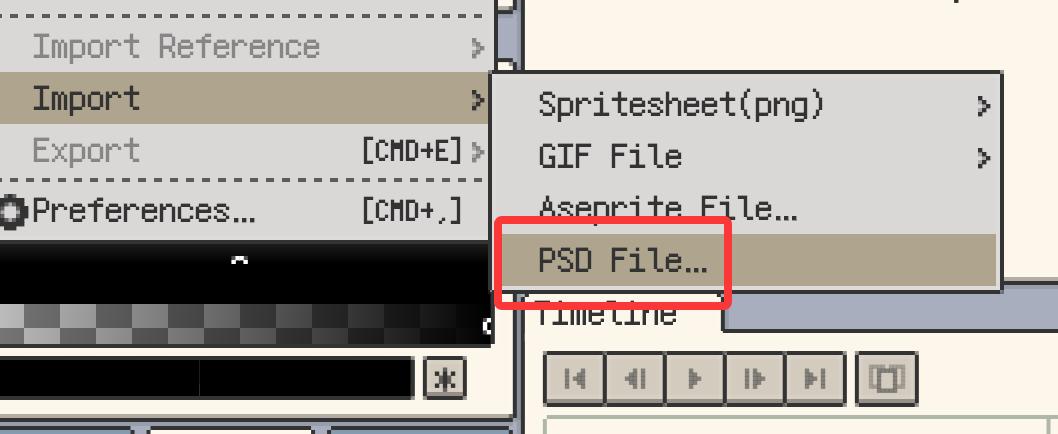
Import PSD files
- New: Shortcut settings now support import/export of shortcut configs (
.reskbd).
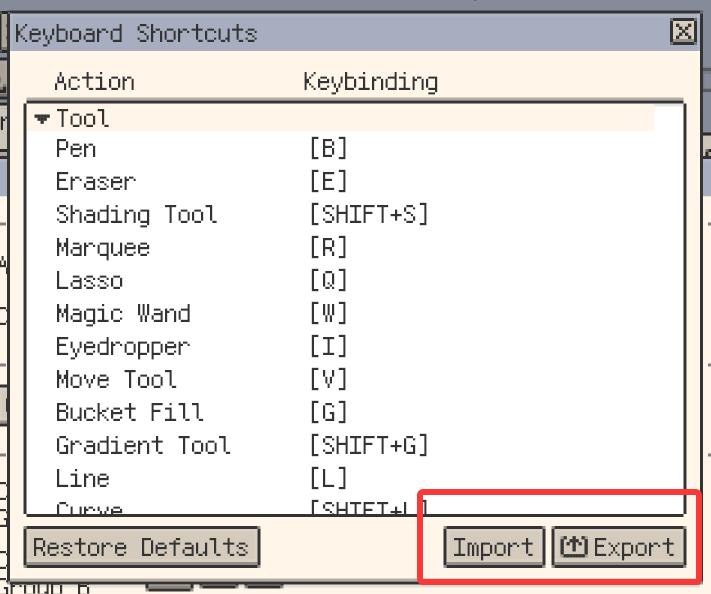
Import/export keyboard shortcut configs
- New: Shortcut settings can now export a shortcut cheatsheet.

Export keyboard shortcut cheatsheet
Improvements
- Improvement: The Hex code in the color detail panel is now an input field on mobile.
- Improvement: Palette preset manager now sorts by name.
- Improvement: Alt/Option + mouse wheel now navigates palette colors (Desktop only).
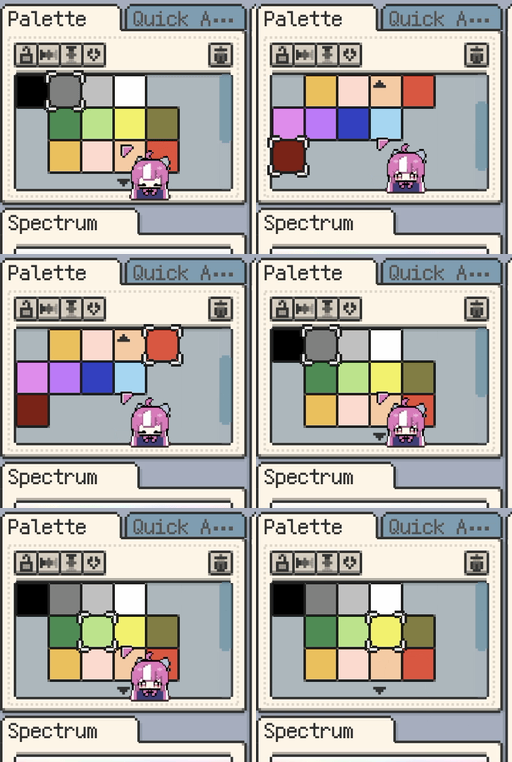
Navigate palette colors with Alt/Option + wheel
- Improvement: Added shortcut entries for palette navigation (Forward/Backward) (Desktop only).
- Improvement: Added shortcut entries for selection Expand/Contract/Border (Desktop only).
- Improvement: Gallery grid now keeps fixed spacing and preserves right-side whitespace when resizing.
- Improvement: Gallery selection now supports keyboard cut/copy/paste (Desktop only).
- Improvement: Show file-count progress while exporting multiple items from Gallery.
- Improvement: Improved timeline selection state display.
- Improvement: Refined timeline clip selection/copy/paste visuals and interactions.
- Improvement: Clips can now be resized by dragging their range.
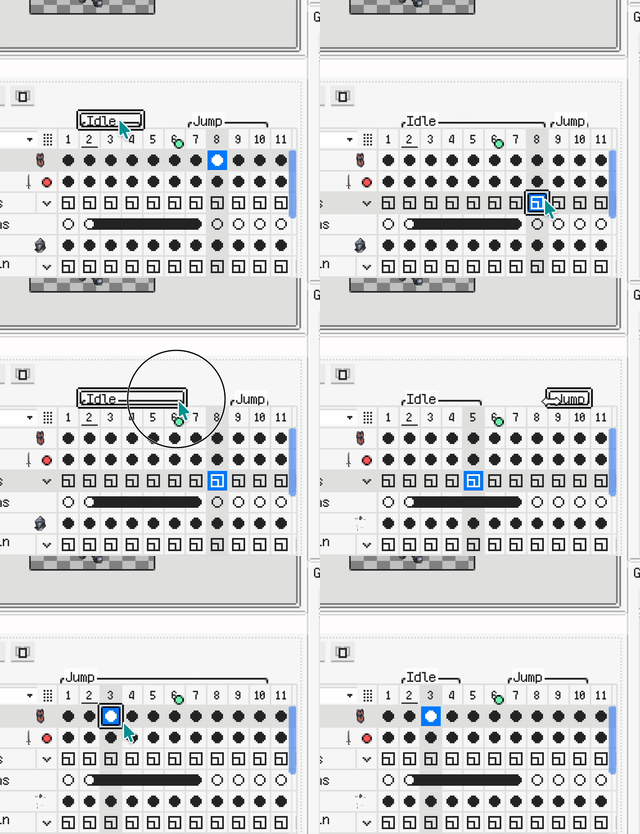
Drag to resize clip range
- Improvement: Timeline now supports keyboard copy/cut/paste/delete (Desktop only).
- Improvement: New frames now default to the previous frame's duration.
- Improvement: Frame properties dialog now supports batch duration settings for multiple selected frames.
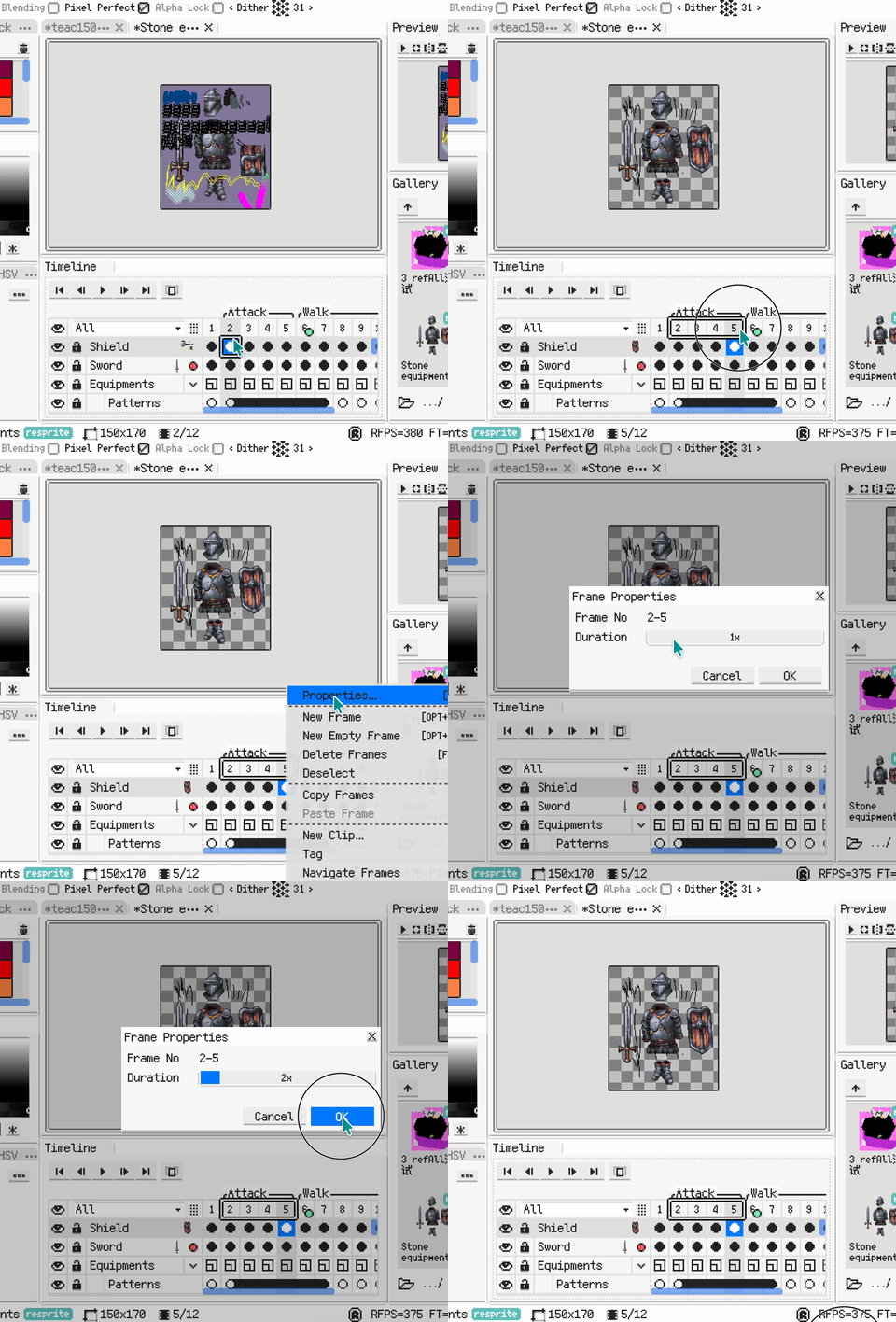
Batch set duration for multiple frames
- Improvement: Timeline frame headers now show duration dots.

Frame duration dots in timeline header
- Improvement: Clicking empty areas in the timeline now clears multi-selection.
- Improvement: Improved panel context management to boost operation efficiency (Desktop only).
- Improvement: Refactored the Rename shortcut to be semantic (prioritizes active context/selection).
- Improvement: Undo/redo now follows memory-based management for better stability in multi-file editing.
- Improvement: Numeric inputs now support arithmetic expressions.
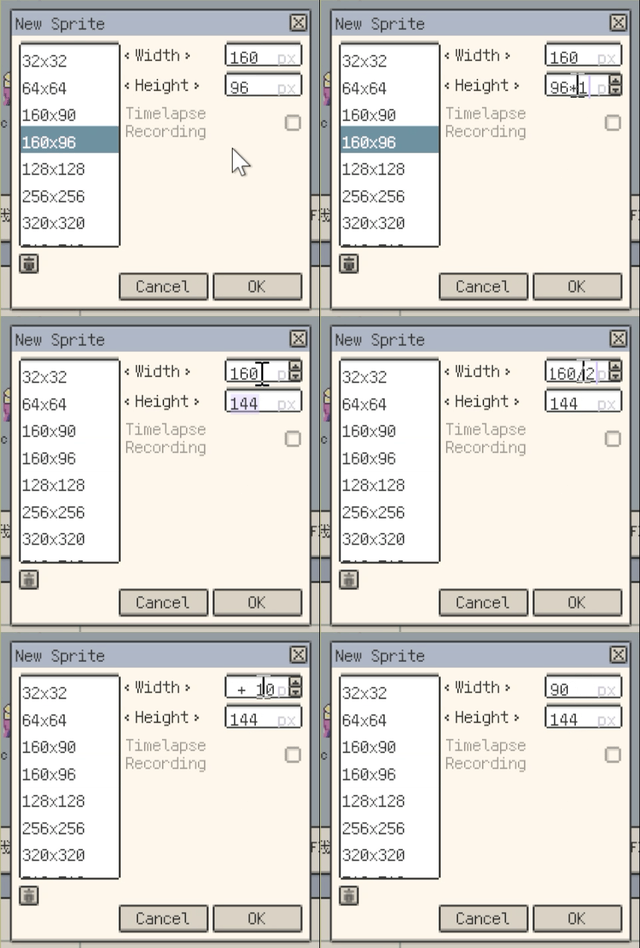
Arithmetic expressions in numeric input
- Improvement: Drag and drop theme files to install themes (Desktop only).

Install themes by drag and drop
- Improvement: Updated some built-in themes. Thanks to Nixu, Alavi, and Pixal.
- Improvement: Updated Gallery folder icons.
- Improvement: Auto-add missing layers when pasting multiple cells.

Auto-add layers when pasting multiple cells
- Improvement: Timeline now supports Select All via keyboard.
- Improvement: Added keyboard cut for frames.
- Improvement: Dialogs can now be confirmed with Enter.
- Improvement: Improved tool-group configuration interactions.
- Improvement: Added paste-reference-image from clipboard.
- Improvement: Selection transform handles are now hidden while a non-selection tool is active.
- Improvement: Eraser, Shading, Blur, and Jumble tools now support holding Shift to draw a straight segment from the previous stroke end.
- Improvement: Refined highlight outlines for buttons.
- Improvement: Restored light/dark faces on color-edit buttons.
- Improvement: Optimized the window tab bar layout.
- Improvement: Dragging files into Gallery now imports them directly (Desktop only).
- Improvement: Dragging files into the Reference panel now imports them as references (Desktop only).
- Improvement: Save As now includes a file format list (Desktop only).
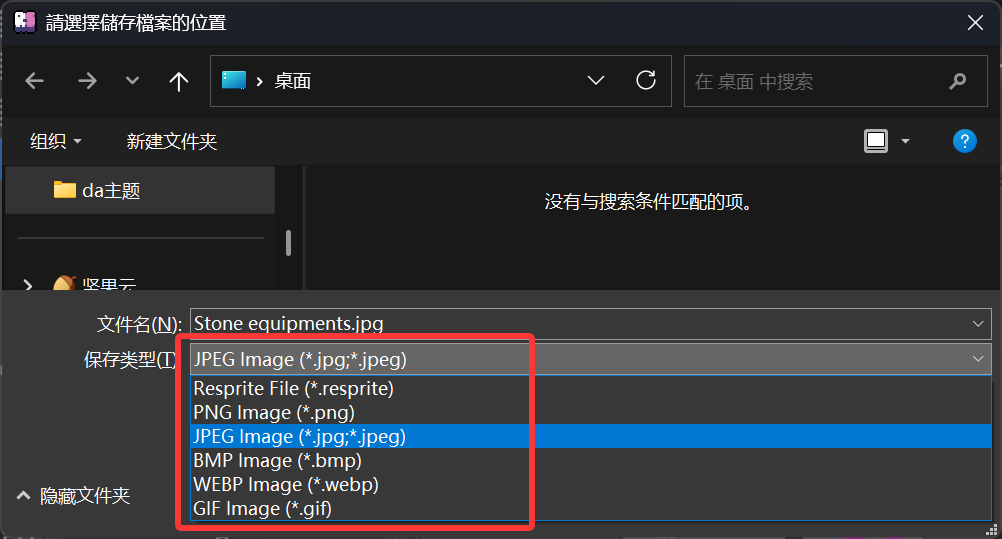
Save As format list
- Improvement: Saved layouts now include top bar layout, toolbar position/aggregation, and action bar position.
- Improvement: Layout menu management now supports renaming and deletion confirmation.
- Improvement: Moved Reset from the Window menu into the Layout submenu.
- Improvement: Optimized Fill Tool performance in both normal and tiled modes, reducing stalls and memory pressure on large canvases.
- Improvement: Render info is now shown in a floating area at the top-right of the app window (line 1: render metrics, line 2: TimeLapse queue length and P95).
- Improvement: Optimized TimeLapse recording performance to reduce drawing-feel impact during fast strokes.
- Improvement: Improved TimeLapse recording video export performance.
Fixes
- Fix: Warn when importing fonts already in the app font folder to avoid freezing.
- Fix: Fixed color shift when exporting semi-transparent PNG images.
- Fix: Fixed an issue where Cut could trigger multiple notifications.
- Fix: Fixed canvas bounce jitter when rapidly pinch-zooming on mobile.
- Fix: Prevented blank files from overwriting original content when image saving fails.
- Fix: Correctly read GIF frame rates when importing or opening GIF files.
- Fix: Fixed import failures for some indexed-color Aseprite files.
- Fix: Added extraction limits when reading/extracting archives to mitigate Zip Bomb risk.
- Fix: Directory move fallback copy now runs in the background to reduce freezing risk.
- Fix: Clean up temp folders when importing invalid cursor packs to avoid disk clutter.
- Fix: Path-in-folder checks now respect case sensitivity to avoid misclassification on Linux.
- Fix: Added a PSD file-size precheck to prevent excessive memory usage.
- Fix: Validate empty cursor-pack exports and show a failure prompt.
- Fix: Project thumbnails are now read with streaming ZIP parsing to reduce memory peaks.
- Fix: Auto-save is paused while the close-confirmation dialog is open to avoid conflicts with discard actions.
- Fix: Resolved occasional rectangular holes or disappearing strokes when rapidly drawing on large canvases on low-performance devices.
- Fix: Fixed text/caret overflow at the bottom of text fields (more noticeable in CJK).
v1.29.1
Release date: Jan 20 2026
- New: Added grid snapping (rectangular and isometric grids).
Grid snapping (rectangular grid)
Grid snapping (isometric grid)
- Improvement: On Windows, File Explorer now shows file thumbnails.
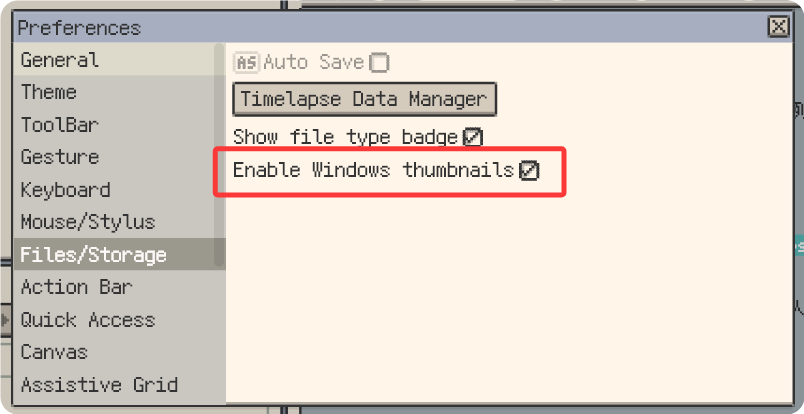
Enable file thumbnails on Windows
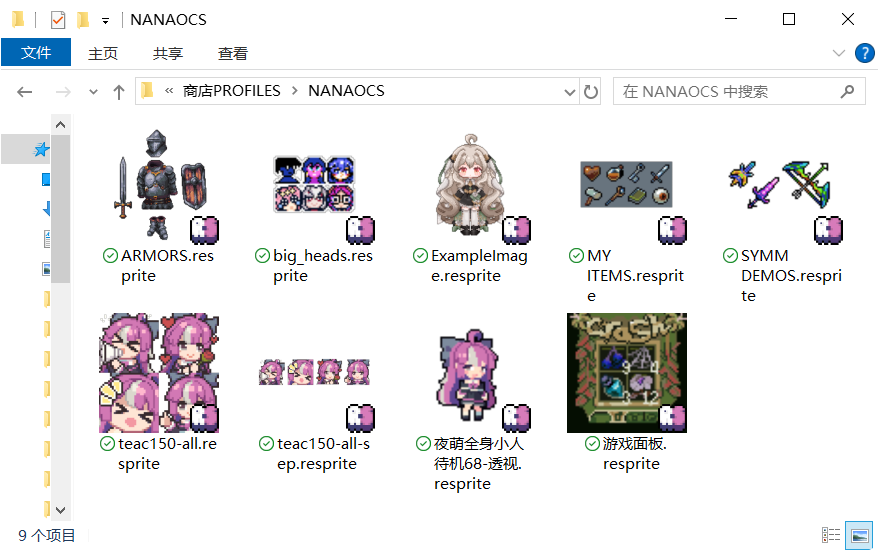
File thumbnails in Windows File Explorer
- Improvement: Hold Ctrl and drag to duplicate the selection.
- Improvement: Double-click to select a grid cell.
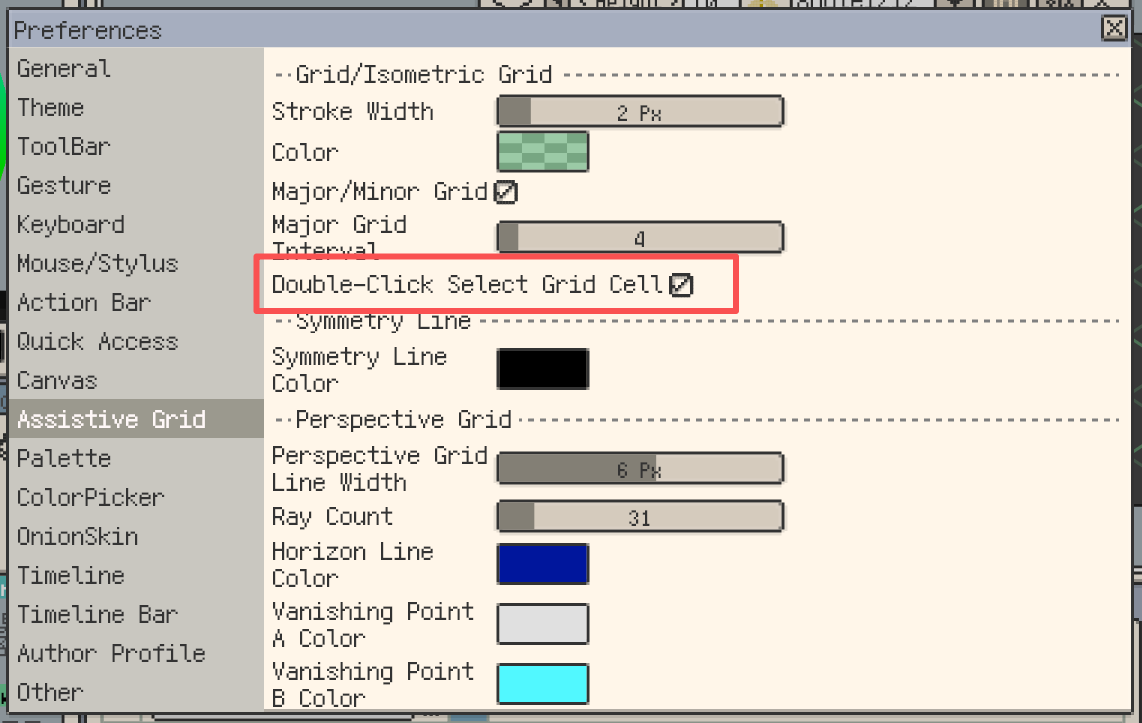
Double-click to select a grid cell
- Improvement: Hold Shift to draw straight lines.
Hold Shift to draw straight lines
- Improvement: Shift + Arrow keys move the selection by grid units.
Move the selection by grid units
- Improvement: In the selection tool, hold Shift to switch to "Add" mode.
Hold Shift to switch selection tool to Add mode
- Improvement: Added primary/secondary grid display options.
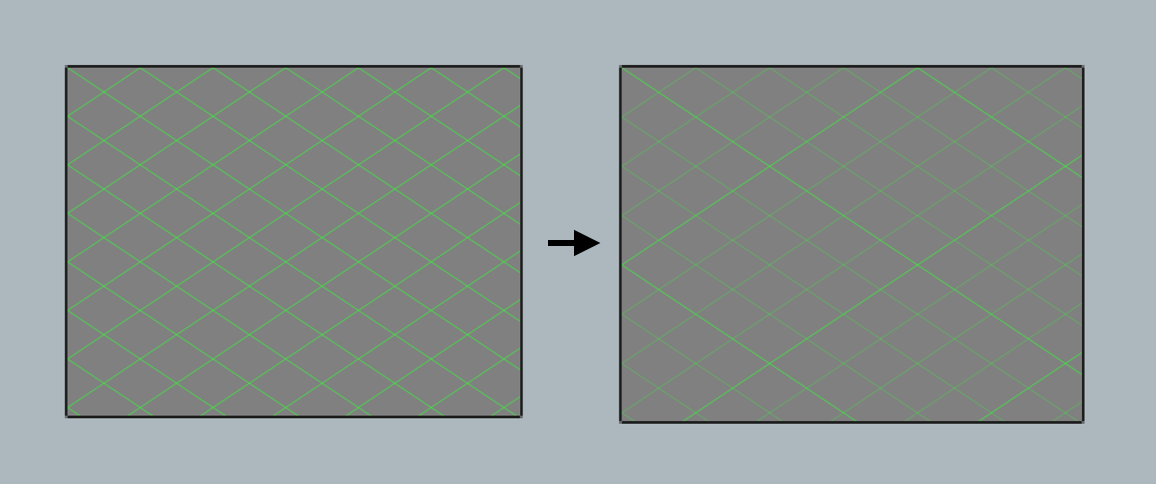
Primary/secondary grid display
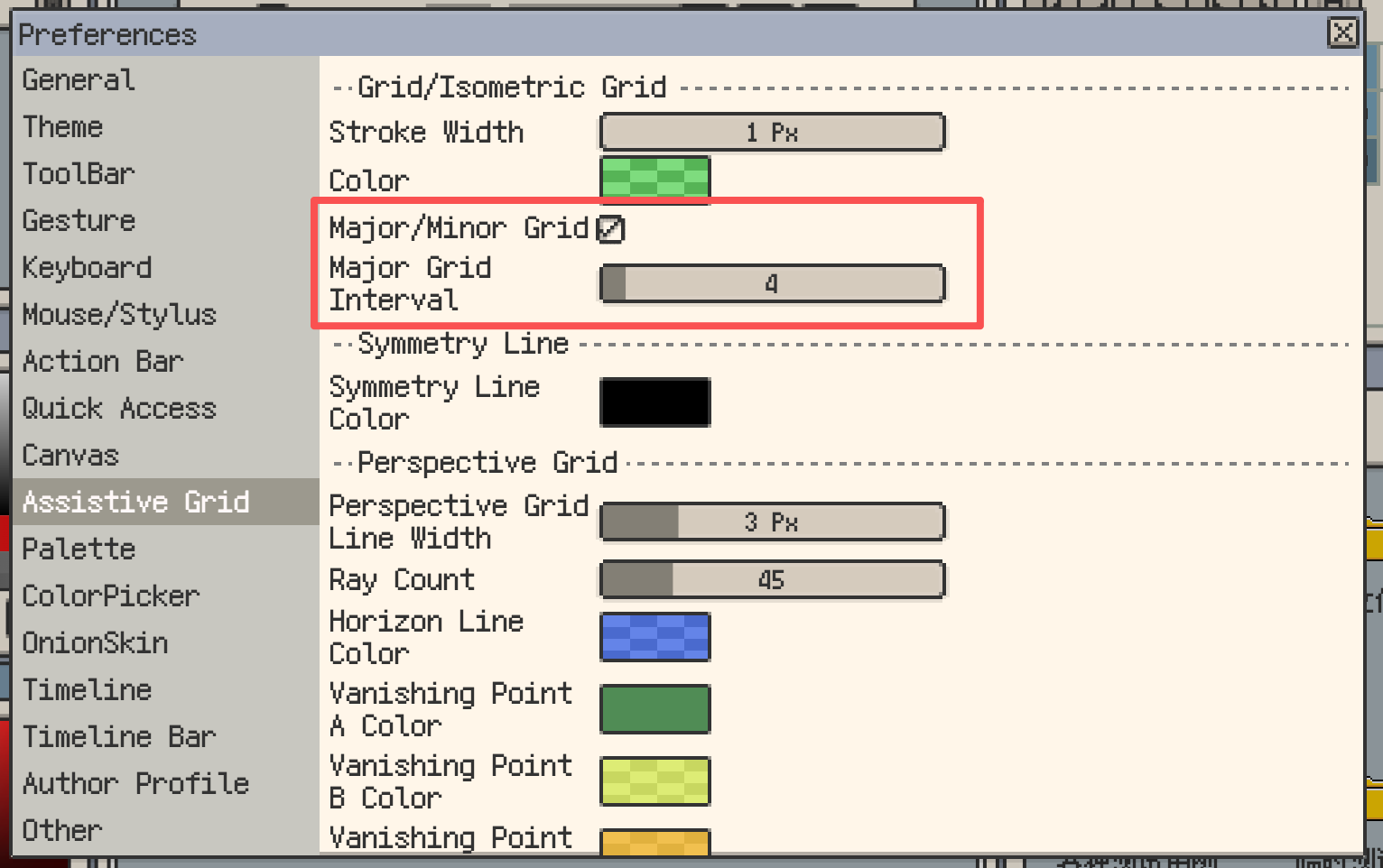
Primary/secondary grid settings
- Improvement: Rectangular grid now supports offset.

Grid offset settings
- Improvement: Isometric grid now supports offset.
- Improvement: The color panel now supports editing hex color codes (Desktop only).
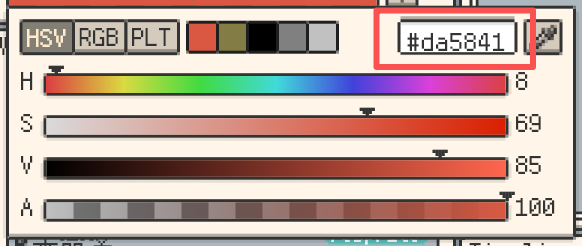
Edit hex color codes in the color panel (Desktop)
- Improvement: Drag and drop to import TTF fonts.
- Improvement: Refined some localized strings.
- Improvement: The scrub bar no longer responds to mouse wheel scrolling to avoid conflicts with page scrolling.
- Improvement: Angle snapping for straight lines now supports more isometric variants (1212, 112112).
More isometric variants for straight-line angle snapping
- Improvement: While holding the middle mouse button, mouse wheel zoom is disabled to avoid conflicts.
- Improvement: Gallery now uses lazy loading to improve rendering performance.
- Improvement: Deleting selection content with Backspace/Delete now keeps the selection active.
- Improvement: Added a "Files & Storage" settings page and moved related settings there.
- Fix: Menu item text overflow issue has been resolved.
- Fix: Fixed a crash that could occur when opening a folder containing a large number of files.
- Fix: Resolved broken reference image loading logic and enhanced error handling.
- Fix: Fixed a rendering issue where strokes drawn on the preview canvas were missing when playing.
v1.29.0
Release date: Jan 20 2026
- New: Added perspective grids (one-point, two-point, three-point, fisheye).
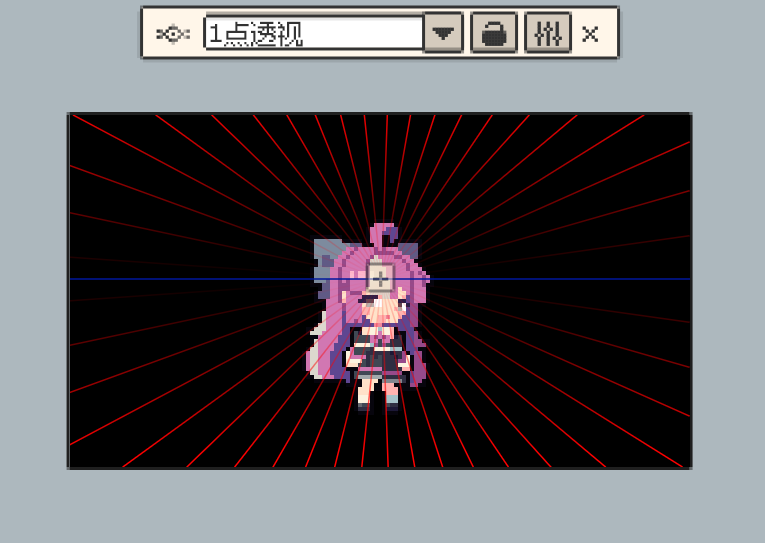
One-point perspective grid
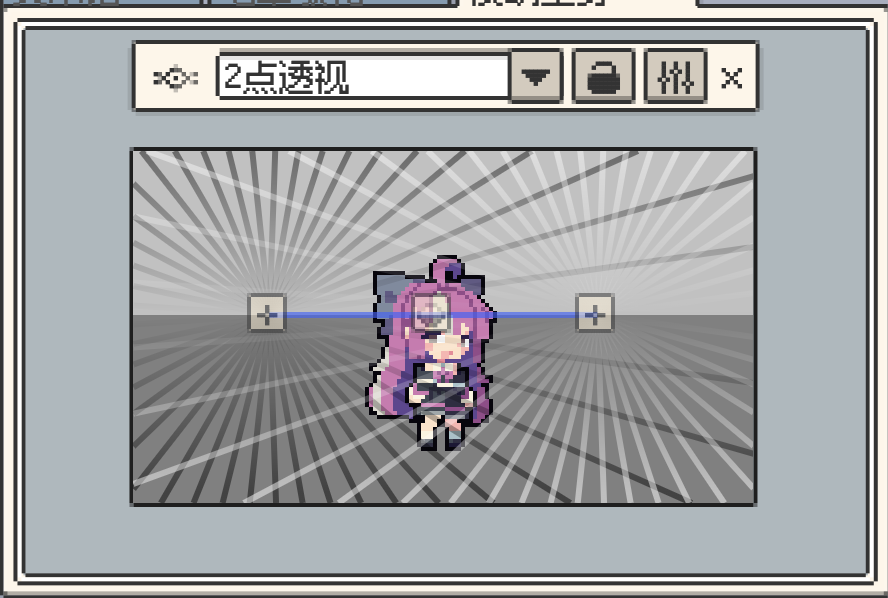
Two-point perspective grid
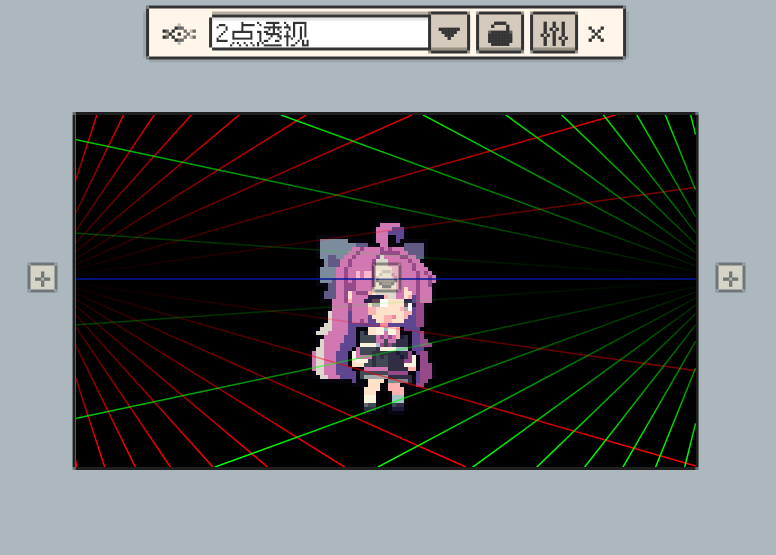
Two-point perspective grid (variant)
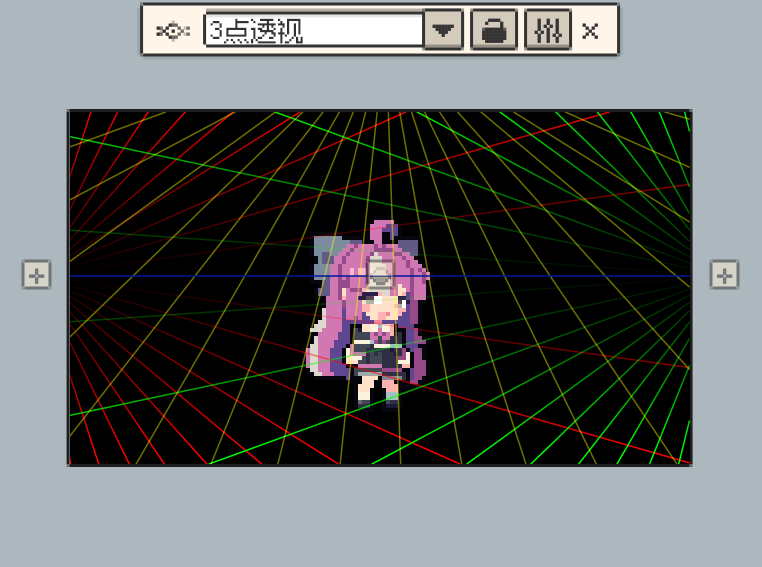
Three-point perspective grid
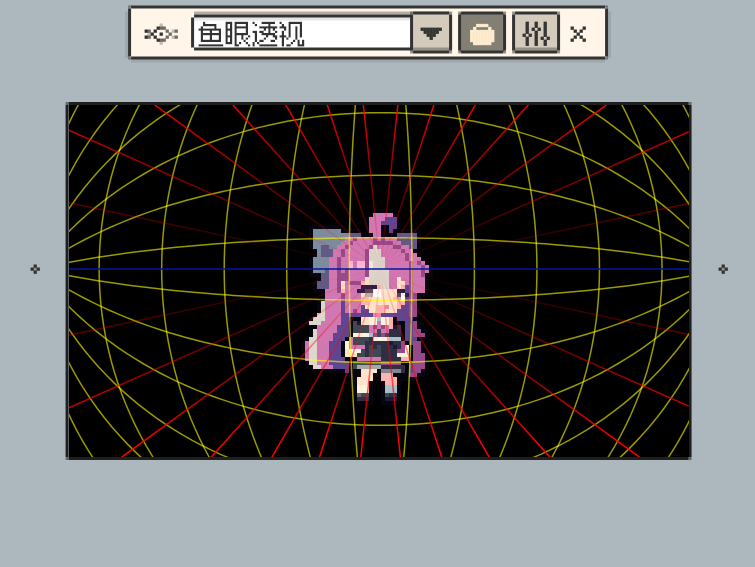
Fisheye perspective grid
- New: Added screen picker support (Desktop only).

Screen color picker (desktop)
- New: Added export/save as/edit support for WebP images, including WebP animations.

Export and edit WebP images and animations
- Note: WebP files are smaller, decode faster, support lossless and animation, with moderate encoding speed.
- New: Added "Crop to Canvas" in the Sprite menu; trims content outside the canvas.
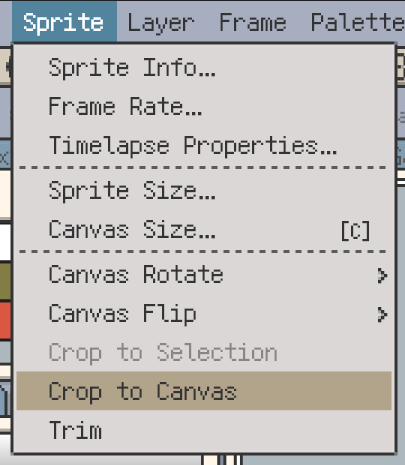
Crop content outside the canvas
- Improvement: File type badges now appear in the Welcome and Gallery views (Desktop only).
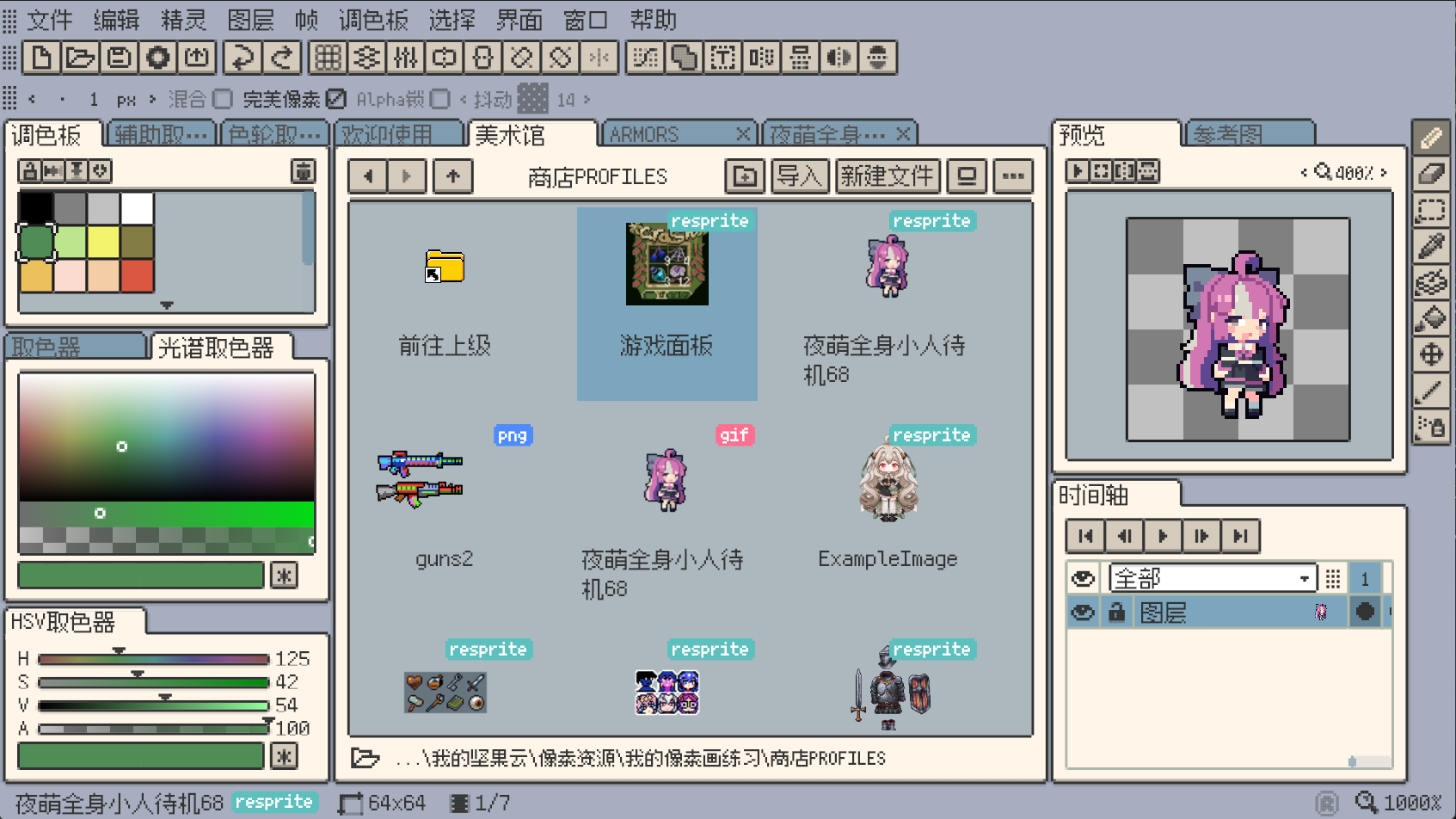
File type badges in Welcome and Gallery
- Improvement: Added a file type filter at the bottom of the Gallery (Desktop only).
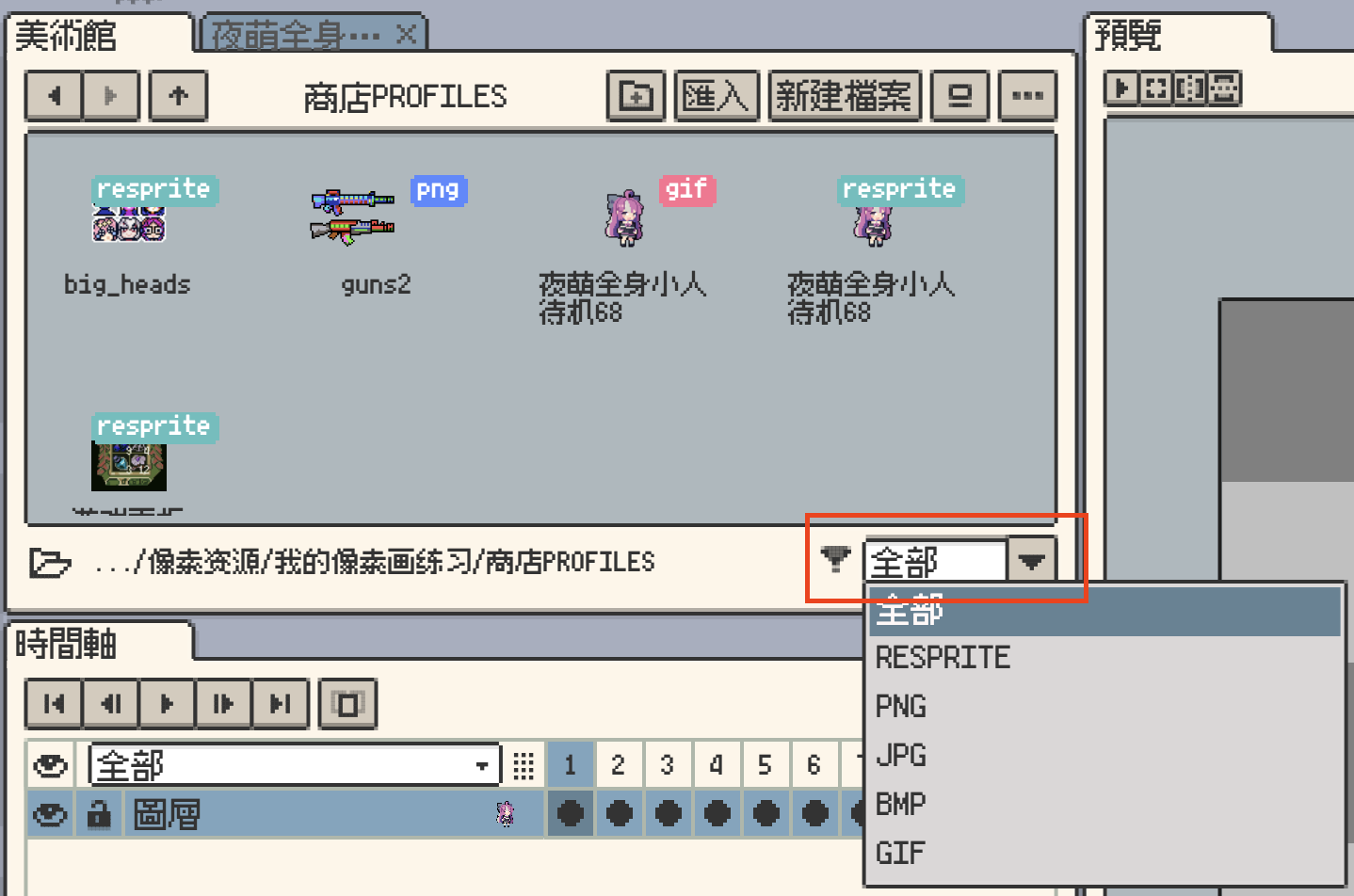
Gallery file type filter
- Improvement: Default theme is now fixed to the standard theme instead of random.
- Improvement: Show scale ratio when scaling a selection proportionally.
- Improvement: Proportional scaling now snaps to integer multiples (including 1/2 and 1/3).
Show scale ratio and snapping when scaling a selection
- Improvement: Added an "Assistant Grids" settings page; grid settings were moved from "Canvas", and perspective grid options were added.
- Improvement: Holding Ctrl while dragging enables center-symmetric dragging; holding Shift keeps proportional dragging.
- Improvement: Added a contextual floating toolbar; symmetry tools and grid options were moved here; the old grid settings dialog was removed.
- Improvement: Refined localization and corrected several strings.
- Improvement: Preview window flip buttons now reflect their states.
- Fix: "Crop Borders" did not remove invisible layers.
- Fix: Fill tool did not update layer thumbnails immediately.
- Fix: Resolved possible out-of-memory issues when rendering the background checkerboard, and improved performance.
- Fix: Fixed frame index out-of-range in some cases.
- Fix: Fixed null pointer exceptions caused by asynchronous operations on preview images in some cases.
- Fix: Pressing Esc now closes dropdown popups before closing dialogs.
- Fix: Pressing Esc could not clear focus from text inputs.
- Fix: Fixed vibration permission issues on some Android brands.
- Fix: Merging visible layers could create orphan layers.
- Fix: Fixed startup failure on Windows when the user's "Documents" folder does not exist.
- Fix: Fixed loss of layout when only the canvas window is in a split view.
- Fix: Fixed overflow of the layer name bar in the timeline when the window is narrow.
- Fix: Fixed gaps that could appear along brush edges when drawing at some DPR values.