Resprite DA v1.31 changelog
v1.31.1
Release date: May 20 2026
New
- New: Added the Layer Styles system with a non-destructive Stroke layer style. Normal layers can keep the stroke live while the layer content changes, and rasterize it into real pixels when needed.
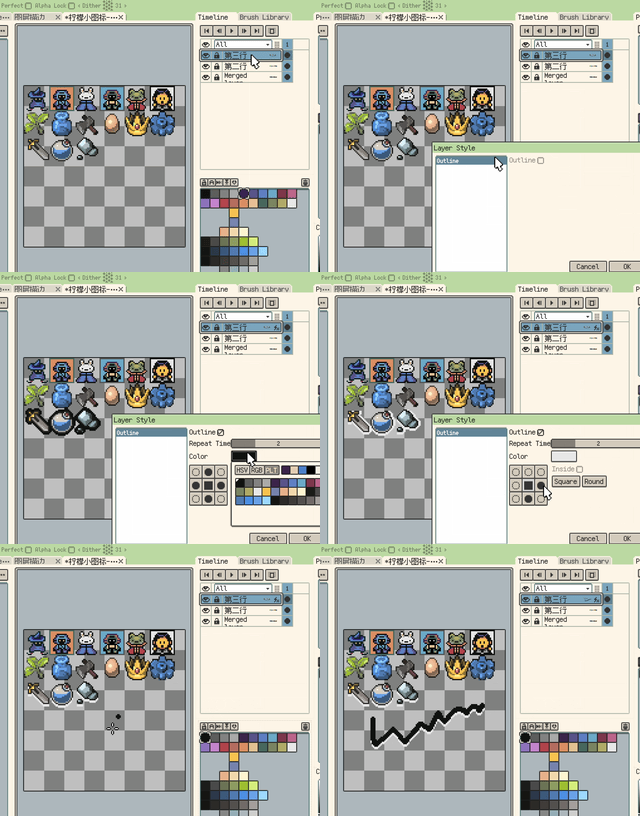
Non-destructive Stroke layer style
- New: Layer Styles now include a non-destructive Shadow effect, with adjustable offset, size, and color for hard-edged pixel shadows.
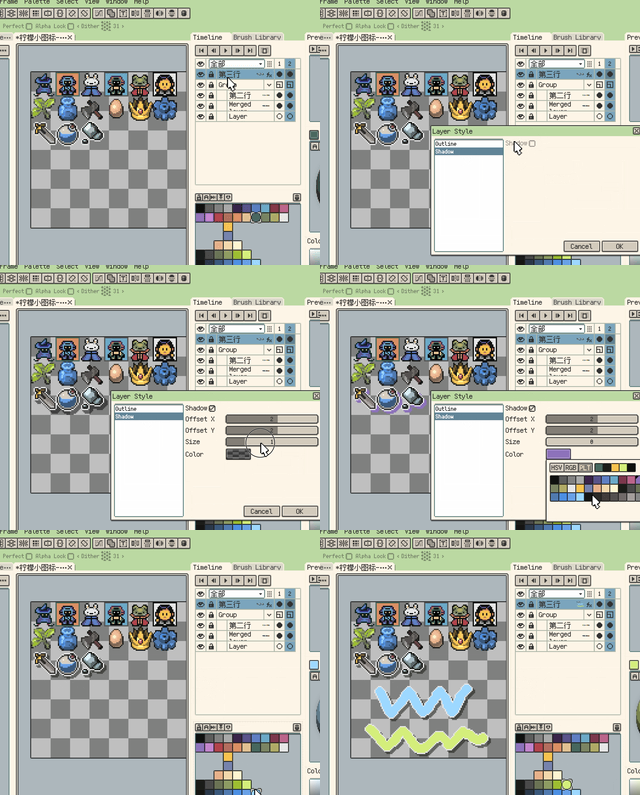
Non-destructive Shadow layer style
- New: Color picking now shows an eyedropper loupe by default on the canvas and reference images. The loupe shows nearby pixels, a center crosshair, and previous/current color comparison, and can be disabled in Settings.
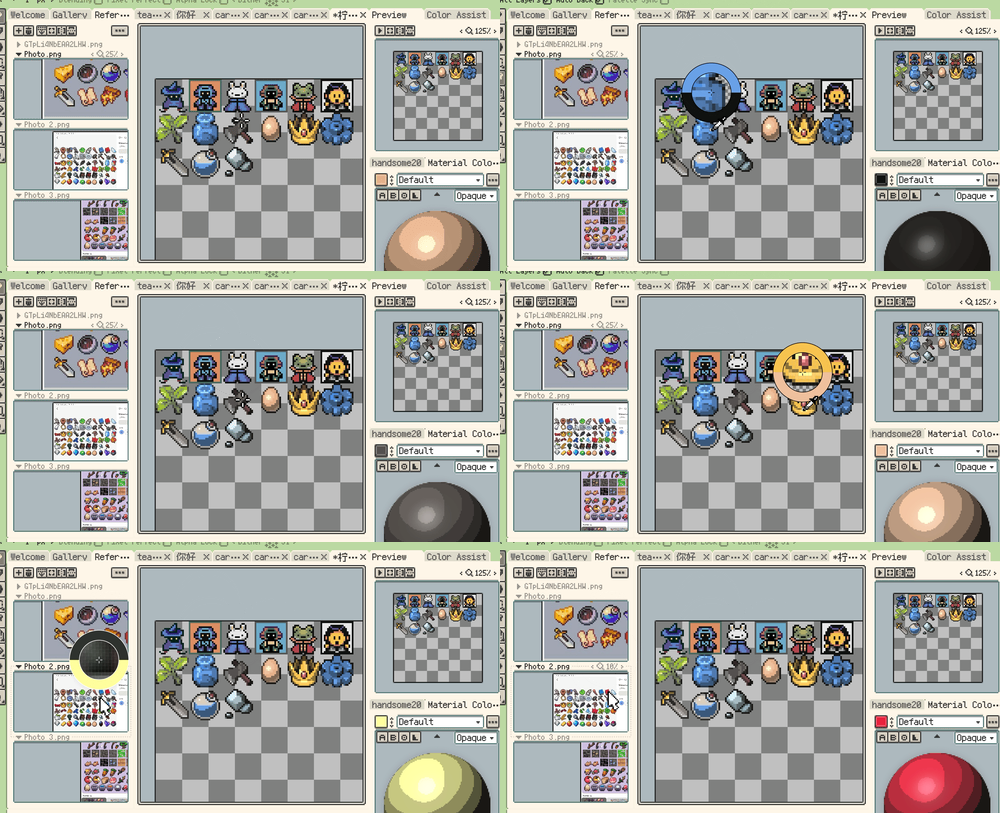
Eyedropper loupe while picking colors
- New: Material Color Sphere can append stepped representative colors to a new palette row from dark to light.
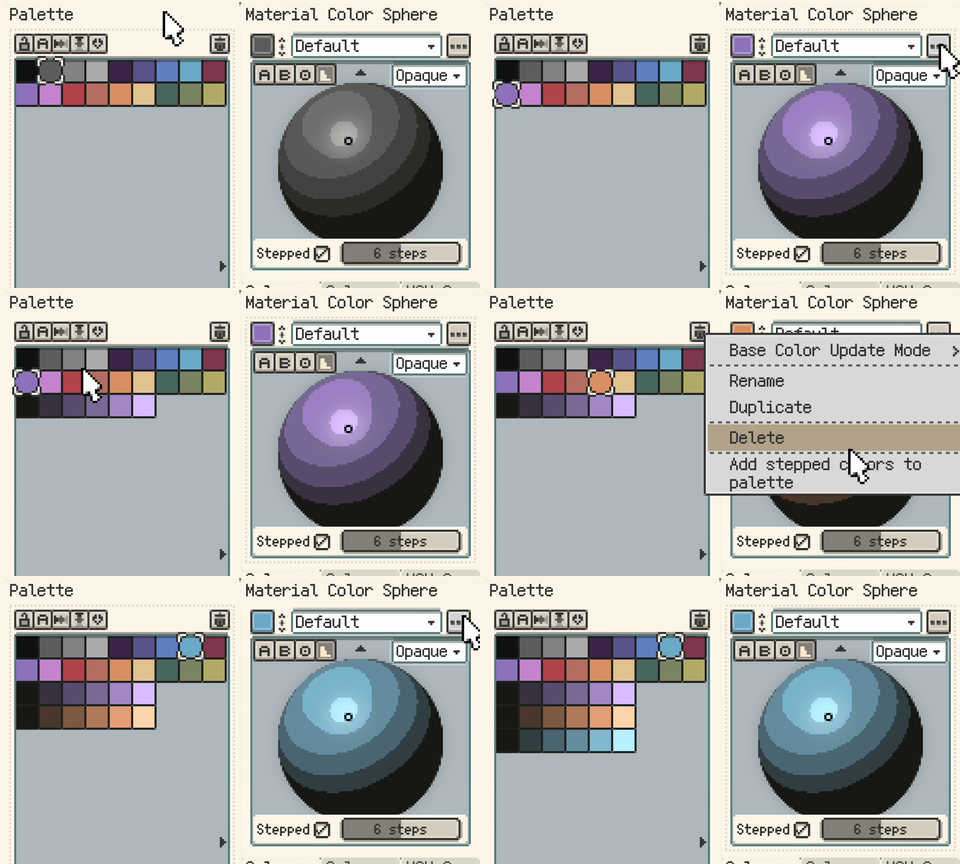
Add Material Color Sphere stepped colors to the palette
- New: Added a "Selection Follows Symmetry Tool" option in Canvas settings.
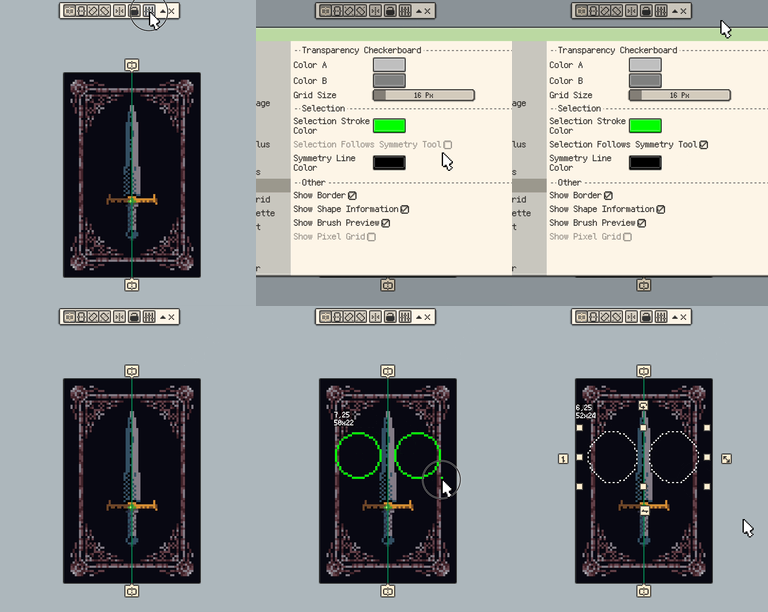
Selection follows the Symmetry Tool
- New: Canvas settings can now control the Tiled Mode display range, from the default 3x3 range up to 9x9.
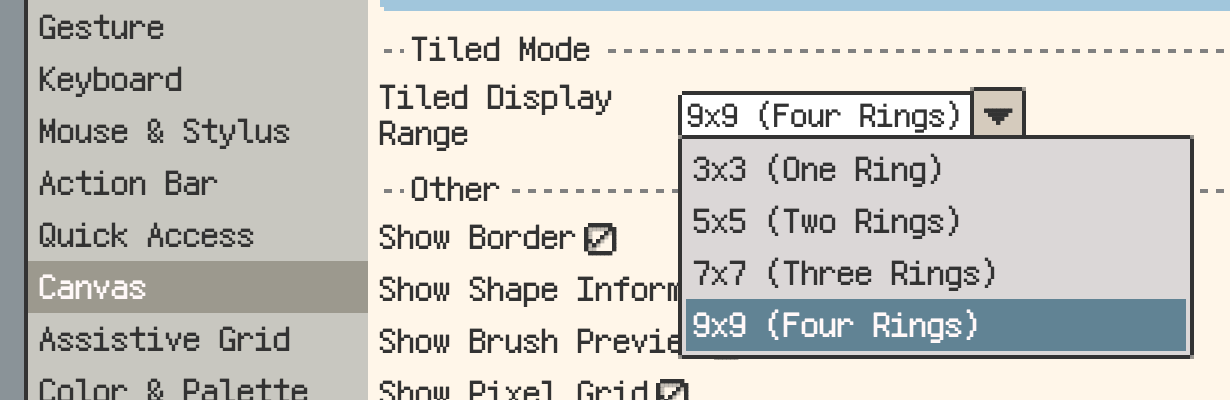
Tiled Mode display range setting
- New: Tiled Mode now supports isometric diamond and hexagonal tiles, making non-rectangular game floor and terrain assets easier to preview while drawing.
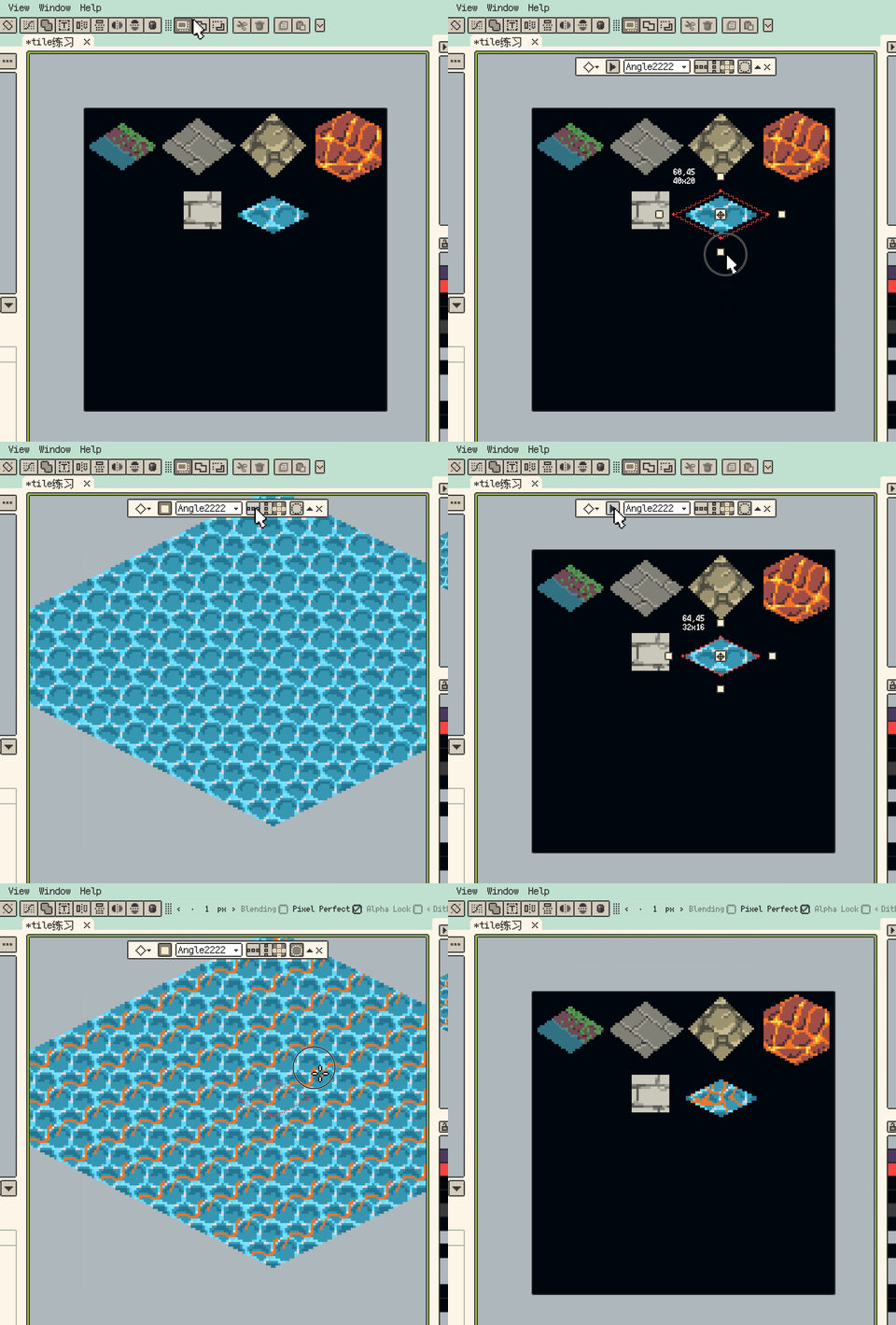
Isometric diamond and hexagonal Tiled Mode
- New: Selection contents can now be copied or cut to a new layer. Copy keeps the source content, while Cut clears the selected area from the source layer. Default shortcuts are Cmd/Ctrl+J and Shift+Cmd/Ctrl+J.
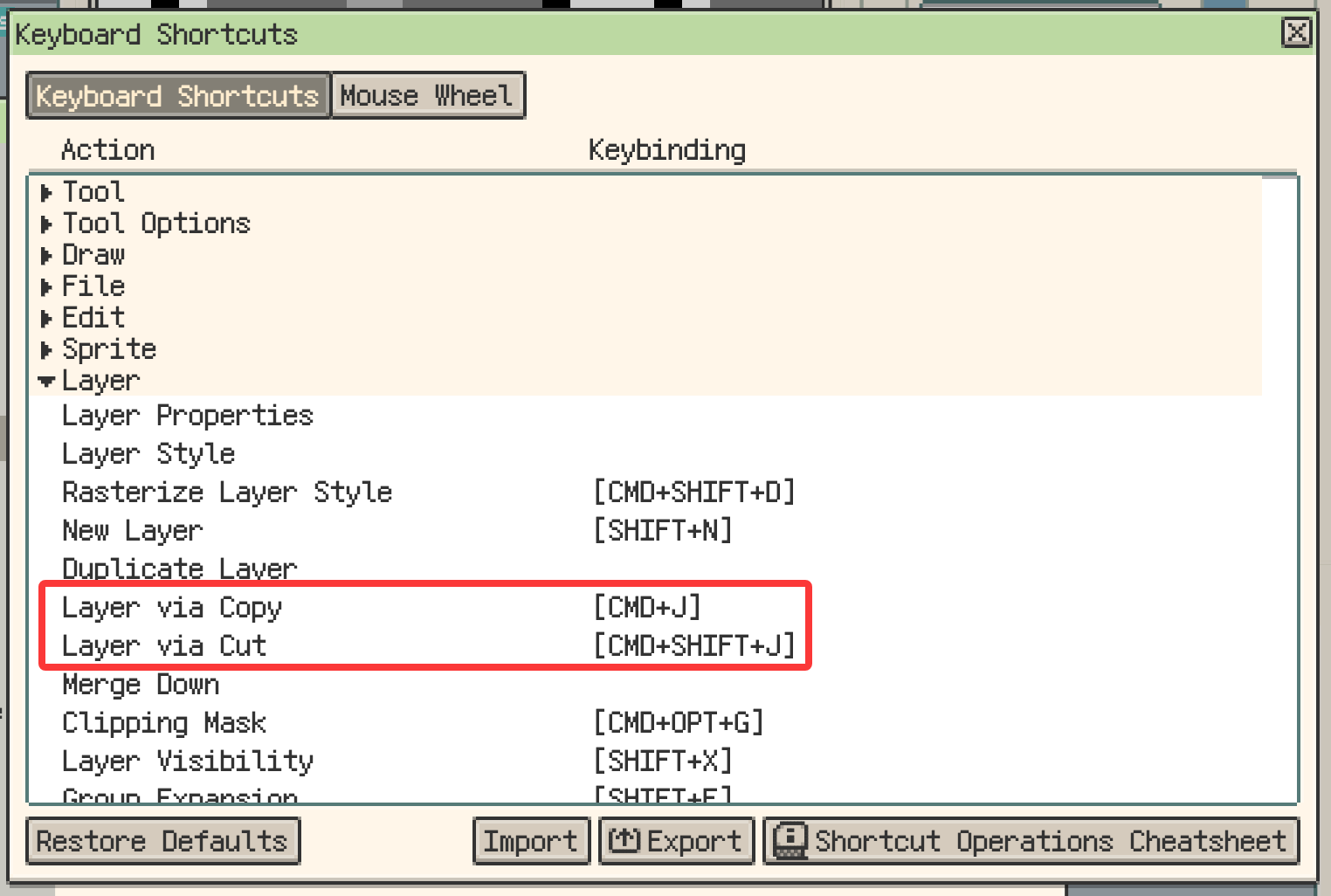
Layer via Copy and Layer via Cut shortcuts
- New: The Welcome screen can reopen saved files that were still open when you last quit. Unsaved new files are not included.
Reopen files from the last session
Improvements
- Improvement: Empty workspace panels now only show a centered reopen action when files from the last session can be opened again.
- Improvement: The floating toolbar collapse button now sits beside Close. After collapsing, the expand button is clearer and easier to hit.
- Improvement: Palette import now supports MoonPX.
- Improvement: Reference Image split view mode is now kept as a global preference.
- Improvement: When multiple layers are selected in the timeline, the global eye now toggles only the selected layers.
- Improvement: Timeline layer states now use a unified status icon.
Fixes
- Fix: Material Color Sphere stepped outlines and stepped-area picking now select the correct region at 9 or 10 steps.
- Fix: The Canvas Guide Color button in Canvas settings now keeps the saved color after restart.
- Fix: Oversized custom brushes now stay in the brush library, but cannot be activated as drawing brush tips.
- Fix: On Windows, Alt+character shortcuts no longer trigger the system alert sound, while assigned shortcuts still work.
- Fix: On Android, physical keyboard shortcuts are no longer captured by the IME candidate bar after text input ends.
- Fix: On Android, tapping the shortcut recording field no longer turns physical keyboard input into plain text.
- Fix: Stylus side-button drags on Android are no longer treated as single-finger gestures when Pencil Draw Only is enabled.
Changes
- Change: Trial export watermarks now appear in the bottom-right corner with a simplified design, reducing obstruction of the main artwork area.
v1.31.0
Release date: May 15 2026
New
- New: Added Custom Brush. You can create brushes from selections, import images or folders into the Brush Library, and then draw with the active brush color.
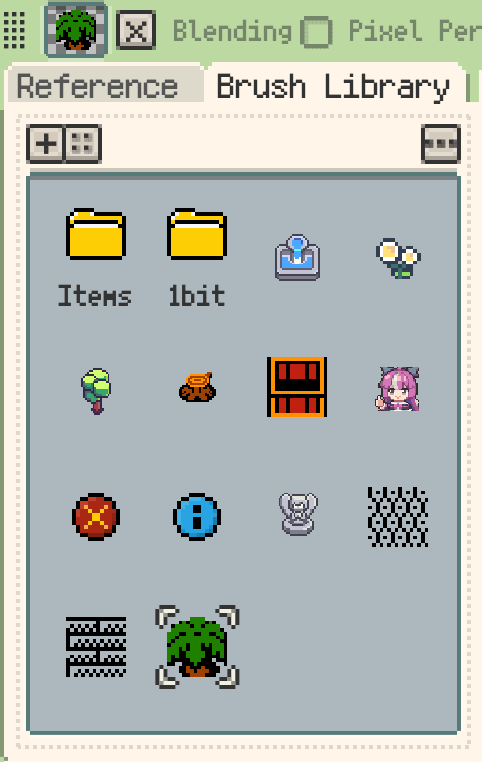
Brush Library for custom brushes
Improvements
- Improvement: Material Color Sphere profile actions are now grouped into the right-side menu, keeping rename, duplicate, and delete away from the top row.
- Improvement: Material Color Sphere and Hue Shifting Colors now support Base Color Update Mode, with Follow Pen Color, Pick Sync, and Palette Sync options.
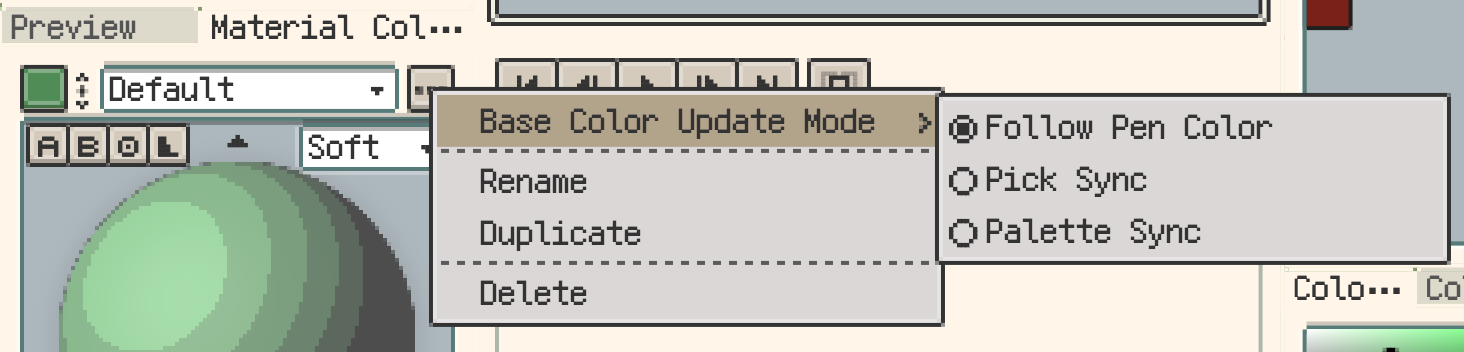
Base Color Update Mode for Material Color Sphere
- Improvement: Material Color Sphere now uses pixel-style rendering, so the sphere pixels and stepped outlines better match the rest of the pixel UI.
- Improvement: Workspace layout management now uses a dedicated manager window, making save, load, rename, delete, and reset actions clearer.
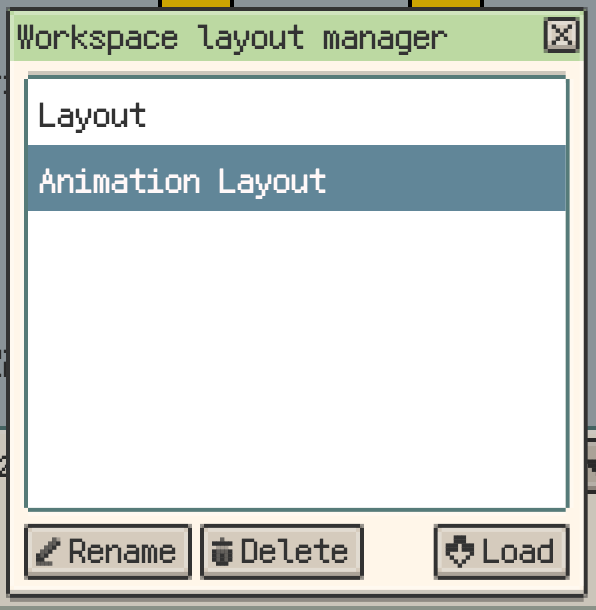
Workspace layout manager
- Improvement: Added a setting to prevent panel resizing after locking the layout. It is off by default, preserving the previous resize behavior.
- Improvement: Reference Images now support multi-image split view. You can show several reference images at once in vertical or horizontal splits and adjust their proportions with draggable dividers.
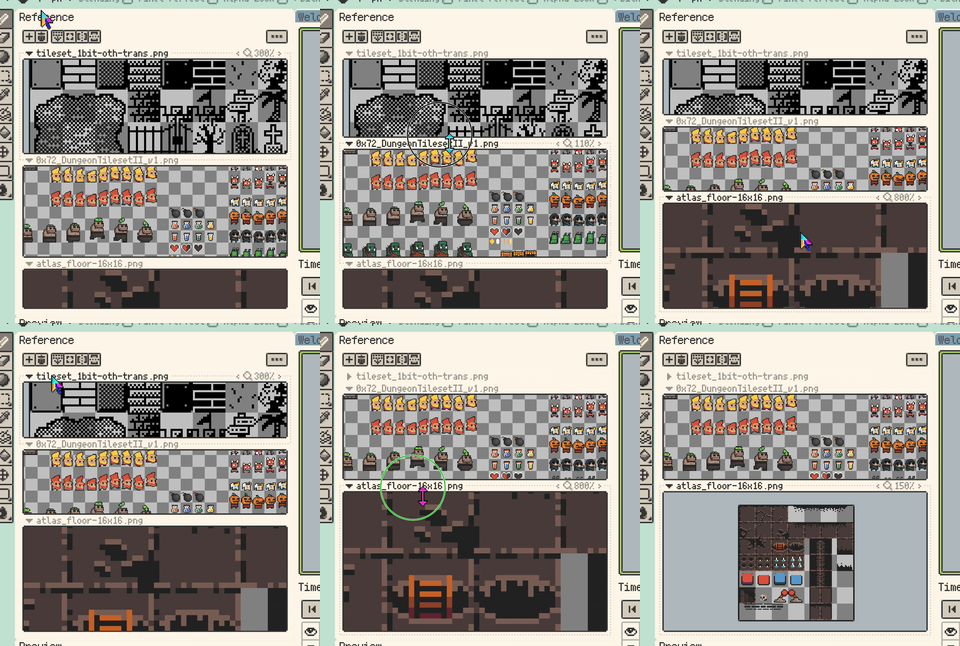
Multi-image split view for Reference Images
- Improvement: Reference Images and Preview now keep content visible while zooming or panning, reducing cases where the view drifts away from the image.
- Improvement: Trial export limits are now clearer, with easier-to-understand export type and watermark messages.
- Improvement: On desktop, Enter now confirms directly from the New Sprite name, width, and height fields, and from the Layer Properties name field.
Fixes
- Fix: PSD export now writes the composite preview in the correct layer order, so system previews no longer flip stacked layers while Photoshop layer structure stays unchanged.
- Fix: Hue Shifting Colors selection markers are now more accurate. Locking no longer marks the center color by default, unlocked mode also shows the picked position, and base color changes clear the old marker.