15 posts tagged with "New Feature"

New Feature

View all tags

Resprite DA v1.32.0: Tilemap Layers, Tiled Import/Export & Terrain Painting

Diandian
Content Editor

Resprite DA v1.32.0 is centered on a new tilemap workflow for desktop and Android. You can now build maps with Rectangular, Isometric Diamond, and Hexagon Tilemap Layers, manage document tilesets, exchange .tmx and .tsx files with Tiled, paint terrain rules, edit linked tileset images, and use tile animation. This update also adds a built-in MARD 291 bead palette, Android screen-on support, View > Extras for a cleaner canvas check, temporary transforms for Custom Brushes, clipboard-based canvas size choices, mobile palette multi-selection, and a set of fixes for export, Gallery, Preview playback, shortcuts, palettes, and tiled drawing.

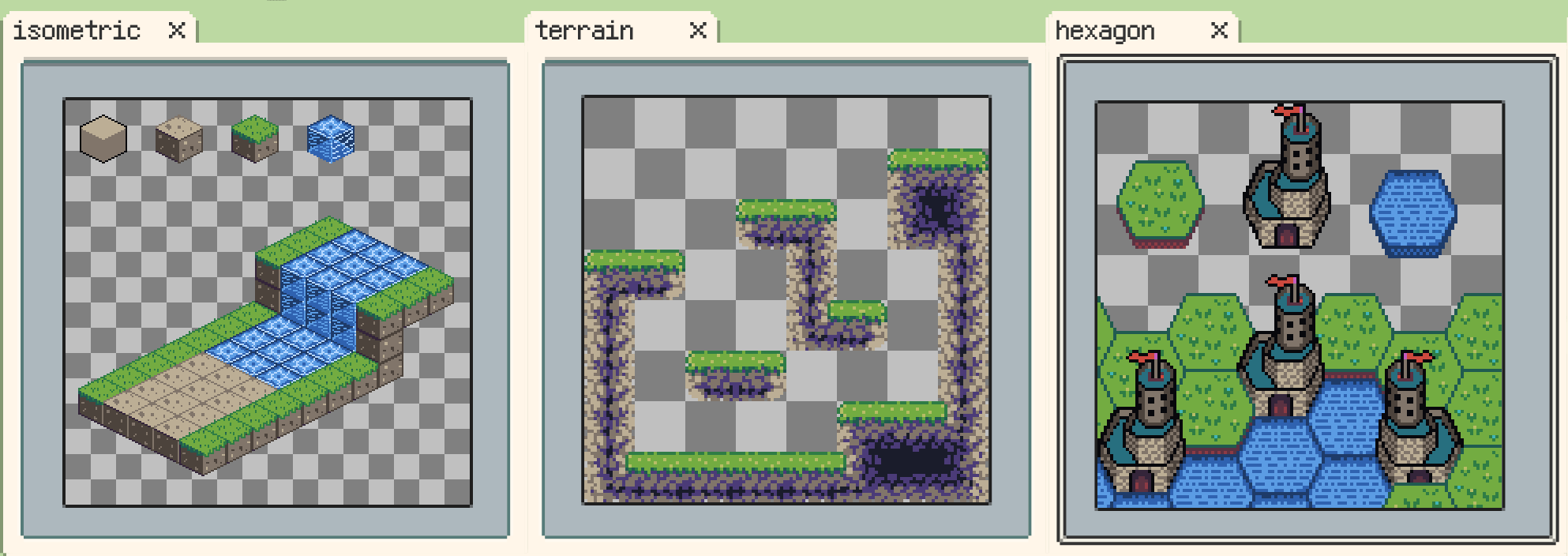
Rectangular, isometric diamond, and hexagonal Tilemap Layers

Resprite iOS R59: Tilemap Layers, Tiled Map Exchange, and Terrain Painting

Diandian
Content Editor

Resprite iOS R59 is now available. This release introduces a complete tilemap workflow for creating rectangular, isometric diamond, and hexagonal maps. You can manage document tilesets, exchange TMX/TSX data with Tiled, define terrain rules, paint connected terrain, edit tilesets through linked layers, and animate tiles from the timeline. It also adds new palettes and examples while refining canvas navigation, floating panels, color picking, and file validation.

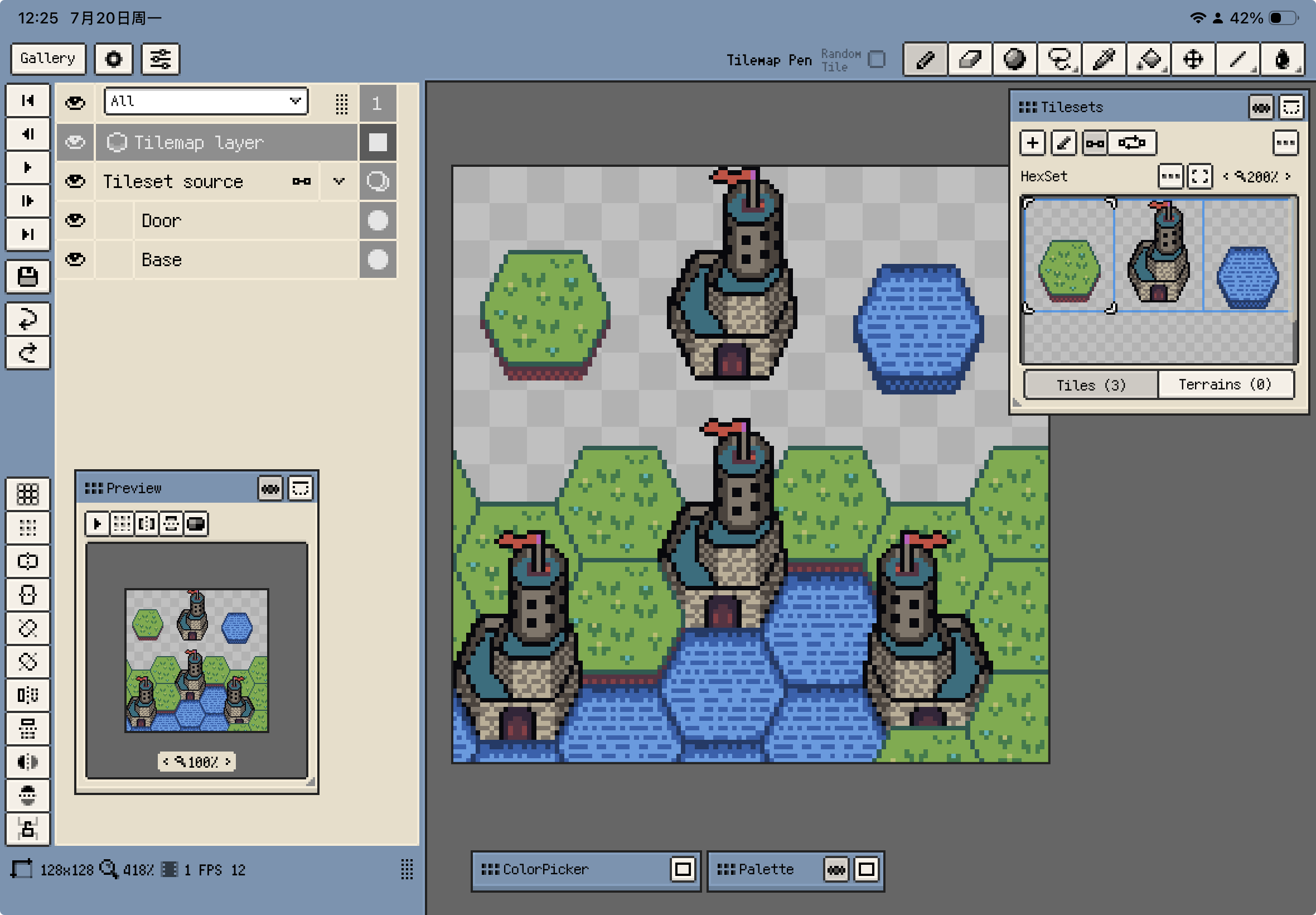
Hexagonal Tilemap Layer and Tilesets window on iOS

Resprite iOS R58: Custom Brush Flip/Rotate, Safer Previews, and Trial Export Updates

Diandian
Content Editor

Resprite iOS R58 is now available. This release focuses on a more flexible custom brush workflow and several stability refinements around floating panels, previews, and export dialogs. Custom brushes can now be flipped or rotated temporarily without changing the original brush file, preview and reference images are harder to lose off-screen, Bead Pattern export estimates are more reliable with large palettes, and trial exports return to daily attempt limits without watermarks.

Temporary flip and 90° rotation for custom brushes on iOS

Resprite iOS R57: Layer Styles, Isometric Tiled Mode, and Symmetry-Aware Selections

Diandian
Content Editor

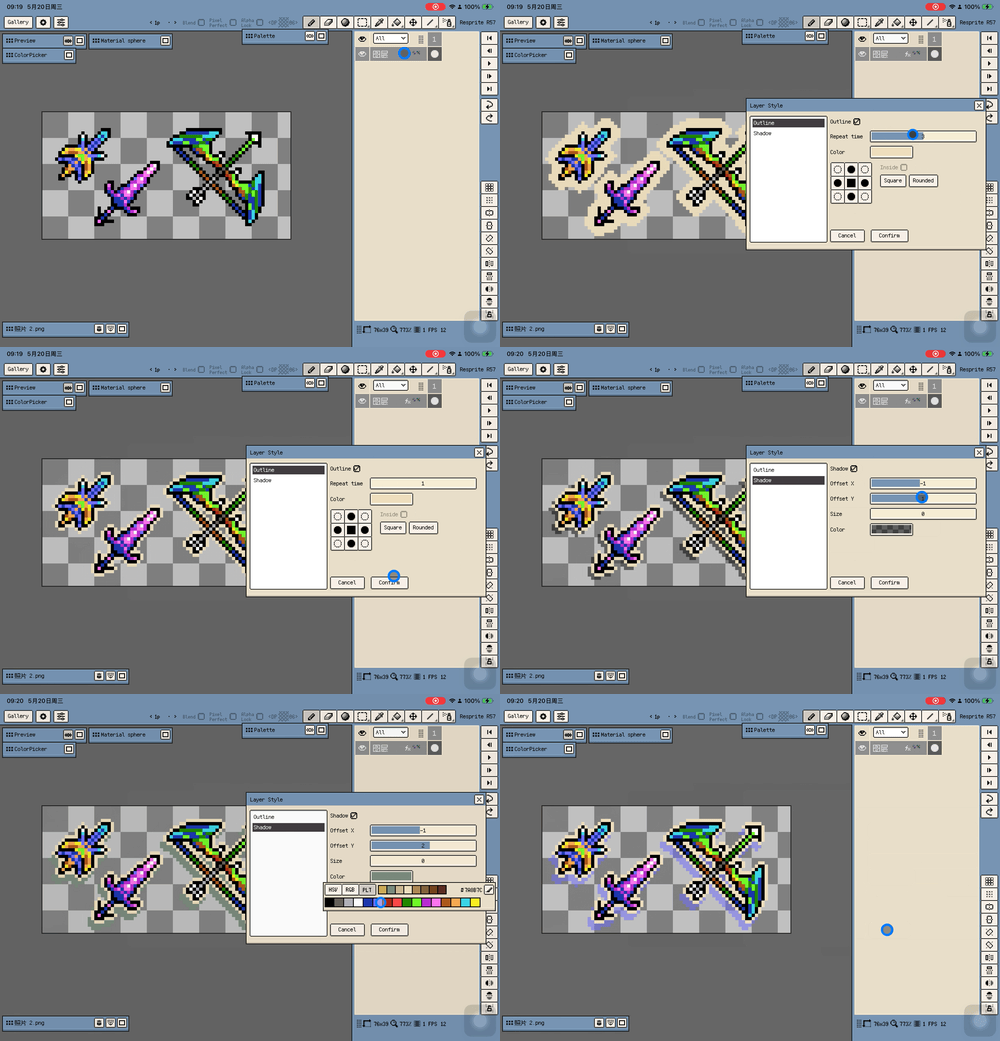
Resprite iOS R57 is now available. This release focuses on non-destructive layer effects, more flexible tile creation, and symmetry-aware editing. Layer Styles bring live Stroke and Shadow effects, Tiled Mode gains display range control plus isometric diamond and hexagonal profiles, selections can follow active symmetry axes, and Material Color Sphere can turn stepped lighting colors into reusable palette rows. R57 also improves MoonPX palette intake, timeline layer markers, PSD export visibility handling, and trial watermark placement.

Stroke and Shadow layer styles on iOS

Resprite DA v1.31.1: Layer Styles, Eyedropper Loupe & Tiled Mode Updates

Diandian
Content Editor

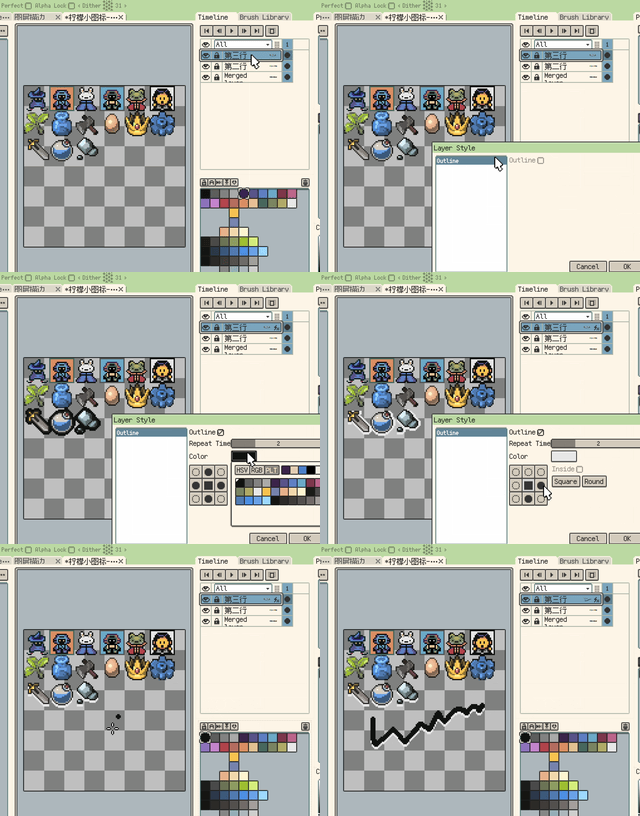
Resprite DA v1.31.1 brings several practical workflow upgrades to desktop and Android: non-destructive Layer Styles, a clearer eyedropper loupe, more flexible Tiled Mode previews, faster selection-to-layer commands, and palette improvements for material colour ramps. It also refines reopening recent work after restart, reference image preferences, timeline visibility control, and several Windows and Android input details.

Non-destructive Stroke layer style

Resprite DA v1.31.0: Custom Brush, Reference Split View & Layout Manager

Diandian
Content Editor

Resprite DA v1.31.0 expands the drawing workflow with Custom Brush, improves reference-heavy work with multi-image split view, and makes workspace layout management clearer on desktop and Android. This update also refines Material Color Sphere behavior, keeps preview windows easier to navigate, and fixes PSD export preview ordering.

Brush Library for custom brushes

Resprite DA v1.30.1: Detect Scale, Ellipse Selection & Wheel Shortcuts

Diandian
Content Editor

Resprite DA v1.30.1 is a compact but meaningful workflow update. This release adds Detect Scale in Sprite Size, ellipse selection, and custom key-plus-wheel shortcuts on desktop, then follows through with a long list of practical improvements across canvas handling, palette import, Gallery behavior, exported shortcut sheets, and stability.

Detect Scale in Sprite Size

Resprite DA v1.30.0: Export Again, Palette Link Import & Stability Improvements

Diandian
Content Editor

Resprite DA v1.30.0 is a smaller update focused more on polishing existing workflows than adding a long list of major new features. Alongside Export Again and palette import from web links and Lospec, this release concentrates on fixing practical issues, smoothing everyday interactions, and improving stability across export, selection, PNG compatibility, Windows responsiveness, and startup.

Export Again preview