Resprite iOS R57: Layer Styles, Isometric Tiled Mode, and Symmetry-Aware Selections
Resprite iOS R57 is now available. This release focuses on non-destructive layer effects, more flexible tile creation, and symmetry-aware editing. Layer Styles bring live Stroke and Shadow effects, Tiled Mode gains display range control plus isometric diamond and hexagonal profiles, selections can follow active symmetry axes, and Material Color Sphere can turn stepped lighting colors into reusable palette rows. R57 also improves MoonPX palette intake, timeline layer markers, PSD export visibility handling, and trial watermark placement.
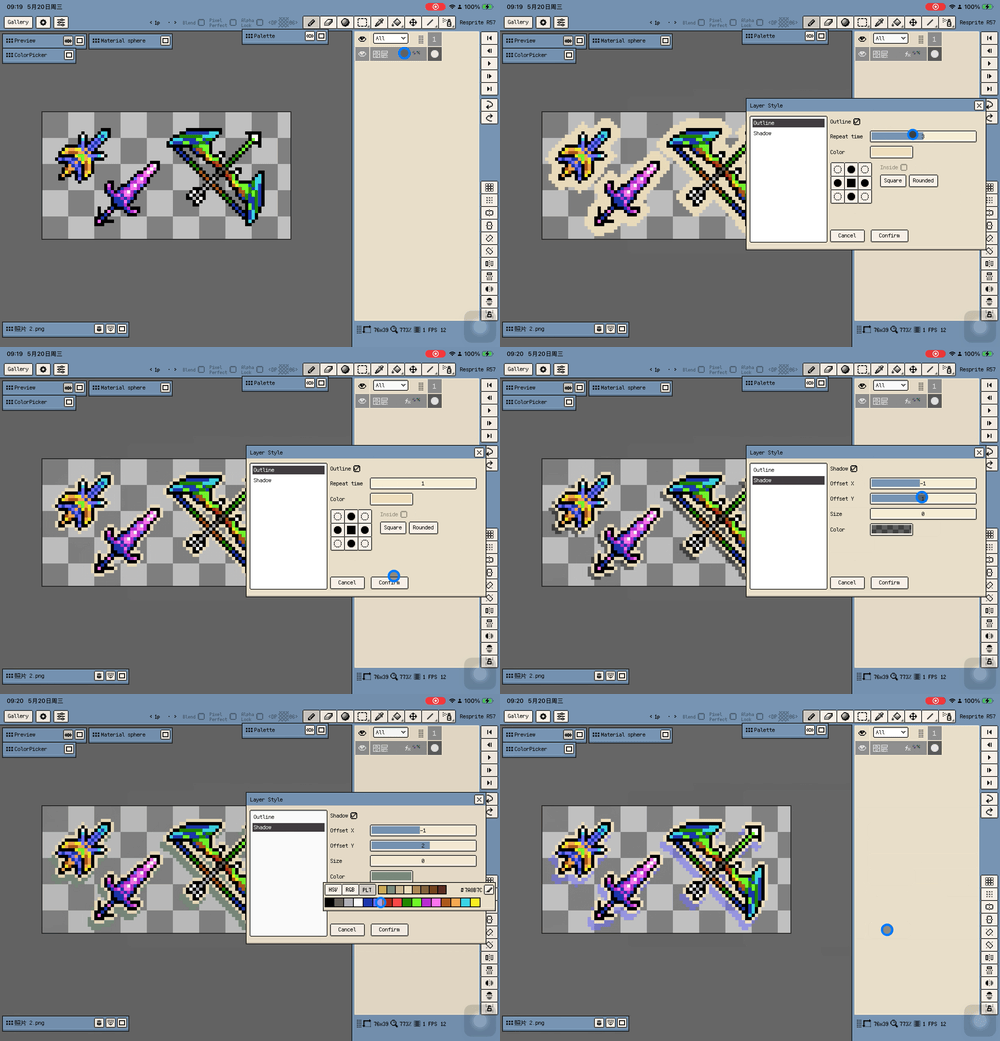
Layer Styles
- Added the Layer Styles system with a non-destructive Stroke layer style. The outline stays live as layer content changes.
- Added a hard-edged Shadow layer style with horizontal/vertical offset, size, and color controls. The shadow is generated from the post-stroke outline.
- When the result needs to become real pixels, layer styles can be committed through the rasterize workflow.
Tiled Mode and Symmetry
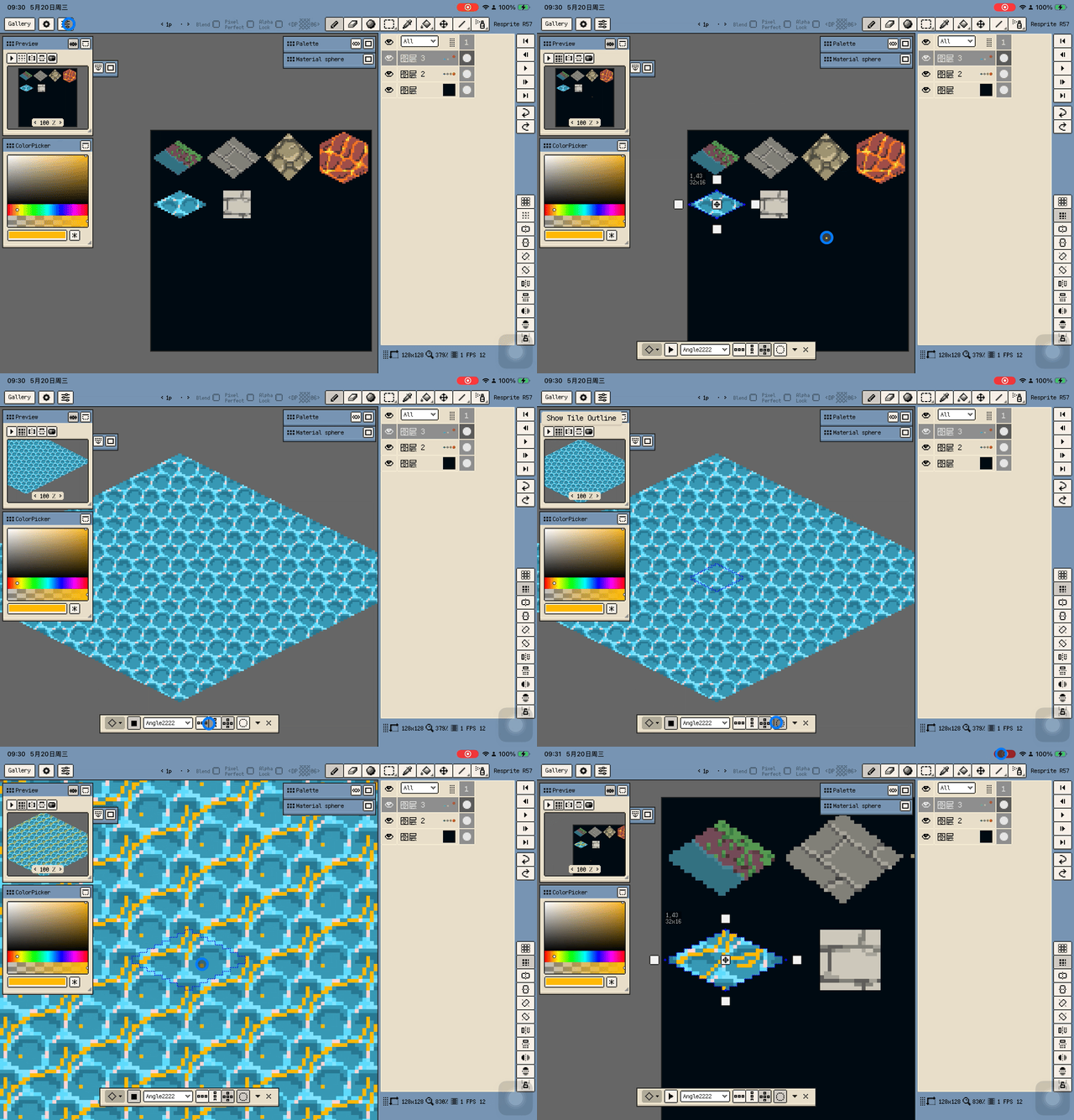
- Tiled Mode now has a display range setting for
3x3,5x5,7x7, and9x9. The main canvas, Preview window, and brush preview use the same range, and the default is now5x5. - Tiled Mode now supports Isometric Diamond and Hexagon Tile Profiles, including continuous drawing and fill across tile boundaries.

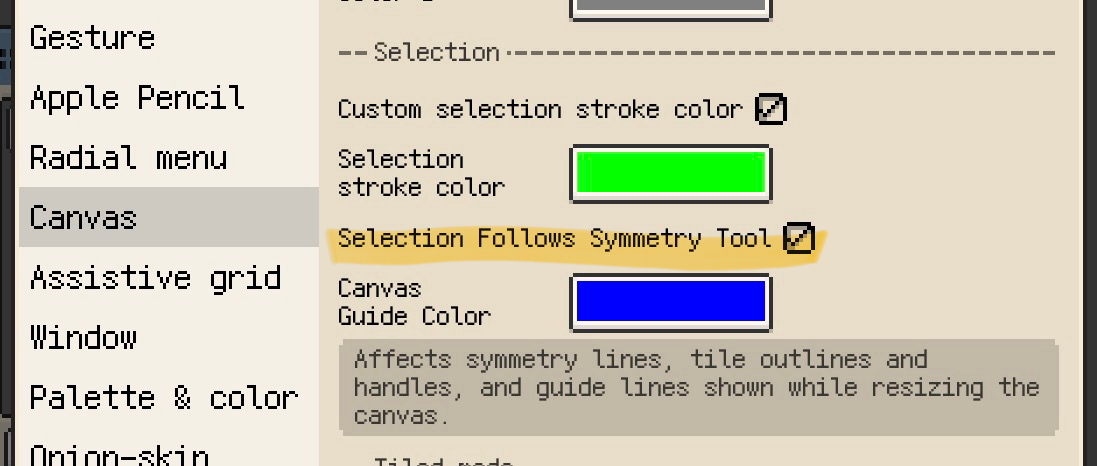
- Added Selection Follows Symmetry Tool in Canvas settings. Rectangular, elliptical, freehand, and magic wand selections can now mirror from the active symmetry axes.
- Symmetry handle dragging is more responsive, and 45° symmetry tools now reset to the selection center when a selection exists.
Color and Palette Workflow
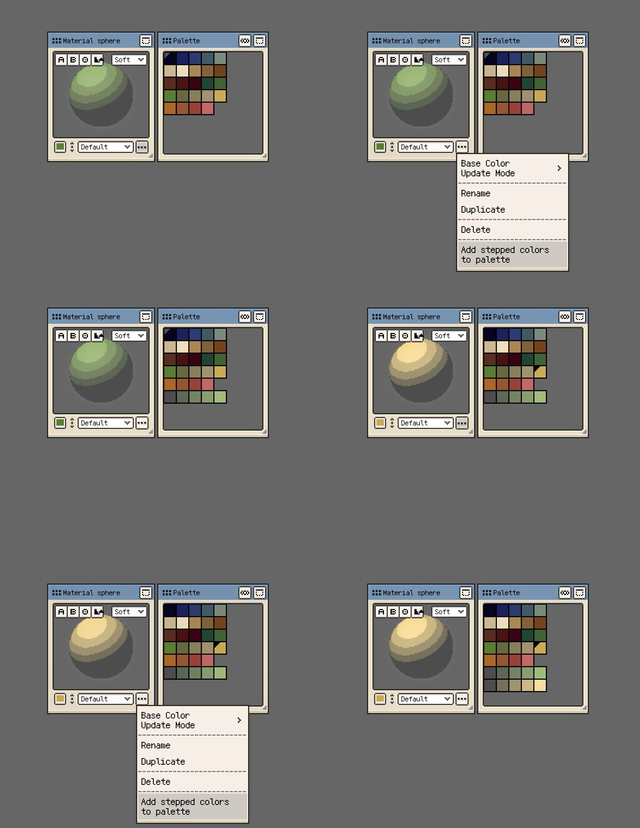
- Material Color Sphere can append stepped representative colors to a new palette row from dark to light.
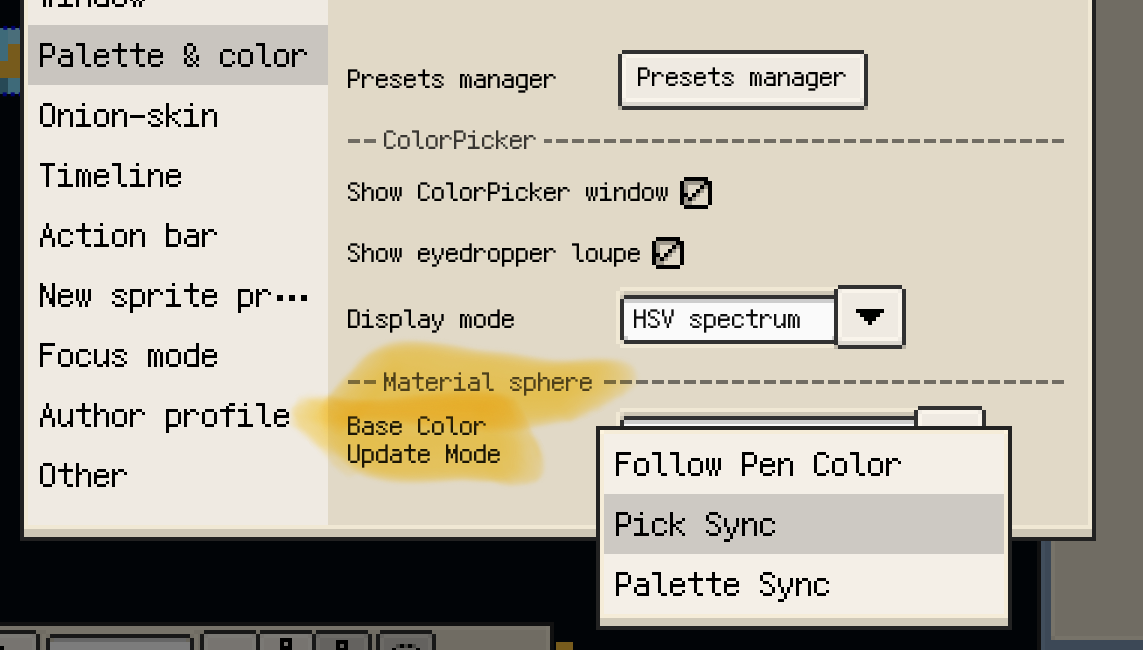
- Material Color Sphere now has base color update modes, cleaner profile menus, and more consistent stepped color picking across material and color workflows.
- MoonPX palette links can import remote GPL palettes directly from
moonpx-palette://<numeric ID>links. - Selection stroke color and symmetry line color are now grouped in Canvas settings.
Timeline, Export, and Fixes
- When multiple layers are selected, the timeline global eye now toggles only the selected surface layers. Single-layer selection keeps the previous toggle-all behavior.
- Timeline layer rows now use one layer effects marker for changed opacity, blend mode, or layer styles.
- Brush Library mini menus now dismiss safely without passing taps through to underlying buttons, brush selection, or the canvas.
- PSD export now uses each layer's own eye state and no longer writes the temporary global eye state into layer visibility.
- Trial export watermarks now appear in the bottom-right corner with a simplified design.
Thanks for reading and for your continued support. If you have feedback or suggestions, please contact us.