Resprite DA v1.32.1: Multi-Cell Transform, Symmetry-Aware Selections & Sharpen
Resprite DA v1.32.1 expands animation and batch editing across the timeline. You can transform or paste content across multiple cells, animate inherited-cell position and opacity, and import images or sequences as new layers. The update also adds a Sharpen filter, Bead Pattern watermarks and color-difference checks, more flexible Sprite Sheet exports, floating top bars, and a set of drawing, file, and interface refinements.
Timeline Editing and Inherited-Cell Animation
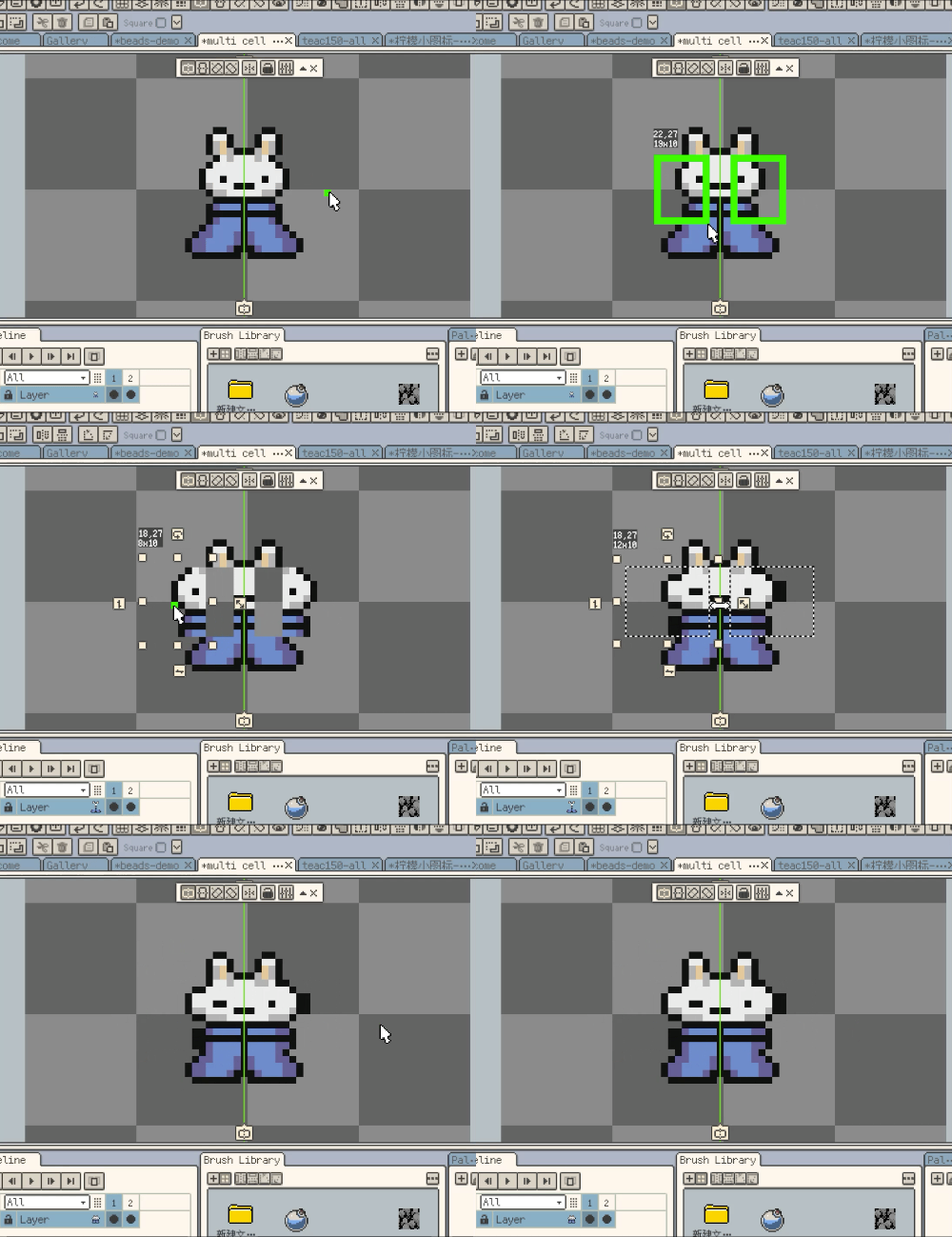
New: Selection content can now be transformed across multiple selected timeline cells.
After explicitly selecting multiple timeline cells, you can move, rotate, scale, or flip the selection content in those cells together. The same relative transform is applied throughout the operation, with unified Undo and Redo.
New: Content can now be pasted into multiple selected timeline cells at once.
Paste the same clipboard content into multiple editable cells, then move, rotate, or scale the pasted content together. The entire operation can be undone or redone as one step.
New: Images and image sequences can now be imported as new layers.
Files are grouped into frame sequences when the entire batch forms complete filename sequences. Otherwise, each selected image creates its own layer.
New: Inherited cells on raster layers now support position offsets.
Local Offset lets you move the current inherited cell without moving its shared source. Move Following can apply the same offset through the following inherited cells before the next solid cell.
New: Inherited cells now support Position and Opacity Keys and Tween.
Position Tween and Opacity Tween are available from the timeline Cell menu. Position animation supports straight paths and curved paths shaped by three or more position keys, with intermediate values generated according to frame duration.
Filters, Color, and Canvas Tools
New: Edit > Filters now includes Sharpen with adjustable strength.
Sharpen works with selections and Sprite, Layer, Frame, and Cell targets while preserving transparency and cell bounds. Blur has also moved from Color Adjustments to Edit > Filters.
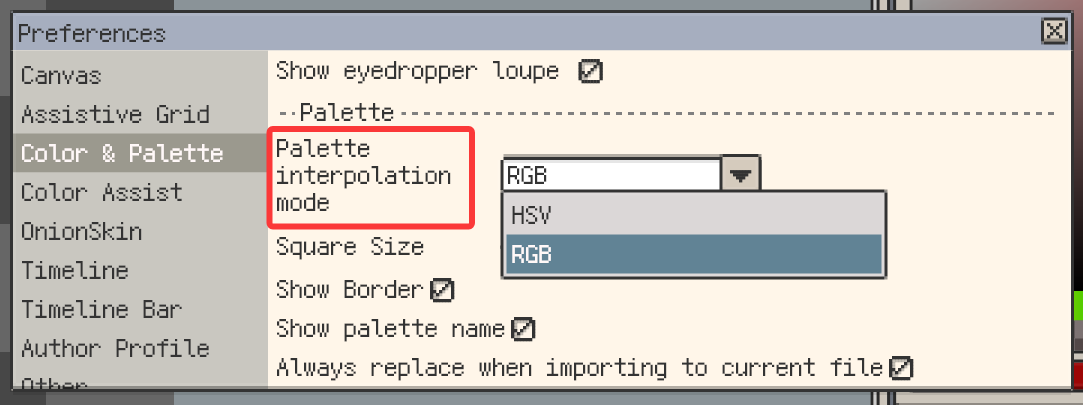
New: Palette interpolation now supports HSV and RGB modes.
The selected interpolation mode is remembered for future use.
New: Selections automatically follow enabled symmetry tools and remain linked during transforms.
New: Offscreen symmetry handles now show edge indicators.
The indicators show the direction and axis type, and can be dragged to bring horizontal, vertical, or 45-degree symmetry axes back into view. When the canvas center is offscreen, Center Symmetry Axes now uses the center of the visible area.
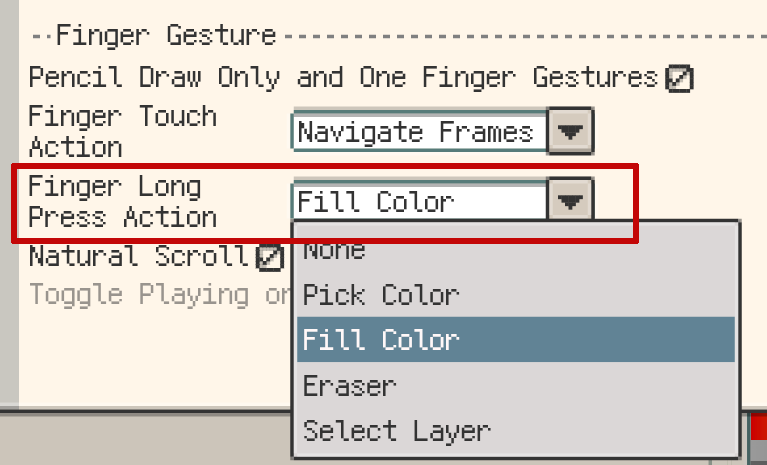
New: Pencil Draw Only now has a separate Finger Long Press Action.
It can be assigned to color picking, fill, eraser, or layer selection. Eraser is also available for the regular canvas long-press action.
Export and Workspace Upgrades
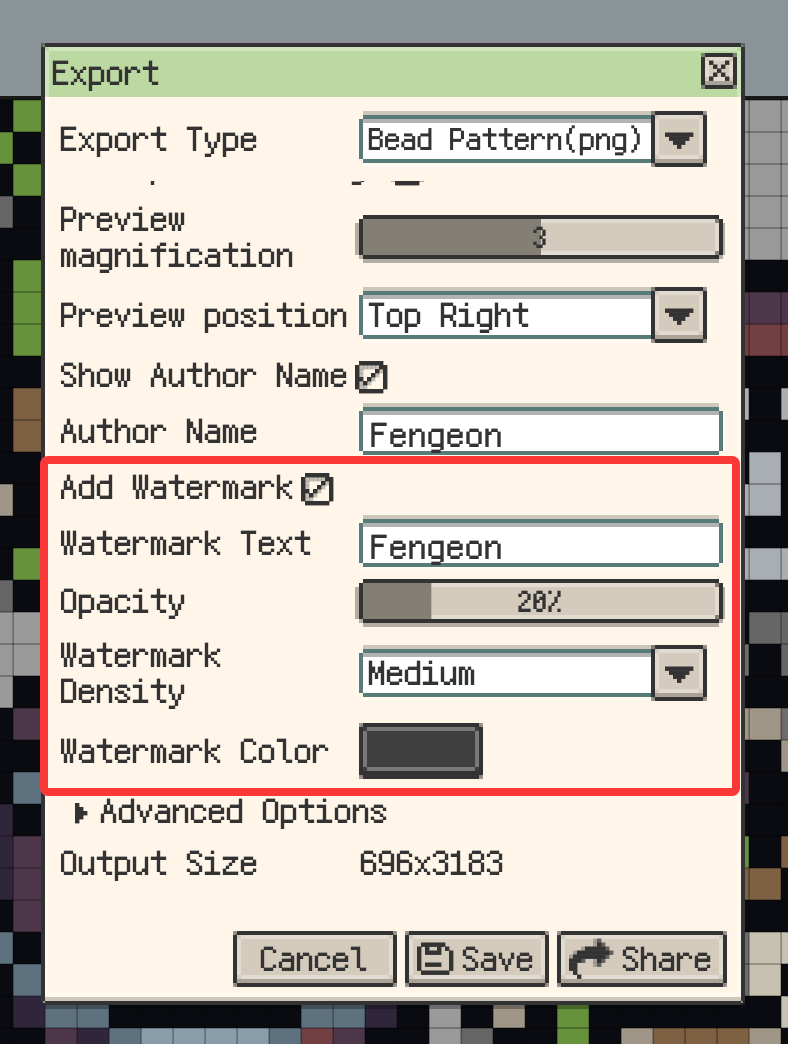
New: Bead Pattern export now supports custom diagonal watermarks.
You can adjust the watermark text, opacity, density, and color. The watermark is overlaid on the pattern and clipped to the bead grid.
New: Bead Pattern export can check color differences before export.
An adjustable ΔEOK threshold compares artwork colors with their palette matches. When large differences are found, you can cancel, continue with the regular export, or create a review copy with marked cells and original-versus-matched color comparisons.
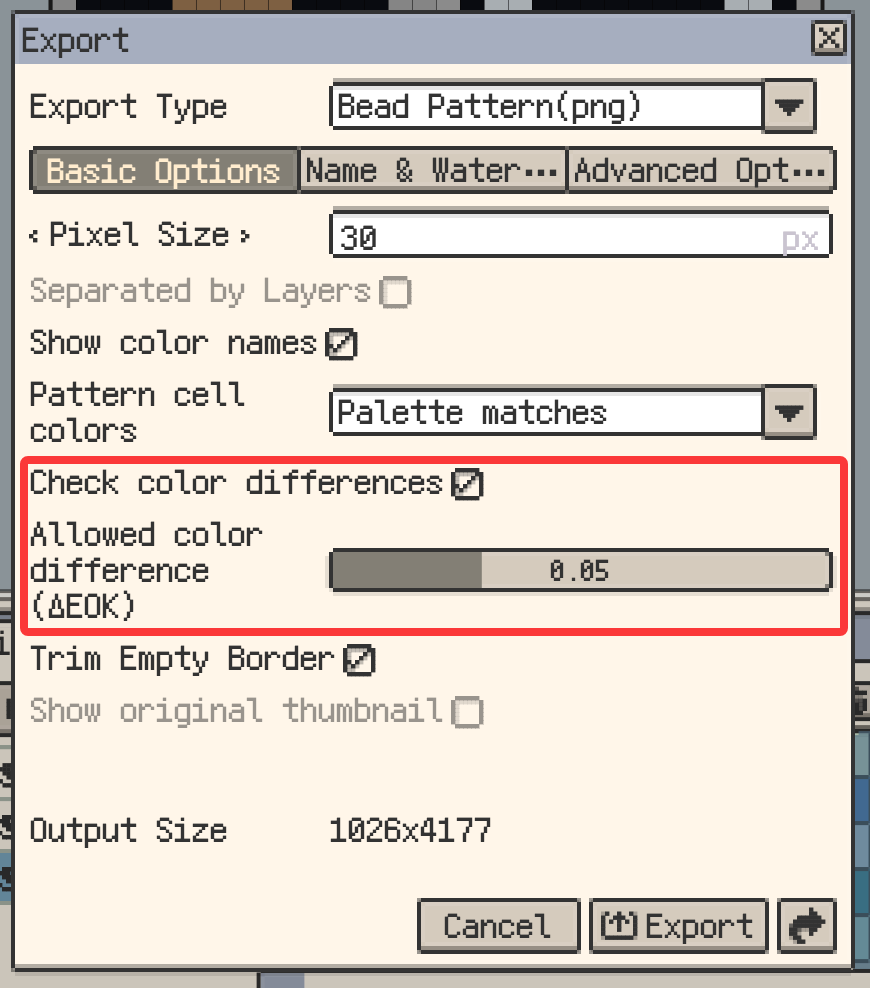
Bead Pattern and Quantize to Palette now share standard OKLab color-distance matching. Pattern cells can show palette matches or artwork colors, while color names, the legend, and counts remain tied to the same match and the thumbnail preserves the artwork colors.
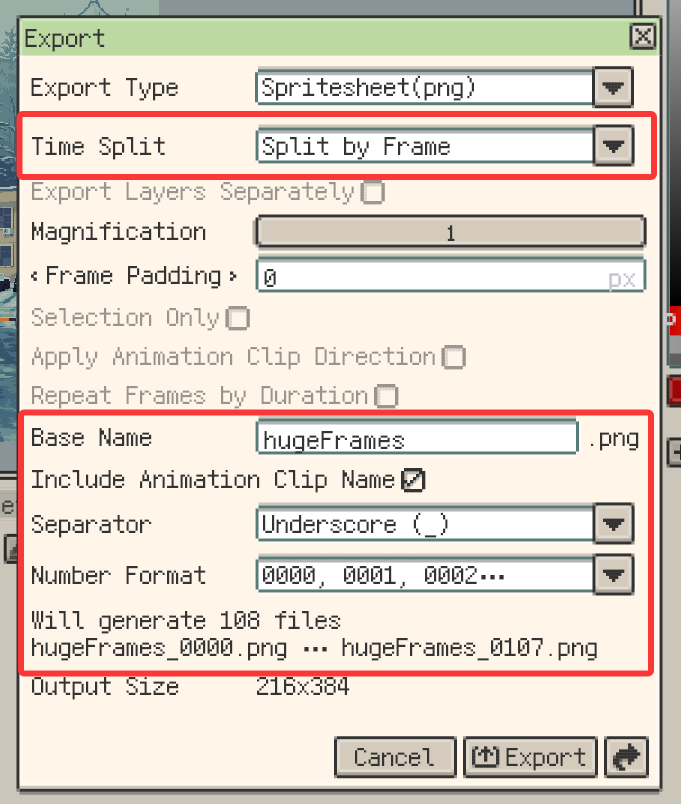
New: Sprite Sheet export can split by frame, animation clip, or layer.
On desktop, multi-file exports can be written directly to a selected folder.
New: Top bars can now float.
The Action Bar, Tool Bar, and Tool Options Bar can be positioned anywhere in the window, switched between horizontal and vertical layouts, and snapped together when nearby. Small-screen phones retain the fixed layout.
Workflow Improvements
- Turning off cell inheritance now preserves the displayed content and position.
- Explicit batch edits now include unlocked hidden content while keeping locked content protected.
- Hidden timeline cells can now be edited directly. Cell Properties remains available read-only on locked layers.
- On macOS and Windows, reference images can now be copied to the system clipboard and pasted across files or into other apps.
- The pen color row on macOS and Windows now includes screen picking that directly sets the pen color, with an optional shortcut in the Palette category.
- Frame navigation and timeline positioning during animation playback have been refined.
- On Android, Gallery grid items can now be long-pressed and dragged into folders. Grid dragging also auto-scrolls near the top and bottom edges on Android and desktop.
- Various interface and interaction details have been refined.
- The Google Play Billing Library has been updated.
Fixes and Behavior Changes
- Fix: On Android, brush and tilemap pointer previews now disappear when a stylus leaves hover range.
- Fix: Improved
.respriteproject save reliability. - Fix: Moving a selection no longer clears its path on clipping-mask layers with blend modes.
- Fix: Bead Pattern color names now display completely on one line.
- Fix: Custom brushes now draw completely across tiled boundaries and copy areas.
- Fix: Blur and Jumble now sample neighboring tiles correctly at tiled boundaries.
- Fix: Timeline frame moves and deletions now preserve the correct frame-to-cell mapping across repeated Undo and Redo.
Thanks for Reading
If you run into any issues or have suggestions, please contact us via the official support page: Support. Your feedback helps us keep improving Resprite.