Resprite DA v1.32.0: Tilemap Layers, Tiled Import/Export & Terrain Painting
Resprite DA v1.32.0 is centered on a new tilemap workflow for desktop and Android. You can now build maps with Rectangular, Isometric Diamond, and Hexagon Tilemap Layers, manage document tilesets, exchange .tmx and .tsx files with Tiled, paint terrain rules, edit linked tileset images, and use tile animation.
This update also includes several other improvements and fixes.
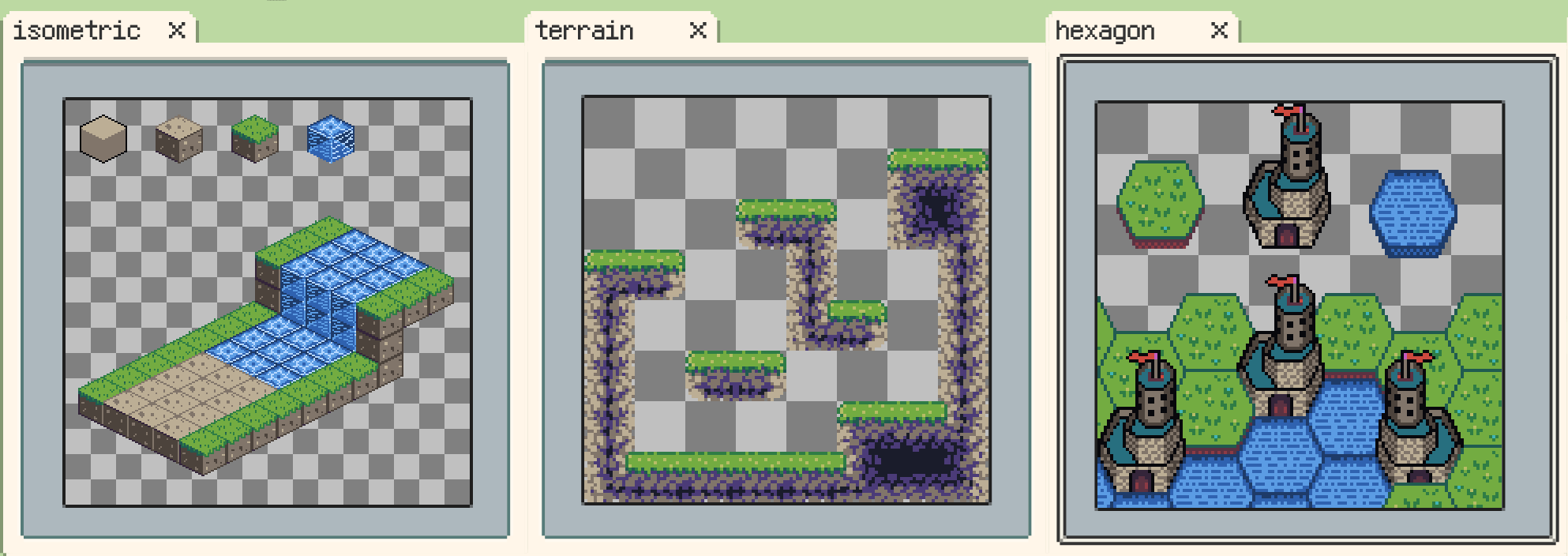
Tilemap Layers and Tilesets
New: Added support for Rectangular, Isometric Diamond, and Hexagon Tilemap Layers.
Tilemap Layers let you build maps from reusable tiles instead of painting every repeated element as ordinary pixels. They are designed for game maps, terrain pieces, isometric scenes, hex maps, and other work where repeated blocks need to stay easy to rearrange.
.resprite files that contain Tilemap Layers require DA 1.32.0 / iOS r59+ to open correctly.
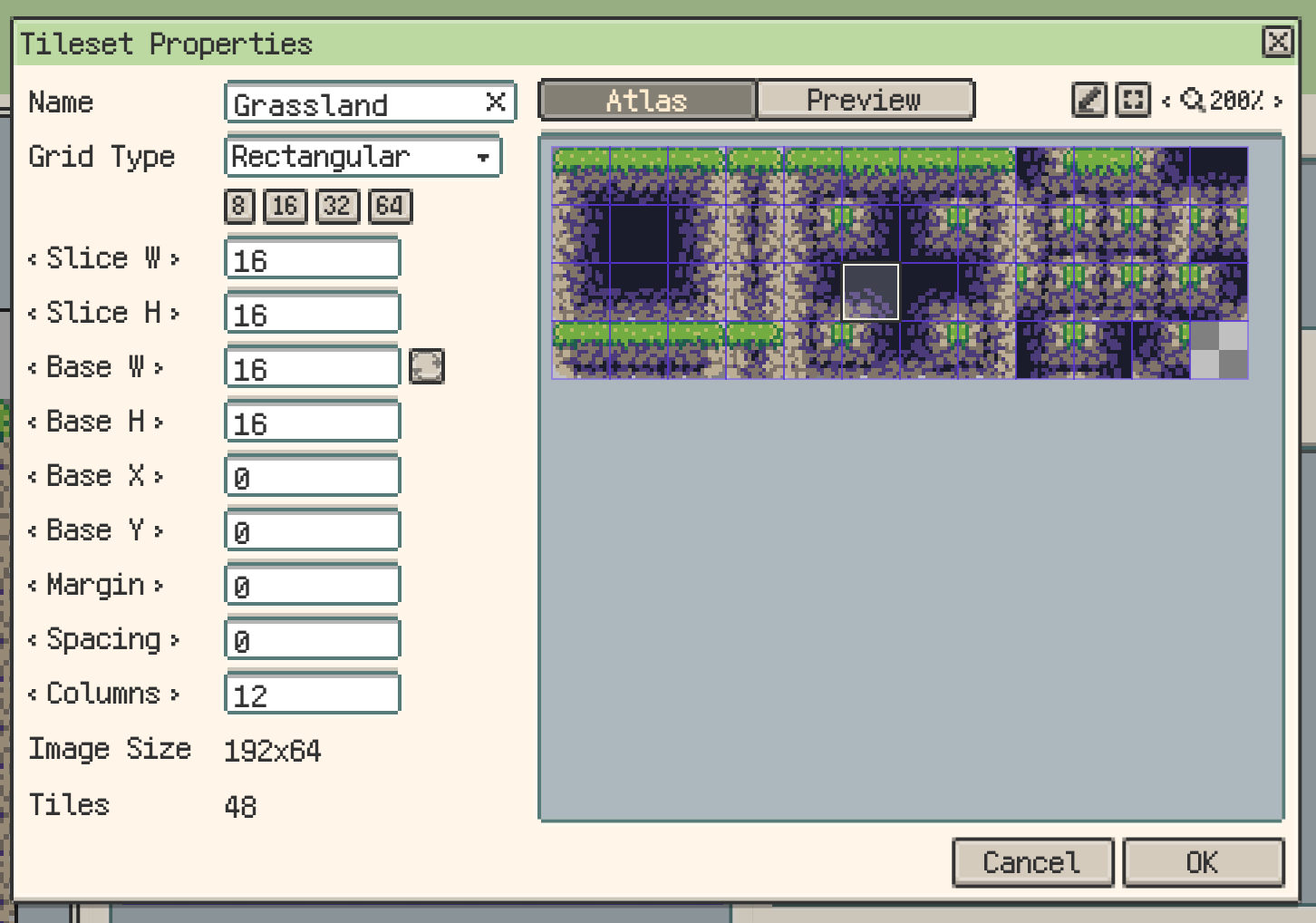
New: Added a tileset management system.
Tilesets can be imported, created, edited, and selected from the tileset panel, so the current tile source stays connected to the active Tilemap Layer.
Tiled, Terrain, and Animation
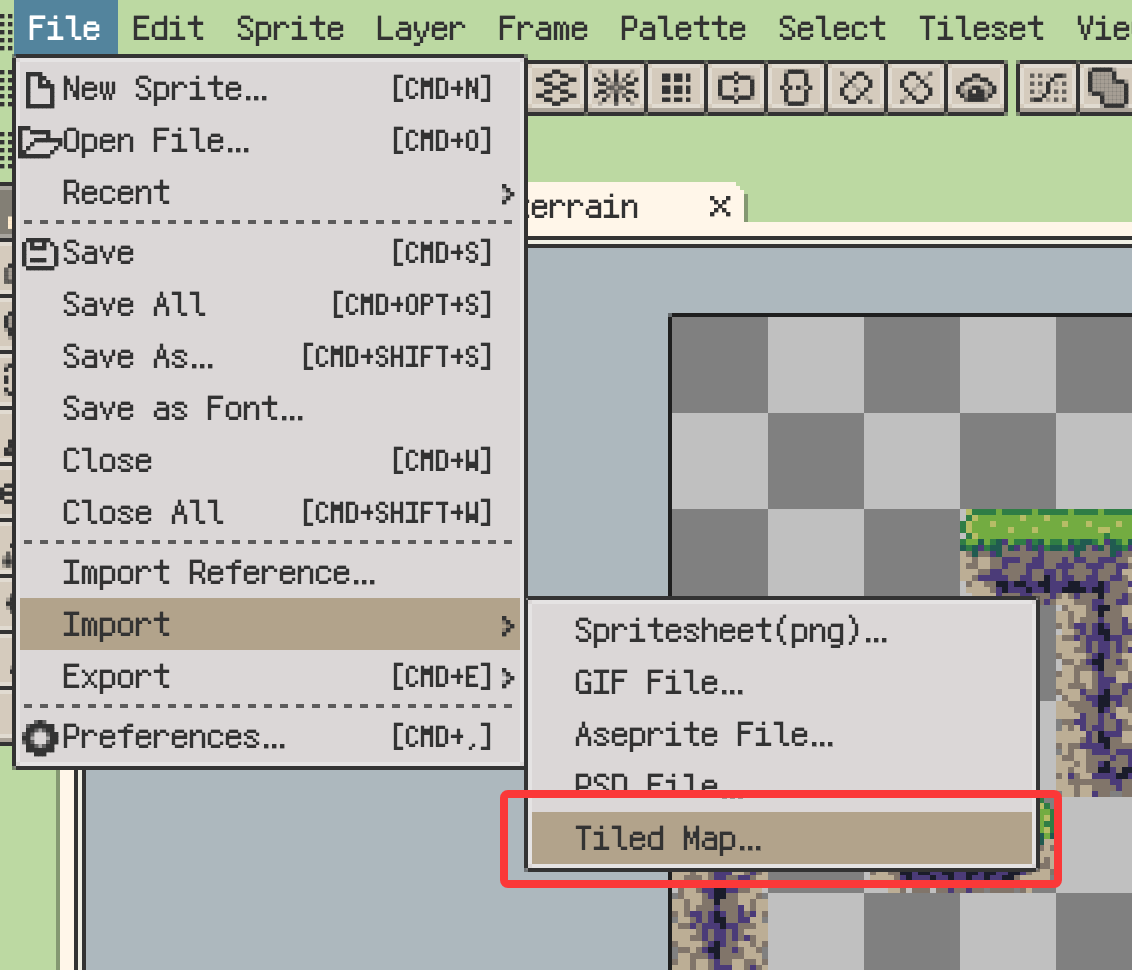
New: Added Tiled map (.tmx/.tsx) import and export.
This makes it easier to bring existing Tiled maps into Resprite or export Resprite tilemap work back into a common game-production format.
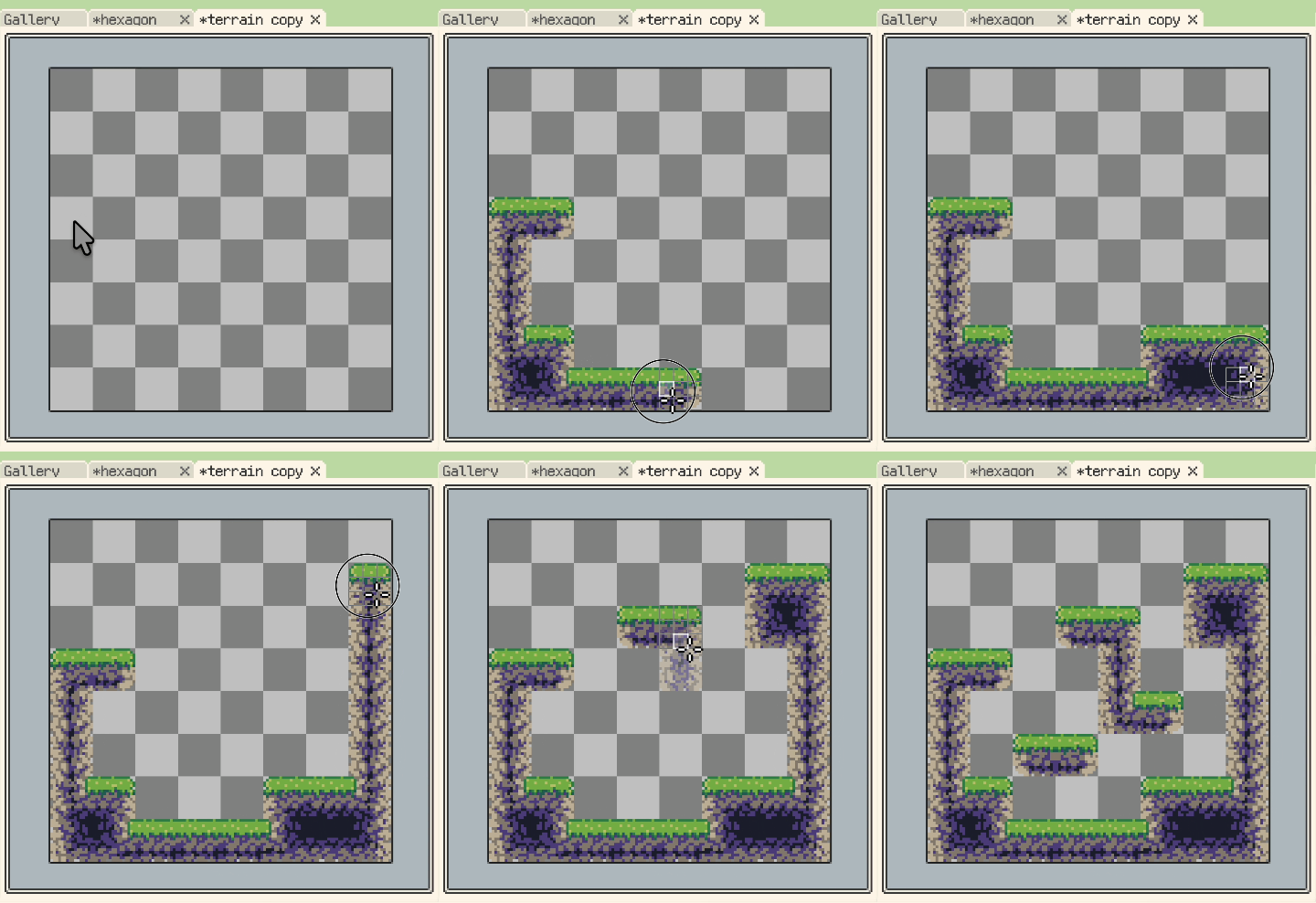
New: Added terrain rule editing and terrain painting.
Terrain rules help place connected areas such as ground edges, roads, walls, shores, and other auto-matching tiles more quickly.
The Grassland tileset shown above is adapted from Shackhal's Multi Platformer Tileset, released under Creative Commons CC0 1.0 Universal. For this example, the upper section of the tileset was modified into road tiles.
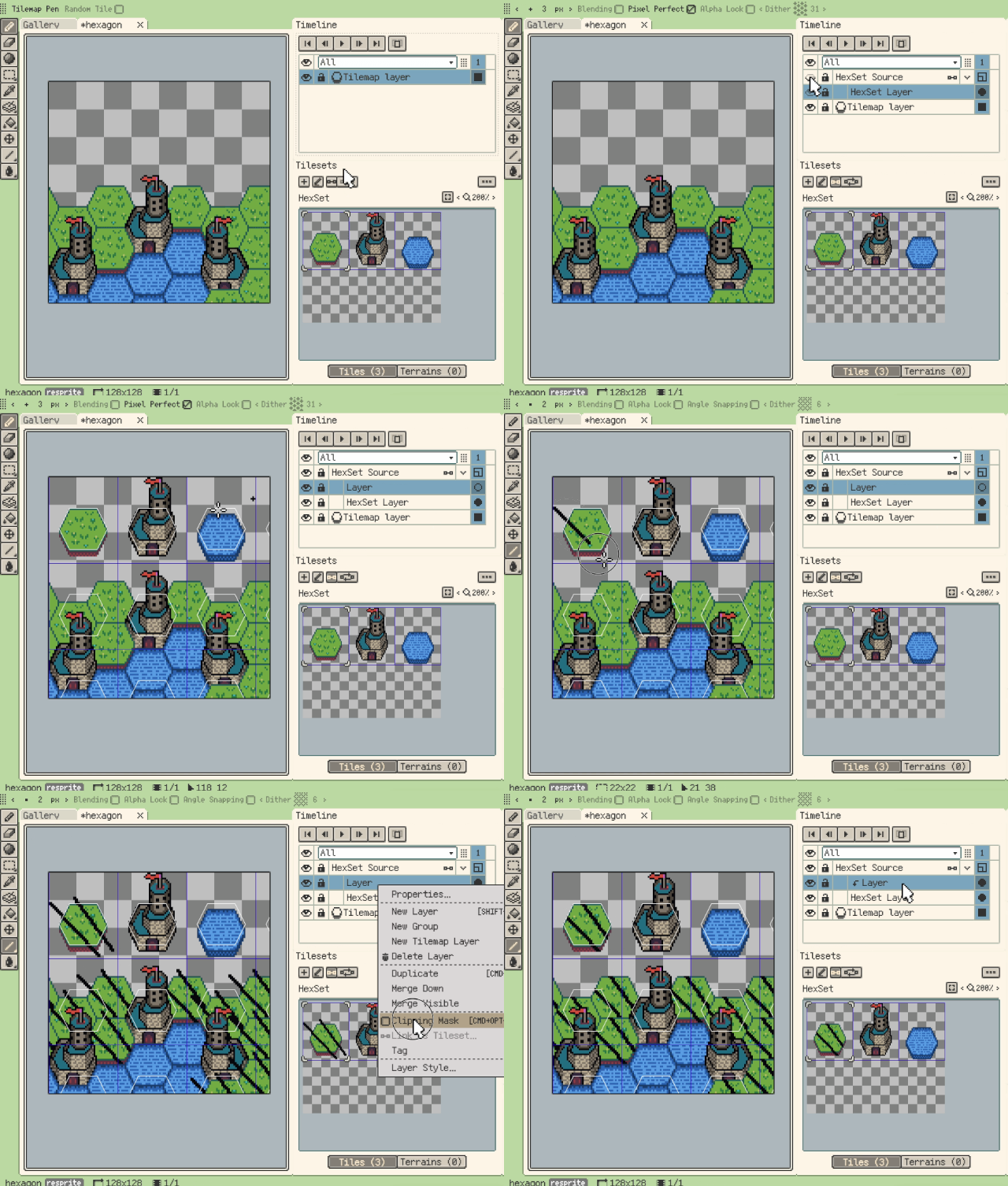
New: Added instant tileset image editing through linked layers.
You can edit tileset image content through normal layers and refresh those changes back into the tileset, which is useful when the map layout and tile artwork are still evolving together.
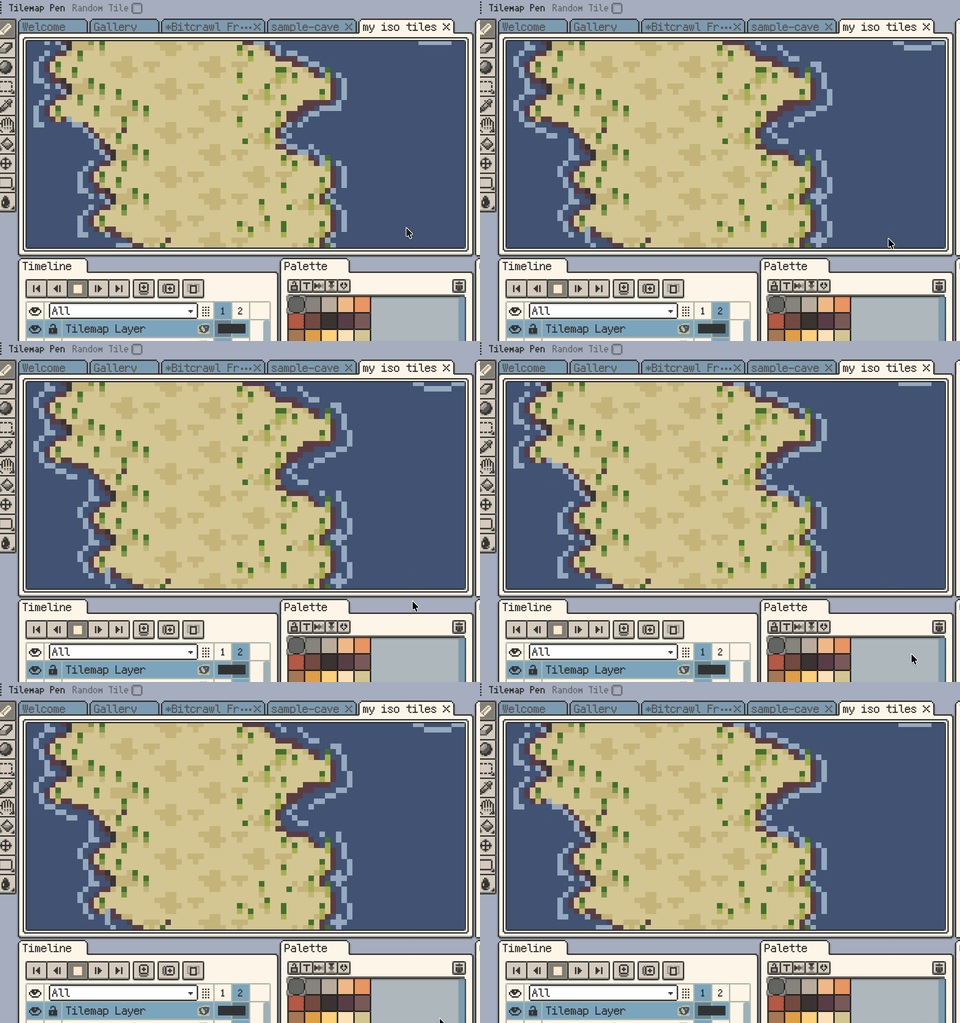
New: Added tile animation.
Tiles can now use animation sequences for repeated moving details such as water, fire, lights, and interactive map elements.
New: Added a built-in MARD 291 bead palette.
The new built-in palette makes MARD 291 bead colours available directly in Resprite.
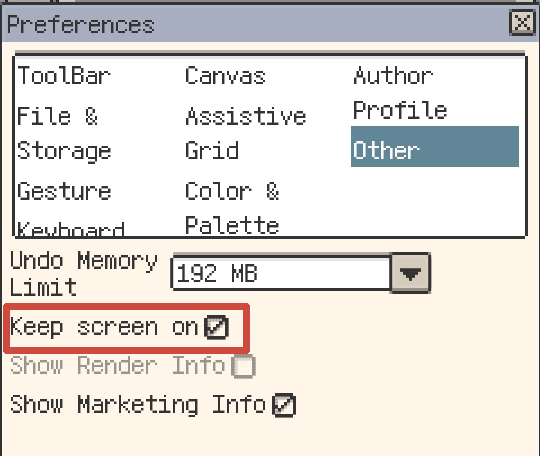
New: On Android, Keep screen on is now available in Settings > Other.
Enable it when following bead patterns or keeping artwork visible as a long-running canvas reference without the system automatically locking the screen.
Drawing and Canvas Workflow
Improvement: View > Extras can now temporarily hide canvas extras.
Use it when you want to inspect the artwork without grids, guides, selection marching ants, onion skin, or canvas reference images. The shortcut is Cmd/Ctrl+H.

Improvement: Custom brushes can now be temporarily flipped and rotated 90°.
The temporary transform applies to the brush preview and actual drawing without modifying the original brush source.

Improvement: New Sprite can now use clipboard image sizes as canvas size choices.
On desktop, the New Sprite dialog can offer the size of a clipboard image as a canvas preset. Choosing it fills the canvas width and height; it does not automatically import the image.

Improvement: Desktop shortcut settings now include more Sprite menu actions.
These actions are unassigned by default and can be configured when needed.
Improvement: Added more canvas zoom steps.
Improvement: On mobile, Palette colors can now be multi-selected by long-pressing and dragging, then moved by dragging the selection.
Improvement: Eraser now supports canvas long-press gestures.
Improvement: On desktop, right-clicking a layer eye can now isolate or restore that layer.
Improvement: Isometric Diamond and Hexagon Tiled Mode can now switch wide/tall axis orientation.
This makes it easier to set up profiles such as steeper flat-top hex tiles.

Improvement: Selection tools can now temporarily subtract from the selection with Alt/Option+Shift.
Fixes and Behavior Changes
- Fix: Tiled Mode now limits tile sizes to prevent oversized tiles from slowing previews.
- Fix: Pixel Perfect now removes extra corner pixels correctly when drawing on tiled copies.
- Fix: Preview standalone playback now follows per-frame durations and the current clip range.
- Fix: Palette copy, cut, and paste now support multi-selection and external HEX text correctly.
- Fix: Palette files with no colors or invalid content can no longer be imported or exported.
- Fix: Corrected color deviations in some Mard221 palette colors.
- Fix: Gallery context menus now target the right-clicked item or selection correctly.
- Fix: Renaming or moving an already-open Gallery item now keeps the open document on the new path.
- Fix: Gallery no longer hides user folders whose names start with an underscore.
- Fix: Save shortcut now works while editing Memo text and no longer triggers the system alert sound.
- Fix: Editing shortcuts on macOS no longer triggers the system alert sound.
- Fix: Split export zip files from Export Again no longer use temporary UUID folder names.
- Fix: Export Again for
.respritenow writes the current document instead of reusing the opened source file. - Change: Arrow-key movement with isometric grid snapping now matches tilemap selection directions.
- Change: Updated the default palette to Resprite28 and added Console32 and Handheld24 presets.
- Change: Renamed "Debug Info" to "Diagnostic Info" in Help and error reporting.
Thanks for Reading
If you run into any issues or have suggestions, please contact us via the official support page: Support. Your feedback helps us keep improving Resprite.