Resprite DA v1.30.2: Grayscale Preview, Theme Options & Palette Smart Grouping
Resprite DA v1.30.2 focuses on visual review, workspace customization, and palette organization. This release adds Grayscale Preview for the canvas and preview, expands theme controls, brings Smart Grouping and previewed sorting to Palette Reorder/Sort, and smooths out several desktop workflow details.
Highlights
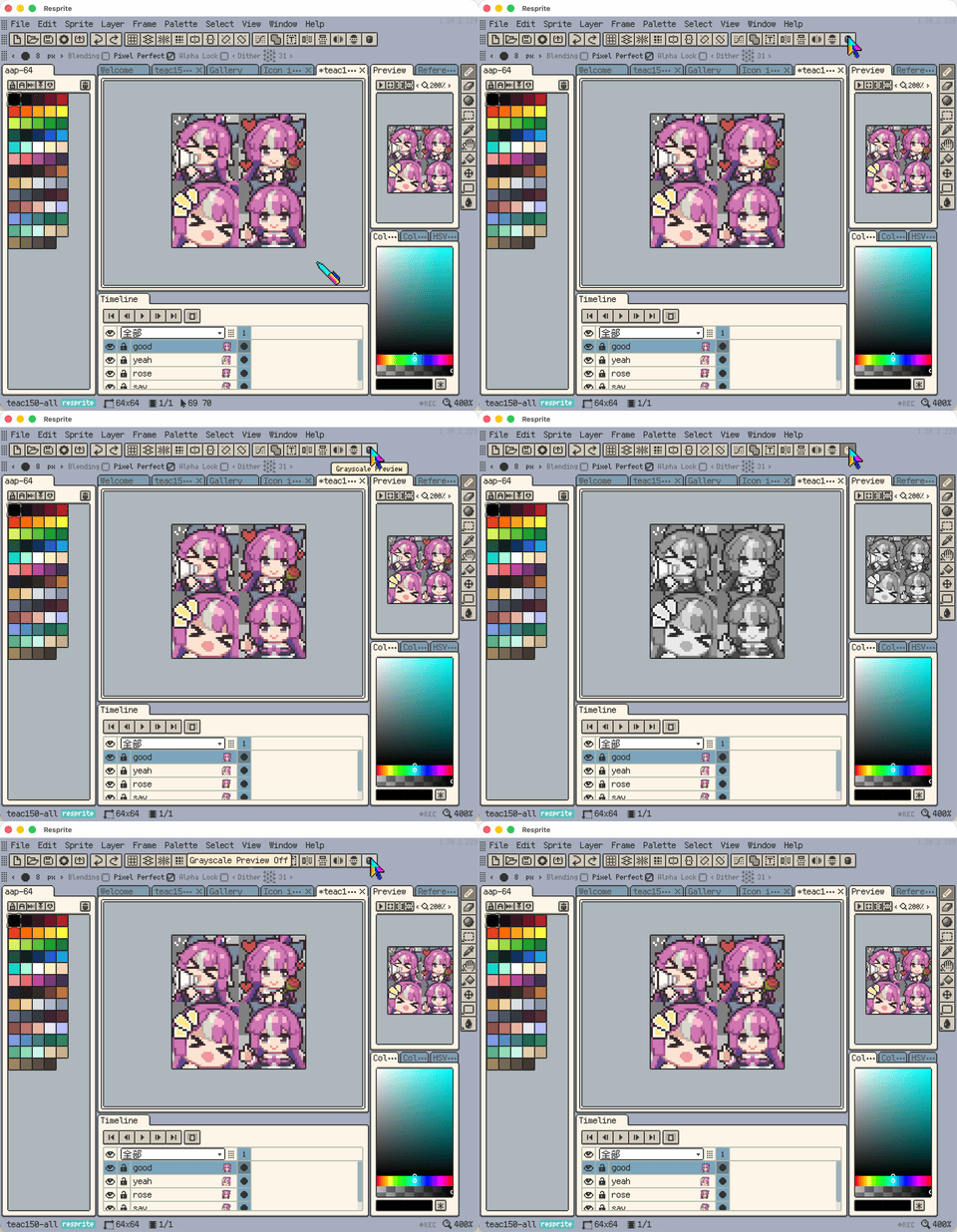
- New: Canvas and preview now support Grayscale Preview, so you can check values without modifying artwork.
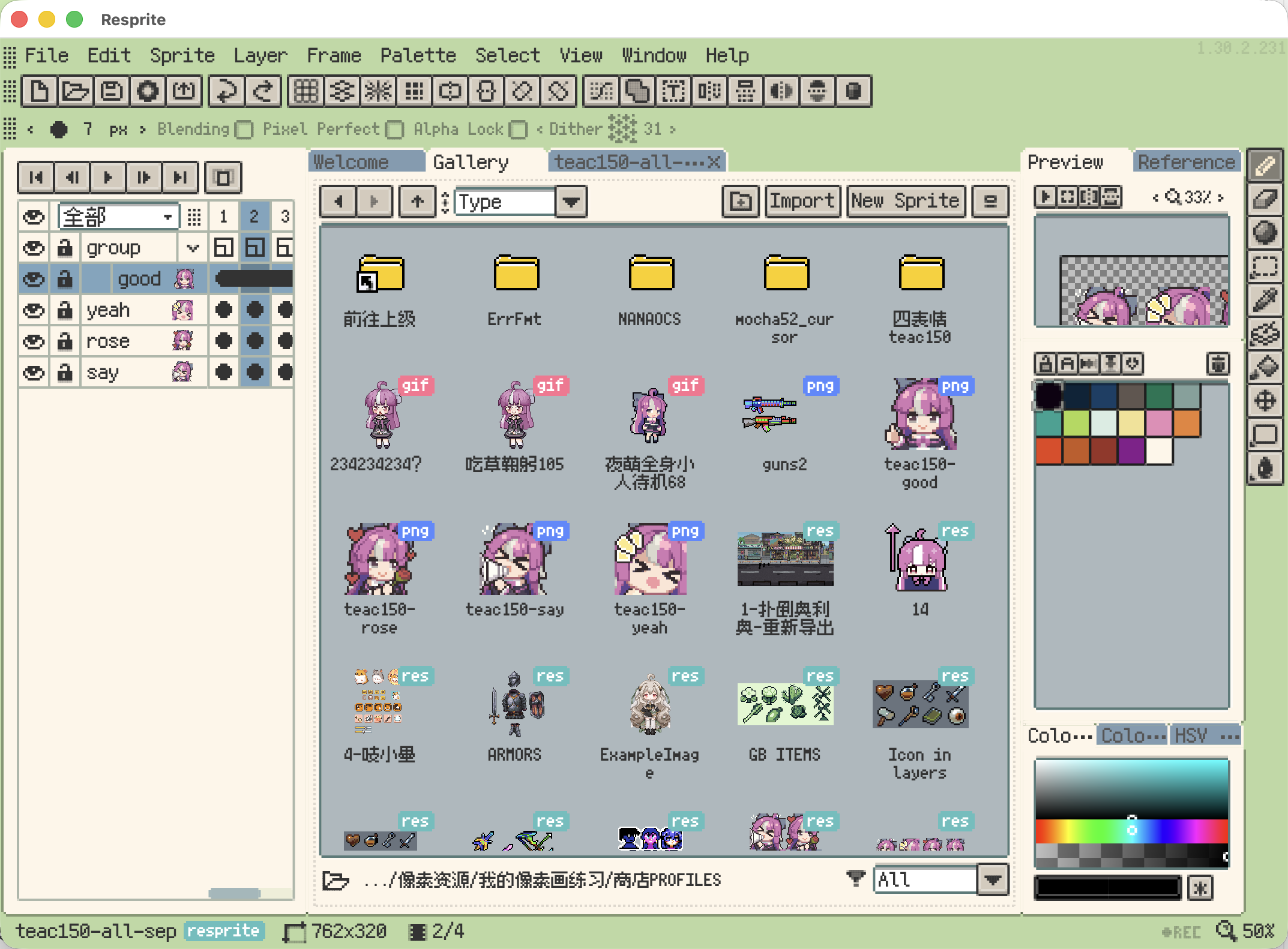
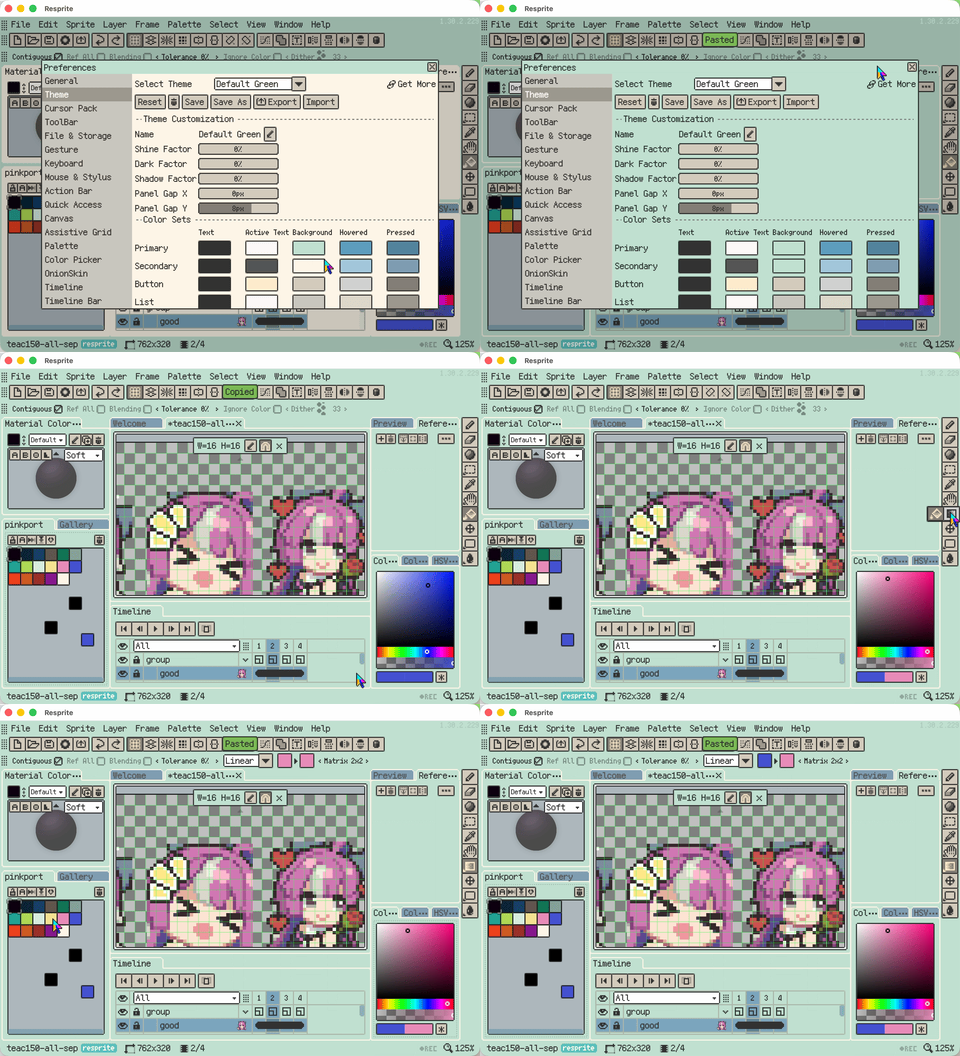
- New: Theme settings now include more options for panel spacing, tab spacing, visual factors, base colors, and header modes.
- New: Workspace Layout Lock now supports a shortcut, and the layout menu naming is clearer.
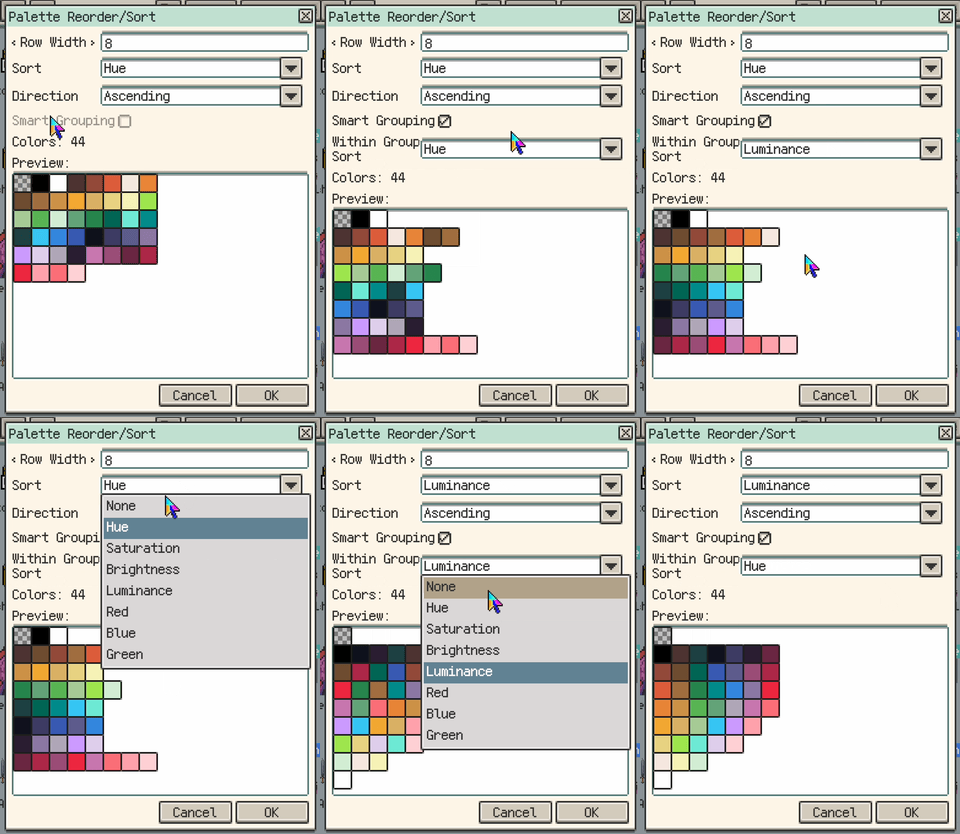
- New: Palette Reorder/Sort now supports Smart Grouping.
Theme and Workspace Improvements
- Improvement: The Theme settings layout is cleaner, and theme selection plus related actions are arranged more clearly.
- Improvement: The Theme settings Save button now marks unsaved edits, including after the app restarts with unsaved theme state.
- Improvement: Theme color tuning now compares more directly against the real main-window colors.
- Improvement: Theme active outlines are now controlled in one place.
- Improvement: Built-in themes now have a more consistent visual style.
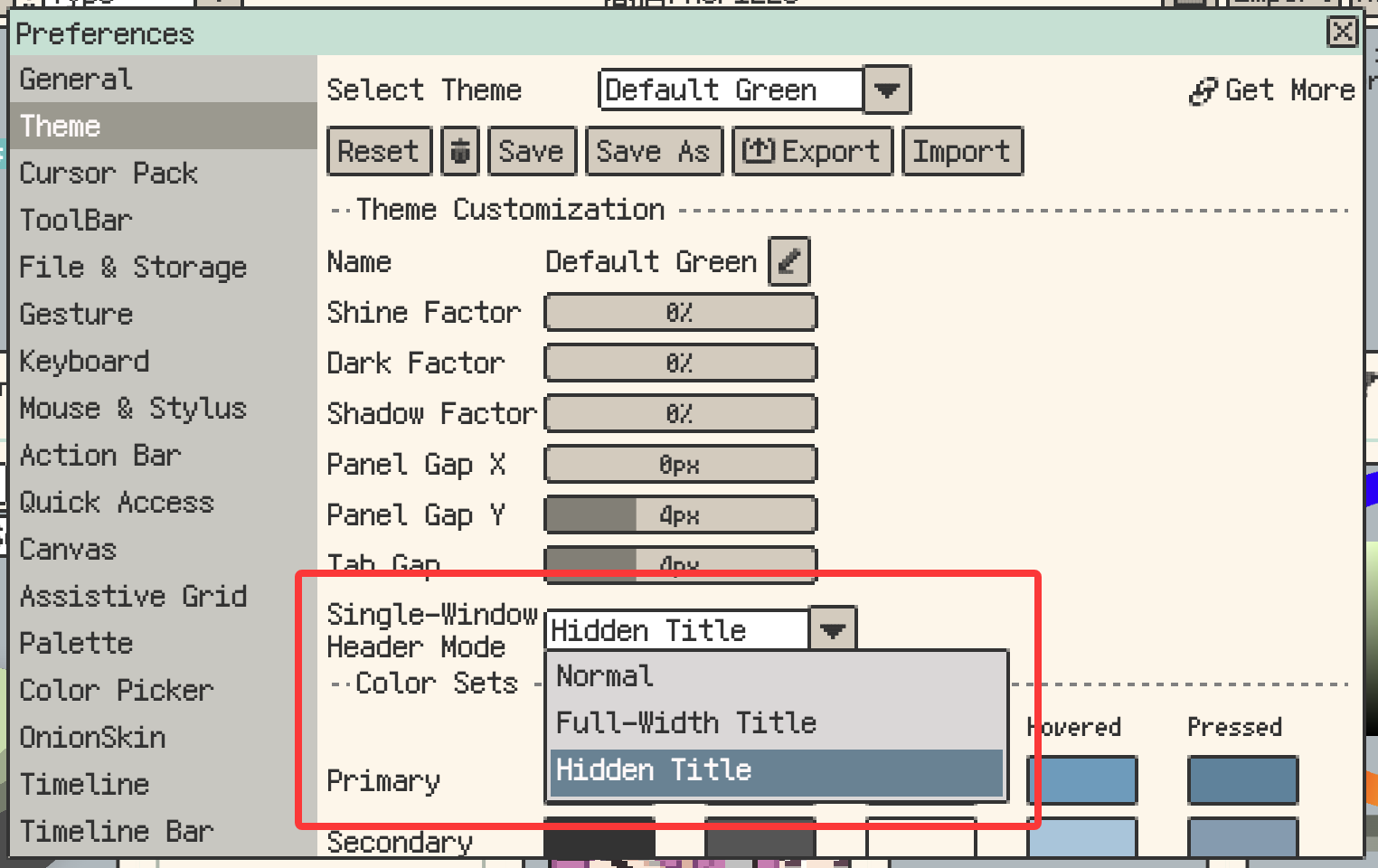
- New: Themes now support Single-Window Header Mode, with Normal, Full-Width Title, and Hidden Title options.
- Improvement: Single-tab panel drag previews are now more consistent when the drop target would not change the visible layout.
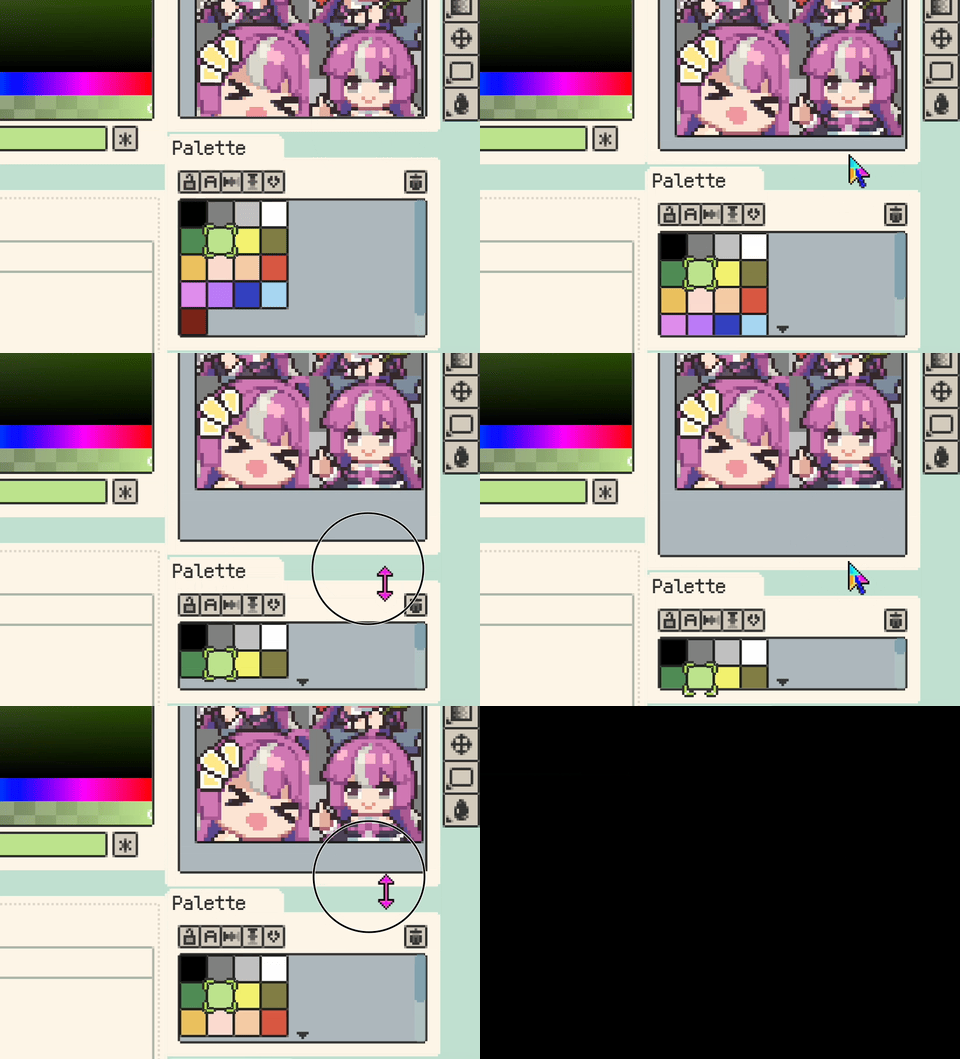
- Improvement: Split-layout dividers now snap to nearby gaps, making panel alignment easier.
Palette and Color Workflow
- Improvement: Desktop color entry points now support easier HEX copy and paste from color edit buttons, Pen Color, palette slots, and the Material Sphere base color.
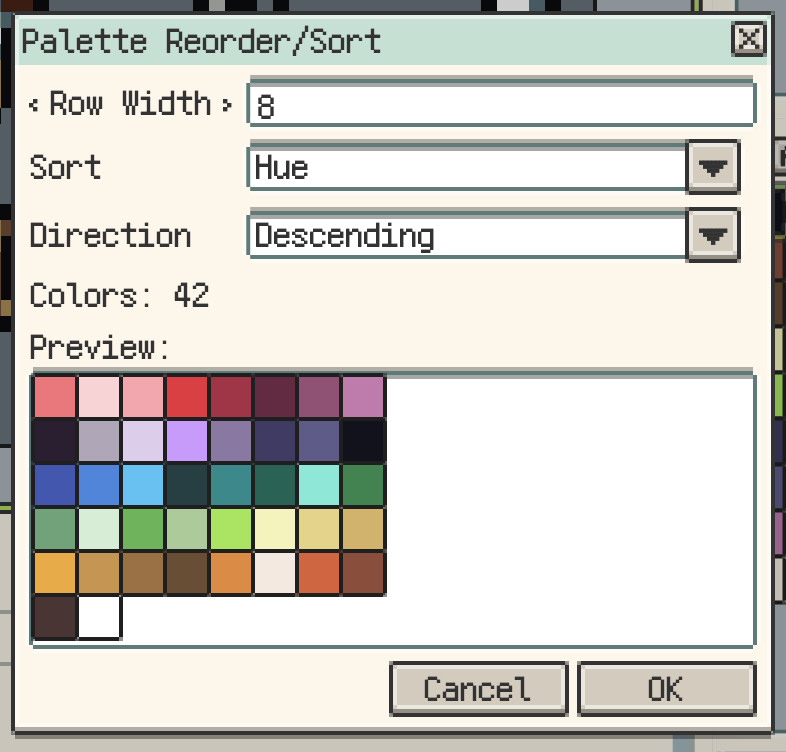
- Improvement: Palette Reorder/Sort now previews the result before applying, supports ascending/descending order, adds Luminance sorting, and can sort only the selected colors in a multi-cell selection.
- New: Palette Reorder/Sort can use Smart Grouping to arrange sorted colors into more natural grouped rows.
- Improvement: Common edit menu actions now show Cut, Copy, Paste, and Delete icons.
- Improvement: Grayscale adjustment values are now more accurate.
Smaller Polish and Fixes
- Improvement: The status bar zoom control supports more quick actions.
- Fix: Desktop tab and panel right-edge joins are now cleaner when tabs fill the row or a panel uses Full-Width Title.
- Fix: Panel and tab shadows no longer overlap neighboring panels when panel spacing is small.
- Fix: Window highlights, dark edges, and outer shadows in Settings, Help, and similar dialogs are no longer hidden by content.
- Fix: Blank
.respritethumbnails now show the placeholder.

Thanks for Reading
If you run into any issues or have suggestions, please contact us via the official support page: Support. Your feedback helps us keep improving Resprite.