Resprite DA v1.31.1: Layer Styles, Eyedropper Loupe & Tiled Mode Updates
Resprite DA v1.31.1 brings several practical workflow upgrades to desktop and Android: non-destructive Layer Styles, a clearer eyedropper loupe, more flexible Tiled Mode previews, faster selection-to-layer commands, and palette improvements for material colour ramps. It also refines reopening recent work after restart, reference image preferences, timeline visibility control, and several Windows and Android input details.
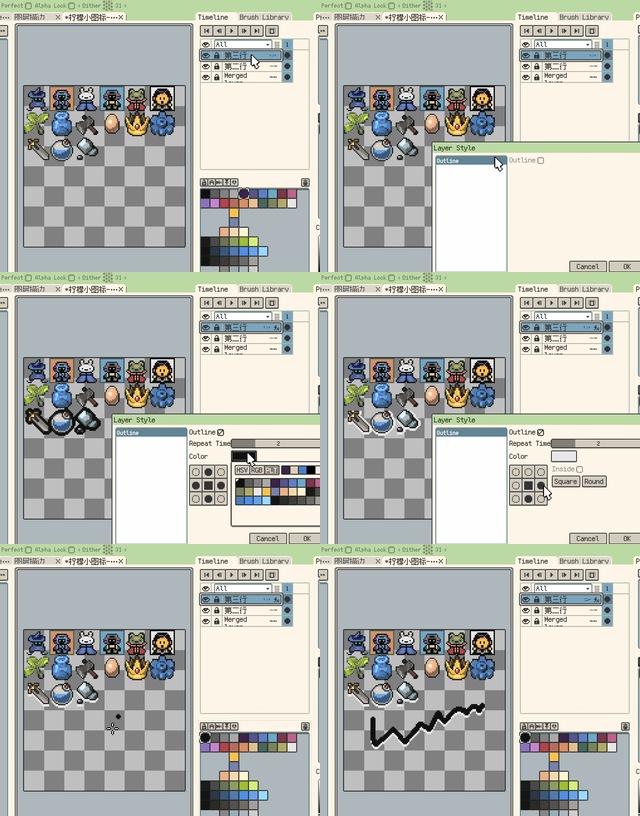
Layer Styles
New: Added the Layer Styles system with a non-destructive Stroke layer style.
Normal layers can keep strokes live while layer content changes. When you need to commit the effect, the stroke result can be rasterized into real pixels.
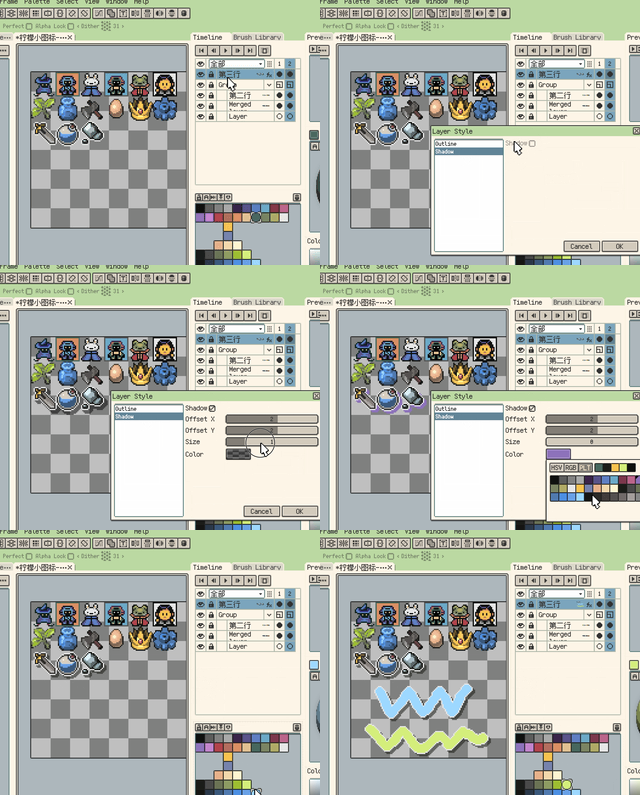
New: Layer Styles now include a non-destructive Shadow effect.
Shadow is designed for hard-edged pixel shadows and supports offset, size, and color adjustment.
Color and Palette Workflow
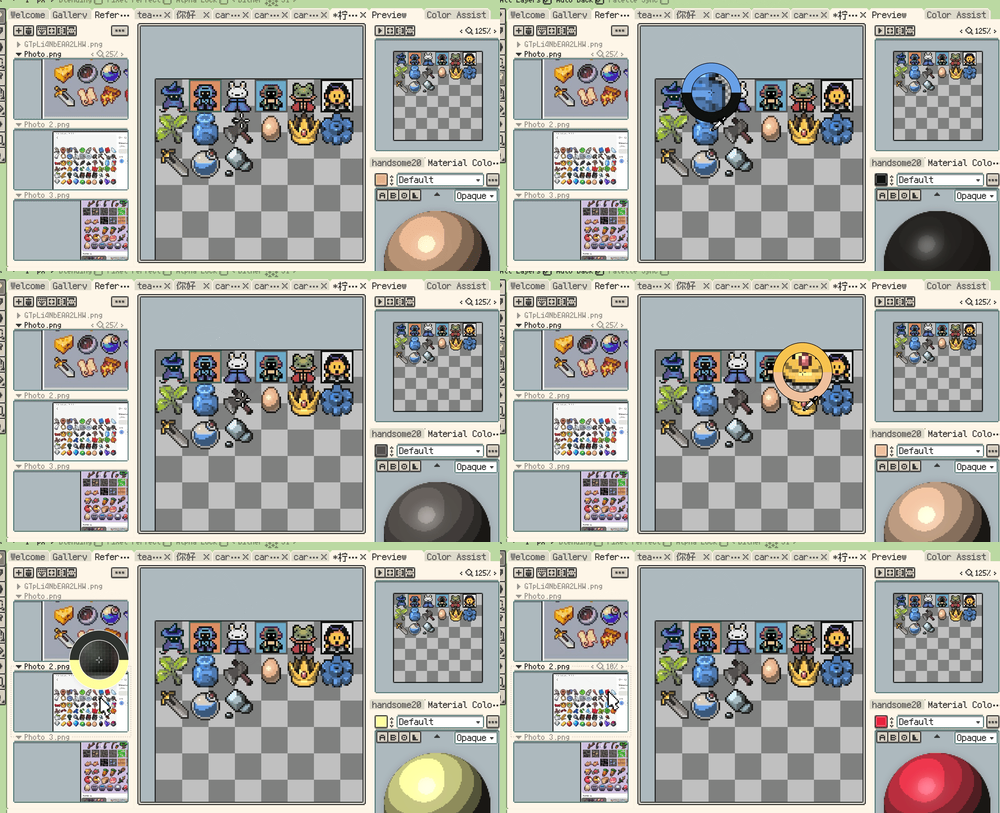
New: Color picking now shows an eyedropper loupe by default on the canvas and reference images.
The loupe shows nearby pixels, a center crosshair, and previous/current color comparison. If it does not fit your workflow, it can be disabled in Settings.
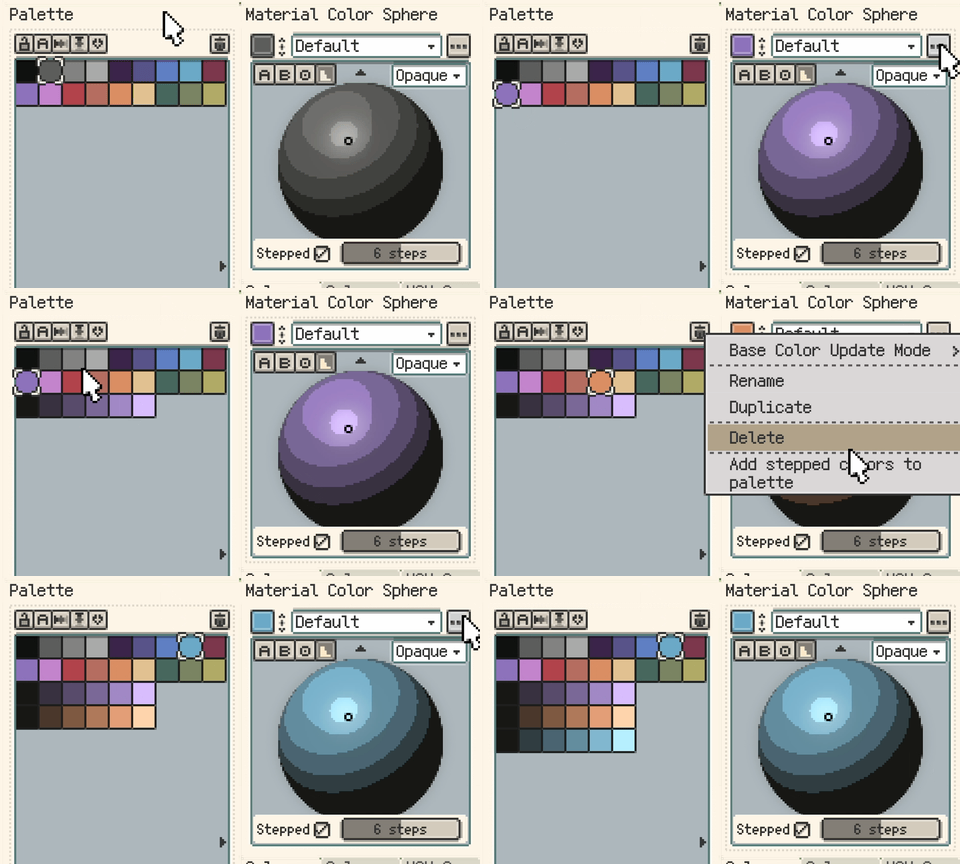
New: Material Color Sphere can append stepped representative colors to a new palette row.
When stepped mode is enabled, Resprite appends the current sphere colours from dark to light, making material colour ramps easier to reuse.
Improvement: Palette import now supports MoonPX.
Fix: Material Color Sphere stepped outlines and stepped-area picking now select the correct region at 9 or 10 steps.
Tiled Mode and Symmetry
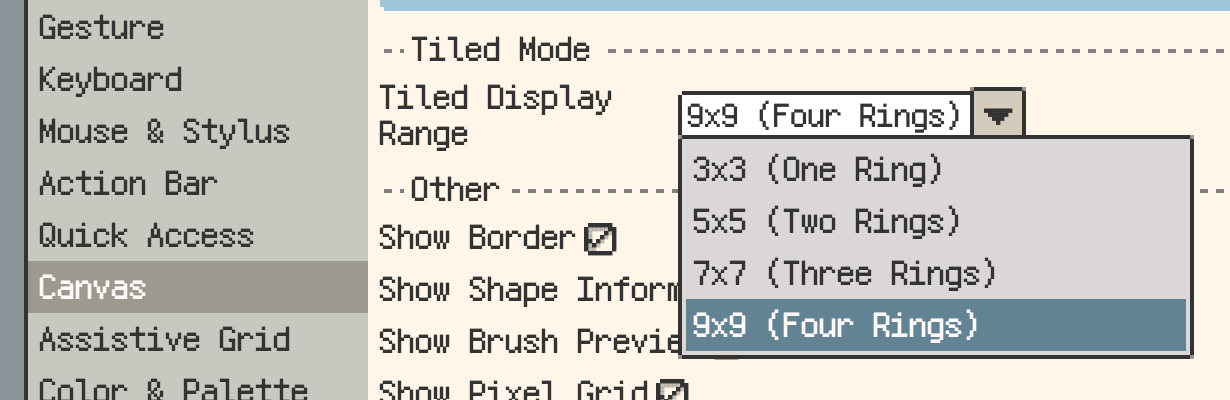
New: Canvas settings can now control the Tiled Mode display range.
You can keep the default 3x3 range or expand the preview up to 9x9 when you need to inspect a wider repeat.
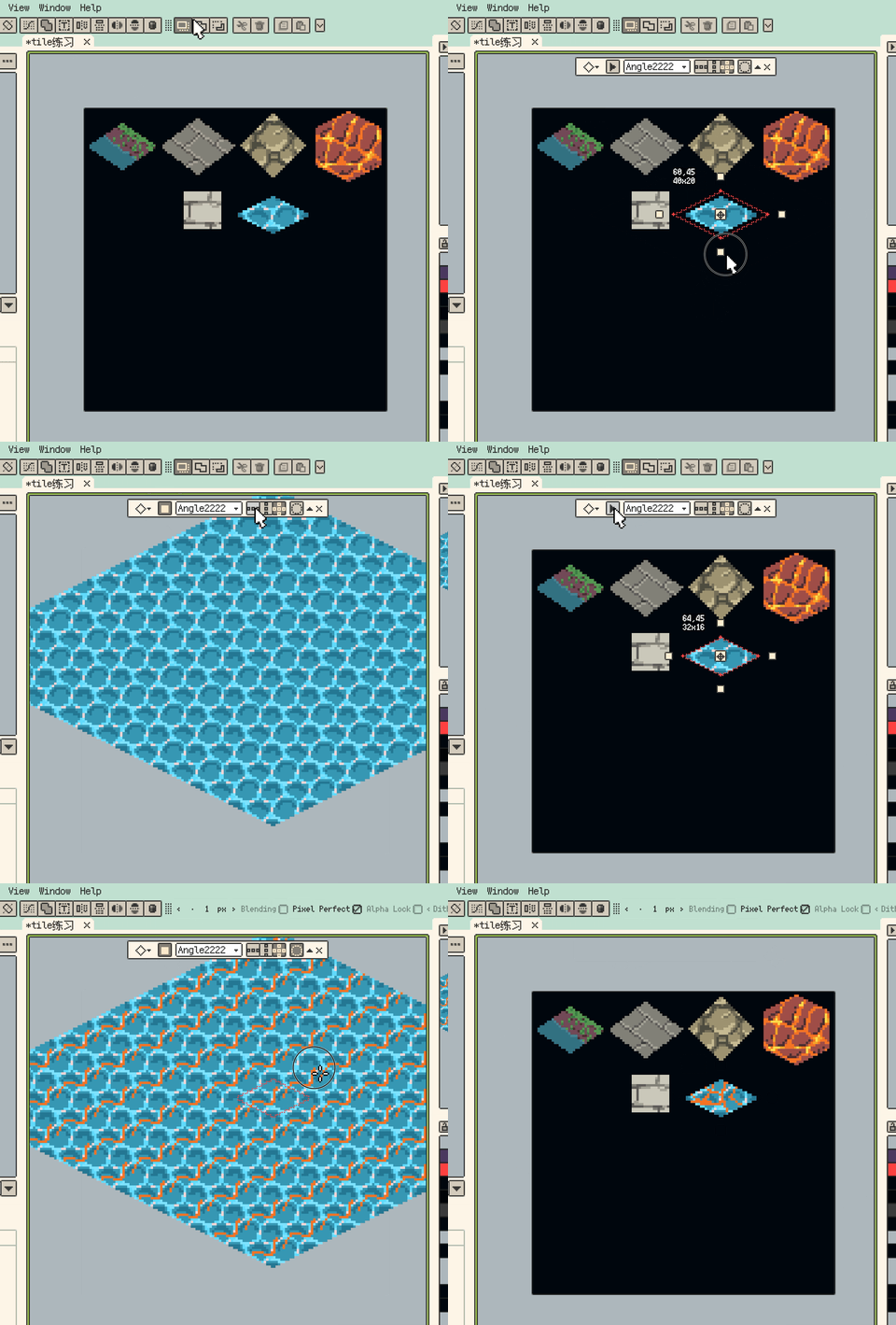
New: Tiled Mode now supports isometric diamond and hexagonal tiles.
These modes make seamless non-rectangular game floor and terrain assets easier to preview while drawing.
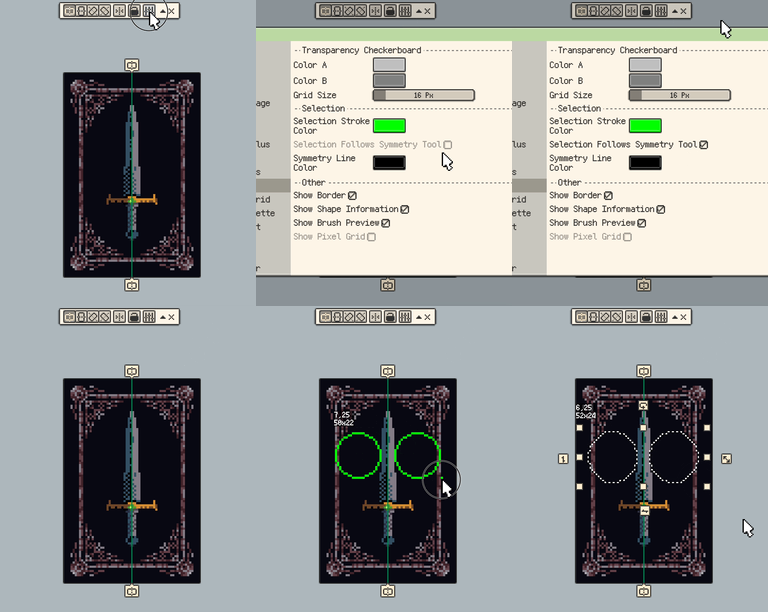
New: Added a Selection Follows Symmetry Tool option in Canvas settings.
Selection, Layers, and Startup
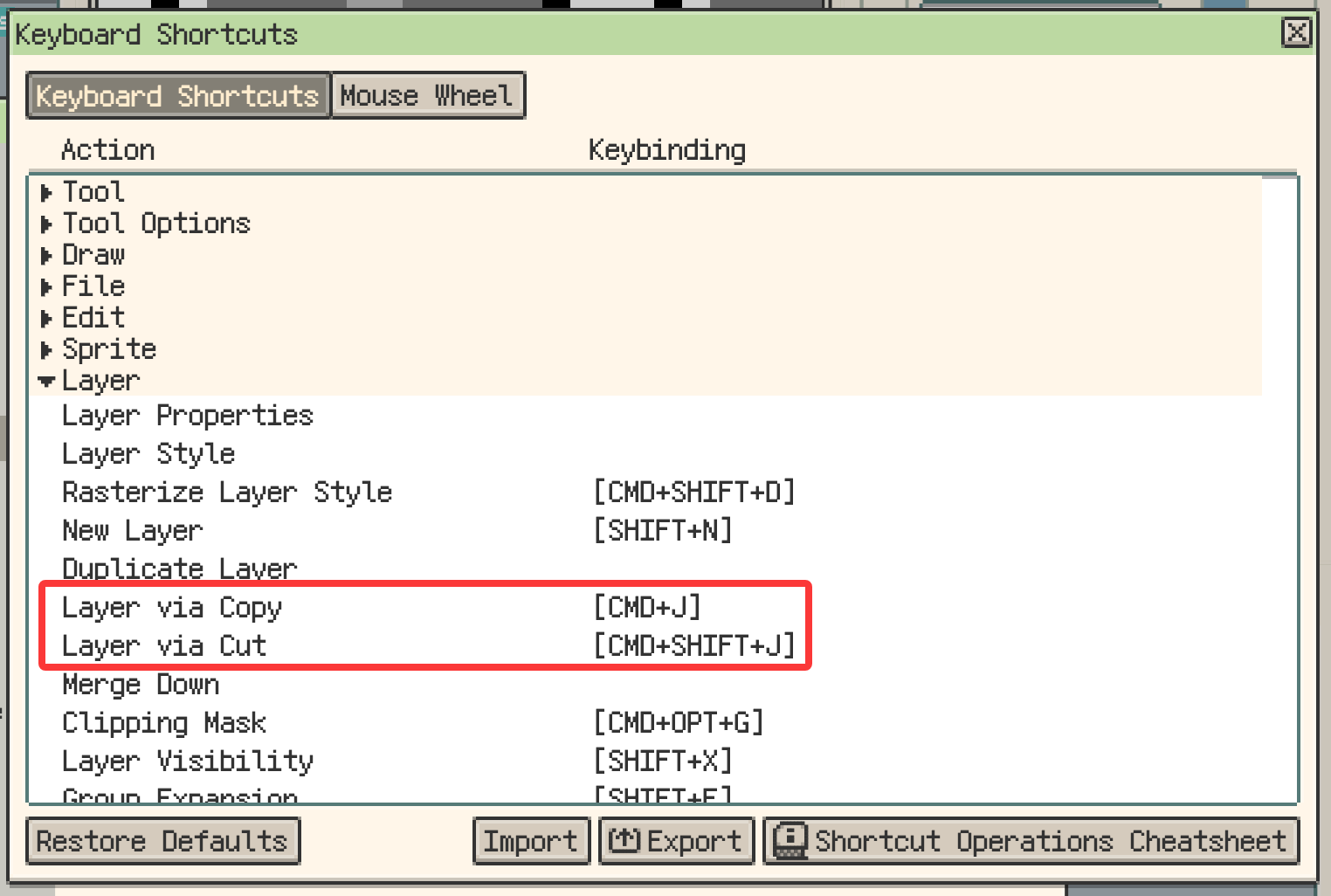
New: Selection contents can now be copied or cut to a new layer.
Copy keeps the source content, while Cut clears the selected area from the source layer. The default shortcuts are Cmd/Ctrl+J and Shift+Cmd/Ctrl+J.
New: The Welcome screen can reopen saved files that were still open when you last quit.
Empty workspace panels now only show a centered reopen action when files from the last session can be opened again, so the entry appears only when it is useful.
Improvement: Timeline visibility and state indicators are easier to scan.
When multiple layers are selected, the global eye now toggles only the selected layers. Timeline layer states also use a unified status icon.

Smaller Improvements and Fixes
- Improvement: The floating toolbar collapse button now sits beside Close. After collapsing, the expand button is clearer and easier to hit.
- Improvement: Reference Image split view mode is now kept as a global preference.
- Fix: The Canvas Guide Color button in Canvas settings now keeps the saved color after restart.
- Fix: Oversized custom brushes now stay in the brush library, but cannot be activated as drawing brush tips.
- Fix: On Windows, Alt+character shortcuts no longer trigger the system alert sound, while assigned shortcuts still work.
- Fix: On Android, physical keyboard shortcuts are no longer captured by the IME candidate bar after text input ends.
- Fix: On Android, tapping the shortcut recording field no longer turns physical keyboard input into plain text.
- Fix: Stylus side-button drags on Android are no longer treated as single-finger gestures when Pencil Draw Only is enabled.
- Change: Trial export watermarks now appear in the bottom-right corner with a simplified design, reducing obstruction of the main artwork area.
Thanks for Reading
If you run into any issues or have suggestions, please contact us via the official support page: Support. Your feedback helps us keep improving Resprite.