Resprite DA v1.31.0: Custom Brush, Reference Split View & Layout Manager
Resprite DA v1.31.0 expands the drawing workflow with Custom Brush, improves reference-heavy work with multi-image split view, and makes workspace layout management clearer on desktop and Android. This update also refines Material Color Sphere behavior, keeps preview windows easier to navigate, and fixes PSD export preview ordering.

Custom Brush
- New: Added Custom Brush.
- You can create brushes from selections, or import and drag images and folders into the Brush Library.
- Custom brushes draw with the active brush color, and support tiling plus global or stroke-start alignment.
Reference Images
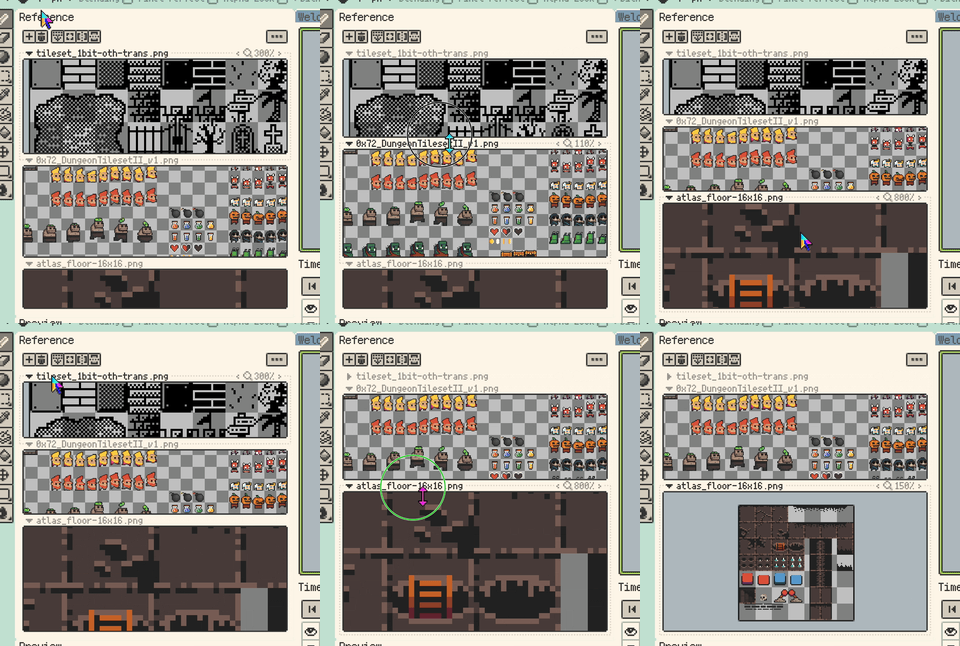
- Improvement: Reference Images now support multi-image split view.
- Multiple reference images can be shown together in vertical or horizontal splits.
- Draggable dividers let you adjust how much room each reference receives.
- Improvement: Reference Images and Preview now keep content visible while zooming or panning, reducing cases where the view drifts away from the image.
Workspace Layouts
- Improvement: Workspace layout management now uses a dedicated manager window.
- Save, load, rename, delete, and reset actions are easier to find, while the Window menu stays focused on quick loading and management access.
- Improvement: Added a setting to prevent panel resizing after locking the layout. The setting is off by default, so existing resize behavior is preserved unless you enable it.

Color Workflow
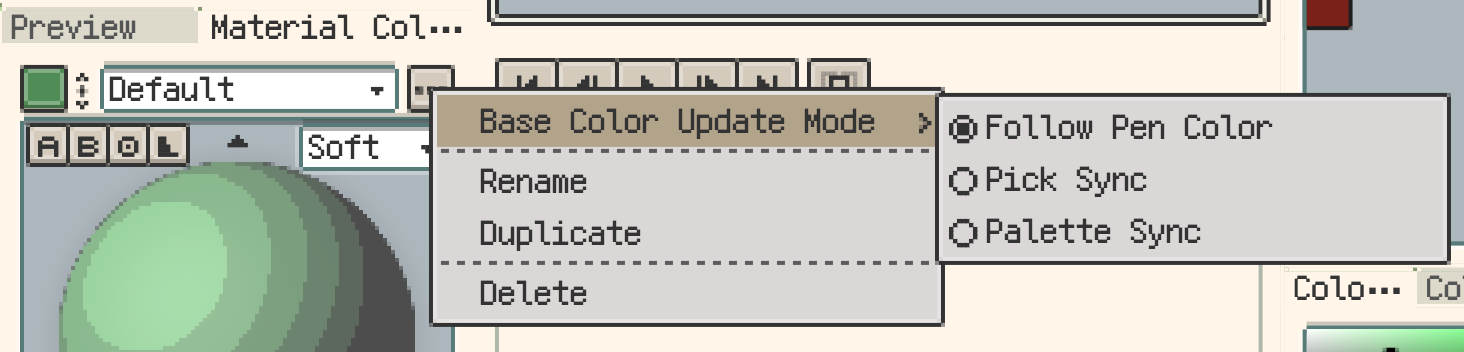
- Improvement: Material Color Sphere profile actions are now grouped into the right-side menu, so rename, duplicate, and delete no longer occupy the top row directly.
- Improvement: Material Color Sphere and Hue Shifting Colors now support Base Color Update Mode.
- You can choose Follow Pen Color, Pick Sync, or Palette Sync.
- Improvement: Material Color Sphere now uses pixel-style rendering, with sphere pixels and stepped outlines better matching Resprite's pixel UI.
- Fix: Hue Shifting Colors selection markers are now more accurate.
Smaller Improvements and Fixes
- Improvement: Trial export limits are now clearer, with easier-to-understand export type and watermark messages.
- Improvement: On desktop, Enter now confirms directly from the New Sprite name, width, and height fields, and from the Layer Properties name field.
- Fix: PSD export now writes the composite preview in the correct layer order, so system previews no longer flip stacked layers while Photoshop layer structure stays unchanged.
Thanks for Reading
If you run into any issues or have suggestions, please contact us via the official support page: Support. Your feedback helps us keep improving Resprite.