Resprite iOS v1.0.1 ~ R39 変更点
Resprite R38
Oct 5 2024
- NEW: Italian language support (thanks to Mattia for the help)
- NEW: You can sample the palette directly from the image
- Optimization: Improve the palette sampling algorithm to get better sampling results from large-scale colors
- Optimization: When importing a sprite sheet, the grid is no longer displayed when the as a single frame option is checked
- Optimization: Add buttons of outline, adjust color, and insert text in the action bar
- Optimization: Add a transparent grid background layer to the color setting button in the settings
- Optimization: Add the function of resetting the symmetry tool to the middle, in the view menu
- Optimization: Add an option to display the undo button in the action bar on the left
- Fix: Resolve the conflict between single-finger color picking and automatic pencil selection
- Fix: Sometimes the canvas renders glitch
- Fix: Sometimes the setting options are reset
Resprite R37
Sept 25 2024
- NEW: Auto save periodically, closed by default, open in Settings->General
- NEW: Logging and crash reporting mechanism, please send the log to our Discord server
- Optimization: Shorten the extension of the theme file(from .resprite-ios-theme to .resthm4i)
- Optimization: Can open the theme file directly from Files app
- Fixed: A crash issue related to canvas rotation
Resprite R36
Sept 15 2024
- New: Support canvas rotation, closed by default, open in Settings->Canvas
- New: Themes can be shared and imported, and we have a discord channel for sharing the theme files
- Optimization: Long press the canvas size text in the status bar to display the canvas in the center
- Optimization: Long press the zoom level text in the status bar to step the current zoom level
- Optimization: Long press the rotation angle in the status bar to reset the angle to 0
- Optimization: After setting the pen color, if the current tool is not a drawing tool, the pencil tool will be automatically selected
- Optimization: Add a switch to long press gesture if working with non-drawing tools, closed by default
(The above two items make it automatically start drawing with the pencil tool after long press gestures are used at any time)
- Optimization: When importing a palette GPL file, user can actively selects the capacity of each line
- Optimization: Optimize a large number of Spanish translations (thanks to Giossue's help)
- Optimization: Change the preview zoom level to a step-by-step one
- Optimization: You can purchase the lifetime from [Help->Support] during the subscription period, don't forget to cancel the subscription
- Optimization: Optimize the content layout of the action bar settings page
- Optimization: Added a donate coffee entry in the help
- Optimization: Added a switch to display a larger handle in the canvas settings, which is easier to drag with your fingers after turning it on
- Fixed: The problem of not being able to display the flip button alone in the action bar
- Fixed: The problem of losing properties such as duration when pasting frames
- Fixed: Hidden or locked layers should not be able to be moved
Resprite R35
June 26 2024
- NEW: Español language(beta)
- NEW: Layer multi-selection and operations(menu&move)
- OP: Can move multi-selected frames together
- OP: The move tool supports timeline multi-selection
- OP: Add a delete button next to the cut button in select tool
- OP: Add sprite flip buttons to action bar(Open it in preferences)
- OP: Better experience when inserting big image into canvas
- OP: Optimize the display when the timeline height is very small
- OP: Update embedded rpl file format
- OP: Insert text dialog keeps color and text size state
- OP: Add seperators in blendmodes list
- OP: Update font files
- OP: Show deselect btn for Magic Wand tool
- FIX: Fixed incorrect behavior when undoing canvas rotation
- FIX: Wrong empty line when append colors to an empty palette
- FIX: Fix some translation strings
- FIX: Redo failed after deleting layer
- FIX: Fix display of clip tail line
- FIX: Fix playback frame order confusion
Resprite R34
Apr 10 2024
- OP: Optimize setting of timelapse result display time
- OP: Optimize bounce prevent of rotate buttons
- FIX: Crash when switch from curve tool to other shape tools in some cases
- FIX: Crash when try to flip content of layer group
- FIX: The same photo cannot be imported for the second time
Resprite R33
Mar 15 2024
- NEW: Pressure sensitivity
- NEW: Show history colors on the color panel
- OP: Vertical action bar when timeline shows on side
- OP: Separated action bar settings panel
- OP: Longpress on pen dimension icon to open custom brush list
- OP: Update the font version
- OP: Optimize some icons
- FIX: Fix crash when exporting ase file with "PinLight" blendmode
- FIX: Fix glitch caused by curve tool in some cases
Resprite R32
Feb 20 2024
- NEW: Curve tool
- OP: Add ‘Flip Horizontal’ and ‘Flip Vertical’ to the timeline bar
- OP: Keep the authorization status longer after the user switches accounts
- FIX: Picking color with clipping mask content
- FIX: Onion-skin's red-green mode tint color is gray in some cases
Curve tool
Resprite R31
Jan 15 2024
- NEW: Custom brush
- OP: Change palette format for desktop version compatibility
- OP: Timelapse and video exporting use the canvas background grids as background
- OP: Timelapse can not add padding any more
- FIX: Pen tool cause display glitch sometimes
Resprite R30
Jan 6 2024
- NEW: Russian language
(Thanks to Alexey Krainev for the translation)
- OP: The behavior of color picker tool when 'all layers' checked
- FIX: Shape tools cause glitch randomly especially on big canvas
- FIX: Shows ghost shadows when dragging selection content fast
- FIX: Forbidden user to rename sprite name to empty string
- FIX: Language bug with some hard coded strings
Resprite R29
Dec 20 2023
- NEW: Jumble tool
- NEW: Show selection/shape size infomation
- OP: Canvas background grids can be 1x1 now
- FIX: Load illegal font file crash
- FIX: Export ase with empty palette crash
- FIX: Images exported separately in frames are not enlarged
- FIX: The last clip always leaves out the last frame in exported ase file
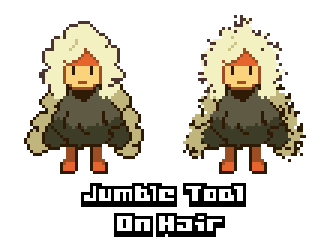
Jumble tool demo
Resprite R28
Nov 21 2023
- OP: Layer lock sync with ase file
- OP: Group can be locked too
- FIX: Crash when change canvas size in some cases
- FIX: Duplicated group shows the lock icon
Resprite R27
Nov 20 2023
- NEW: Layer lock
- OP: Better auto-save mechanism
- OP: Realtime preview of adjust color(HSV/Contrast)
- FIX: Outline behavior on inherited cell
Resprite R26
Nov 10 2023
- NEW: Timelapse
- NEW: Export as video
- NEW: Manual save button
- NEW: Proportional scaling
- OP: Can lock the palette
- OP: Can not draw on hidden layer
- OP: Can set cell's opacity
- OP: Opacity show as percent% not 255
- OP: Can import spritesheet(image) from Photos/clipboard
- OP: Better spray speed control
- FIX: TTF font with content of only spaces caused crash
- FIX: Cell move on group layer by the buttons caused crash

Timelapse export dialog
Resprite R25
Oct 25 2023
- NEW: Export spritesheet as individual images splitted by layers or frames
- NEW: Onion-skin/symmetric tool/grid line switches on timeline bar
- NEW: New layer button on timeline bar
- OP: Palette reorder can set column count
- OP: Add pixel by pixel move buttons for the move tool
- OP: Add option to force display toolbar at the top
- OP: Optimize some abbr strings in tool option panel
- OP: Optimize sliders mode of color picker with tight width
- FIX: The behavior of clipping mask above another clipping mask
- FIX: Color deviation of exported gifs in some cases
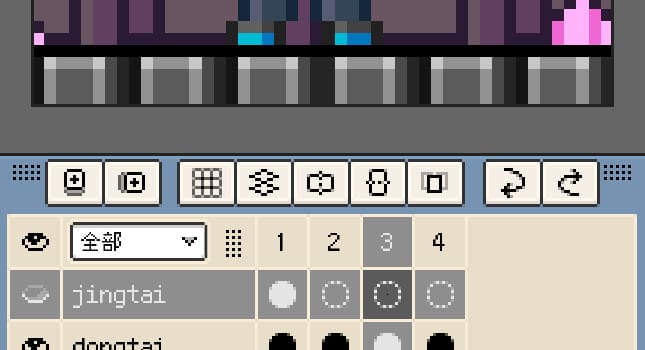
Switches on timeline bar
Resprite R24
Oct 15 2023
- NEW: Replace color, Invert, Grayscale in Adjust color
- NEW: Sliders display mode for color picker window
- NEW: Selection modify methods: Expand, Contract, Border
- OP: Allow duplicated color in palette
- OP: Add force control for blur tool
- FIX: Open premium funtions by keyboard shortcuts
- FIX: Tiled preview when selection out of canvas crash
- FIX: Can not undo of adjust color when target is palette
- FIX: Persistence of cell theme colors
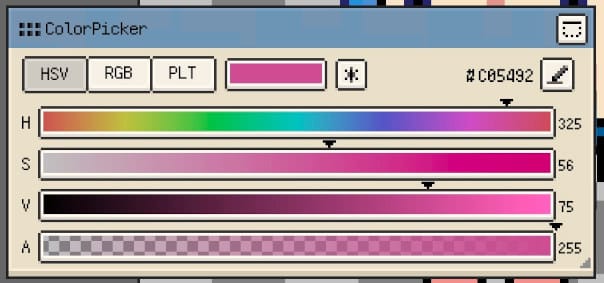
Slider mode of color picker
Resprite R22/23(patch)
Oct 9 2023
- OP: Add shortcuts for brush size
- FIX: Crash of contour tool
- FIX: Crash of choose selection modify way
- FIX: Crash of heavy press gesture
- FIX: Long press gesture not work when spray tool selected
Resprite R21
Oct 8 2023
- NEW: Blur tool
- NEW: Spray tool
- NEW: Basic keyboard shortcuts
- NEW: Adjust contrast/brightness
- NEW: The Select menu and Inverse select
- OP: Rename "Trinket" to "Deco(ration)" module
- OP: Can set the theme colors for active cells
- OP: Click the reset btn for 3 times to reset all theme data
- OP: Optimize some strings of ja/zh
- OP: Hide the shading tool for iPhone as default
- OP: Add alpha lock for shape tools
- FIX: Color editor's stays at old position after the color picker window moved
- FIX: Transform handles not move when moving the content
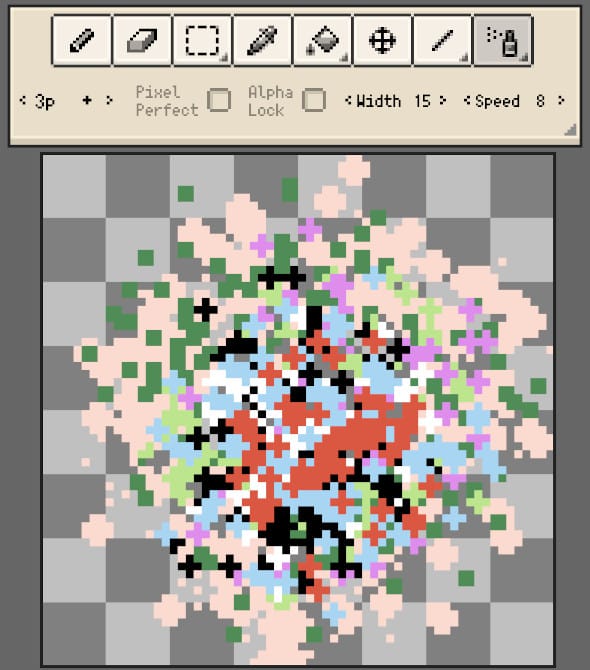
The new spray tool
Resprite R20
Oct 1 2023
- NEW: Multiple selection and operations of gallery files
- NEW: Batch export of gallery files
- NEW: App usage statistics in help window
- OP: Add the *Inside* mode for outline
- OP: Can choose the current pen color in color editor
- OP: Remove the 'export with text' feature
- OP: Bigger zoom slider responsive area for preview and reference images
- FIX: Layer property effect should be rasterized when merging layers
- FIX: Fix view flash when edit theme name on iPhone
- FIX: Auto back of eyedropper after pick color from reference image
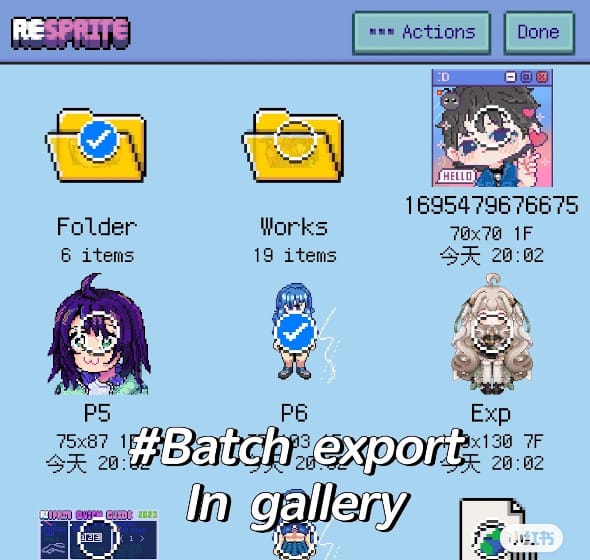
Batch export
Resprite R19
Sept 25 2023
- NEW: Contour tool
- NEW: Gradient tool
- NEW: new Focus Mode, you can set which windows to hide
(Use 3 finger drag up/down gesture to toggle)
- NEW: New default palette 'Plastic17'
- OP: No longer hide grid/iso guide lines in Focus(zen) mode
- OP: Fix dragging on color slider sometimes trigger hex code's pencil scribble
- OP: Try to read color code from clipboard when start edit the hex code
- OP: More obvious button to remove file password
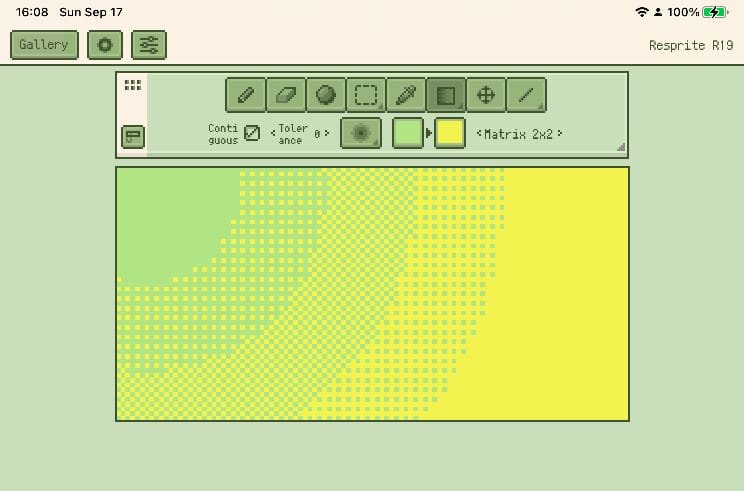
Gradient tool
Resprite R18
Sept 15 2023
- NEW: Text input with font types of ttf/ttc/otf/otc
- NEW: Can add password to a sprite file
- OP: 一部の日本語翻訳を最適化
- OP: Always show the symmetric tool's handles
- OP: Layer/frame properties tap outside as confirm
- OP: Some tiny UX optimizations
- FIX: fix wrong behavior of clipping mask
- FIX: fix crash when tiled preview area has no content
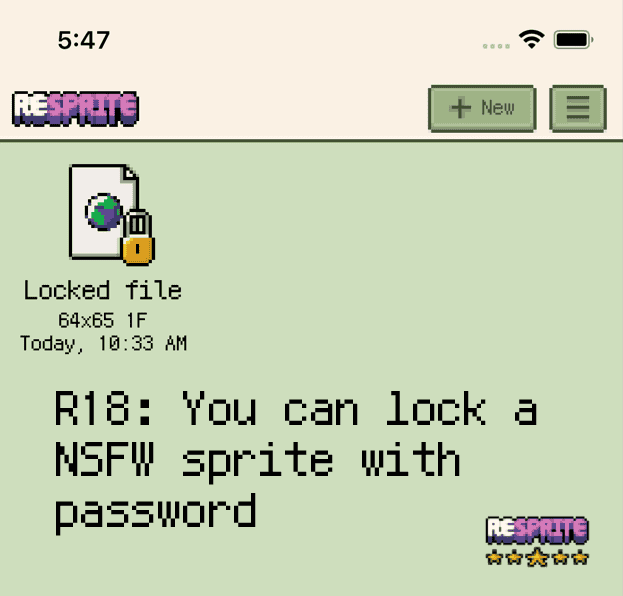
File lock
Resprite R17
Sept 5 2023
- NEW: The Trinket module(Menu->Window->Trinket Manager)
- NEW: Compatibility of .ase file(Import/Export)
- NEW: Can show Add Frame Button on timeline action bar(Preferences->Timeline)
- NEW: Reorder palette colors(Menu->Palette->Reorder)
- OP: Can edit the hex color code in color editor window
- OP: Add create folder entry in the gallery's bg context menu
- OP: New copy/paste icons in selection tool's option panel
- OP: Lock symmetric tool in trial mode
- OP: Many little UX optimiztaion
- OP: Close Outline/adjust dialog as Confirm if has applied
- FIX: Fix outline cancel() bounce crash
- FIX: Fix paste multiple cells overflow crash
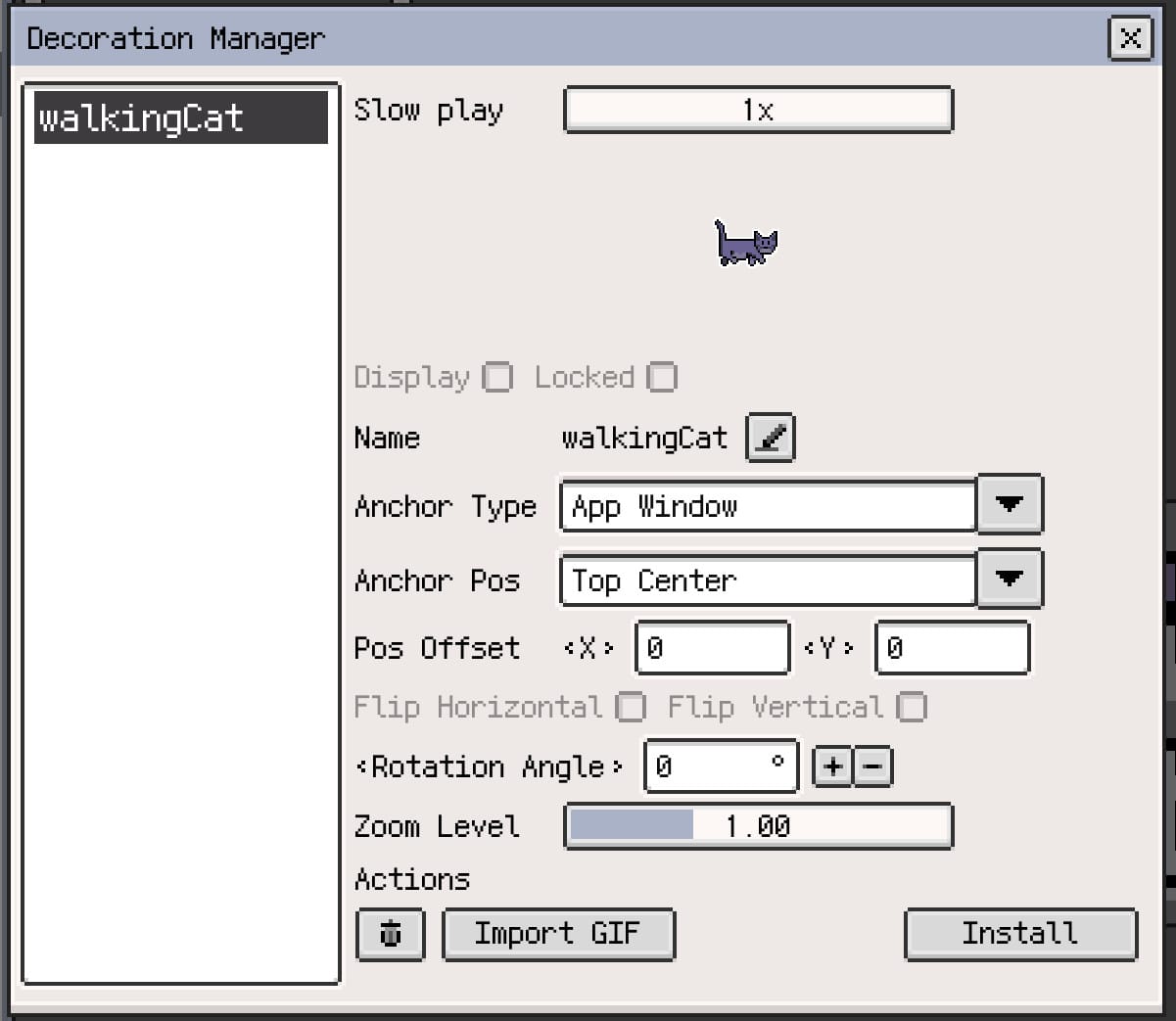
Deco manager
Resprite R16
Aug 10 2023
- NEW: Symmetric tool(Menu->View->Symmetric tool)
- NEW: 日本語追加
- NEW: 新增中文在线文档(菜单->帮助->客户支持->在线手册)
- OP: Add message when picked an empty(alpha=0) color
- OP: Optimize many UX details around
- FIX: Fix bottom of gallery strange empty space
- FIX: Optimize save bundle routine, try fix the 1x1 saving issue
- FIX: Fix timeline visible frames count under zero crash
- FIX: Fix two special case undo of moving layer caused wrong layer order or crash
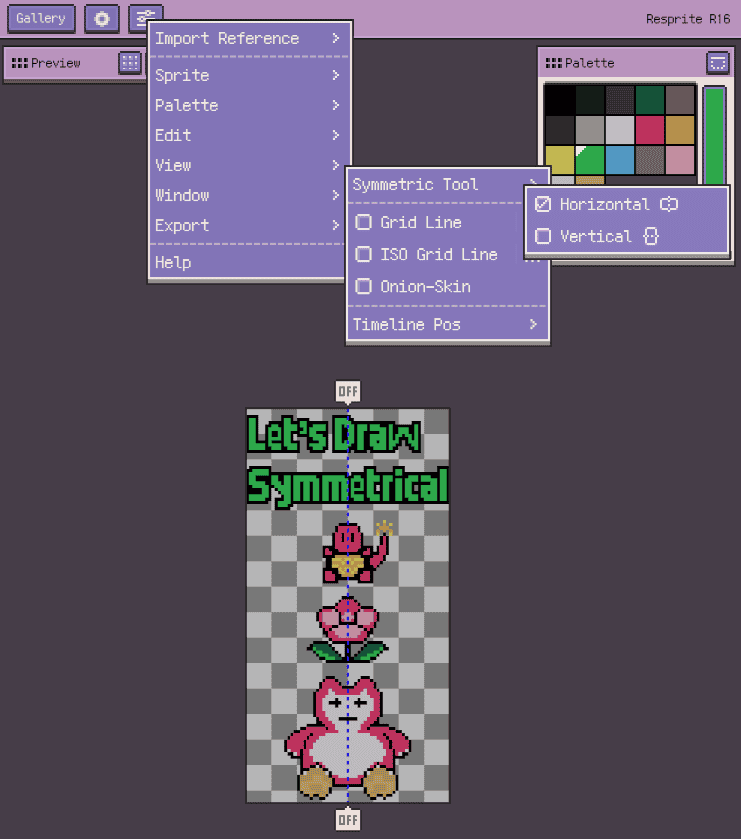
Symmetric tool
Resprite R15
July 30 2023

- NEW: Remake the theme module, new themes, more custom options and can be saved
- NEW: Can open/import resprite from Files
- NEW: Direct import resprite(s) with Air-drop
- OP: Allow canvas size up to 4K, show performance warning when > 1080p
- OP: Optimize many UX details around
- FIX: Fix memory crash when exporting huge GIF with 150+ frames and 2000x2000+ size(after magnification)
(Resprite is tested pass with 5000x5000 image size and 150 frames GIF exporting task on iPad Mini6 for now)
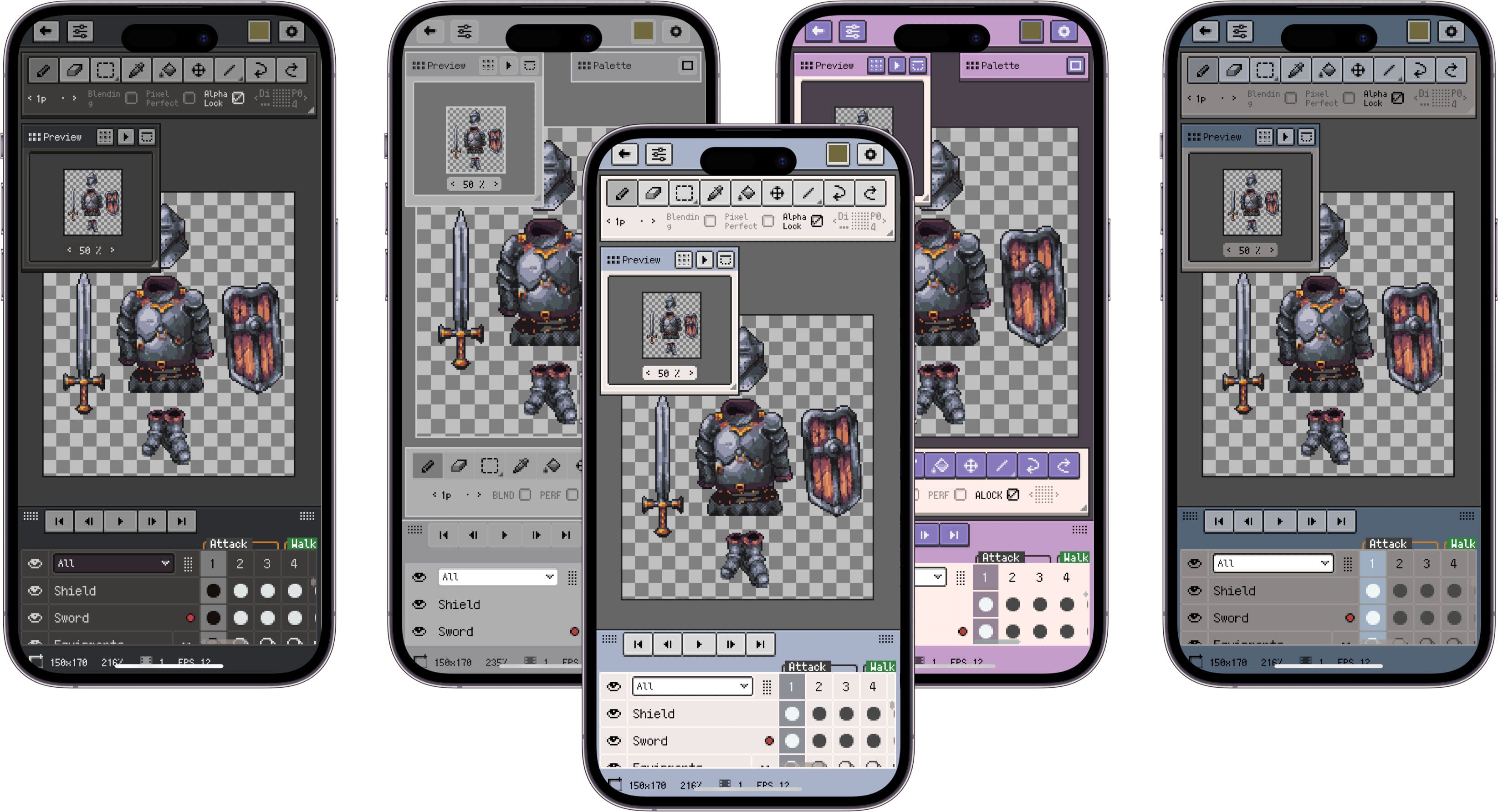
New themes on iPhone
Resprite R14
July 10 2023

- NEW: Supports iPhone
(The Premium is shared between iPad and iPhone)
- OP: More toast msg position options
- OP: Can set more tool's visibility and text abbr
- OP: Can show undo/redo on timeline action bar
- OP: Can disable sound effect in general setting
- OP: Can open menu from gallery's empty area
- OP: Optimize many UX details around
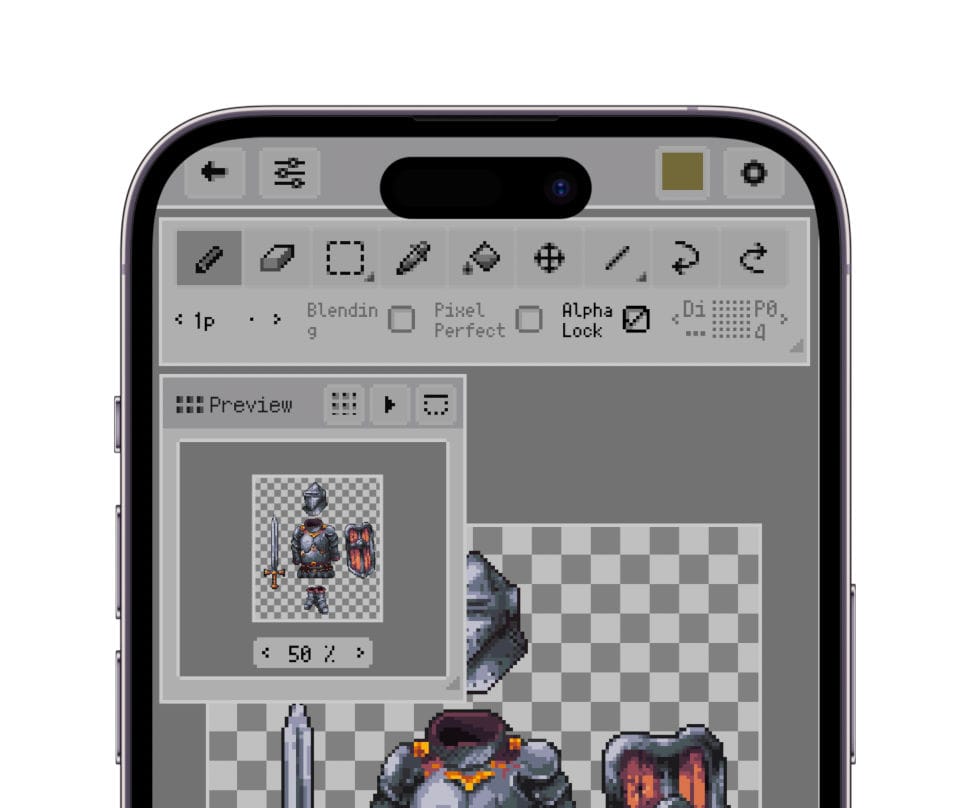
Start supporting iPhone from R14
Resprite R13
July 1 2023
- NEW: Insert text and emojis
- NEW: Create your own font and the font manager
- NEW: Rect/ellipse shape support 1:1 asepect ratio checkbox
- OP: Better timeline performance, smooth with hundreds of frames
- OP: Number slider change to up dir as add, more intuitive
- OP: Export .resprite in archive instead of package
- OP: Support import multiple .resprite bundle files once
- OP: Add icons for file types
- OP: Disable some btns bounce prevention
- OP: Toast msg with success type
- FIX: Fix undo of transformation leak the content sometimes

Insert text with multiple font
Resprite R12
June 8 2023
- OP: Can ignore blank frames when import spritesheet
- FIX: Pencil low-tilt interferes with long press pick color
- FIX: Sometime randomly longpress pick color not working(force control caused)
Resprite R11
June 1 2023
- NEW: Frames/cells multiple selection and operations
- NEW: Frames/cells copy between sprites
- NEW: Generate palette from reference image
- NEW: Colour adjust to selection only
- NEW: Sprite's individual grid line setup
- NEW: Can show pen colour on topbar
- NEW: Can hide the palette window
- NEW: Can set window visibility in menu
- OP: Gesture toast msg only with icon
- OP: New layer on closed group will be inserted above, not inside
- OP: When creating a group, the group name will inherit the customized layer name
- FIX: Gallery items may not refresh after paste in folder
- FIX: Long press on ref image to pick color with auto-back on casued problem
- FIX: Overflow issue with randomly appearing alpha gradient block in color picker window
Resprite R10
May 15 2023
- NEW: Add 'Kind+Date' gallery sort way
- NEW: Export selection only
- NEW: Auto select layer for move tool
- OP: Enter as confirmation of the input box
- OP: Max frame duration to 10x
- OP: Some gallery UX details
- OP: Keep order when zip in new layer folder
- OP: Start using single integer release number
- OP: Eraser and shader tool stop triger long press gesture
- FIX: Prevent crash in transform handle view
- FIX: Crash of undo of move top-level layer into group
- FIX: Can not draw near the palette window randomly
Resprite v1.9
Apr 23 2023
- NEW: Gallery item copy/cut/paste
- OP: Gallery items animation
- OP: Toast warning and error with icon
- OP: New gallery folder icons
- OP: Remove the tags
- FIX: The image flickers when exiting the gallery menu
- FIX: Delete the pressed file out of the app caused crash
- FIX: Pencil pos shift up on iPad 9.7
- FIX: Wrong behavior when drawing immediately after switching frames or layers
- FIX: The problem occurs when the undo and redo gesture tap position is in the selection area
- FIX: Wrong old selected cell when undo of cell move when 'all frames' or 'all layers' on
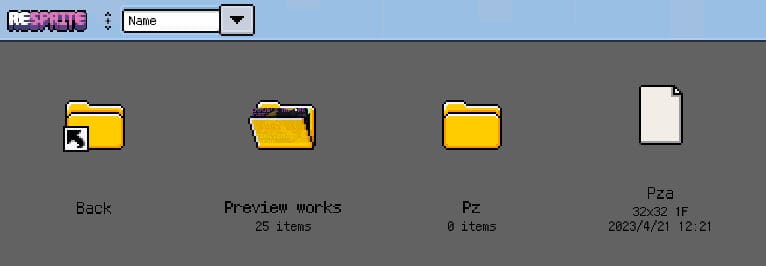
New gallery icons
Resprite v1.8
Apr 15 2023
- NEW: Insert image into canvas directly(Menu->Edit)
- OP: Behavior of hide the version text
- OP: Maximum magnification on export changed from 10 to 20
- OP: Gesture toast msg with icon
- OP: Init zoom level of preview image
- OP: Performance of moving large selection area
- OP: Timeline footer information display
- FIX: One-finger color picking operation interferes with cell/selection move
- FIX: The wrong undo message content of gesture operation
- FIX: The zen mode sometimes enters translucency
- FIX: Empty frame caused rendering(cell move) and exporting crash
- FIX: Button bouncing caused crash
Resprite v1.7
Apr 1 2023
- NEW: Layer blend modes
- NEW: Clipping mask
- NEW: Frame duration
- OP: Can set opacity to group layer
- OP: Lock outline and colour adjustment in trial mode
- OP: Optimize the ellipse algo, smoother result
- OP: Update the pixel font viersion
- OP: Hide grid line in zen mode
- FIX: Fix the bucket fill tool overflows in certain state
- FIX: Mistakenly lost premium when device is offline
- FIX: Kill the three finger tap filter random crash
- FIX: Kill the merge visible in deepth group crash
- FIX: Wrong result of merge layers with inherited cells

Blend modes
Resprite v1.6
Mar 18 2023
- NEW: Advanced outline, Menu -> Edit -> Outline
- NEW: Colour adjustment, Menu->Edit->Adjust Colour
- NEW: Zen Mode: focus on the canvas, hide others
- NEW: Custom canvas preset sizes, Preferences->Canvas preset sizes
- OP: Realtime preview of layer opacity editing
- OP: Colour interpolation can apply to existing row/column now
- OP: Can hide the play btns(timeline action bar), use the gestures instead(Preferences->Timeline)
- OP: Remove ref image min zoom 0.1 limit
- OP: Double tap on brush size, reset the size to 1, again to revert
- OP: New help window entry and the content
- OP: Optimize palette presets manager UI and the delete routine
- OP: Make button bg darker in light theme, not lighter
- OP: Optimize pixel button border pressing effect
- OP: More defence code of multi-touch failure
- OP: Can hide the 'Resprite x.x' version text on topbar to get more space for tools(when fixed on top)
- OP: Filter out small movement of ref image when longpress to pick color
- FIX: Layer drag top overflow crash
- FIX?: Pencil re-connect zip in crash
- FIX: Footer selection size showing 1x1, caused by 1 finger cancel event
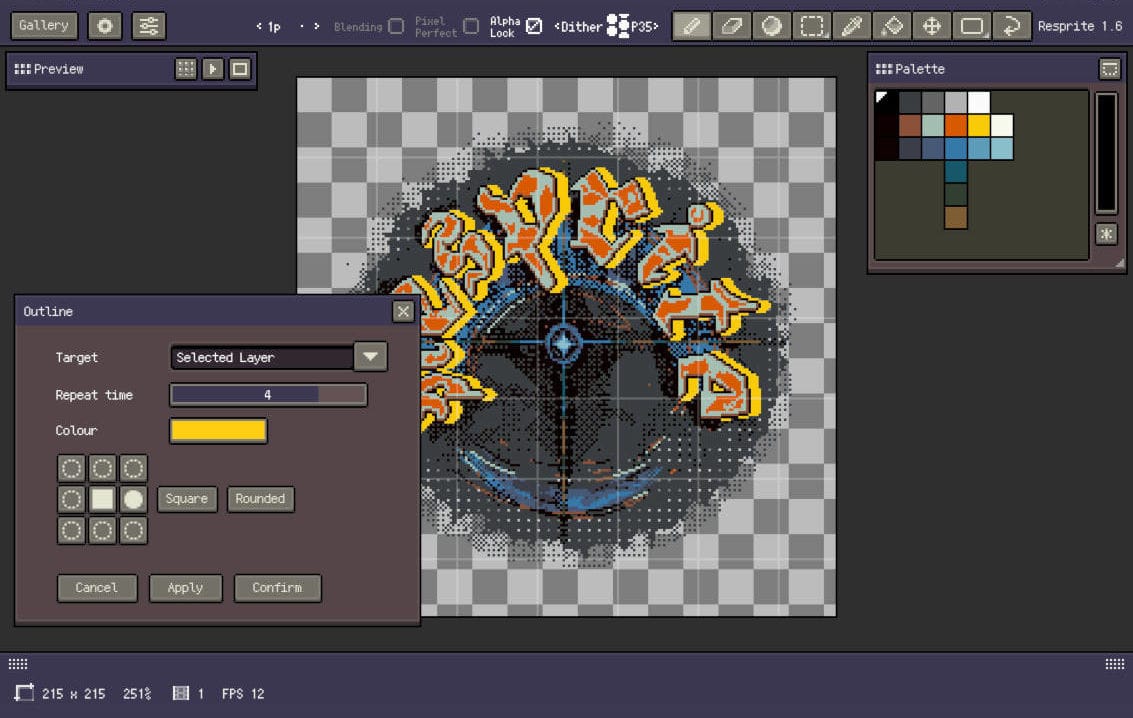
Advanced outline
Resprite v1.5
Mar 2 2023
- NEW: More control of animation playback(Preferences->Timeline)
- NEW: Add quick start guide for beginner
- OP: Reset tiled bounds if new selection area exist
- OP: Copy whole cell when no selection, cross sprite
- OP: Pencil double-tap add 'switch to pen always' and 'switch between pen and eraser' option
- OP: No longer clipping the bounds when ending the transformation
- OP: Optimize edge case of tiled preview
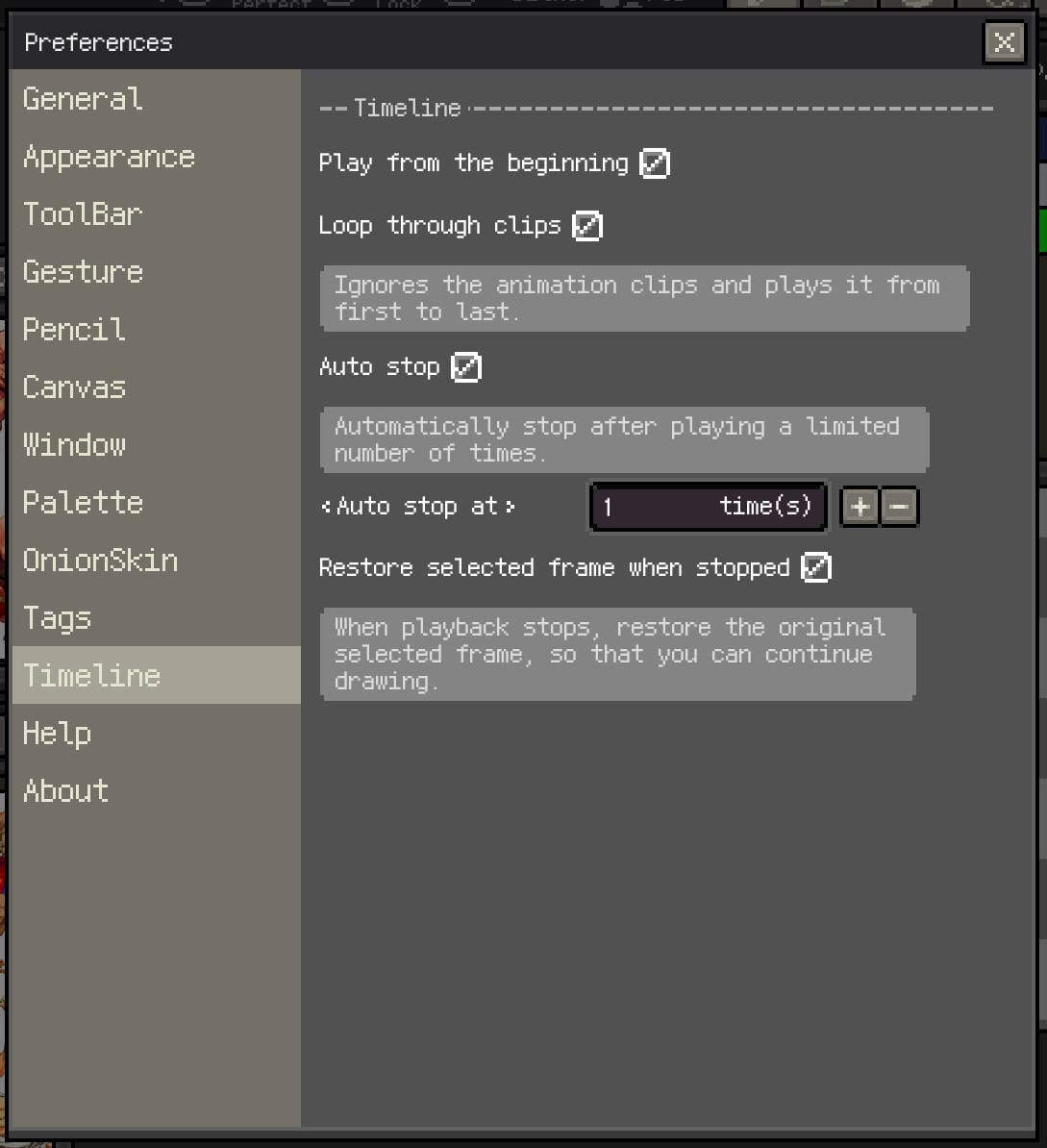
Timeline setting
Resprite v1.4
Feb 27 2023
- NEW: Theme customization
- NEW: Isometric grid line
- NEW: Custom canvas bg grid
- NEW: One-time purchase option
- NEW: More dither patterns: parallel lines, wall bricks...
- NEW: Buttons to move the content of the selection pixel by pixel
- OP: Longpress on layer eye with complex situation
- Fix: Fix fly btn and sub-tool suspending on some iPad models
- OP: Retain ROI when zooming ref img or preview
- OP: better ref img double-tap zoom steps
- Other small optimization and fixs
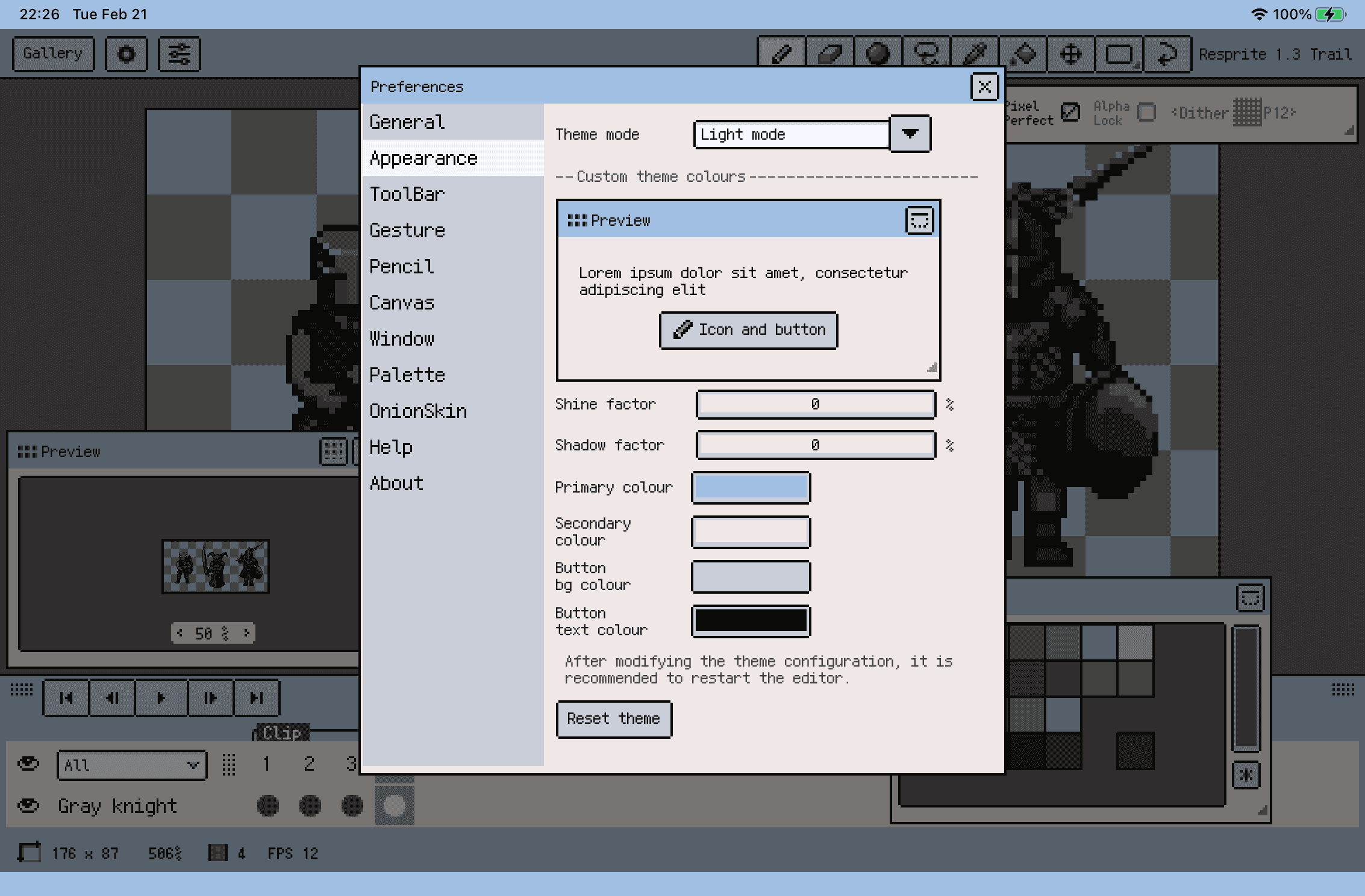
Theme customization
Resprite v1.3
Feb 20 2023
- NEW: Display rotate/skew angle degree
- NEW: Support export with user-defined text
- NEW: Tiled preview mode(Btn on preview window header)
- NEW: Line angle snapping, easy to draw isometric lines
- NEW: Crop canvas size to current selection bounds(Menu->Sprite->Crop to selection)
- NEW: Paste image as reference image(Menu->Import Reference->Clipboard)
- NEW: Clear palette items(Menu->Palette->Clear)
- OP: For Preview and reference, double-tap to fit zoom level in steps
- OP: Add new message toast position 'Footer'
- OP: Long press on layer's eye to show that layer only, hide others
(Long press again to revert)
- OP: Pick colour from ref img support long press gesture
(Can turn-off in Preferences->gesture)
- OP: When move cell on group, all its descendants are moved
- FIX: Fix msg pos and float snapping pos error when timeline closed
- FIX: Fix sub tool switch caused UI suspending in tiny period
- FIX: Fix window's minimize btn flying when snapping on bottom and be clicked
(Note: We found that these two issues still exist on some device models, will fix later)
- Other small optimization and fixs
iDraw3-like tiled preview
Resprite v1.0.2
Feb 12 2023
- NEW: Support **pick colour from reference image**
(switch to eyedropper, then drag on ref img)
- NEW: Support green selection preview line
- NEW: Add change log view, with entry at Preferences->about
- NEW: Support **skew in X/Y** direction when in transformation
- OP: Heavy press ignore pen tool's alpha lock
- OP: Add **special** dither patterns
- OP: Add some wide canvas pre-defined size
(from w32x16 to w256x128)
- OP: Double tap on reference/preview image round the zoom level with 50% step
- OP: Move upgrade to menu
- OP: Canvas grid line min limit change from 8 to 1
(feedback from tonio, thanks)
- OP: Make transformation handle semi-trans when moving selected content
- OP: More padding handles from the selected content
- OP: Optimize transformation handle appearance
Skew in X/Y, make a wall
Resprite v1.0.1
Date: 2023年2月11日
- 新しいテーマカラーを追加
- サブ情報なしでスプライトを保存可能に
Resprite v1.0.0
Date: 2023年2月8日
初回リリース