Resprite iOS R58 changelog
Date: Jun 10 2026
New
- New: Custom brushes now support temporary horizontal/vertical flipping and 90° left/right rotation. Once enabled, the transform is applied consistently to the brush library preview, brush tip preview, canvas preview, and actual drawing result, without modifying the original brush image file.
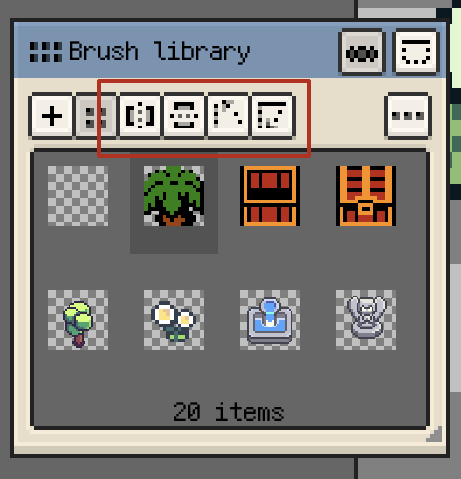
Temporary flip and 90° rotation for custom brushes on iOS
Fixes
- Fixed: The Contextual Floating Toolbar now docks correctly inside the visible canvas container when shown at the bottom. This avoids bottom timeline overlap and excessive distance from the window edge with side timeline layouts.
- Fixed: Snapped floating panels no longer replay snap sound or haptic feedback when tapping the title bar or releasing in place. Feedback now plays only when moving to a new snap target.
- Fixed: Preview window images and standalone reference images now constrain their position after panning and zooming, preventing accidental moves that make the image completely invisible.
- Fixed: The estimated resolution in the Bead Pattern export dialog now caps large-palette legend estimates, preventing multi-frame files or large palettes from making the displayed output size excessively high.
Changes
- Changed: Trial exports no longer add watermarks and now use a daily attempt limit again, with no format limits.
- Changed: Bead Pattern exports now show Resprite text in the top-right header instead of the app icon, making the mark clearer and more restrained for printing and sharing.