Resprite iOS R56: Custom Brush Window, Grayscale Preview, and Palette Sorting
Resprite iOS R56 is now available. This release brings several workspace and inspection improvements to iPad and iPhone workflows. Custom Brush now has its own window, the bottom zoom label supports faster zoom control, Grayscale Preview helps check value relationships without changing artwork, and palette sorting has become more powerful during both reorder and GPL import flows. R56 also adds magnetic snapping between floating windows, refines grayscale conversion, and updates trial export behavior.
New
-
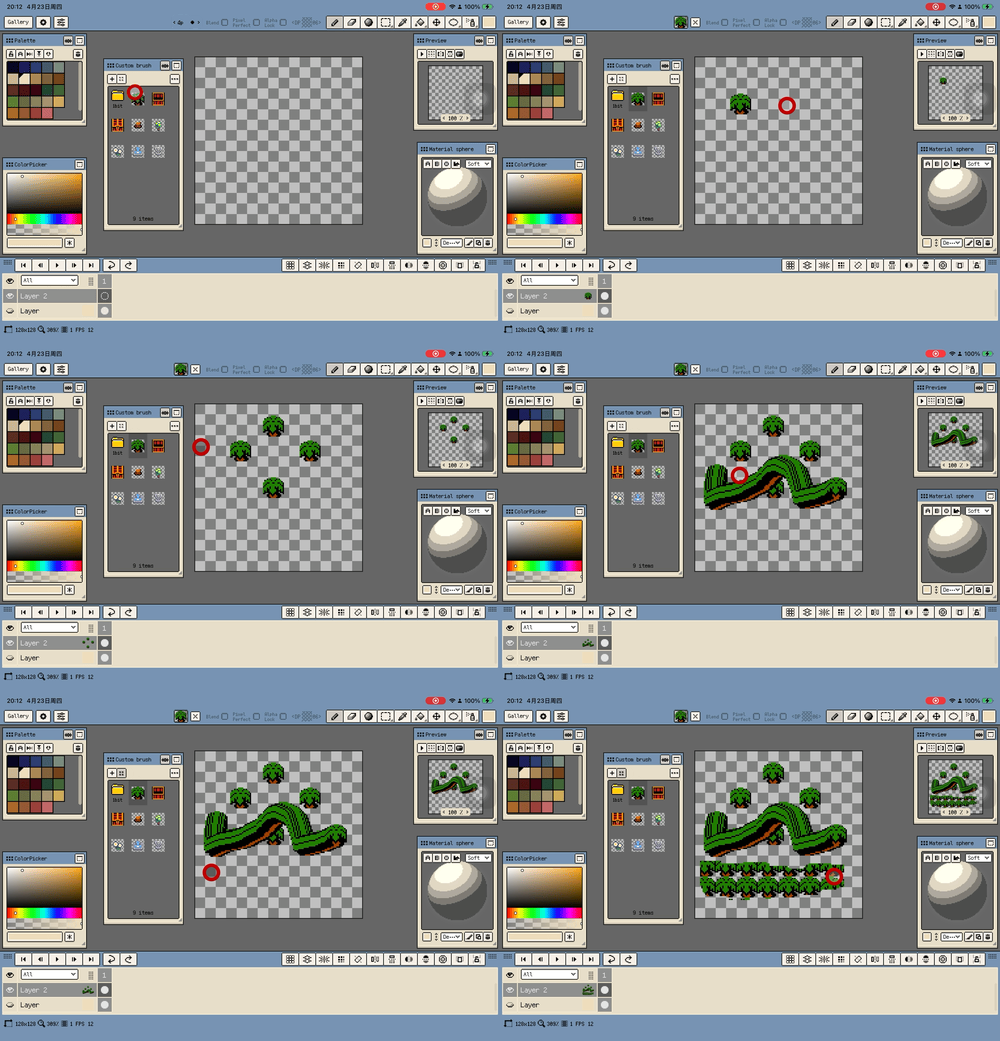
Custom Brush is now a dedicated window. It participates in workspace layouts and lets you select brushes, organize folders, import sources, and adjust tiling options from one place.
-
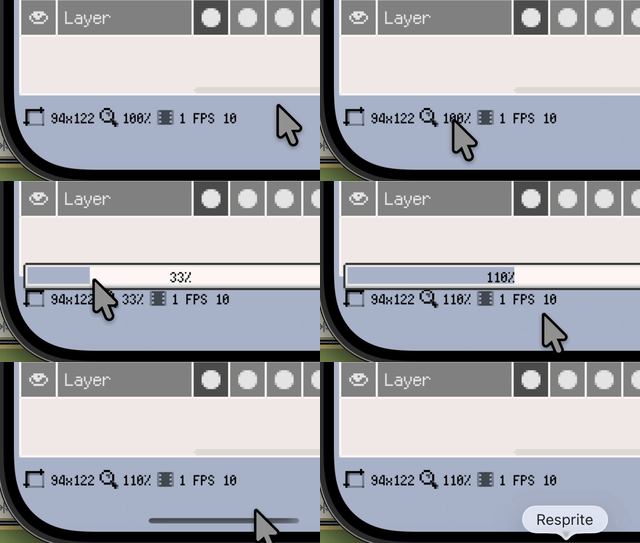
The canvas zoom percentage at the bottom-right of the timeline now opens a slider on tap. You can switch between the existing zoom steps directly while seeing the current zoom percentage in real time.
-
Long-pressing the same bottom zoom percentage now fits the canvas to the visible area and snaps to the existing zoom steps.
-
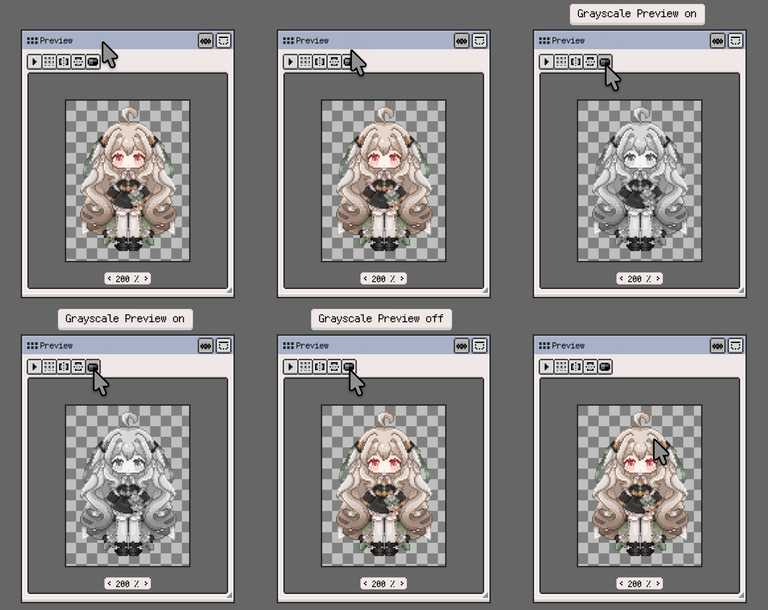
Added Grayscale Preview to the Preview window action bar. It switches both the Preview window and the main canvas to grayscale with one tap, making it easier to check value relationships without changing document pixel data.
-
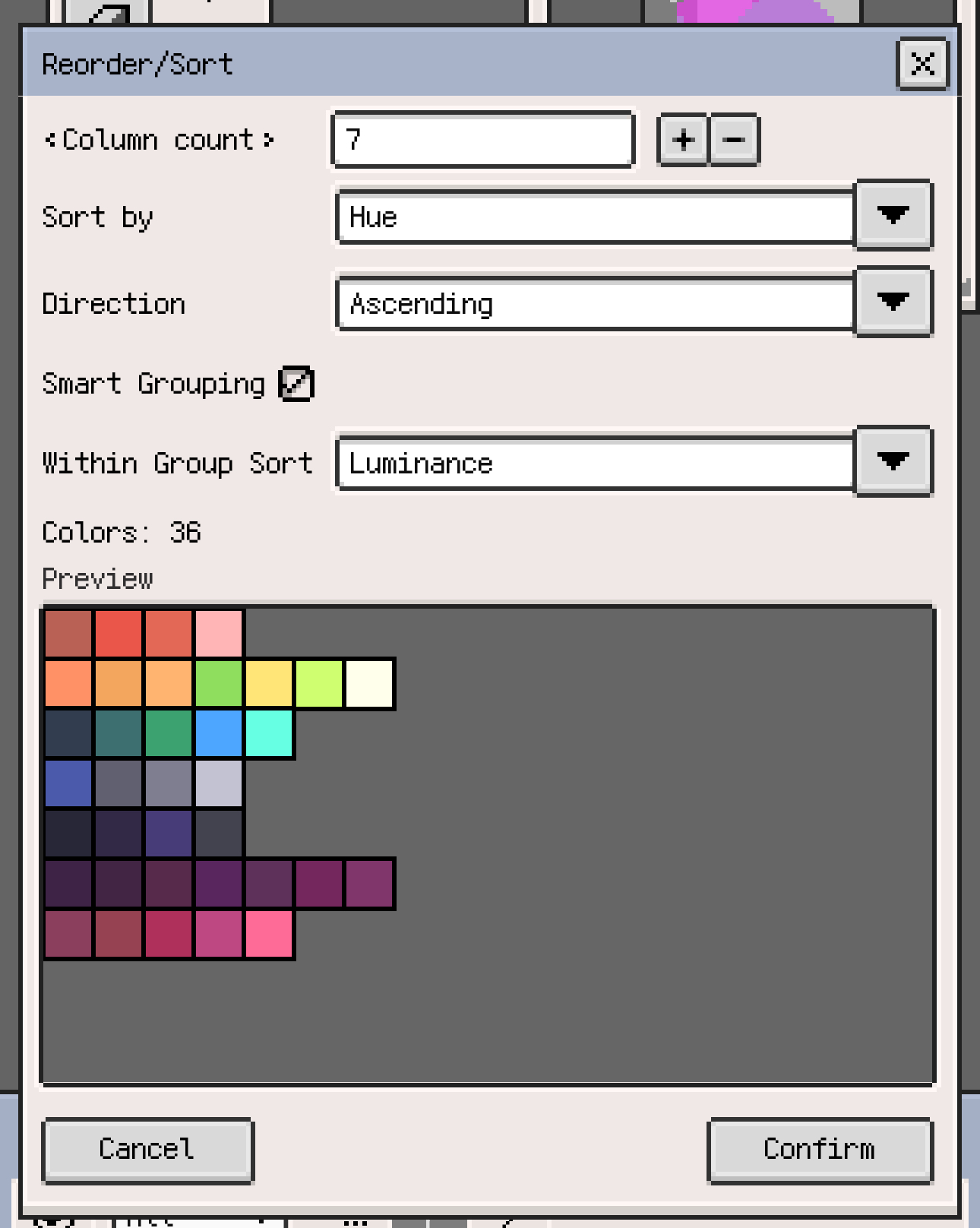
Palette Reorder and GPL palette import preview now support sorting by hue, saturation, brightness, luminance, and RGB channels, with ascending/descending direction, smart grouping, and within-group sorting for the final layout.
-
External palette imports to the current file can now always replace without showing the Replace/Append confirmation again. This can be turned off later in Settings.
-
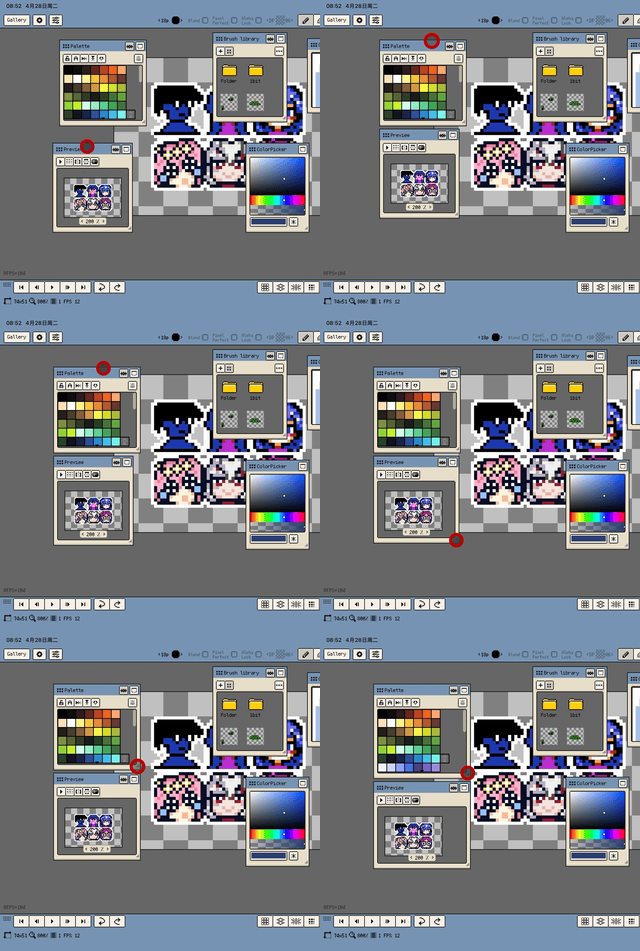
Floating windows now support magnetic snapping to each other, with parent-child following relationships and saved snapping state in workspace layouts.
Improvements
- Canvas zoom steps have been reworked so the number of stops around
100%is balanced, with practical stops such as66%,80%,4800%, and6400%. - The
Grayscaleadjustment now converts colors using more accurate value relationships, so saturated colors such as reds and blues no longer appear noticeably too bright or too dark. - When a floating window is near the right edge of the app window, the resize marker now switches to the bottom-left corner, and both bottom corners can resize the window so it is easier to expand inward from the edge.
Fixes
- The zoom slider text and dismissal interaction are now more stable, avoiding inconsistent font styling, clipped text, and missed outside tap or light-drag dismissal.
- When Show Larger Transform Handles is off, the two Curve tool control points now keep their original visual size while using the larger touch target, making finger dragging more reliable on iPad.
- PSD exports now write the merged preview image in the correct layer order, preventing file previews from showing lower layers above upper layers while keeping the Photoshop layer structure unchanged.
Changes
- Trial exports are no longer limited by attempt count; trial mode now allows only project files and spritesheets, and trial spritesheet exports automatically include a watermark.
Thanks for reading and for your continued support. If you have feedback or suggestions, please contact us.