Resprite iOS R54: Remote Palette Imports, Trusted Websites, and Better Bead Patterns
Resprite iOS R54 is now available. This update sharpens two everyday workflows: bringing palettes into Resprite directly from palette links you discover on the web, and giving Bead Pattern export more precise grid controls. It also adds Trusted Websites management so repeated imports from approved sites feel safer and smoother, while cleaning up palette-name display and default export behaviour.
New
-
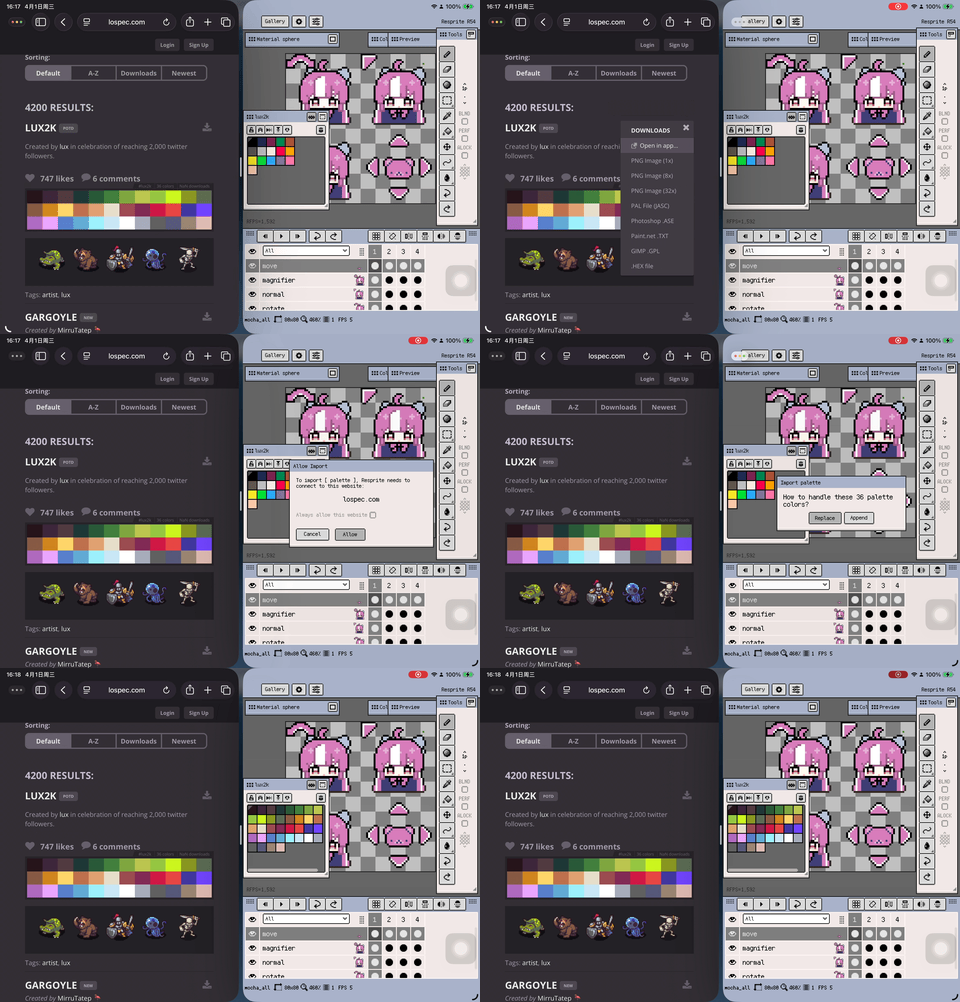
Import remote palettes directly from palette deep links, including links from PixelArtPalettes and Lospec.
-
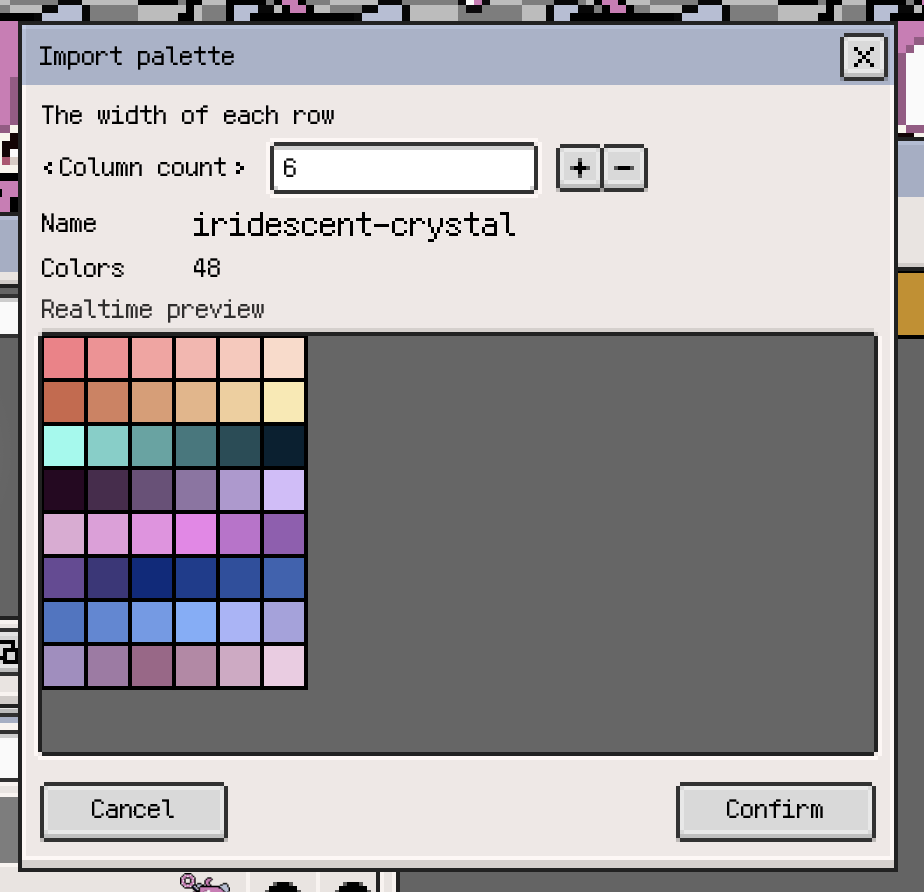
Remote palette imports now show a preview first, with options to import into the current file or save to palette presets.
-
Added Trusted Websites authorization and management, so allowed sites can be remembered and managed in Settings.
Improvements
-
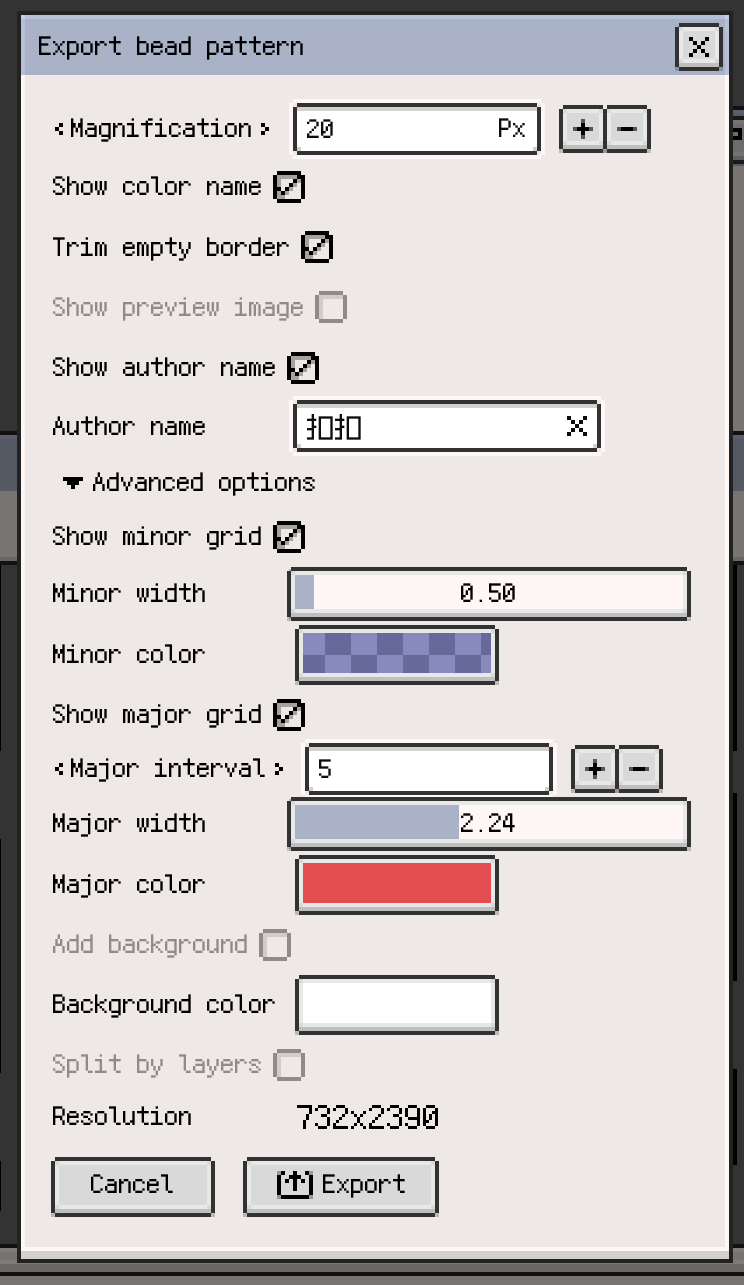
Bead Pattern export advanced options now let you customize minor and major grid colors and line widths separately, and they remember your last-used settings.
-
Grid-related labels in the Bead Pattern export dialog are now more consistent and clearer.
Fixes
- Long color names in the palette window and Preset Manager now consistently show the first 4 characters instead of the trailing characters.
- When importing GPL palettes, hex-like placeholder color names that match the actual color value are now filtered out automatically.
- After the major grid is turned off, the preview-image border in Bead Pattern export no longer follows a hidden major-grid color setting.
Change
- The default magnification for Bead Pattern export is now 30 px, and Preview Image is off by default.
Thanks for reading and for your continued support. If you have feedback or suggestions, please contact us.