Resprite iOS R53: Tiled Mode, PSD Import, and Material Color Sphere
Resprite iOS R53 is now available. This release focuses on three big workflow upgrades: the new Tiled Mode replaces the older tiled preview flow, PSD files can now be imported directly on iOS, and Material Color Sphere makes lighting-oriented color picking faster. Around those headline features, R53 also improves palette naming, timeline clip editing, color adjustment, bead pattern output, arithmetic numeric fields, and project compatibility across versions.
New
-
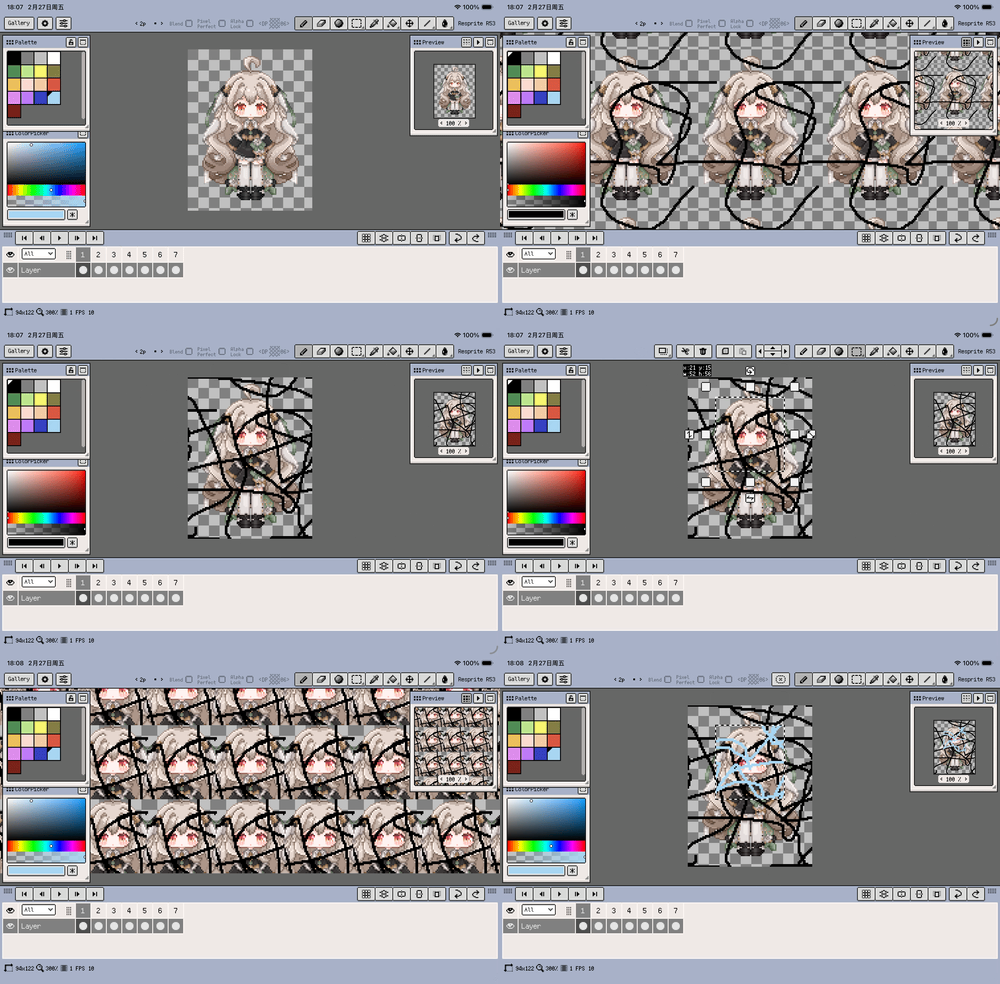
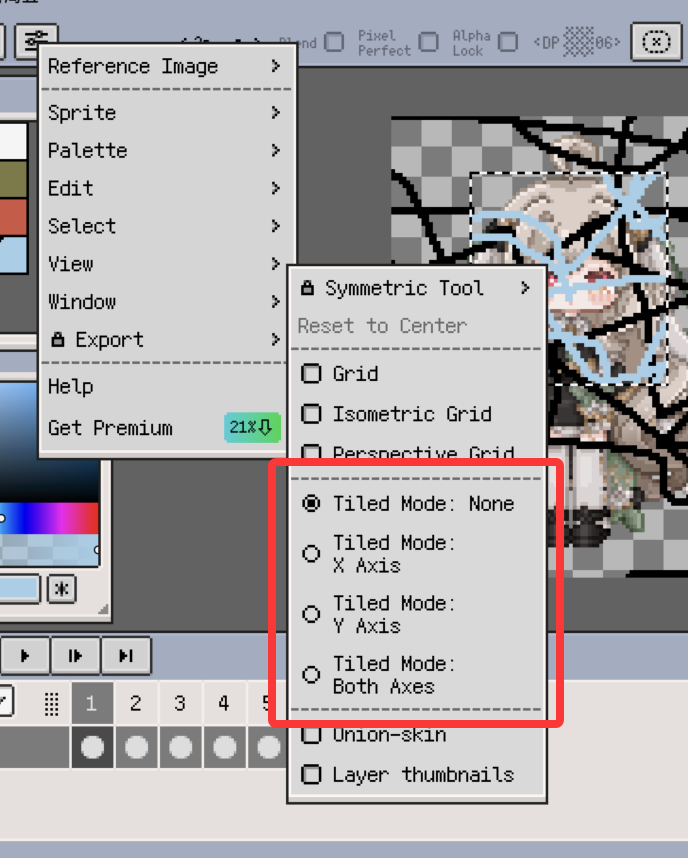
Brand-new Tiled Mode replaces the old Tiled Preview workflow and gives you a more direct way to inspect repeating artwork.
-
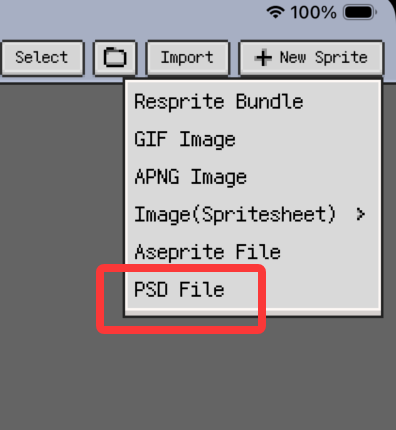
Import PSD files directly on iOS.
-
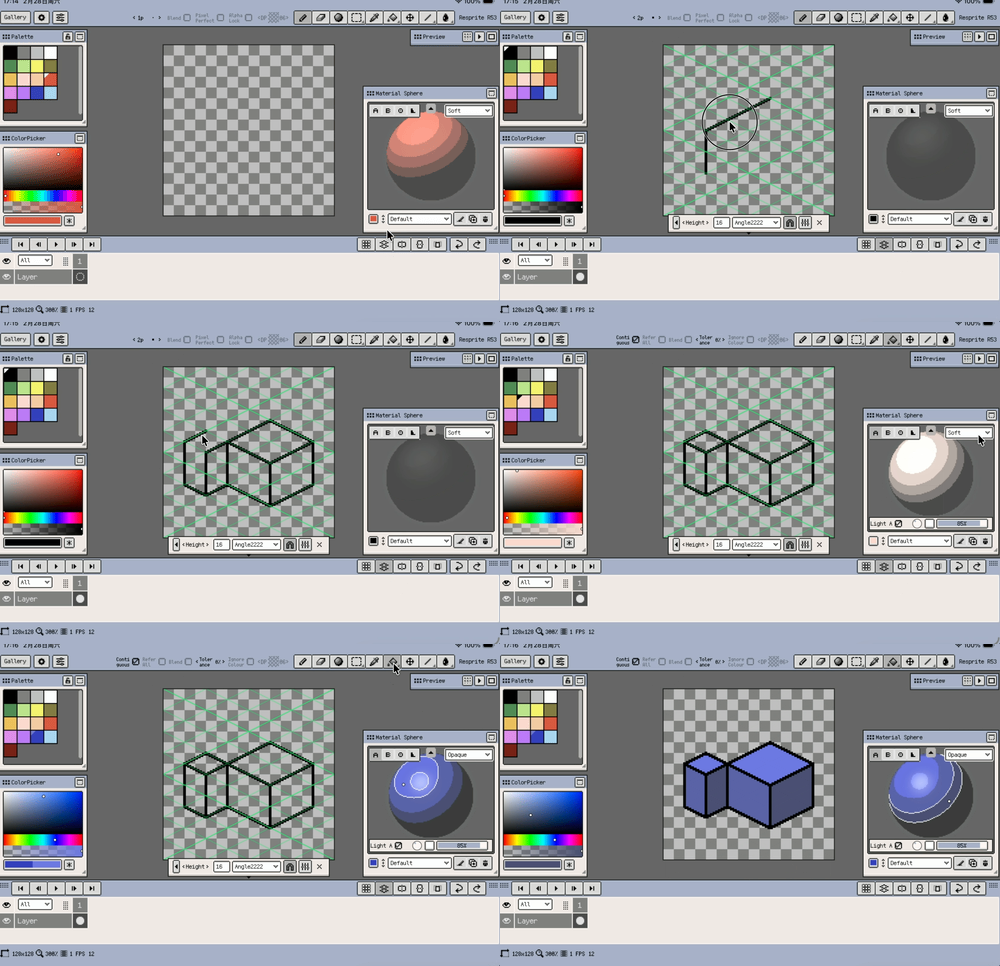
Material Color Sphere for lighting-oriented color picking.
-
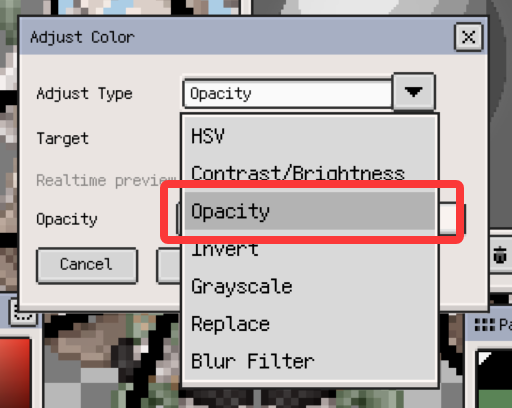
Added an "Opacity" adjustment in the color adjustment dialog.
-
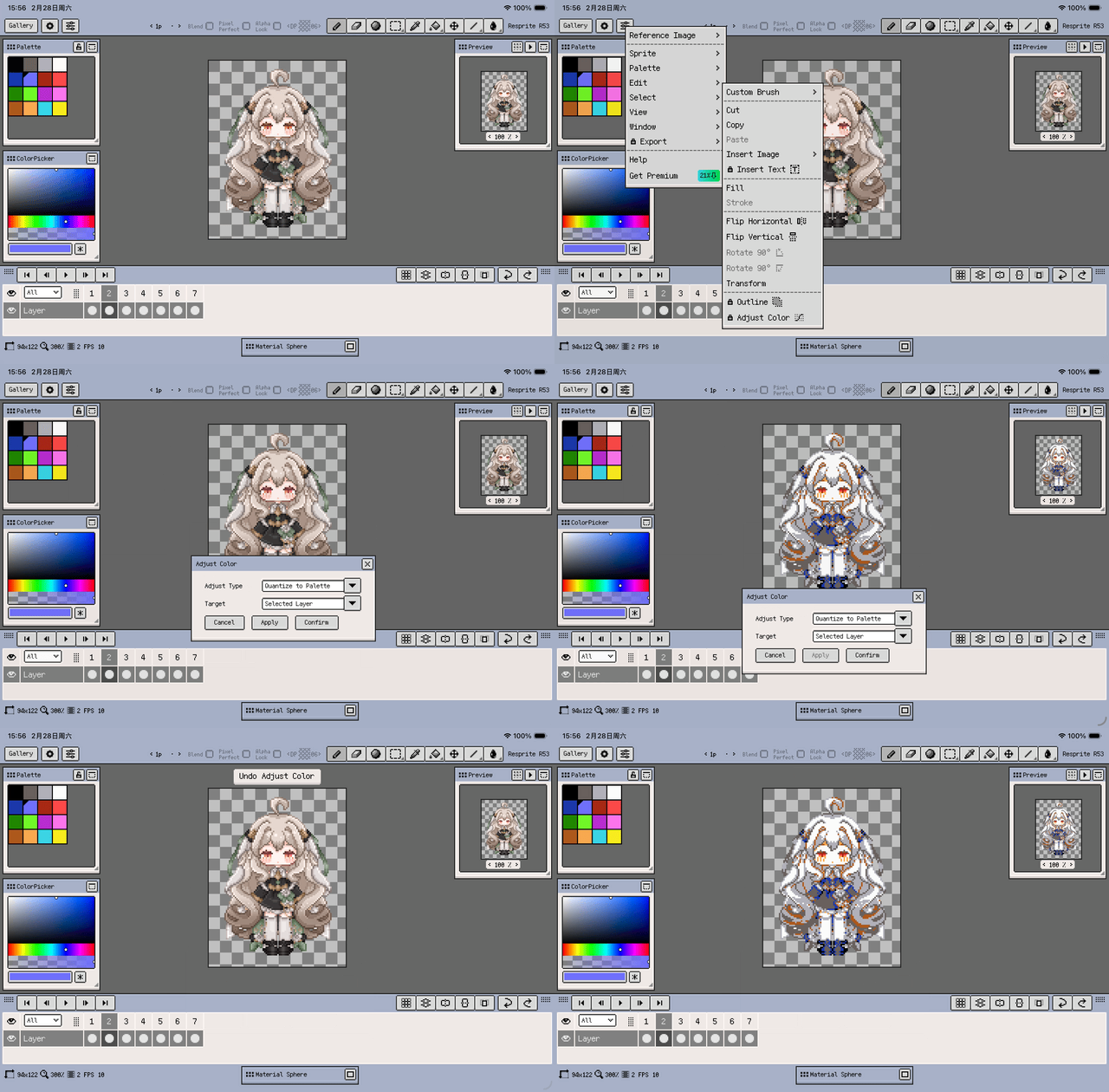
Added "Quantize to Palette" in the color adjustment dialog.
-
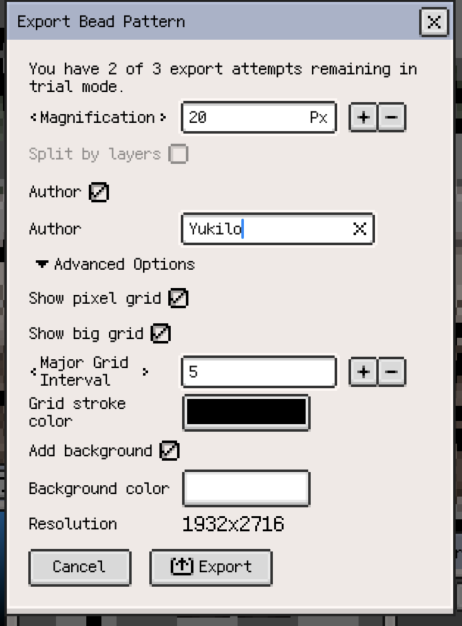
Bead patterns now show color names and usage counts.
-
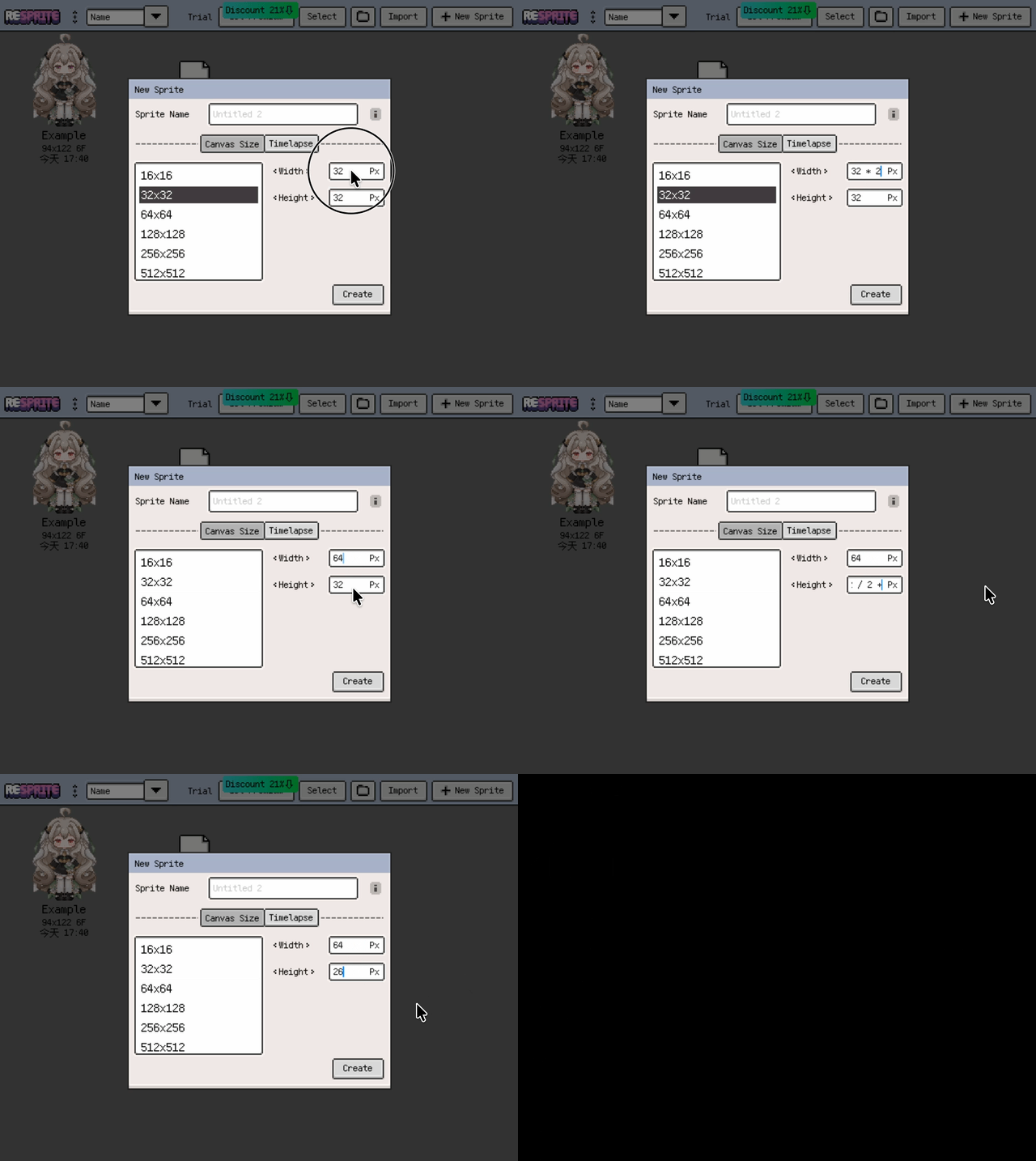
Numeric inputs now support simple arithmetic expressions.
Improvements
-
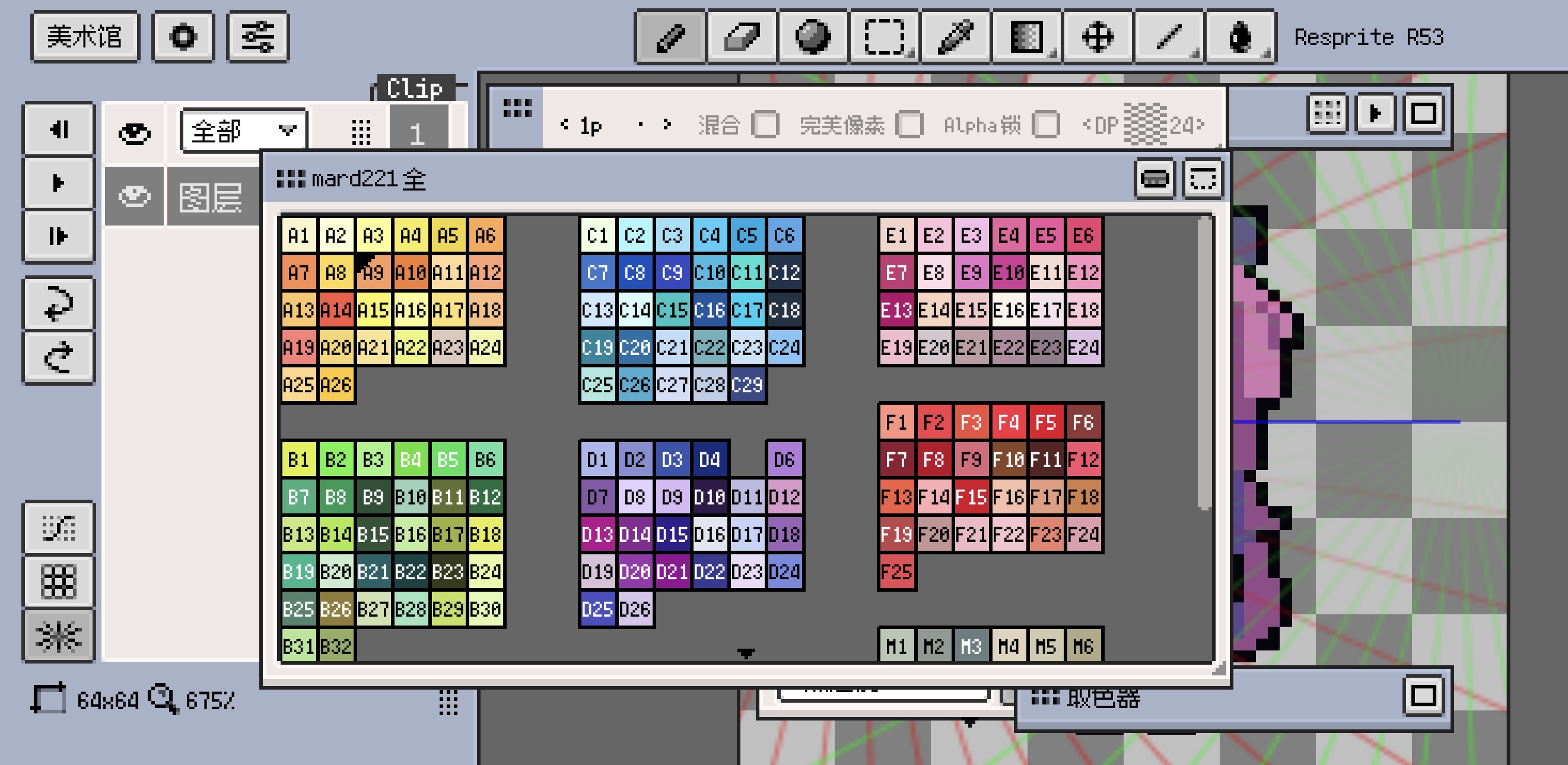
Palette color names can now be shown and edited.
-
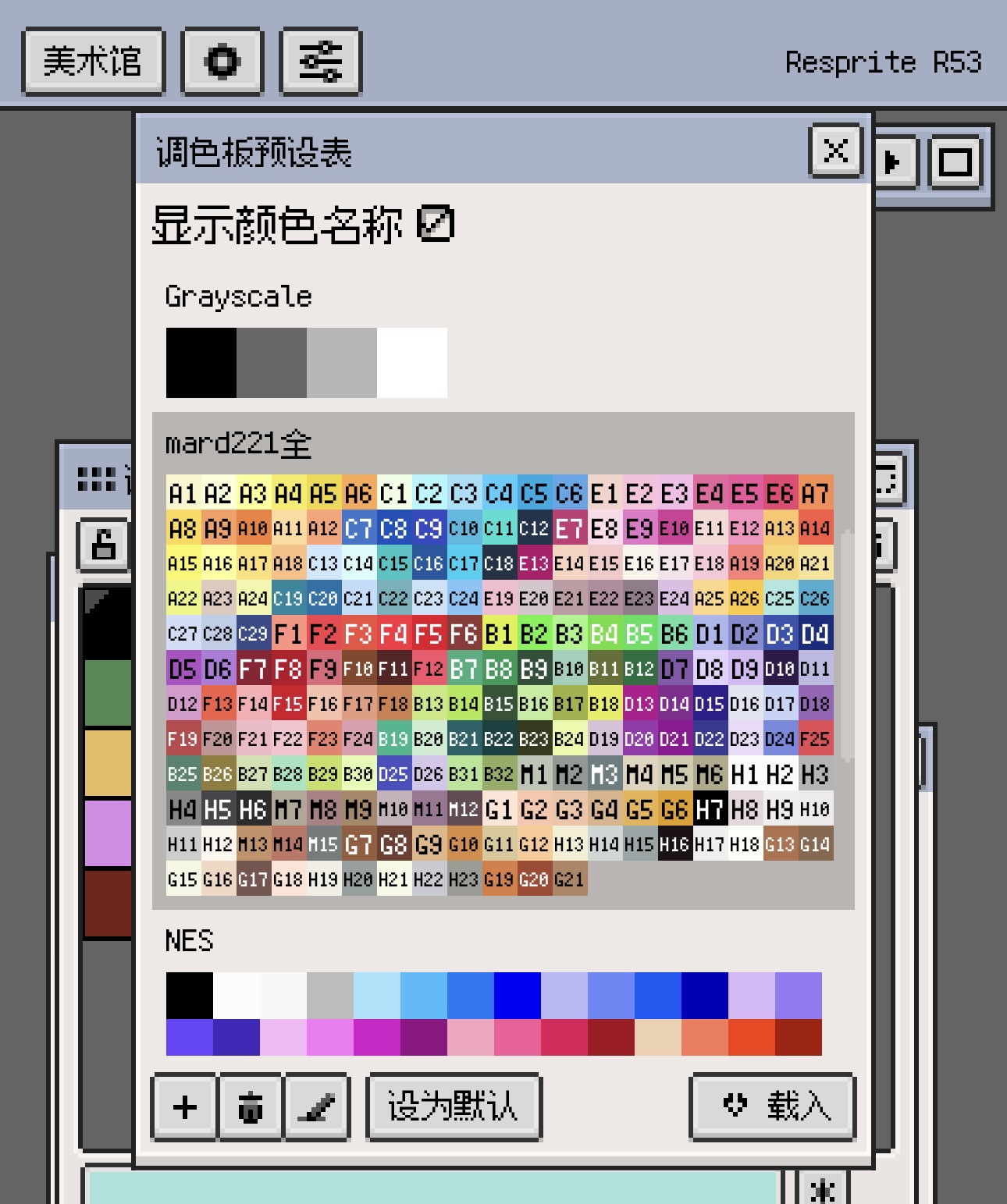
Palette names can now be shown in the preset manager.
-
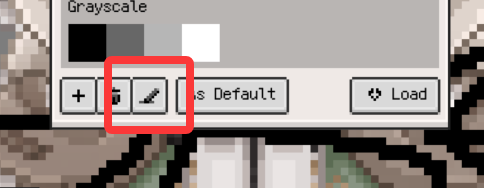
Palette Presets Manager now supports direct renaming.
-
Palette Presets Manager list now supports sorting by name.
-
Multilingual UI text is now standardized to sentence case, with proper noun capitalization corrected.
-
Fonts can now be opened and imported directly from the Files app.
-
Timeline frame headers now show frame-duration indicator dots.
-
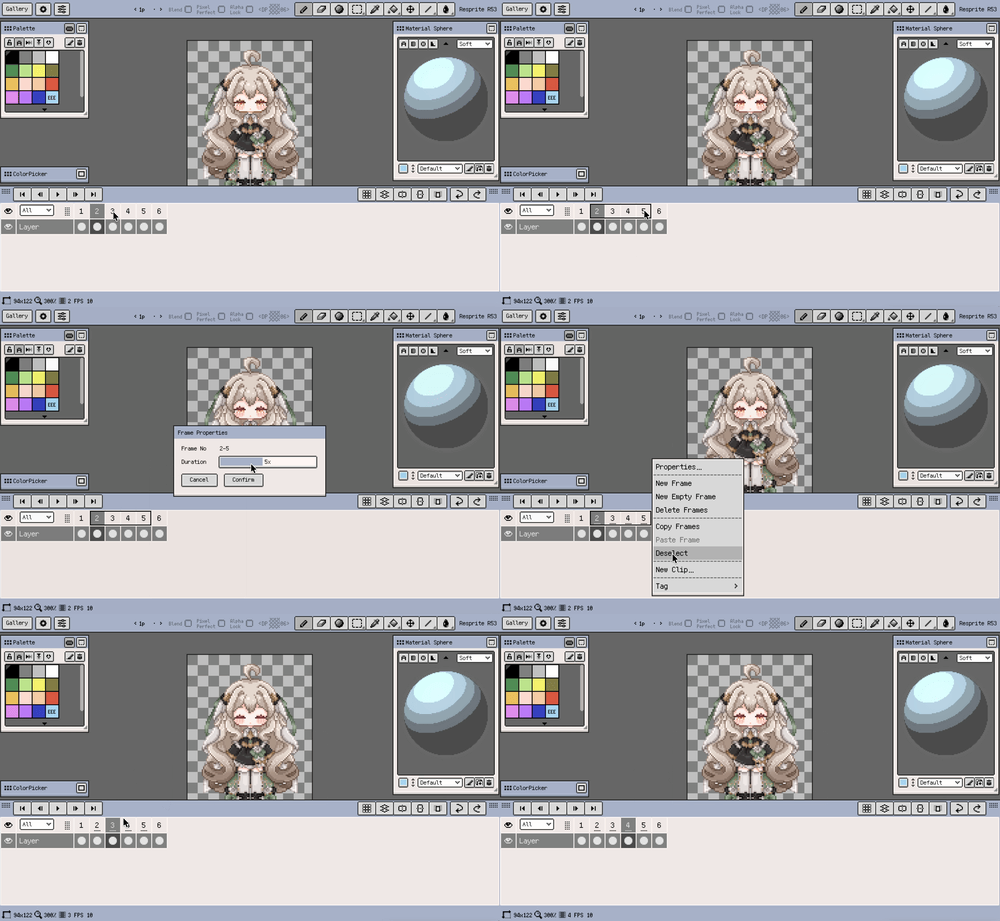
Frame Properties now supports batch-setting duration for multiple selected frames.
-
New Frame and New Empty Frame now inherit the previous frame duration by default.
-
Timeline Clip properties now allow direct editing of start and end frames.
-
Clip range editing now checks for overlap automatically to avoid boundary conflicts.
-
Timeline clips now support single-tap selection and double-tap menu opening.
-
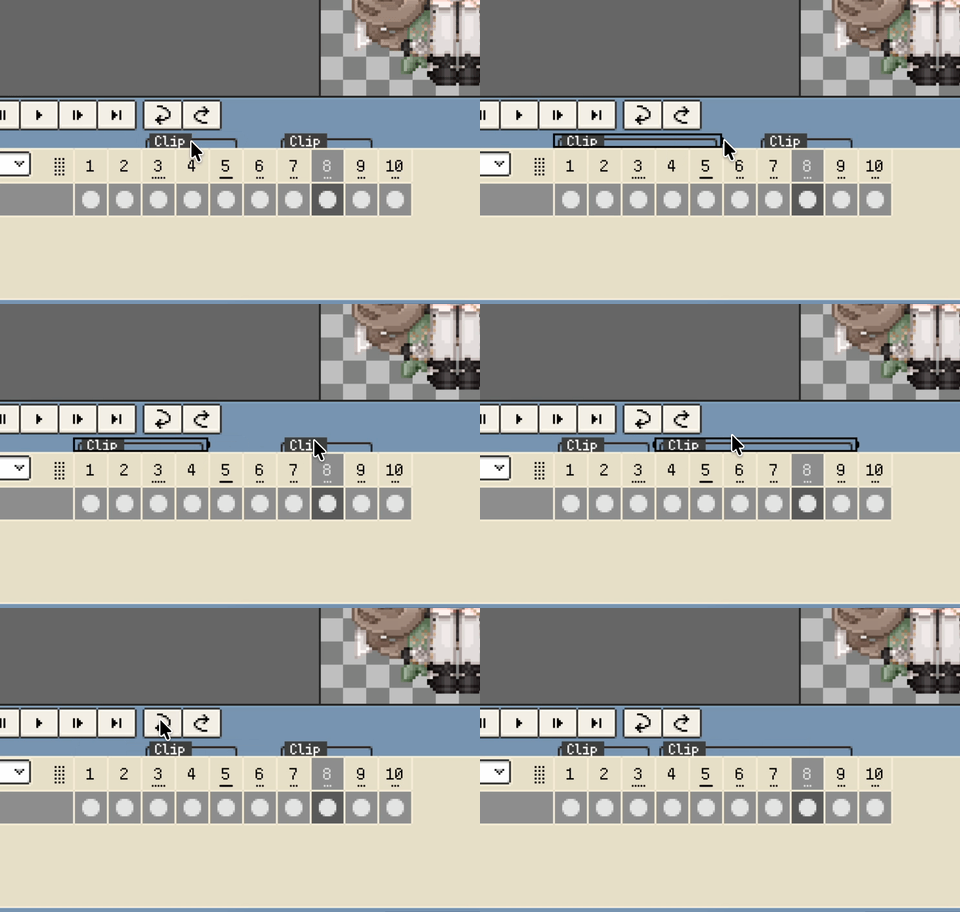
Selected timeline clips can now be resized by dragging the left and right edges.
-
Resizing clip edges now feels more intuitive and resolves neighboring clip conflicts automatically.
-
When a clip is selected, pasted frames go to the end of that clip first.
-
"New Clip" now appears only in the regular frame menu, and clip editing entries are grouped under the Clip menu.
-
Copied clips now show a dashed outline on the timeline.
-
Pasting multiple cells now auto-creates missing target layers when needed.
-
Project files are more compatible across devices and app versions, reducing open failures.
-
Export type names and ordering are now clearer.
-
Copy/Cut/Delete frame operations now preserve clip boundary consistency.
-
Aseprite tag import/export works more reliably with timeline clips.
-
The Fill tool feels smoother on large canvases.
-
Isometric grid snapping is steadier for diagonal drawing.
-
With Grid Snap enabled, move operations now step along the grid automatically.
-
Undo history is more efficient and stable for large documents.
-
Undo and redo are more reliable after complex timeline edits.
Fixes
- Cutting could trigger multiple notifications.
- Reduced canvas rebound jitter during rapid two-finger pinch gestures on mobile.
- GIF/APNG imported as new sprites now preserve frame timing.
- Import failures for some indexed-color Aseprite files.
- Added safer extraction limits to block suspicious oversized archives.
- Resolved an issue where the rotation handle could cover size info on narrow selections.
- Corrected the left offset of Clip Hat row content when the timeline is docked on the left.
- Resolved undo/redo issues that could occur after editing inherited frames.
- Resolved nested layer-block misalignment when undoing layer drags.
- Fixed a crash when undo/redo was triggered during drawing.
Change
- Simplified the Symmetry panel, keeping common controls like center reset and lock.
Thanks for reading and for your continued support. If you have feedback or suggestions, please contact us.