Resprite DA v1.29.2: Tiled Mode, PSD Import, Cursor Packs & Workflow Upgrades
Resprite DA v1.29.2 is a major productivity and workflow update. It introduces Tiled Mode, PSD import, cursor pack management, deep palette and timeline upgrades, and a broad set of performance and reliability fixes across desktop and Android.
Highlights
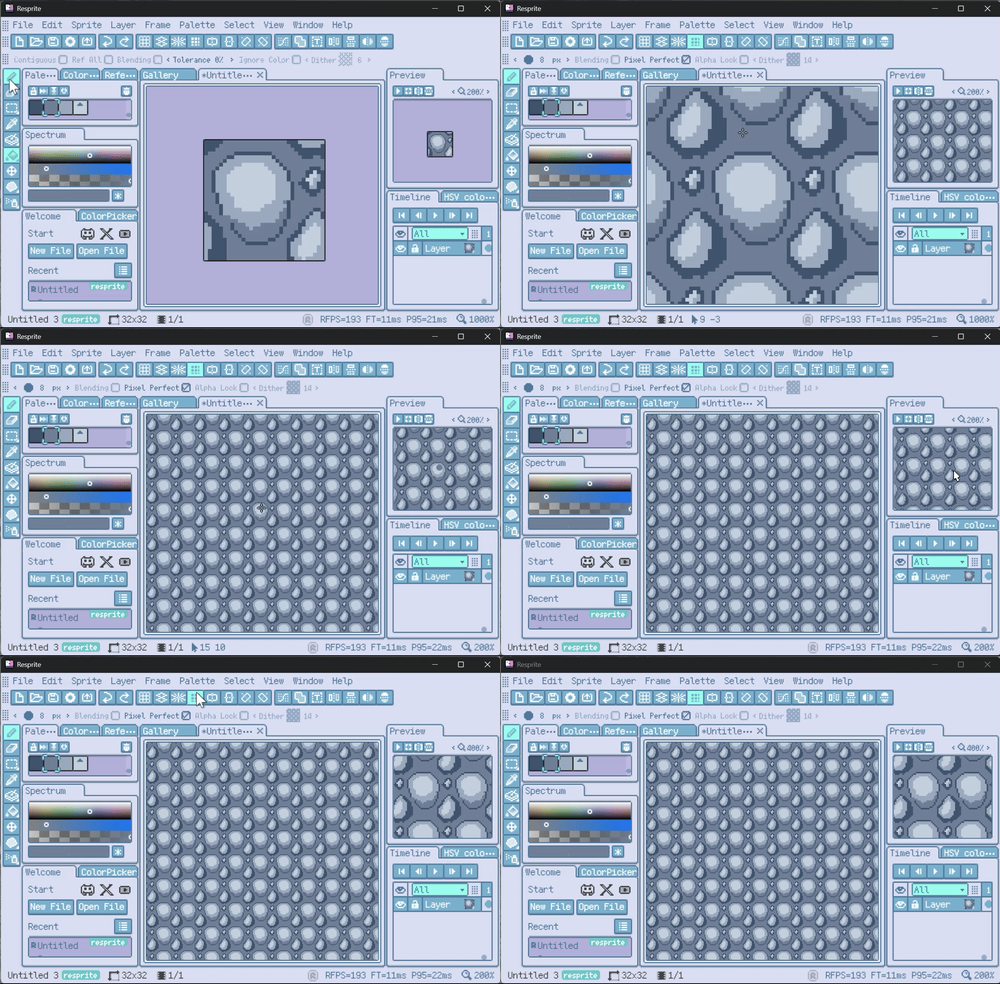
- New creation workflows: Tiled Mode, Material Color Sphere, PSD import, cursor pack import/export, and quick access panel.
- Faster editing flow: better timeline editing, palette navigation, arithmetic input, and keyboard-focused operations.
- Better reliability: safer archive handling, improved save safety, lower memory peaks, and multiple rendering/input fixes.
New Features
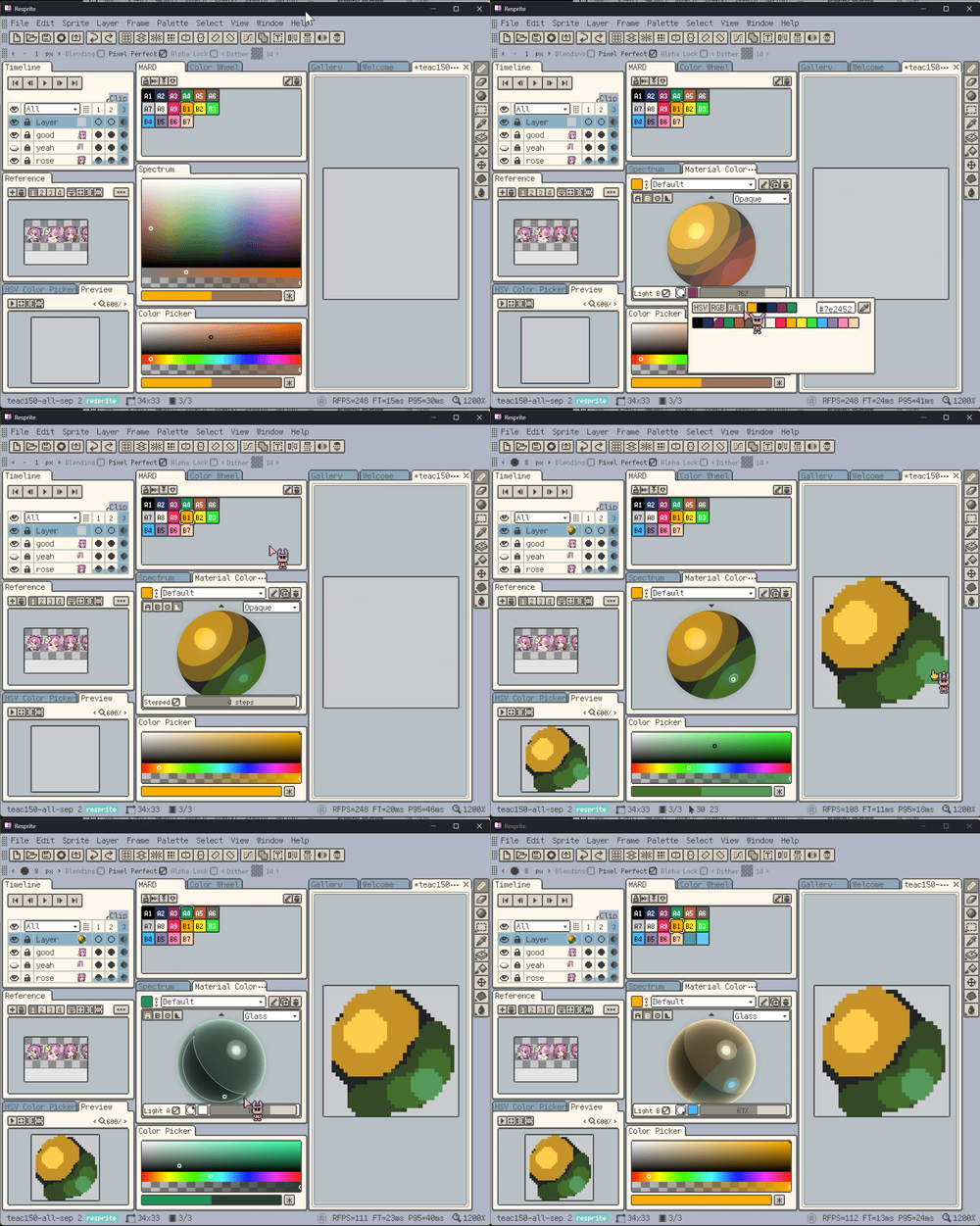
- New: Added Material Color Sphere for lighting-based color picking.
- New: Added
resprite-fontsupport (short extension:.resfont). - New: Added an Opacity adjustment in the color adjustment dialog.
- New: Added Quantize to Palette in the color adjustment dialog.
- New: Added layer copy/paste support, including cross-file paste and automatic frame fill.
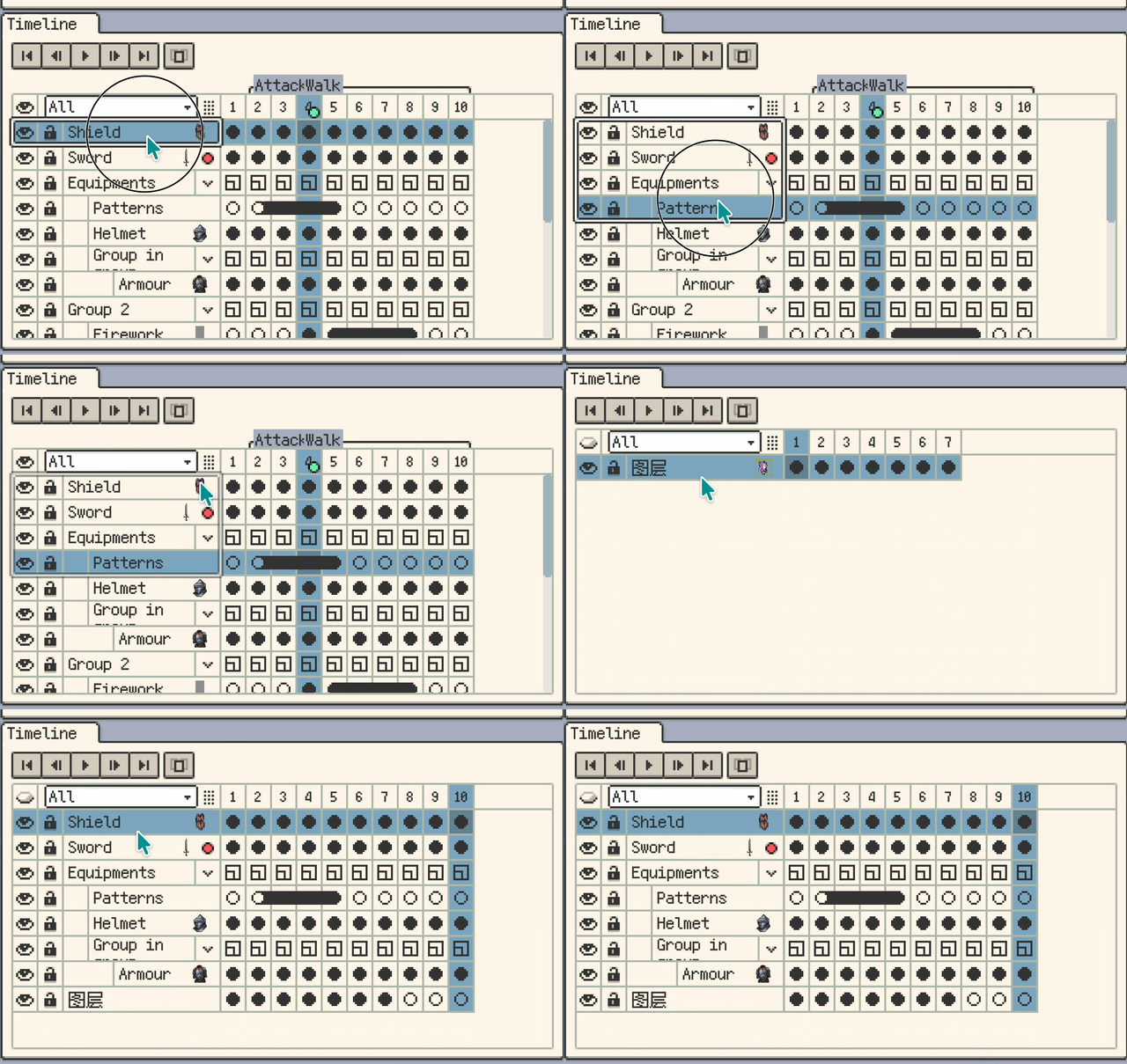
- New: Added cell moving.
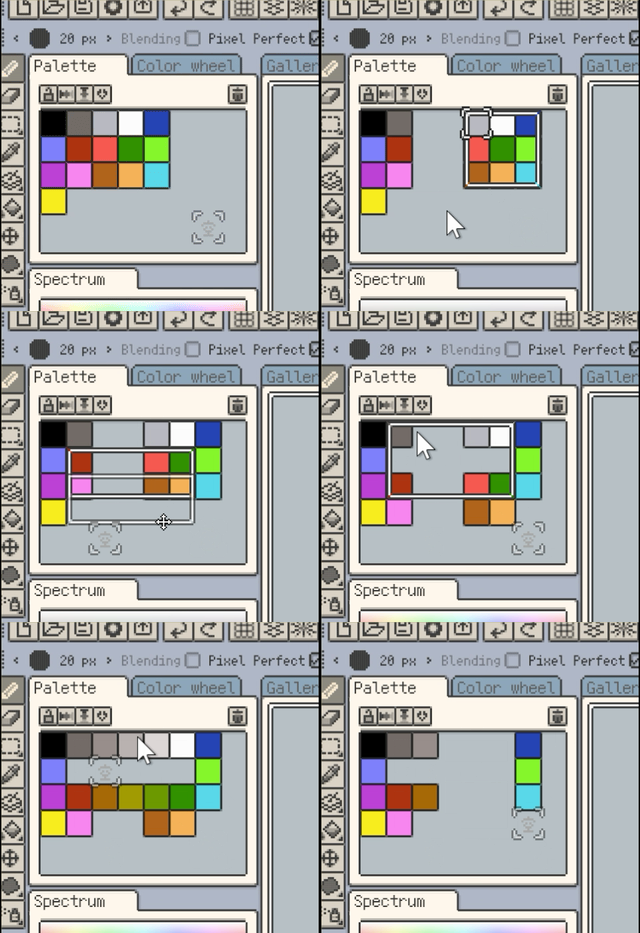
- New: Added palette multi-select and operations (Desktop only).
- New: Palette color items now support names.
- New: Palette names can be saved in documents, shown in the palette window title, and renamed.
- New: Palette preset manager can rename palettes.
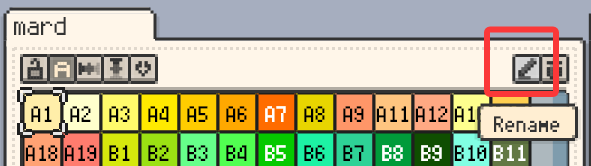
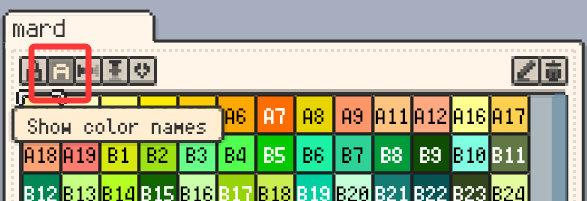
- New: Bead patterns now show color names and usage counts.
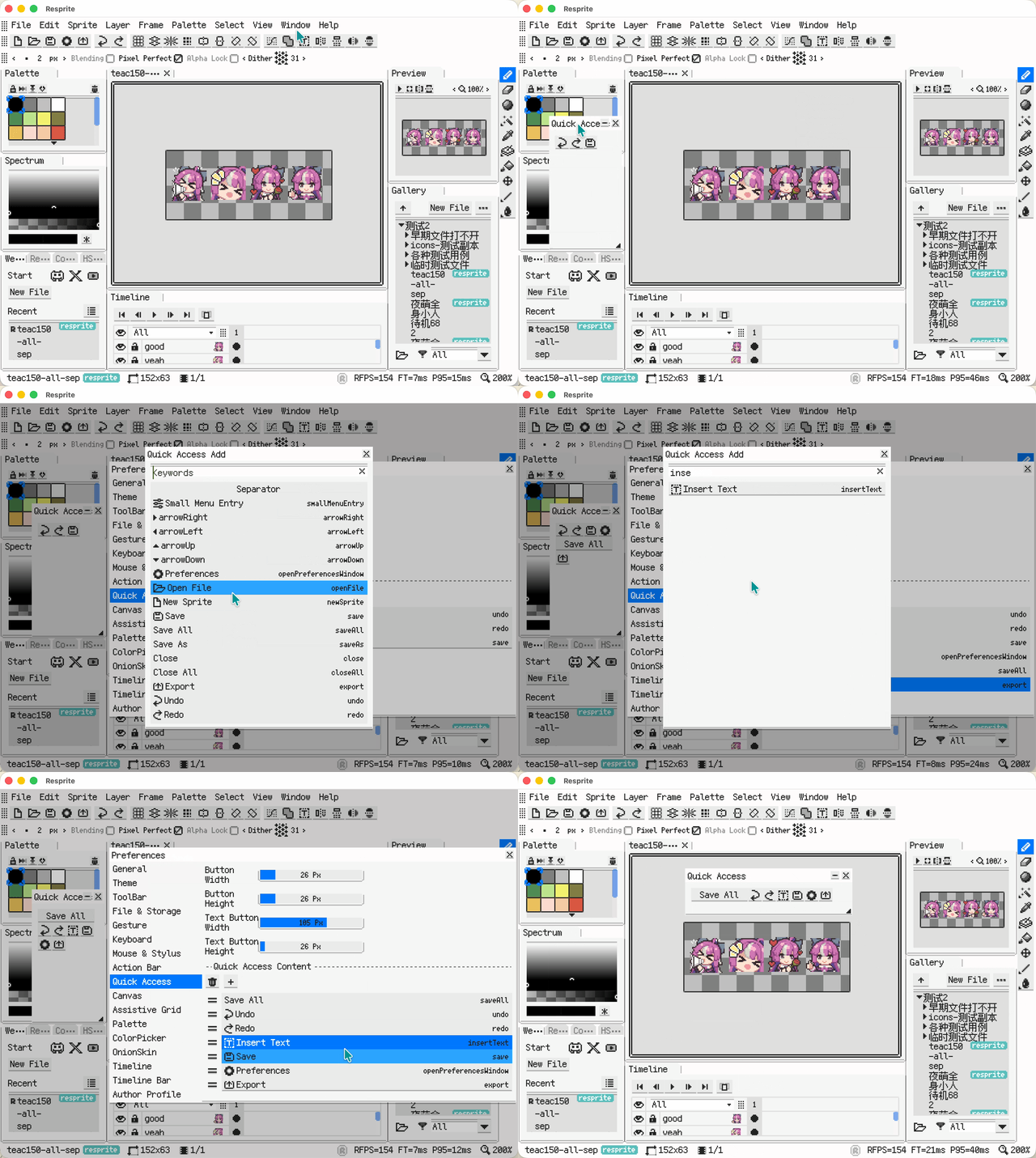
- New: Added a configurable quick access panel.
- New: Added Tiny Grid view for Gallery and Recent.
- New: Cursor pack manager (import/export, third-party
.cur/.ani, animated cursors, hotspot editing). - New: Customize cursor packs within the app.
- New: Export as cursor packs (
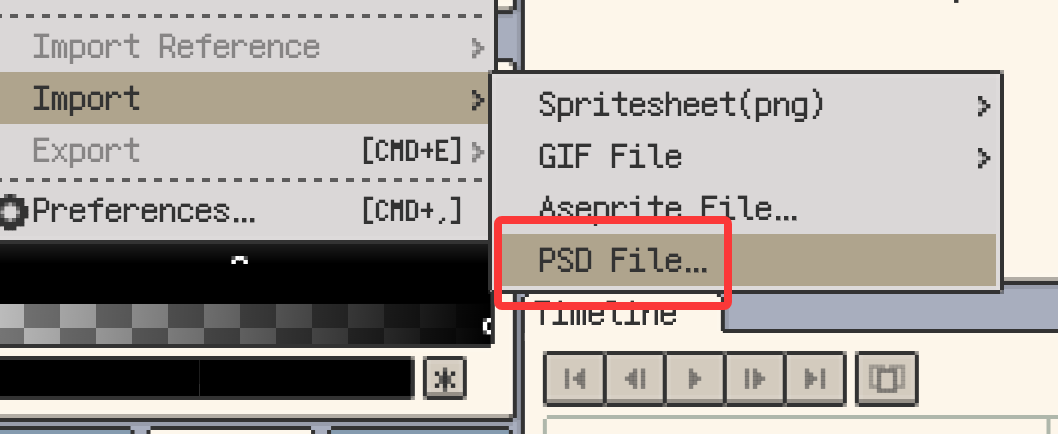
.ani/.curfiles). - New: Added PSD import support.
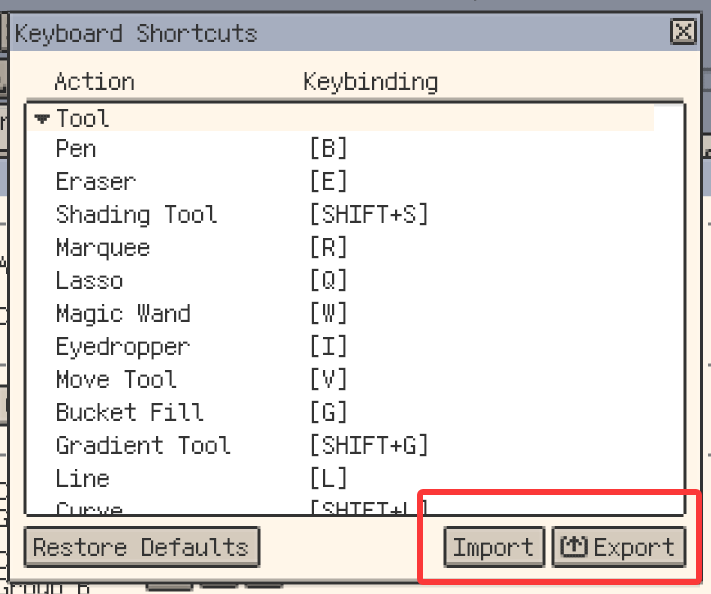
- New: Shortcut settings now support import/export of shortcut configs (
.reskbd). - New: Shortcut settings can export a shortcut cheatsheet.
Improvements
- Improvement: The Hex code in the color detail panel is now an input field on mobile.
- Improvement: Palette preset manager now sorts by name.
- Improvement: Alt/Option + mouse wheel navigates palette colors (Desktop only).
- Improvement: Added shortcut entries for palette navigation (Forward/Backward) (Desktop only).
- Improvement: Added shortcut entries for selection Expand/Contract/Border (Desktop only).
- Improvement: Gallery grid now keeps fixed spacing and leaves empty space on the right when resizing.
- Improvement: Gallery selection supports keyboard cut/copy/paste (Desktop only).
- Improvement: Show file count progress when exporting multiple items from the Gallery.
- Improvement: Improved the timeline selection state display.
- Improvement: Refined timeline clip selection/copy/paste visuals and interactions.
- Improvement: Clips can now be resized by dragging their range.
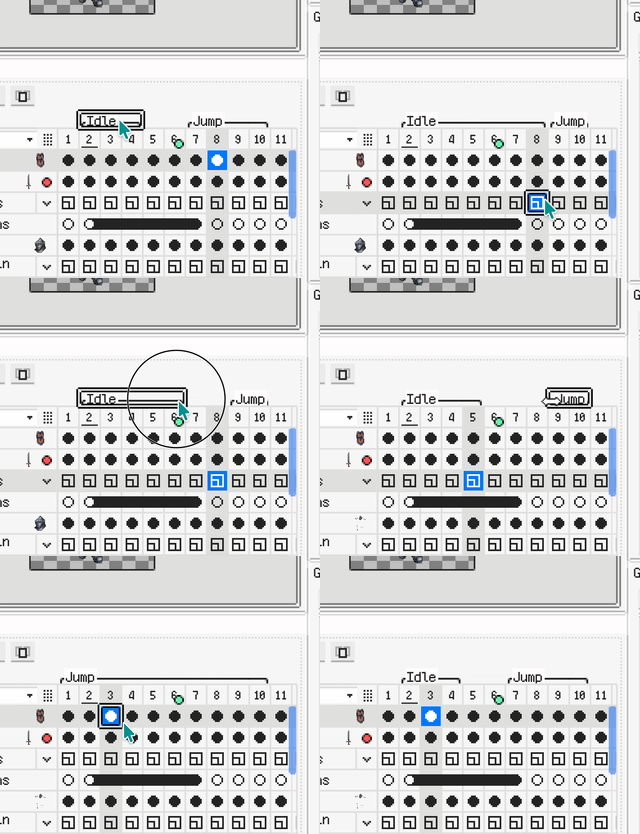
- Improvement: Timeline now supports keyboard copy/cut/paste/delete (Desktop only).
- Improvement: New frames now default to the previous frame's duration.
- Improvement: The frame properties dialog now supports batch-setting duration for multiple selected frames.
- Improvement: Timeline frame headers now show duration dots.
- Improvement: Clicking empty areas in the timeline now clears multi-selection.
- Improvement: Improved panel context management to boost efficiency (Desktop only).
- Improvement: Refactored the Rename shortcut to be semantic (prioritize active context/selection).
- Improvement: Undo/redo now uses memory-based management for better stability in multi-file editing.
- Improvement: Numeric inputs now support arithmetic expressions.
- Improvement: Drag and drop theme files to install themes (Desktop only).
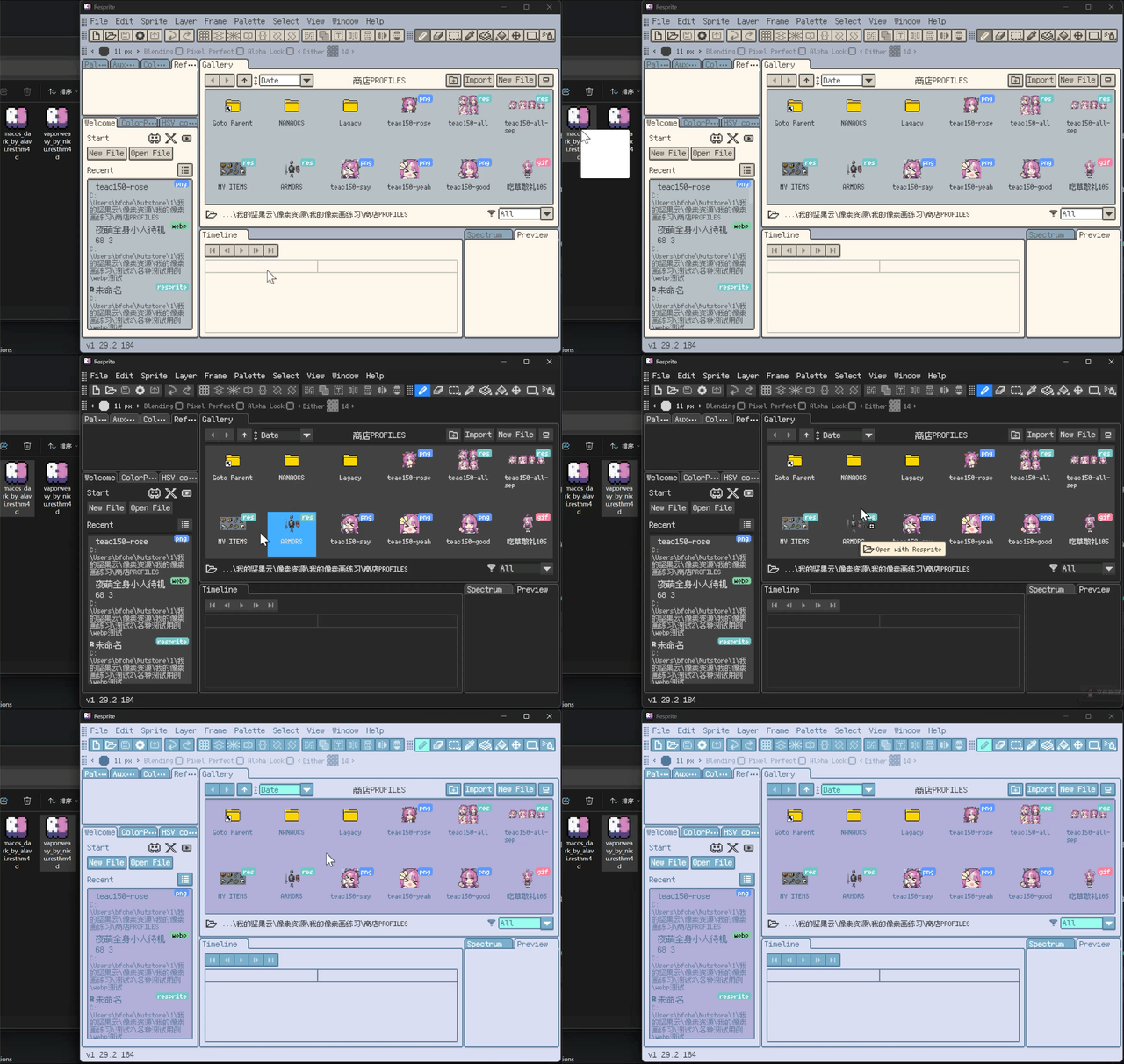
- Improvement: Updated some built-in themes (thanks to Nixu, Alavi, Pixal).
- Improvement: Updated Gallery folder icons.
- Improvement: Auto-add missing layers when pasting multiple cells.
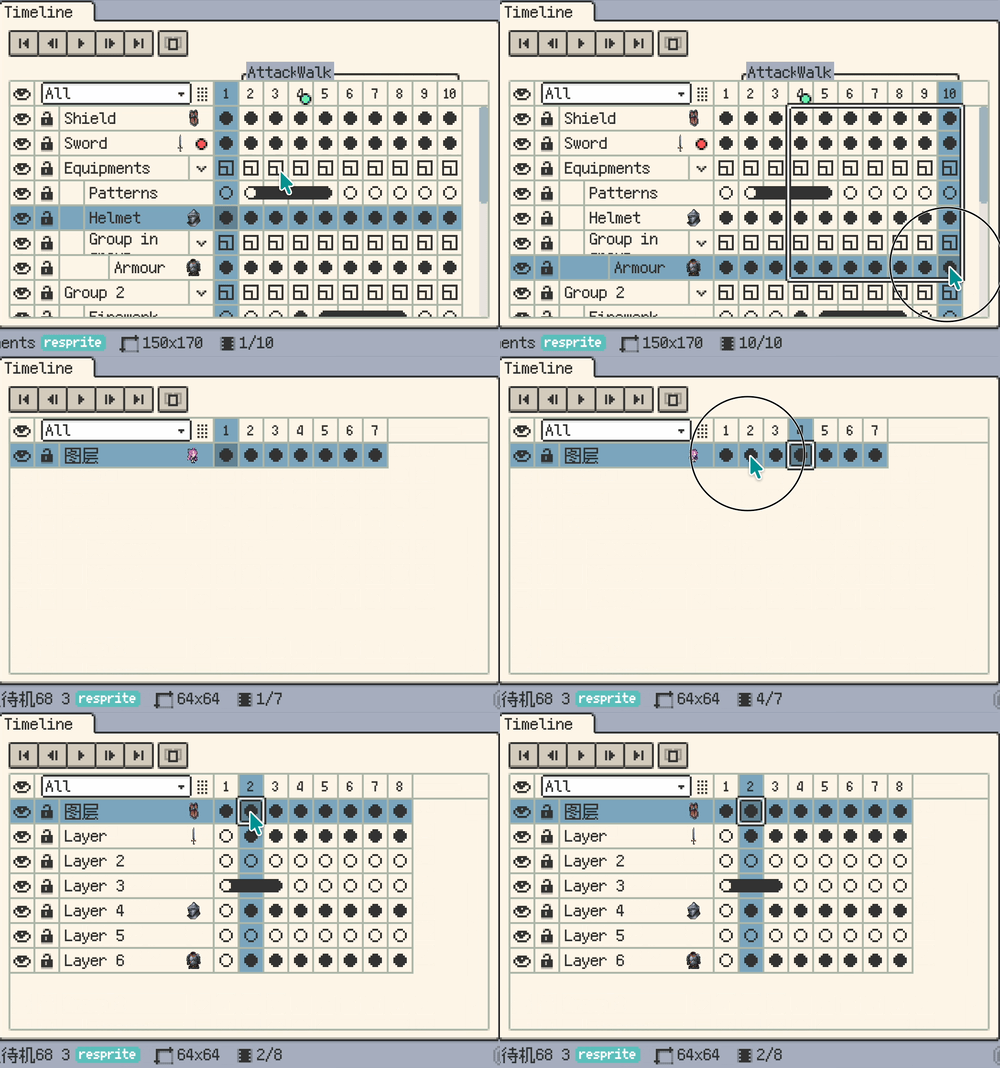
- Improvement: Timeline supports Select All via keyboard.
- Improvement: Added keyboard cut for frames.
- Improvement: Dialogs can be confirmed with Enter.
- Improvement: Improved tool group configuration interactions.
- Improvement: Added paste reference images from clipboard.
- Improvement: Selection transform handles are now hidden while a non-selection tool is active.
- Improvement: Eraser, Shading, Blur, and Jumble tools now support holding Shift to draw a straight segment from the previous stroke end.
- Improvement: Refined the highlight outline for buttons.
- Improvement: Restored light/dark faces on color edit buttons.
- Improvement: Optimized the window tab bar layout.
- Improvement: Dragging files into the Gallery now imports them directly (Desktop only).
- Improvement: Dragging files into the Reference panel now imports them as references (Desktop only).
- Improvement: Save As now includes a file format list (Desktop only).
- Improvement: Saved layouts now include top bar layout, toolbar position/aggregation, and action bar position.
- Improvement: Layout menu management now supports renaming and deletion confirmation.
- Improvement: Moved Reset from the Window menu into the Layout submenu.
- Improvement: Optimized Fill Tool performance in both normal and tiled modes, reducing stalls and memory pressure on large canvases.
- Improvement: Render info is now shown as a floating panel at the top-right of the app window (line 1: render metrics, line 2: TimeLapse queue length and P95).
- Improvement: Optimized TimeLapse recording performance to reduce drawing feel impact during fast strokes.
- Improvement: Improved TimeLapse recording video export performance.
Fixes
- Fix: Warn when importing fonts already in the app font folder to avoid freezing.
- Fix: Fixed color shift when exporting semi-transparent PNGs.
- Fix: Fixed multiple notifications triggered by Cut.
- Fix: Fixed canvas bounce jitter when rapidly pinch-zooming on mobile.
- Fix: Prevented blank files from overwriting data when image saving fails.
- Fix: Correctly read GIF frame rate when importing or opening.
- Fix: Fixed failures when importing some indexed-color Aseprite files.
- Fix: Added extraction limits when reading/extracting archives to mitigate Zip Bomb risk.
- Fix: Directory move fallback copy now runs in a background isolate to reduce UI blocking.
- Fix: Clean up temp folders when importing invalid cursor packs to avoid disk clutter.
- Fix: Path-in-folder checks now respect case sensitivity to avoid misclassification on Linux.
- Fix: Added a PSD file size precheck to prevent excessive memory usage.
- Fix: Validate empty cursor pack exports and show a failure prompt.
- Fix: Read project thumbnails with streaming ZIP parsing to reduce memory peaks.
- Fix: Auto-save is paused while the close confirmation dialog is open to avoid conflicts with discard actions.
- Fix: Resolved occasional rectangular holes or disappearing strokes when rapidly drawing on large canvases on low-performance devices.
- Fix: Text field text/caret could sit too low and slightly overflow at the bottom (more noticeable in CJK).
Thanks for Reading
If you run into any issues or have suggestions, please contact us via the official support page: Support. Your feedback helps us keep improving Resprite.