Resprite DA v1.29.1: Grid Snapping, Selection Workflow & Windows Thumbnails
Resprite DA v1.29.1 is a focused update that makes day-to-day pixel work more precise and efficient.
It introduces grid snapping for rectangular and isometric grids, improves selection and straight-line workflows, adds Windows File Explorer thumbnails, and includes a set of stability fixes.
🎯 Key Highlights
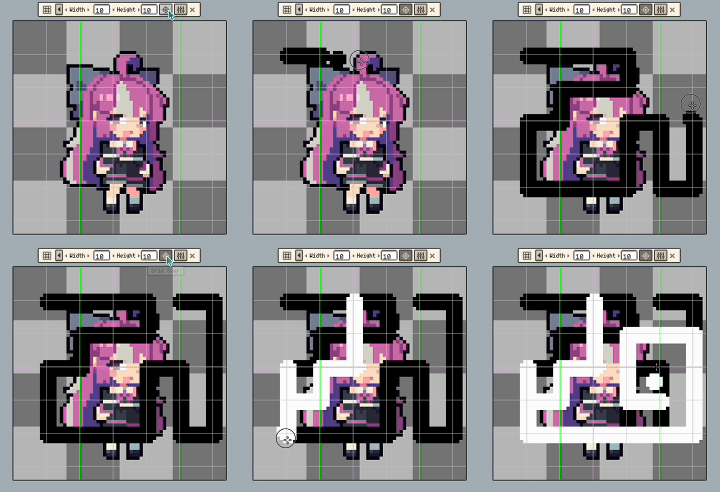
- Grid snapping: Align strokes and shapes faster with snapping support for rectangular and isometric grids.
- Selection workflow upgrades: Duplicate selections with Ctrl-drag, move by grid units with Shift + Arrow, and use Shift to draw straight lines.
- Windows thumbnails: Browse your projects faster with file thumbnails in Windows File Explorer.
- Quality and stability: Better performance (gallery lazy loading), UI refinements, and multiple bug fixes.
🧲 Grid Snapping & Grid Controls
- Added grid snapping for rectangular and isometric grids.

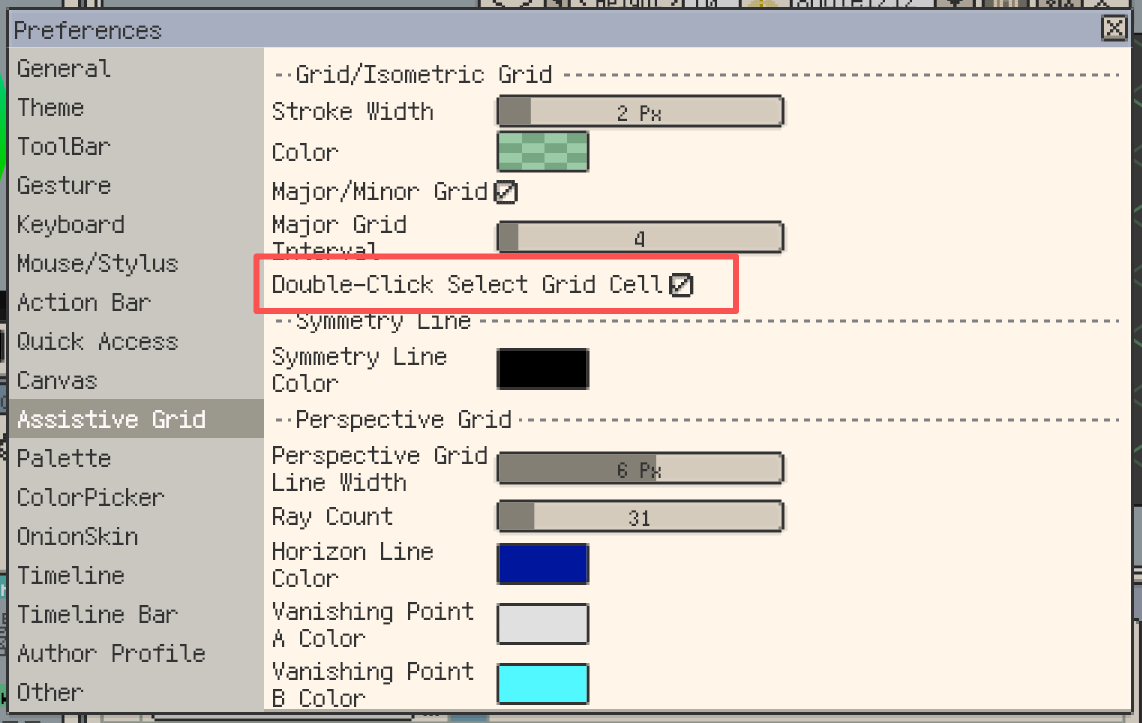
- Double-click to select a grid cell.
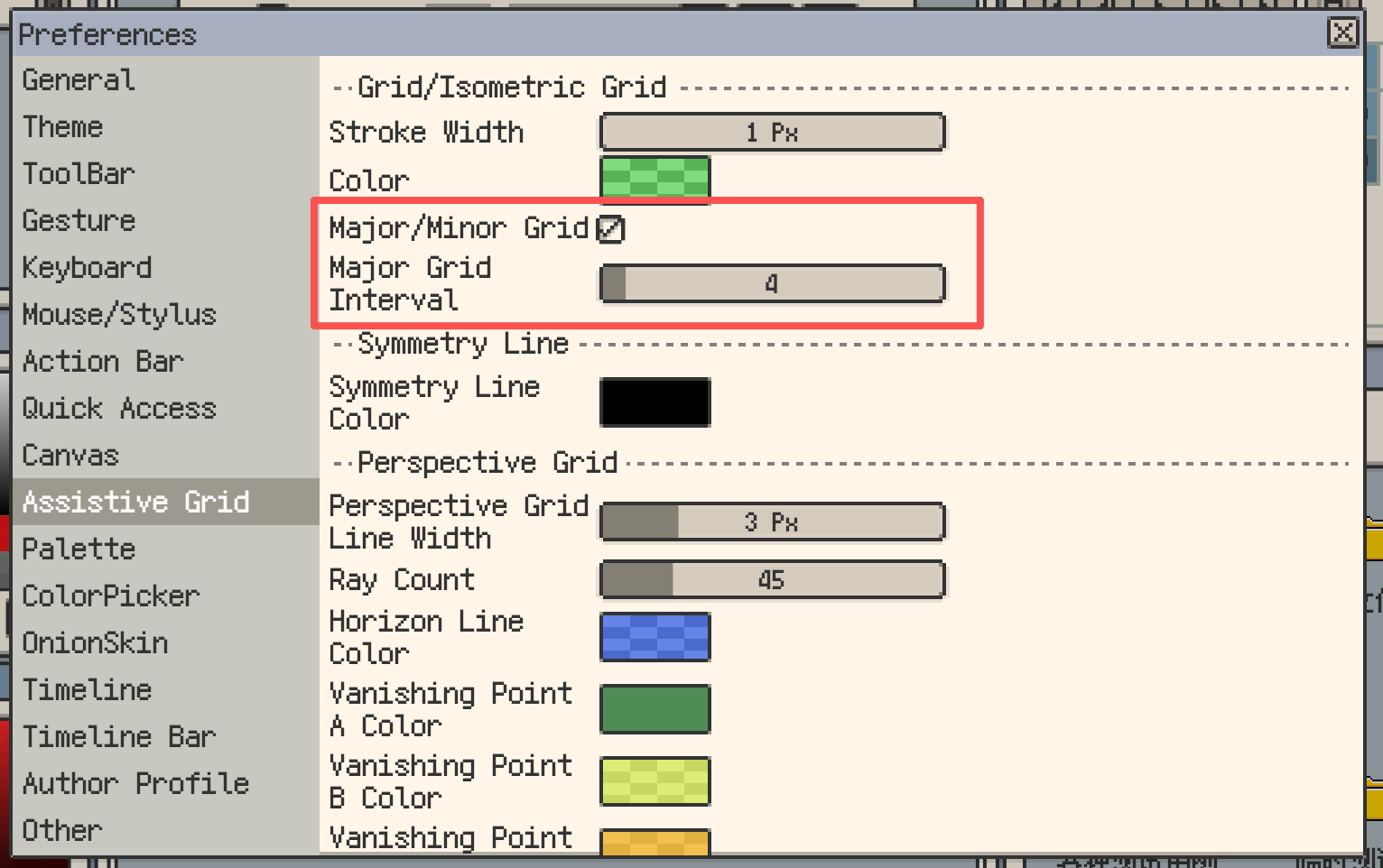
- Added primary/secondary grid display options.
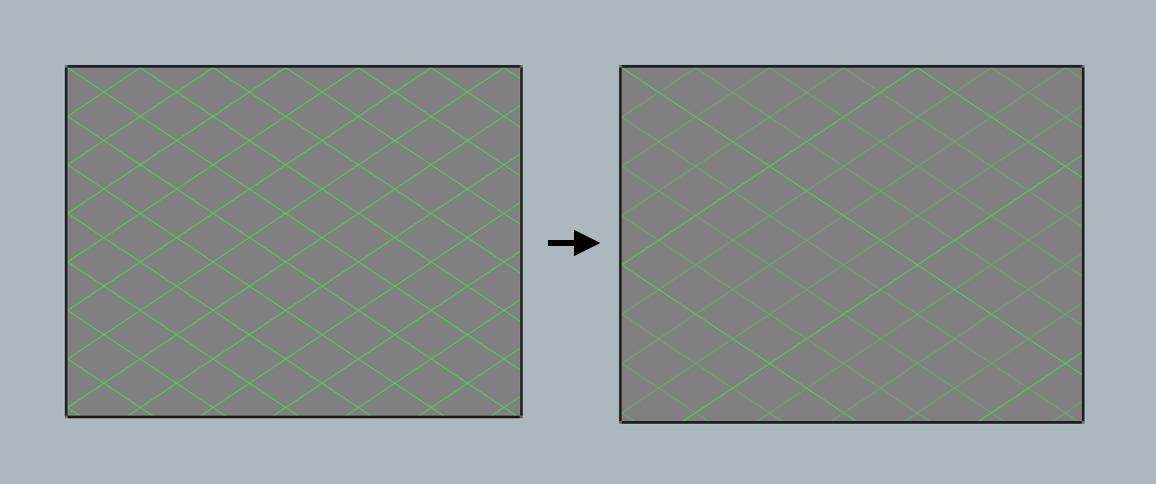
- Rectangular and isometric grids now support offset.

✂ Selection & Drawing Workflow Improvements
- Hold Ctrl and drag to duplicate the selection.
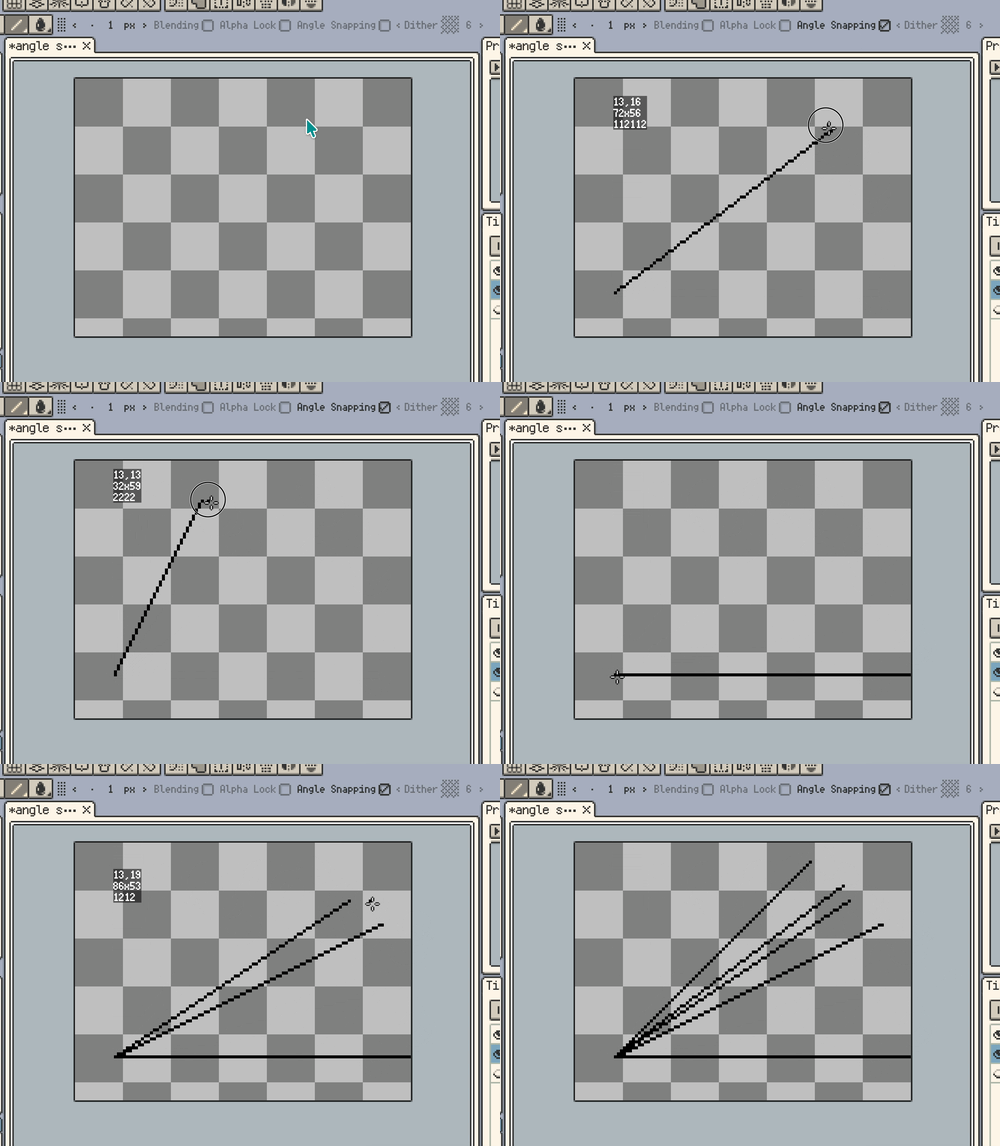
- Hold Shift to draw straight lines.

- Shift + Arrow keys move the selection by grid units.

- In the selection tool, hold Shift to switch to Add mode.

- Angle snapping for straight lines now supports more isometric variants (1212, 112112).
🪟 Windows File Explorer Thumbnails
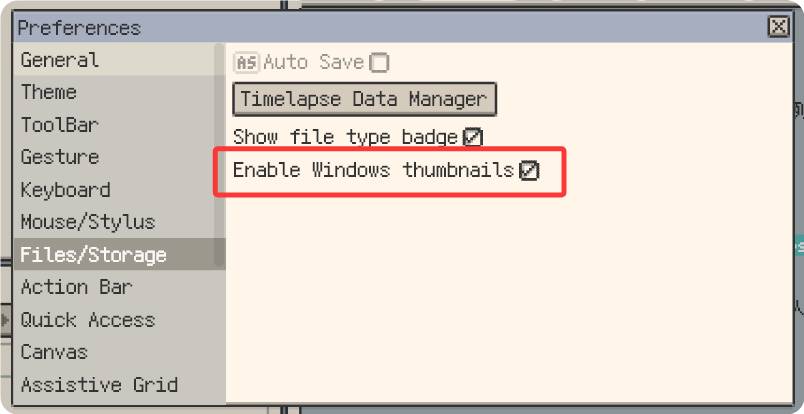
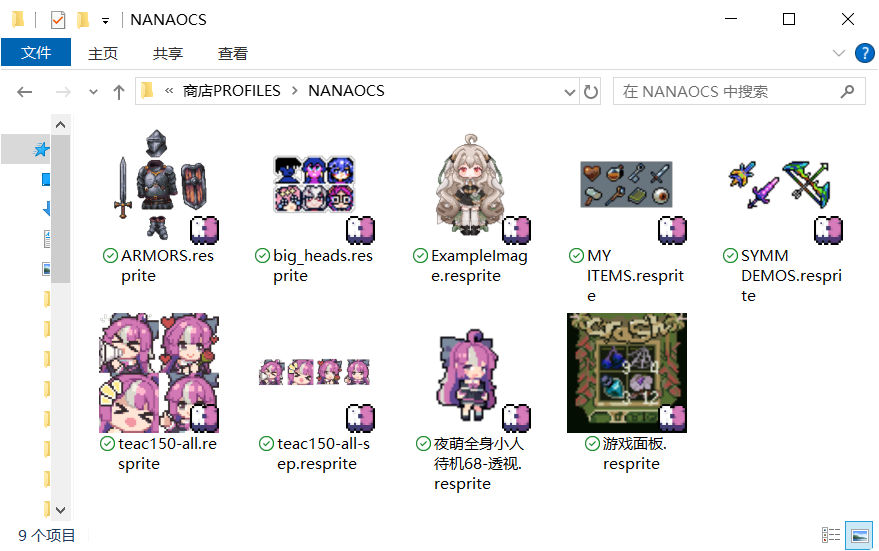
- On Windows, File Explorer now shows file thumbnails.
🎨 Color, Fonts & UI Refinements
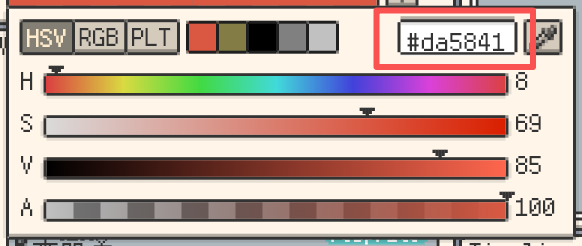
- The color panel now supports editing hex color codes (Desktop only).
- Drag and drop to import TTF fonts.
- Refined some localized strings.
- The scrub bar no longer responds to mouse wheel scrolling to avoid conflicts with page scrolling.
- While holding the middle mouse button, mouse wheel zoom is disabled to avoid conflicts.
- Deleting selection content with Backspace/Delete now keeps the selection active.
- Added a “Files & Storage” settings page and moved related settings there.
- Gallery now uses lazy loading to improve rendering performance.
🛠 Fixes & Stability
- Fixed: Menu item text overflow issue has been resolved.
- Fixed: Fixed a crash that could occur when opening a folder containing a large number of files.
- Fixed: Resolved broken reference image loading logic and enhanced error handling.
- Fixed: Fixed a rendering issue where strokes drawn on the preview canvas were missing when playing.
🙌 Thanks for Reading
If you run into any issues or have suggestions, please reach out via our official support page: Support.
Your feedback helps us keep Resprite improving with every release.