General Preferences
Switch the interface language
Change it in Preferences ▸ General ▸ Language.
Currently supported languages:
- English
- Simplified Chinese
- Traditional Chinese
- Japanese
- Korean
- German
- Spanish
- French
- Italian
- Portuguese
- Russian
- Turkish
- Polish
- Ukrainian
- Czech
- Indonesian
- Dutch
- Thai
Position toast notifications
Under Preferences ▸ General ▸ Toast Position, choose where transient messages appear:
- Top: centres the toast at the top of the screen.
- Bottom: aligns the toast near the bottom edge of the canvas container.
- Footer: shows toasts in the timeline footer when the timeline is docked at the bottom; otherwise behaves like the bottom option.
Keep the Android screen on
In DA 1.32.0 and later, Android users can enable Preferences ▸ Other ▸ Keep screen on to prevent the system from automatically locking the display while Resprite is open. This is useful when following bead patterns or keeping artwork visible as a long-running canvas reference.
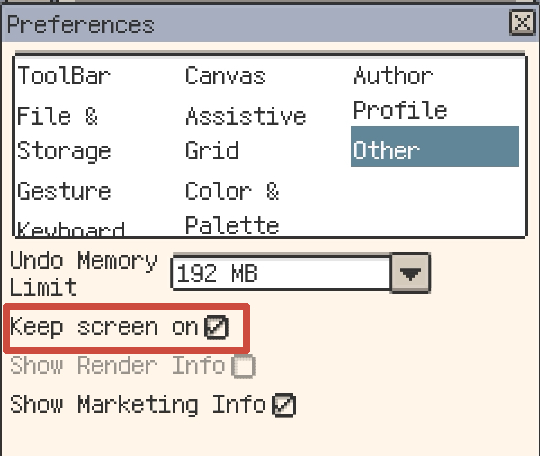
Keep screen on setting on Android