Resprite DA v1.29.0: Perspective Grids, WebP, Smarter Gallery & Grids
Resprite DA v1.29.0 focuses on precision drawing and production workflow.
This update brings perspective grids, WebP support, a more informative gallery, and refined transform and grid controls to help you plan complex scenes and export assets more efficiently.
🎯 Key Highlights
- Perspective grids: One-point, two-point, three-point, and fisheye grids help you construct scenes with accurate depth and vanishing points, while still keeping a clean pixel look.
- WebP workflow: Export, save as, and edit WebP still images and animations, combining small file sizes with fast decoding and lossless/animation support.
- Smarter gallery: File type badges and type filters make it easier to browse large libraries and quickly locate the assets you need (desktop).
- Better grid & transform controls: Assistant Grids settings, snapping scale ratios, and improved drag behaviour give you more control when aligning shapes and composition.
🧩 Perspective Grids & Assistant Grids
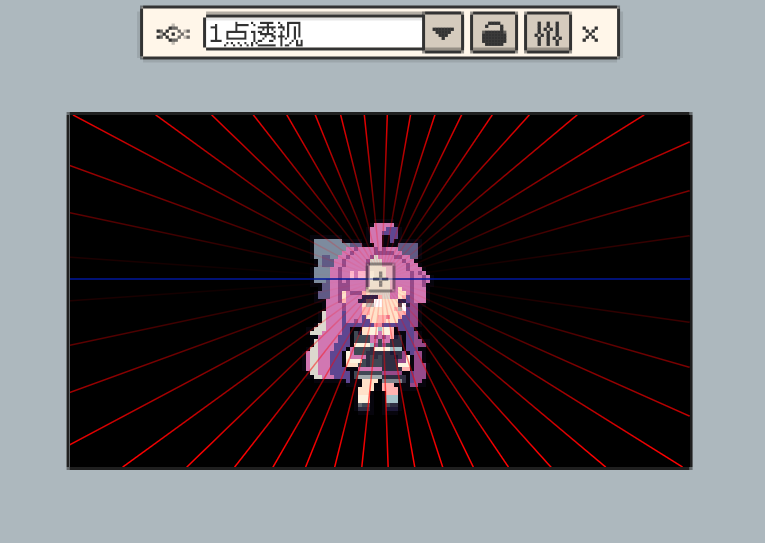
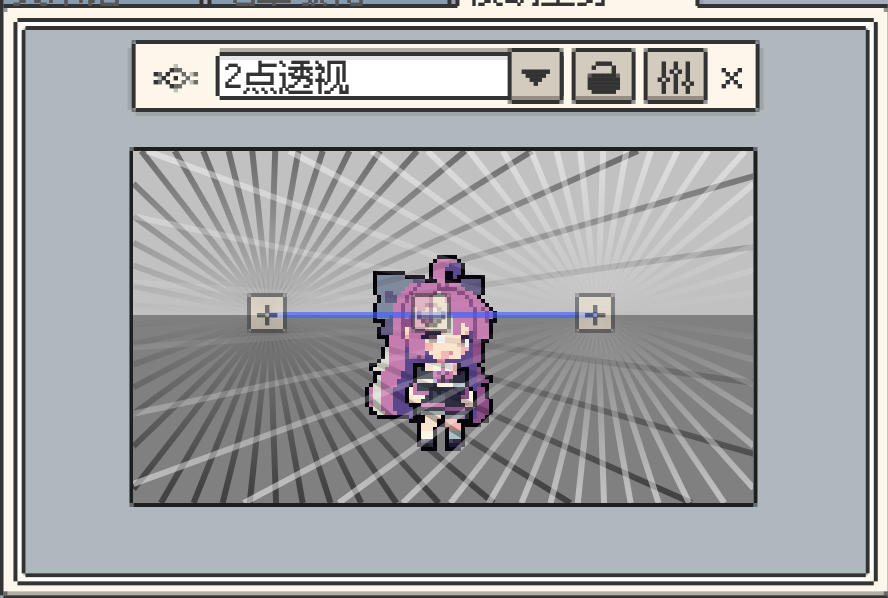
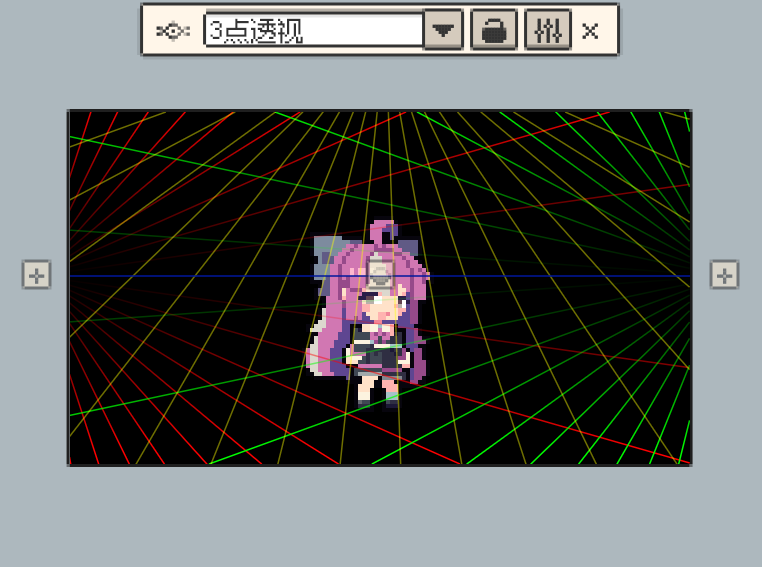
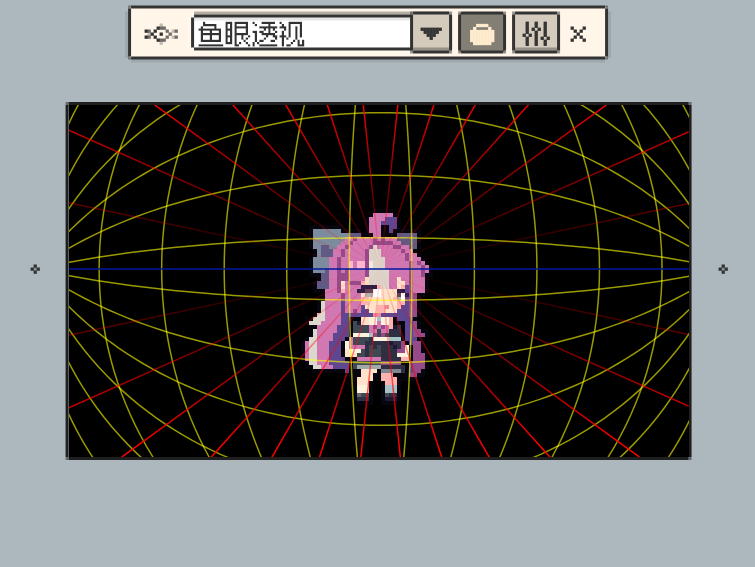
- Added perspective grids:
- One-point perspective – ideal for corridors, roads, and scenes facing straight-on.
- Two-point perspective – suitable for corners, buildings, and angled streets.
- Three-point perspective – useful for high/low-angle shots and dramatic layouts.
- Fisheye perspective – for curved, wide-angle distortions.
- Added an “Assistant Grids” settings page:
- Existing canvas grid options are moved here for a more focused experience.
- Perspective grid options are now configurable in one place, so you can tailor guides to your project.
- Added a contextual floating toolbar:
- Symmetry tools and grid options have been moved into this toolbar.
- The old grid settings dialog has been removed to reduce clutter and keep controls close to the canvas.
🌈 WebP Export & Animation
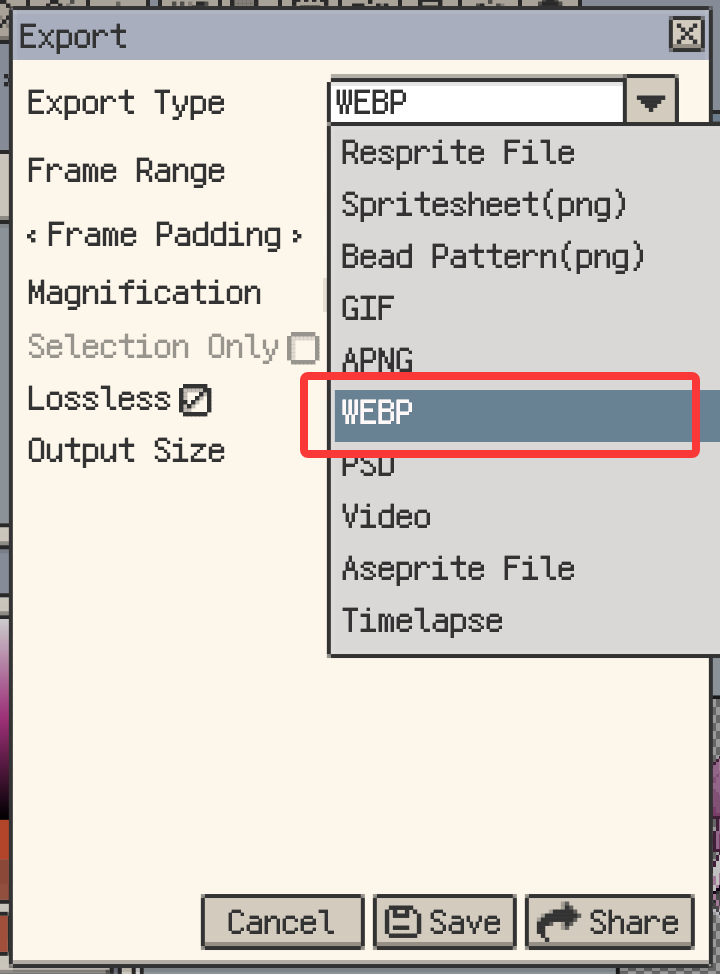
- Added support to export, save as, and edit WebP images, including WebP animations.
- WebP is a good fit for game assets and web delivery:
- Smaller file sizes help speed up downloads.
- Fast decoding improves runtime performance.
- Supports both lossless images and animated content.
🖱 Screen Picker & Gallery Improvements (Desktop)
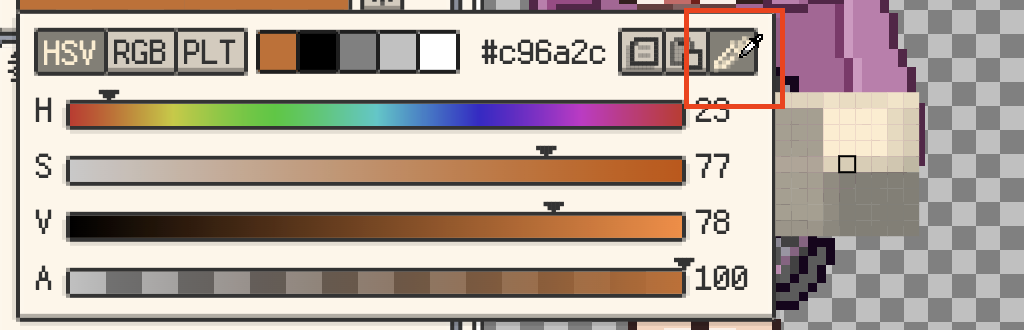
- Screen picker (desktop only):
- Sample colours from anywhere on your screen, including UI outside Resprite.
- Helpful for matching palettes with reference material, other tools, or web pages.
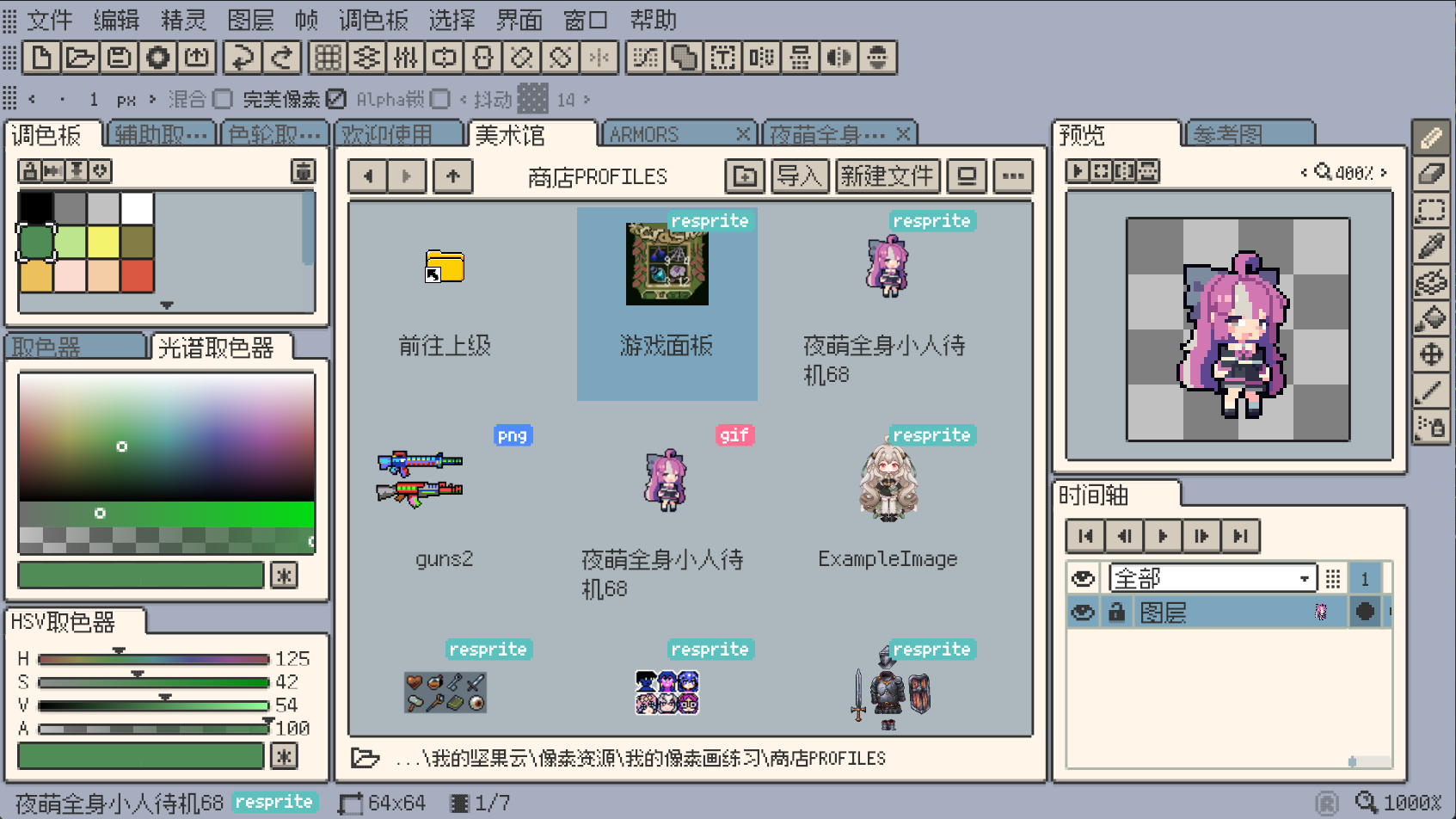
- File type badges in Welcome and Gallery views:
- Quickly distinguish between project types and formats at a glance.
- Reduces the chance of opening the wrong file when browsing large libraries.
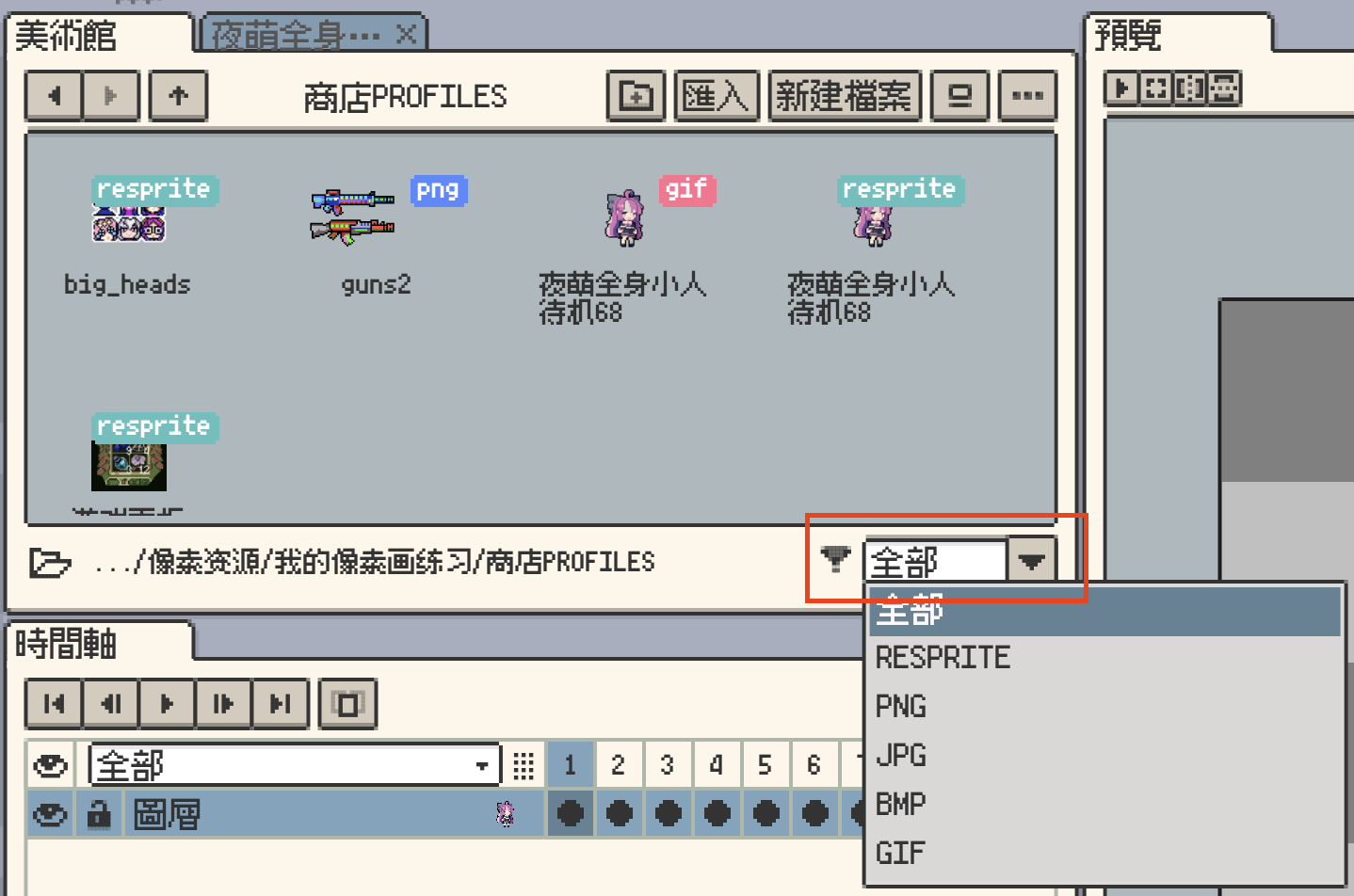
- Gallery file type filter (desktop):
- Filter the gallery by file type to focus on specific projects.
- Ideal for separating animation files, reference projects, or working assets.
✂ Smarter Canvas & Transform Controls
- “Crop to Canvas” in the Sprite menu:
- Trims content outside the canvas bounds in a single action.
- Useful for cleaning up imported assets or sketches that extend beyond the working area.

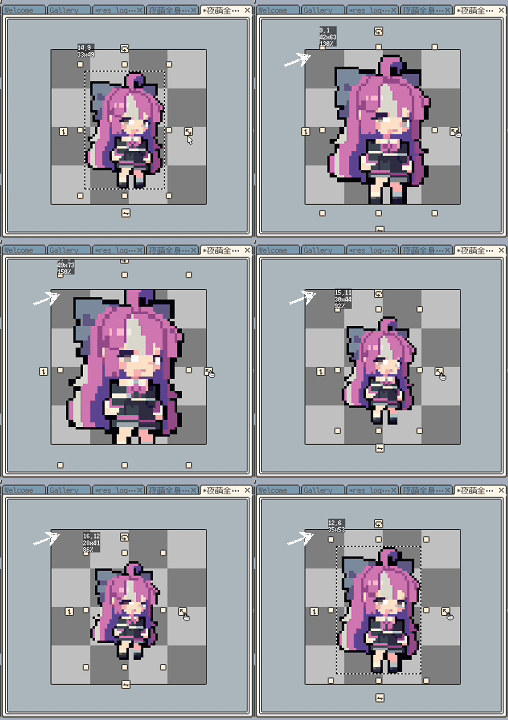
- Proportional scaling improvements:
- Shows the scale ratio when scaling a selection proportionally.
- Snaps to integer multiples, including 1/2 and 1/3, for quick precise scaling.
-
More intuitive drag behaviour:
- Hold Ctrl while dragging to perform center-symmetric drag.
- Hold Shift while dragging to keep proportional scaling.
-
Default theme is now fixed to the standard theme, instead of being assigned randomly on first launch.
This helps new users build familiarity with the UI and documentation.
🔧 Other Improvements
- Refined localization and corrected multiple strings to improve consistency across languages.
- Preview window flip buttons now accurately reflect their current state, reducing confusion when checking mirrored animations.
🛠 Fixes & Stability
This release also includes important fixes to keep Resprite DA stable for long sessions:
- Fixed: “Crop Borders” did not remove invisible layers.
- Fixed: Fill tool did not immediately update layer thumbnails.
- Fixed: Potential out-of-memory (OOM) when rendering the background checkerboard; also improved performance.
- Fixed: Frame index out-of-range errors in certain edge cases.
- Fixed: Null pointer exceptions caused by async operations on preview images.
- Fixed: Pressing Esc now closes dropdown popups before closing dialogs.
- Fixed: Pressing Esc now properly clears focus from text input fields.
- Fixed: Vibration permission issues on some Android brands.
- Fixed: Merging visible layers could create orphan layers.
- Fixed: Startup failure on Windows when the user’s “Documents” folder does not exist.
- Fixed: Layout could be lost when only the canvas window remained in a split view.
- Fixed: Timeline layer name bar could overflow the window when the window was narrow.
- Fixed: Gaps could appear along brush edges when drawing on some DPR configurations.
✅ Upgrade Recommendation
Resprite DA v1.29.0 is a recommended update for all desktop and Android users:
- Scene planning becomes more accurate with new perspective grids and Assistant Grids.
- WebP support streamlines sharing and runtime performance for both still images and animations.
- Gallery improvements and transform enhancements reduce friction in daily workflows.
If you have questions or suggestions, please reach out via our official support page: Support.
Your feedback directly helps us shape future versions of Resprite.