Cells
Open the cell menu
Double-tap a cel (frame-by-layer intersection) to edit its contents.
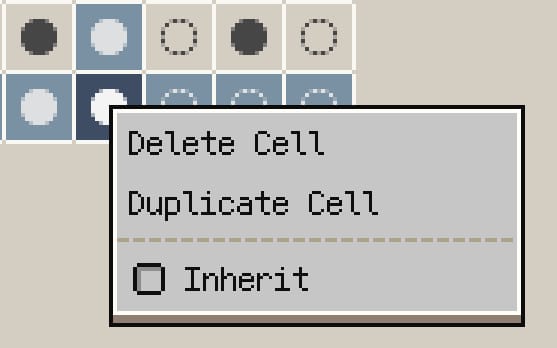
Cell context menu
Available commands:
- Delete Cell: clear all pixels stored in the cel.
- Duplicate Cell: copy the cel content to the next frame.
- Inherit: toggle inheritance so the cel reuses artwork from the previous frame.
Advanced cell workflows (v1.29.2+)
- Move cells: use the Cell Move tool to shift cels efficiently across timeline content.
- Cross-file paste: cel/layer data can be copied from one sprite and pasted into another.
- Auto-complete structure: when pasting multiple cels, Resprite can auto-add missing layers to keep alignment.
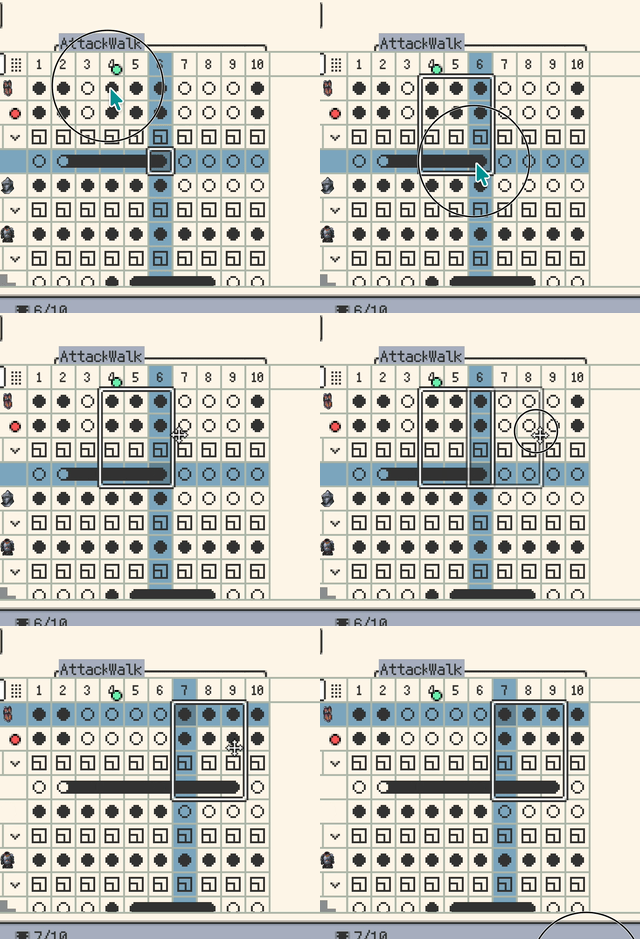
Move cells in the timeline

Auto-add layers when pasting multiple cels
note
When a cel inherits its predecessor, painting on it modifies the source cel directly.