Tiled Map Compatibility
Exchange editable tile maps and reusable tilesets with Tiled. A map import creates a .resprite project; edit and save that project, then export new Tiled files when you need to return the result to another tool.
Supported File Types
| Type | Purpose | How to use it |
|---|---|---|
.tmx | A complete Tiled map | Open on desktop with its referenced .tsx files and images available. |
Tiled map .zip | A map and its resources | Package the .tmx, tilesets, and images together; use this workflow on mobile. |
.tsx | One Tiled tileset | Import into a document or tileset library. On mobile, choose a ZIP containing the .tsx and its images. |
.restile | A Resprite tileset package | Reuse a tileset in Resprite or share it with another Resprite user. |
Keep resource names and relative paths intact when packaging a map or tileset. A map file alone may not contain the images needed to display its tiles.
Import Tiled Maps
- Choose Tiled map import and select the
.tmxor map ZIP. - Review the import notice for missing resources or converted features.
- Open and save the resulting Resprite project.
Supported content includes tilemap layers and tilesets, rectangular/isometric/hexagonal layouts, compatible flips and rotations, terrain information, tile probabilities, and tile animation. Conversion depends on the source data; use the notice to check any adjustments.
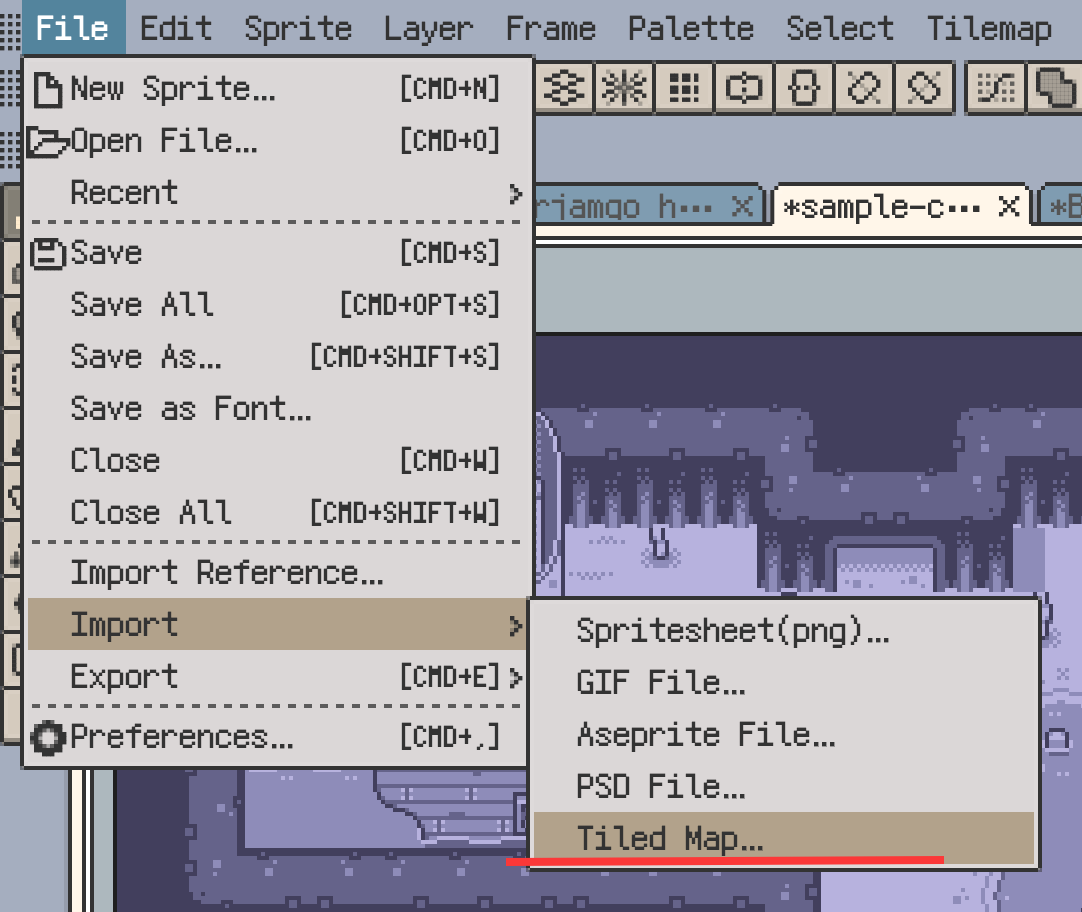
The imported document is separate from the original .tmx, .tsx, and PNG resources. Saving it does not overwrite those files.
Import .tsx Tilesets
Open the target document and use the tileset panel's Tiled tileset import, or import into the tileset library for later reuse. Desktop can select the .tsx; mobile imports use a ZIP containing the tileset and referenced images.
Use this workflow when you need one tileset rather than the complete map. If an image is missing or a relative path cannot be resolved, correct the resource package and import again.
Image Collection Tilesets
An image collection supplies tiles as separate images. Resprite converts compatible images into tilesets it can use, splitting the result when required by image dimensions or count limits. Review the import notice for images that could not be converted.
Export Tiled Maps
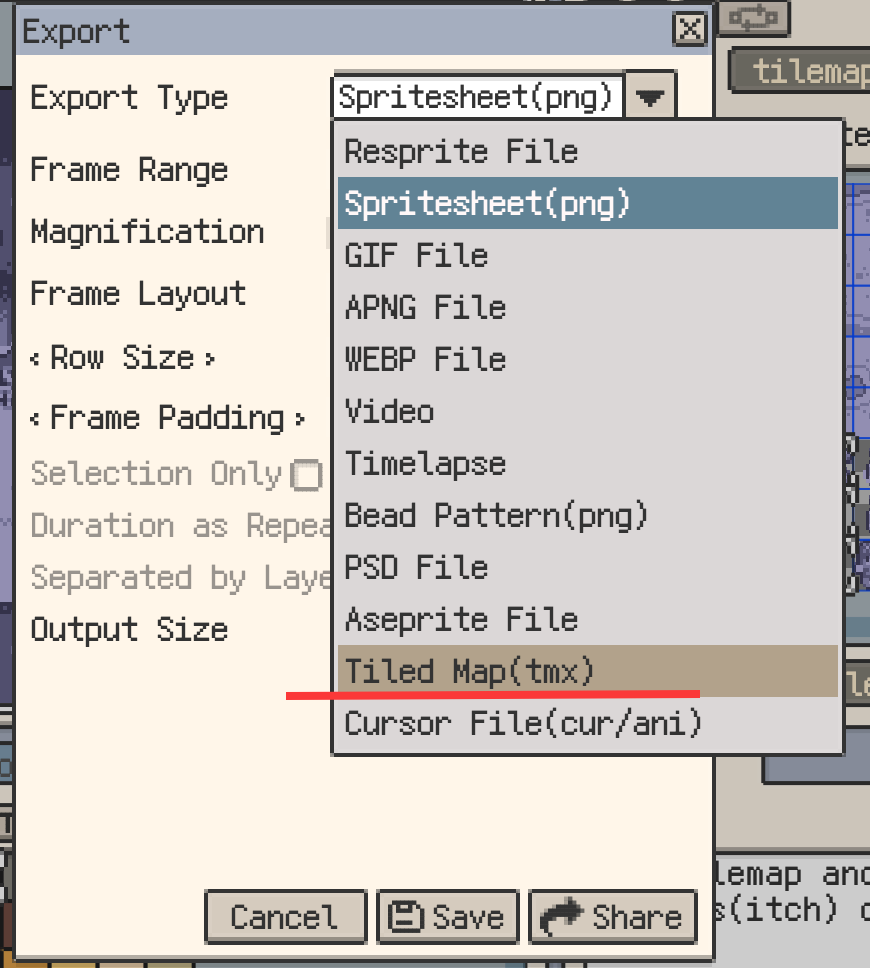
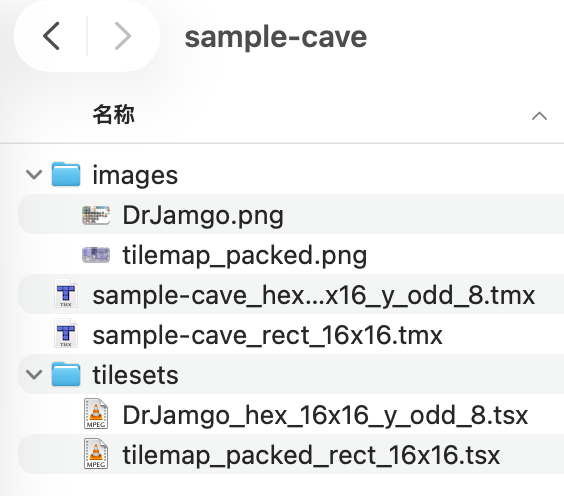
Open a document with tilemap layers and choose Export ▸ Tiled Map. The ZIP output contains one or more .tmx maps, matching .tsx tilesets, and PNG resources. Keep these files together when opening the result in Tiled.
Map Bounds
Choose an export boundary that includes the tiles you need. Canvas bounds suit maps contained in the canvas; use a larger range when content extends beyond it or the map is sparse.
Isometric Map Export
For isometric layers, choose the isometric export mode suited to the target workflow. Open the result in Tiled to check placement and layer order.
Multiple Tilemap Configurations
Resprite exports separate .tmx files when tilemap layers use different grid types, layout parameters, or tile sizes. This also applies to rectangular layers with different tile sizes. Keep the complete resource package when handing off a document that produces several maps.
.restile Tileset Packages
Use .restile to save reusable tilesets for Resprite documents or the tileset library. It is a tileset resource, not a whole artwork project.
Use .tsx when the recipient needs a Tiled tileset, or export a Tiled map when the arrangement of tiles and layers must travel too. Keep the .resprite project for continued editing of the whole artwork.
Import and Export Notices
Read the result notice for missing resources, automatic conversions, skipped content, or failed items. The summary describes the user-visible result; Copy Technical Details provides additional information for support.
Content That Is Not Fully Preserved
Tiled object layers, custom properties, and fields used by third-party tools are not guaranteed to remain editable. Examples include collision boxes, triggers, and annotation objects. Check the notice and compare the converted map with the source when these are part of your workflow.
Recommendations
- To edit a complete map, import it, work in
.resprite, then export a Tiled map for handoff. - To reuse tiles, import
.tsxor.restileinto a document or library. - If resources are missing, verify the package's images and relative paths before retrying.
If the result is unexpected, contact support with the notice's technical details and the affected resources. For editing tools, see Tilesets and Tilemaps.